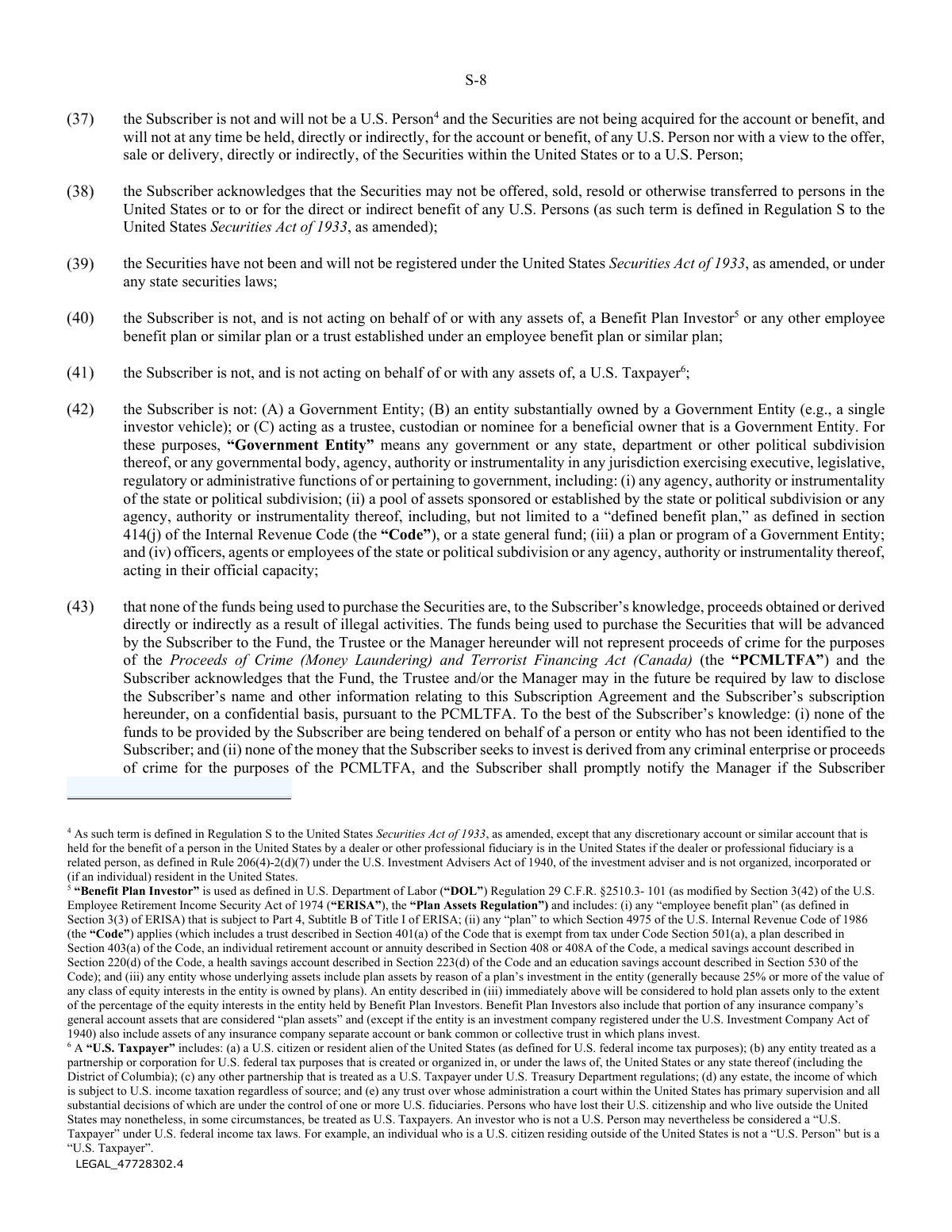
Yes! You can use AI to fill out Alpine Spring Private Venture & Growth Fund Subscription Agreement and Power of Attorney

The Alpine Spring Private Venture & Growth Fund Subscription Agreement and Power of Attorney is a comprehensive legal contract used by investors to subscribe for and purchase securities in the fund. It outlines the terms of the investment, including unit classes, minimum investment amounts, and extensive representations and warranties the subscriber must make regarding their financial status, residency, and compliance with various regulations. Today, this form can be filled out quickly and accurately using AI-powered services like Instafill.ai, which can also convert non-fillable PDF versions into interactive fillable forms.
Our AI automatically handles information lookup, data retrieval, formatting, and form filling.
It takes less than a minute to fill out Alpine Spring Subscription Agreement using our AI form filling.
Securely upload your data. Information is encrypted in transit and deleted immediately after the form is filled out.

Form specifications

Form name: Alpine Spring Private Venture & Growth Fund Subscription Agreement and Power of Attorney
Number of pages: 1
Language: English
Categories: power of attorney forms
main-image

Instafill Demo: How to fill out PDF forms in seconds with AI

How to Fill Out Alpine Spring Subscription Agreement Online for Free in 2026

Are you looking to fill out a ALPINE SPRING SUBSCRIPTION AGREEMENT form online quickly and accurately? Instafill.ai offers the #1 AI-powered PDF filling software of 2026, allowing you to complete your ALPINE SPRING SUBSCRIPTION AGREEMENT form in just 37 seconds or less.
Follow these steps to fill out your ALPINE SPRING SUBSCRIPTION AGREEMENT form online using Instafill.ai:
  1. 1 Navigate to Instafill.ai and upload or select the Alpine Spring Private Venture & Growth Fund Subscription Agreement.
  2. 2 Use the AI assistant to automatically populate your personal or entity details, such as full legal name, address, contact information, and tax identification number.
  3. 3 Specify your investment details, including the aggregate subscription amount and the desired class of units (e.g., Class A, Class F, Class I).
  4. 4 Complete the required schedules, particularly Schedule 'B' (Certificate of Accredited Investor), by selecting the category that defines your investor status and providing any necessary supporting information.
  5. 5 Carefully review all the representations, warranties, and acknowledgements throughout the document, ensuring all statements are true and accurate for your situation.
  6. 6 Electronically sign the main agreement, the consent for electronic delivery (Schedule 'A'), and the risk acknowledgement form (Schedule 'B-2') to finalize your subscription.
  7. 7 Download and save a copy of the fully executed subscription agreement for your personal records.

Our AI-powered system ensures each field is filled out correctly, reducing errors and saving you time.

Why Choose Instafill.ai for Your Fillable Alpine Spring Subscription Agreement Form?

Speed

Complete your Alpine Spring Subscription Agreement in as little as 37 seconds.

Up-to-Date

Always use the latest 2026 Alpine Spring Subscription Agreement form version.

Cost-effective

No need to hire expensive lawyers.

Accuracy

Our AI performs 10 compliance checks to ensure your form is error-free.

Security

Your personal information is protected with bank-level encryption.

Frequently Asked Questions About Form Alpine Spring Subscription Agreement

This agreement is your formal application to purchase securities, or 'Units', in the Alpine SPRING Private Venture & Growth Fund. By signing, you agree to the fund's terms, confirm your eligibility, and grant a power of attorney to the Fund Manager.

This form is for individuals or entities who wish to invest in the fund and can certify that they are an 'accredited investor' under Canadian securities law. The form also specifies that investors cannot be U.S. Persons, U.S. Taxpayers, or certain other restricted individuals.

Your completed Subscription Agreement must be received by the Fund Manager by 4:00 p.m. Eastern Time on the 15th day of each calendar month. If the 15th falls on a weekend or holiday, the deadline is the preceding business day.

The minimum initial investment varies by the class of Units you select, ranging from C$10,000 to US$5,000,000. For example, the minimum for Class A and Class F units is US$25,000 or C$25,000, depending on the currency class.

All subscribers must complete the personal and investment information starting on page S-19, as well as Schedule 'A' (Consent to Electronic Delivery) and Schedule 'B' (Certificate of Accredited Investor).

This is a mandatory declaration where you certify that you meet specific financial thresholds required by securities regulators to invest in private offerings. You must review the categories, check the one that applies to you, and complete the attached Risk Acknowledgement Form if required.

This section grants the Fund Manager, Spartan Fund Management Inc., the legal authority to act on your behalf for specific administrative tasks related to the fund. This is an irrevocable power of attorney required to efficiently manage the fund's operations.

You must send the fully completed and signed agreement to the Fund Manager at the address listed on the first page: c/o Spartan Fund Management Inc., 150 King Street West, Suite 200, Toronto, Ontario. Remember to keep a copy for your records.

The Fund Manager will review your application and, at its discretion, accept or reject it. If accepted, your funds will purchase interim Subscription Receipts, which are then automatically converted into Fund Units on the next official Subscription Date.

Yes, advisors acting for a fully managed account must complete the 'Subscriptions for Fully Managed Accounts' section. You must provide a list of client account information with each subscription and confirm that all representations in the agreement are accurate for each client.

Yes, services like Instafill.ai use AI to auto-fill form fields accurately from your saved profile, which can save significant time and reduce errors on a complex document like this. You are still responsible for verifying all information and making the required legal representations.

Simply upload the PDF of the Subscription Agreement to Instafill.ai. The platform will make the document fillable, allowing you to use its AI-powered tools to quickly populate your information before you print the document for your final review and signature.

You can use a service like Instafill.ai, which is designed to convert flat, non-fillable PDFs into interactive, fillable forms. This allows you to type your information directly into the fields, ensuring a clean, legible, and professional-looking submission.

These schedules are provided for your information and do not require you to fill anything out. Schedule C is the Fund's Privacy Policy, Schedule D is the privacy notice for the underlying Luxembourg Fund, and Schedule E defines who is considered a 'Restricted Person' under FINRA rules.

Compliance Alpine Spring Subscription Agreement
Validation Checks by Instafill.ai

1
Subscription Amount and Unit Class Currency Alignment
This check ensures the currency of the 'Aggregate Subscription Amount' (USD or CAD) matches the currency of the selected Unit Class. For example, if a 'Canadian Dollar Class' (e.g., Class A-CAD) is selected, the subscription amount must be entered in the CDN$ field and the US$ field must be empty. This validation prevents funding errors and ensures the correct number of units are issued based on the appropriate currency's net asset value. A mismatch will cause the submission to be rejected for correction.
2
Minimum Investment Threshold Verification
This validation confirms that the 'Aggregate Subscription Amount' meets or exceeds the minimum initial investment required for the selected Unit Class, as detailed on page S-2. For instance, a subscription for Class A Units must be at least US$25,000. This check is crucial for compliance with the fund's offering terms and regulatory filings. Subscriptions below the minimum threshold will be flagged for rejection or manual review by the manager.
3
Accredited Investor Category Selection and Completeness
This check verifies that the subscriber has selected and initialed exactly one accredited investor category on Schedule B-1. It also confirms that any conditional information required for that specific category, such as jurisdiction or registration numbers, has been provided. This is a critical legal requirement for distributing securities under a prospectus exemption, and an incomplete or improperly filled-out certificate will invalidate the subscription.
4
Conditional Risk Acknowledgement Form (45-106F9) Requirement
This validation confirms that Schedule B-2 (Form 45-106F9) is fully completed if the subscriber is an individual qualifying under accredited investor categories (j), (k), or (l) on Schedule B-1. The check ensures the investment amount is filled in, all risk statements are initialed, an investor status is initialed, and the form is signed. This form is a mandatory regulatory requirement to ensure individual investors explicitly acknowledge the specific risks associated with their qualification status.
5
Subscriber Type and Section Completion Logic
This check enforces that information is provided in the correct section based on whether the subscriber is an individual or an entity. If 'Type of Entity' is specified, the system validates that entity-specific fields like 'Date of Incorporation' are complete, while individual-specific fields like 'Date of Birth' and 'S.I.N.' are empty. This logic prevents data entry errors, ensures the correct legal party is identified, and supports proper tax and regulatory reporting.
6
Canadian Residency Verification
This validation confirms that the subscriber's address on page S-19 is a valid Canadian address, including a Canadian province and a postal code in the correct A1A 1A1 format. The form states on page S-18 that the subscriber must be a resident of a Canadian province or territory. This check is essential for ensuring the offering complies with jurisdictional securities laws and prospectus exemptions.
7
Prohibition of P.O. Box for Address
This check validates that the subscriber's address field does not contain a P.O. Box, as explicitly forbidden on page S-19. Anti-money laundering (AML) and know-your-client (KYC) regulations require a physical address for identity verification purposes. A submission containing a P.O. Box will be rejected and the user will be prompted to provide a physical street address.
8
Tax Identification Number Format Validation
This check validates that the provided Social Insurance Number (S.I.N.) for individuals or the Tax Identification Number (TIN) for entities follows the correct format. For a Canadian S.I.N., this means verifying it is a 9-digit number that passes the Luhn algorithm check. This improves data accuracy for critical tax reporting obligations under FATCA and CRS and helps prevent processing delays or compliance failures.
9
Dealer Certification Section Completeness
This validation ensures that the 'Dealer Certification' section on page S-20 has been fully completed by the Subscriber’s Agent. It verifies that the 'Name of Subscriber’s Agent (Firm Name)' and the 'Name and Signature of Authorized Signatory' fields are not empty. This certification is critical as it confirms the dealer has met their KYC, suitability, and AML obligations, which is a key part of the fund's compliance framework.
10
Non-U.S. Person Status Consistency Check
This check cross-references subscriber data against the multiple representations of not being a 'U.S. Person' or 'U.S. Taxpayer'. The system should flag potential contradictions, such as the use of a U.S. address, a U.S. phone number, or a U.S.-formatted tax ID number. This serves as a preliminary control to prevent the onboarding of ineligible investors and avoid significant U.S. regulatory and tax complications.
11
Signature and Date Completeness
This check verifies that all mandatory signature and date fields are completed, including the main subscriber signature and date on page S-19, and the signature and date on Schedule A. A missing signature or date invalidates the legal binding of the agreement and associated consents. The system must block submission if these fields are not completed.
12
Individual vs. Entity Financial Institution Status
This validation ensures that the checkbox for 'financial institution' status under section 142.2 of the Income Tax Act is only checked if the subscriber is an entity (corporation, trust, or partnership). If the subscriber is an individual, this box should be disabled or flagged as an error if checked. This is important for correct tax characterization and reporting for the fund.

Common Mistakes in Completing Alpine Spring Subscription Agreement

Incorrect Accredited Investor Certification

Schedule B-1 presents a complex checklist of 'accredited investor' categories. Subscribers often misunderstand the nuanced definitions of terms like 'financial assets' versus 'net assets' or select a category for which they do not qualify, exposing them and the fund to regulatory risk. An incorrect certification can lead to the subscription being rejected or unwound later. To avoid this, investors should carefully review the definitions provided and consult their financial advisor to confirm the correct category. AI-powered form filling tools can help by presenting these complex options with clearer guidance and ensuring all required sub-fields for a selected category are completed.

Forgetting the Dependent Risk Acknowledgement Form (Schedule B-2)

The instructions in Schedule B-1 state that individuals qualifying under the net income, financial asset, or net asset tests must also complete Schedule B-2 (Form 45-106F9). It is very common for subscribers to miss this instruction and only complete the main certificate, resulting in an incomplete application package. This oversight causes significant processing delays as the fund manager must return the documents for completion. When filling out the form, it's crucial to check for dependencies between schedules; for example, if you initial box (j), (k), or (l) in Schedule B-1, you must also complete and sign Schedule B-2.

Mismatched Subscription Amount and Unit Class

The form details numerous unit classes, each with a specific currency (USD or CAD) and a minimum investment amount (e.g., Class A at $25,000 vs. Class I at $5,000,000). A frequent error is entering a subscription amount that is below the required minimum for the selected unit class, or entering the amount in the wrong currency field (e.g., putting a CAD amount in the US$ line). This mismatch guarantees rejection and requires the form to be corrected and resubmitted. Using a tool like Instafill.ai can prevent this by validating the entered amount against the rules for the selected unit class in real-time.

Incorrectly Selecting an Ineligible Unit Class

Subscribers often select a unit class based only on the investment amount, without realizing there are other eligibility requirements. For example, Class F is restricted to investors in fee-based programs, and Class ICS is for specific CIBC clients. Choosing a class for which you are not eligible will lead to the subscription being rejected. Before selecting a class, carefully read the descriptions on page S-3 to ensure you meet all criteria, not just the investment minimum.

Using an Incomplete or Incorrect Legal Name

The form requires the subscriber's 'Full Legal Name' for proper registration and tax reporting. Individuals may mistakenly use a common nickname, or a signatory for an entity might use a trade name instead of the exact legal name as it appears on incorporation documents. This error can cause issues with account setup, tax document issuance (like T-slips), and future transactions. Always use the full, official legal name for the investing entity (whether an individual, corporation, or trust).

Errors in Tax Identification and Residency Details

This form contains extensive sections related to FATCA and CRS tax regulations, requiring precise information about tax residency and Tax Identification Numbers (TIN). Common mistakes include providing a Social Insurance Number (S.I.N.) for a corporate entity, confusing the definitions of 'U.S. Person' and 'U.S. Taxpayer', or incorrectly certifying one's status. Such errors can lead to incorrect tax withholding, reporting penalties, and significant delays. AI-powered tools can help ensure this data is entered in the correct format and that all necessary fields are completed.

Missing Signatures on Required Schedules

This subscription agreement requires signatures and dates in multiple locations, including the main signature page (S-20), Schedule A (Consent to Electronic Delivery), and potentially Schedule B-2 (Risk Acknowledgement). It is easy for subscribers to sign the main page but overlook the signatures required on the schedules. A missing signature on any required part of the document renders it invalid and will cause the entire package to be returned for correction, delaying the investment.

Ignoring the 'No P.O. Box' Instruction

The address field on page S-20 explicitly states '(No P.O. Box Number)'. Subscribers often miss this fine print and provide a P.O. Box out of habit. Financial institutions require a physical residential or business address to comply with Anti-Money Laundering (AML) and Know Your Client (KYC) regulations for identity verification. Using a P.O. Box will cause the application to be flagged and delayed until a valid physical address is provided.

Confusing Individual vs. Entity Information

Page S-20 has distinct sections for individuals and non-individual entities. When an individual is subscribing through a holding company or trust, they may mistakenly fill in their personal information (like Date of Birth or S.I.N.) in the entity section. This leads to confusion and incorrect registration of the securities. It is critical to provide the entity's information (Type of Entity, Date of Incorporation, Tax ID) when subscribing on behalf of a non-individual.

Misunderstanding 'Restricted Person' Status

The subscriber must represent that they are not a 'Restricted Person' as defined under U.S. FINRA Rule 5130 (explained in Schedule E). Many Canadian investors are unfamiliar with this rule and may not realize that it can apply to them if they or an immediate family member work for a broker-dealer or have authority over financial accounts. Incorrectly certifying this status can have serious regulatory consequences for the fund. Investors should carefully review Schedule E and consult their advisor if there is any uncertainty about their status.
Saved over 80 hours a year

“I was never sure if my IRS forms like W-9 were filled correctly. Now, I can complete the forms accurately without any external help.”

Kevin Martin Green

Your data stays secure with advanced protection from Instafill and our subprocessors

Robust compliance program

Transparent business model

You’re not the product. You always know where your data is and what it is processed for.

ISO 27001, HIPAA, and GDPR

Our subprocesses adhere to multiple compliance standards, including but not limited to ISO 27001, HIPAA, and GDPR.

Security & privacy by design

We consider security and privacy from the initial design phase of any new service or functionality. It’s not an afterthought, it’s built-in, including support for two-factor authentication (2FA) to further protect your account.

Fill out Alpine Spring Subscription Agreement with Instafill.ai

Worried about filling PDFs wrong? Instafill securely fills alpine-spring-private-venture-growth-fund-subscription-agreement-and-power-of-attorney forms, ensuring each field is accurate.