Yes! You can use AI to fill out Generic Data Collection Form

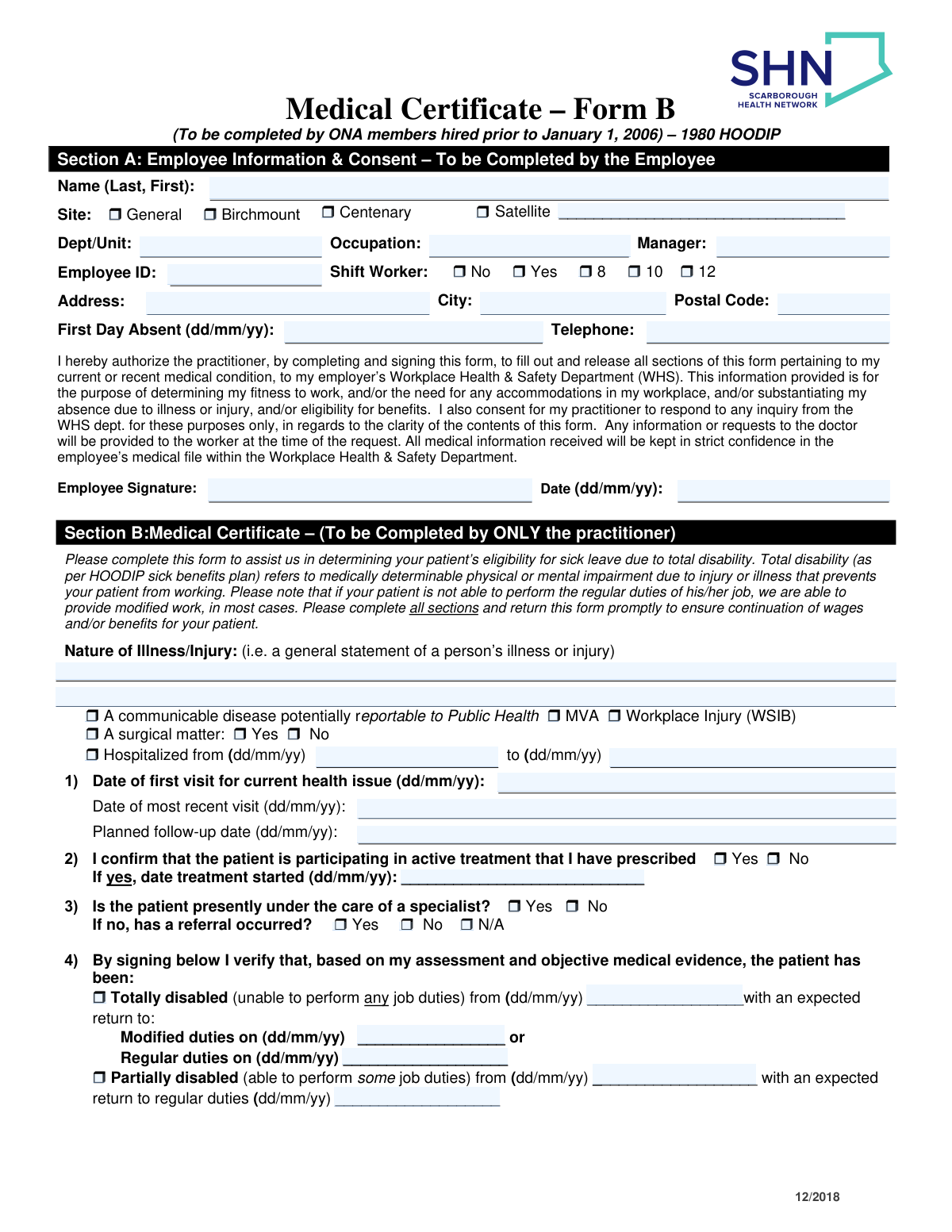
This document is a structured form designed to gather specific information through a combination of multiple-choice selections and free-text entries. Its purpose is to standardize the collection of data for a particular administrative or business process, ensuring all necessary details are captured consistently. Today, this form can be filled out quickly and accurately using AI-powered services like Instafill.ai, which can also convert non-fillable PDF versions into interactive fillable forms.
Our AI automatically handles information lookup, data retrieval, formatting, and form filling.
It takes less than a minute to fill out Generic Form using our AI form filling.
Securely upload your data. Information is encrypted in transit and deleted immediately after the form is filled out.

Form specifications

Form name: Generic Data Collection Form
Number of fields: 118
Number of pages: 3
Language: English
main-image

Instafill Demo: How to fill out PDF forms in seconds with AI

How to Fill Out Generic Form Online for Free in 2026

Are you looking to fill out a GENERIC FORM form online quickly and accurately? Instafill.ai offers the #1 AI-powered PDF filling software of 2026, allowing you to complete your GENERIC FORM form in just 37 seconds or less.
Follow these steps to fill out your GENERIC FORM form online using Instafill.ai:
  1. 1 Navigate to Instafill.ai and upload your form or select it from the available templates.
  2. 2 Use the AI assistant to automatically populate fields with your saved personal or business information.
  3. 3 Review the pre-filled data for accuracy and make any necessary corrections.
  4. 4 Proceed to answer the series of multiple-choice questions and fill in the required text boxes, with AI providing guidance where needed.
  5. 5 Carefully check all sections of the form to ensure every field is completed correctly.
  6. 6 Electronically sign the document if a signature is required, then download, print, or share your completed form.

Our AI-powered system ensures each field is filled out correctly, reducing errors and saving you time.

Why Choose Instafill.ai for Your Fillable Generic Form Form?

Speed

Complete your Generic Form in as little as 37 seconds.

Up-to-Date

Always use the latest 2026 Generic Form form version.

Cost-effective

No need to hire expensive lawyers.

Accuracy

Our AI performs 10 compliance checks to ensure your form is error-free.

Security

Your personal information is protected with bank-level encryption.

Frequently Asked Questions About Form Generic Form

This form is used to collect necessary information for an application or request. You should complete this form if you have been instructed to do so by the receiving organization or if it relates to a service you need.

Before you begin, it's helpful to gather all relevant personal details, identification numbers, important dates, and any other documents mentioned in the form's instructions. This will help you complete the form more efficiently.

Please type your information clearly and accurately into the provided text fields. Pay close attention to any specific formatting required for things like dates or phone numbers to ensure your form is processed without issues.

Read the question associated with each group of choices carefully. Select the option that best describes your situation, making sure to check if you should 'select one' or 'select all that apply'.

If a question is not relevant to your situation, you can typically write 'N/A' (Not Applicable) or leave the field blank. Always check the form's instructions for specific guidance on how to handle such cases.

If you are filling out a digital copy, you can simply edit the field to correct the error. If you are filling out a paper copy, it is best to start with a new form; otherwise, draw a single line through the mistake and write the correction clearly beside it.

Submission instructions are usually found on the form itself or on the website where you downloaded it. Common methods include mailing a physical copy, uploading it to an online portal, or sending it via email.

Processing times can vary greatly depending on the organization and the complexity of the request. For an accurate estimate, please refer to the information provided by the receiving agency or contact them directly.

Yes, services like Instafill.ai use AI to help you fill out forms accurately and save time. These tools can auto-fill your recurring information, reducing manual entry and potential errors.

To use Instafill.ai, upload the PDF to their website. The platform will identify the form fields, allowing you to use its AI-powered features to auto-fill your information and complete the document quickly.

If your PDF is a 'flat' or non-fillable scan, you can use a tool like Instafill.ai to make it interactive. Simply upload the file, and the service will convert it into a fillable form that you can complete on your device.

If you use an online form-filling service like Instafill.ai, you can usually save your progress and return later. If you are using a standard PDF reader, remember to save the file to your computer frequently to avoid losing your work.

Most modern PDF editors and online platforms like Instafill.ai have a feature for creating a secure electronic signature. You can typically type your name, draw your signature with a mouse, or upload an image of your signature.

Compliance Generic Form
Validation Checks by Instafill.ai

Common Mistakes in Completing Generic Form

Omitting Middle Names or Suffixes

Applicants often skip their middle initial or suffixes like 'Jr.' or 'III,' assuming they are optional. This can cause identity verification failures or mismatches with official records, leading to processing delays. Always enter your full legal name exactly as it appears on government-issued identification to ensure accuracy.

Using Incorrect Date Formats in Text Fields

When a date field is a simple textbox, users may enter dates in various formats like MM/DD/YY or DD/MM/YYYY. This ambiguity can lead to significant errors in eligibility, age verification, or record-keeping, especially if '03/04/25' is interpreted as April 3rd instead of March 4th. To prevent this, always use the four-digit year (YYYY) and check for any specified format instructions.

Transposing Digits in Critical Number Fields

Simple typos like transposing two numbers in a Social Security Number, phone number, or account number are extremely common but have major consequences. This can lead to failed identity checks, misdirected communications, or incorrect financial transactions. Carefully double-check all numerical entries, reading them back to yourself to ensure they are correct before submission.

Leaving Required Fields Blank Instead of Using 'N/A'

If a question does not apply, many people leave the corresponding textbox blank, which automated systems or reviewers may flag as an incomplete form. This often results in an immediate rejection and requires you to resubmit the entire form. Unless instructed otherwise, always enter 'N/A' (Not Applicable) or 'None' to show that you have intentionally addressed the field.

Misinterpreting or Rushing Through 'Yes/No' Questions

This form contains a large number of choice-based questions. It is easy to rush and accidentally check 'Yes' instead of 'No,' especially for questions phrased with double negatives. A single incorrect selection can lead to a denial of application, incorrect assessment of eligibility, or even legal consequences. Read every question carefully before making a selection.

Combining Address Components into One Field

Users sometimes enter their entire address, including city, state, and ZIP code, into the first 'Street Address' line. This corrupts the data for mailing systems and address verification, as software cannot parse the individual components correctly. Be sure to enter each part of your address—street, city, state, and ZIP—into its own dedicated field.

Using Abbreviations or Nicknames

For official documents, using abbreviations like 'St.' for 'Street' or nicknames like 'Bill' for 'William' can cause data mismatches when cross-referenced with official databases. This is especially critical for name and address fields used for identity verification. Always spell out words fully and use your complete legal name to avoid validation errors.

Entering an Invalid or Mistyped Email Address

A single typo in an email address, such as '.con' instead of '.com' or 'gnail' instead of 'gmail,' is a frequent error that prevents you from receiving crucial confirmations or follow-up requests. This can stall your application indefinitely without you realizing there is an issue. Always proofread your email address character by character before submitting the form.

Providing Inconsistent Information Across Form Sections

This appears to be a multi-part form, likely asking for similar information in different places. An applicant might enter a date or name slightly differently from one section to another, creating confusion and flagging the submission for manual review. Ensure key details are entered identically throughout the entire document to facilitate smooth processing.

Submitting Illegible Handwritten Information on a Flat PDF

If this form is a non-fillable PDF, users often print it and fill it out by hand, but poor handwriting can make critical information unreadable. This leads to data entry errors by the recipient and can cause the form to be rejected. To avoid this, use an AI-powered tool like Instafill.ai, which can convert flat PDFs into fillable forms, ensuring every entry is perfectly clear and legible.
Saved over 80 hours a year

“I was never sure if my IRS forms like W-9 were filled correctly. Now, I can complete the forms accurately without any external help.”

Kevin Martin Green

Your data stays secure with advanced protection from Instafill and our subprocessors

Robust compliance program

Transparent business model

You’re not the product. You always know where your data is and what it is processed for.

ISO 27001, HIPAA, and GDPR

Our subprocesses adhere to multiple compliance standards, including but not limited to ISO 27001, HIPAA, and GDPR.

Security & privacy by design

We consider security and privacy from the initial design phase of any new service or functionality. It’s not an afterthought, it’s built-in, including support for two-factor authentication (2FA) to further protect your account.

Fill out Generic Form with Instafill.ai

Worried about filling PDFs wrong? Instafill securely fills generic-data-collection-form forms, ensuring each field is accurate.