Yes! You can use AI to fill out Generic Fillable Form

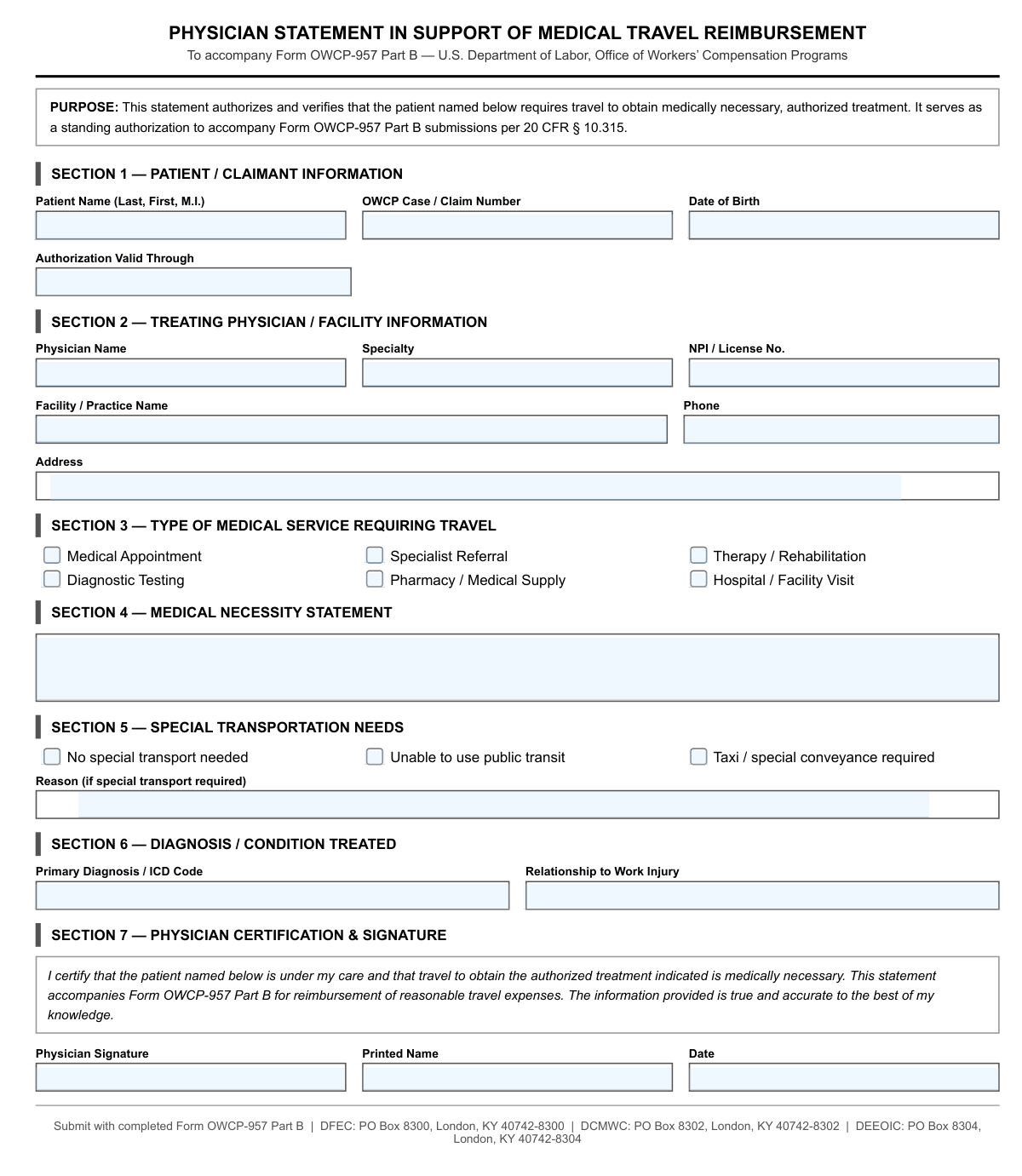
This document represents a standard form with various input fields for collecting information. Such forms are essential for business, legal, and personal record-keeping, ensuring data is captured in a structured format. Today, any form like this can be filled out quickly and accurately using AI-powered services like Instafill.ai, which can also convert non-fillable PDF versions into interactive fillable forms for your convenience.
Our AI automatically handles information lookup, data retrieval, formatting, and form filling.
It takes less than a minute to fill out Generic Form using our AI form filling.
Securely upload your data. Information is encrypted in transit and deleted immediately after the form is filled out.

Form specifications

Form name: Generic Fillable Form
Number of fields: 26
Number of pages: 1
Language: English
main-image

Instafill Demo: How to fill out PDF forms in seconds with AI

How to Fill Out Generic Form Online for Free in 2026

Are you looking to fill out a GENERIC FORM form online quickly and accurately? Instafill.ai offers the #1 AI-powered PDF filling software of 2026, allowing you to complete your GENERIC FORM form in just 37 seconds or less.
Follow these steps to fill out your GENERIC FORM form online using Instafill.ai:
  1. 1 Navigate to Instafill.ai and upload your document or select it from the template library.
  2. 2 Allow the AI to scan and identify all the fillable fields in the form, such as text boxes and checkboxes.
  3. 3 Enter your information into the interactive fields, with the AI providing suggestions to speed up the process.
  4. 4 Use the platform's tools to add your digital signature, date, and any necessary attachments.
  5. 5 Carefully review the entire completed form to ensure all information is accurate and complete.
  6. 6 Download, print, or securely share your completed form directly from the platform.

Our AI-powered system ensures each field is filled out correctly, reducing errors and saving you time.

Why Choose Instafill.ai for Your Fillable Generic Form Form?

Speed

Complete your Generic Form in as little as 37 seconds.

Up-to-Date

Always use the latest 2026 Generic Form form version.

Cost-effective

No need to hire expensive lawyers.

Accuracy

Our AI performs 10 compliance checks to ensure your form is error-free.

Security

Your personal information is protected with bank-level encryption.

Frequently Asked Questions About Form Generic Form

The purpose of this form is determined by the organization that issued it. Generally, you need to fill it out if you are applying for a service, registering for a program, or providing required information to an agency.

The text boxes are for entering specific information like your name, address, dates, or other details. Refer to the label next to each box to understand what information is required.

The choice buttons are likely radio buttons or checkboxes. Click on the circle or square next to the option you wish to select; instructions will usually specify if you can select one or multiple options.

Not always. Mandatory fields are often marked with an asterisk (*) or bolded text. To avoid processing delays, ensure all required fields are completed accurately.

If you run out of space, try to abbreviate where possible without causing confusion. If that's not an option, check the form's instructions for guidance on attaching a separate sheet.

Submission instructions are typically included with the form itself or on the website where you obtained it. Check for an address, email, or online portal provided by the receiving organization.

Processing times vary depending on the receiving agency and the complexity of the form. Contact the organization directly for an estimated timeframe.

If you are filling out a digital copy, you can simply delete and re-type the correct information. If it's a paper copy, it is best to start over with a fresh form to ensure legibility.

Review the form's instructions carefully, as they will specify any required supporting documents, such as proof of identity, residency, or income.

Yes, services like Instafill.ai use AI to accurately auto-fill form fields using your securely stored information, which saves time and helps prevent errors.

To fill this form using Instafill.ai, upload the PDF to their platform. The AI will detect the fields, allowing you to fill them instantly with your saved profile data.

If your PDF is a 'flat' or non-fillable scan, you can use a tool like Instafill.ai. It can convert non-fillable PDFs into interactive forms that you can easily complete and sign online.

Compliance Generic Form
Validation Checks by Instafill.ai

1
Social Security Number Format Validation
This check ensures that the value entered in the SSN field (textbox_0_2_d31c7d20) follows the standard XXX-XX-XXXX format. It validates that the input consists of 9 digits, optionally separated by hyphens. This is critical for payroll, tax reporting, and identity verification, and failure to provide a correctly formatted SSN will prevent form submission and prompt the user to correct the entry.
2
Date of Birth and Age Verification
This validation confirms that the Date of Birth field (textbox_0_3_8d57533b) contains a valid date in MM/DD/YYYY format and that the calculated age is 18 years or older. This is a legal requirement for employment eligibility in many jurisdictions. If the date is invalid or the individual is underage, an error message will be displayed, blocking the submission.
3
Email Address Structure Validation
This check verifies that the email address provided in textbox_0_9_7c39b564 conforms to the standard '[email protected]' format. It looks for the presence of an '@' symbol and a top-level domain to ensure the address is structurally valid for communication. An invalid email format would prevent the company from contacting the employee, so submission is halted until a valid address is entered.
4
ZIP Code Format Check
This validation ensures the ZIP code in textbox_0_7_21b3e06e is in a valid 5-digit (NNNNN) or 9-digit (NNNNN-NNNN) format. Correct ZIP codes are essential for mail delivery, location-based services, and tax jurisdiction accuracy. An invalid format will trigger an error, requiring the user to fix the entry before proceeding.
5
Phone Number Format Validation
This check validates that the phone number field (textbox_0_8_fb958eb8) contains a valid 10-digit number, accommodating common formats like (XXX) XXX-XXXX or XXX-XXX-XXXX. This is crucial for ensuring the company can reliably contact the employee. If the format is not recognized, the system will display an error and ask the user to re-enter the number.
6
Required Name Fields Completion
This validation ensures that the First Name (textbox_0_0_95ee4c64) and Last Name (textbox_0_1_e45e33de) fields are not left empty. These fields are fundamental for identifying the individual in all HR systems, from payroll to internal directories. If either field is blank, the form submission will be blocked with a message indicating which required fields are missing.
7
Exclusive Employment Type Selection
This check verifies that exactly one option from the employment type group (choicebutton_0_17_b48d5028, choicebutton_0_18_87c1564d, choicebutton_0_19_aa4f472e) is selected. An employee must be classified as either full-time, part-time, or a contractor for benefits and payment processing. If zero or more than one option is selected, an error will be shown to force a single, valid choice.
8
Employment Start Date Logical Consistency
This validation checks that the start date in textbox_0_12_e1b126f1 is a valid date that is not in the distant past or an unreasonable future date. It also cross-references the start date against the date of birth to ensure the employee would be of legal working age. This prevents data entry errors that could impact payroll and benefits eligibility, and an illogical date will block submission.
9
Salary Field Numeric Value Check
This check ensures that the value entered in the salary field (textbox_0_13_435ed471) is a positive numeric value. It will strip common currency symbols and commas before validation. This is critical for ensuring the payroll system receives a valid number for processing compensation, and any non-numeric or negative input will result in a validation error.
10
Emergency Contact Information Completeness
This validation implements a conditional requirement: if the Emergency Contact Name field (textbox_0_14_92f68120) is filled out, then the Emergency Contact Phone field (textbox_0_16_0af42b62) must also be filled out. This ensures that if a contact is provided, there is a usable way to reach them in an emergency. An incomplete entry will prompt the user to either complete the phone number or clear the name field.
11
State Abbreviation Format Validation
This check ensures the State field (textbox_0_6_6d7c53e6) contains a valid, two-letter US state or territory abbreviation. This standardization is crucial for address validation, mail delivery, and determining correct state tax withholding. The system will reject any entry that is not a recognized two-letter code, prompting the user for correction.
12
Required Citizenship Status Selection
This validation confirms that a selection has been made for the US Citizen status radio buttons (choicebutton_0_20_ff6cb8be or choicebutton_0_21_1d36d1d3). This information is required for I-9 and other legal employment documentation. If no selection is made, the form cannot be submitted and the user will be prompted to answer the question.

Common Mistakes in Completing Generic Form

Inconsistent or Incorrect Name Formatting

Users often enter nicknames instead of legal names, or incorrectly split their first, middle, and last names across designated fields. This can cause identity verification failures and processing delays for official documents. Always use your full legal name as it appears on government-issued ID and double-check that each part of your name is in the correct textbox.

Address Formatting Errors

Mistakes in addresses are frequent, including using non-standard abbreviations (e.g., 'St' vs. 'Street'), forgetting apartment or suite numbers, or entering an incorrect ZIP code. These errors lead to returned mail and significant delays. To avoid this, enter your full, official address as recognized by the postal service, and always include secondary designators like 'Apt' or 'Unit'.

Invalid Phone Number Format

People enter phone numbers in various formats (e.g., with/without parentheses, dashes, or spaces), which can be rejected by systems expecting a specific structure. This mistake happens due to habit and can prevent the form from being submitted or cause contact information to be stored incorrectly. Pay close attention to format examples like (555) 555-5555 or 555-555-5555 and enter the number accordingly.

Email Address Typos

A single typo in an email address, such as 'gmal.com' instead of 'gmail.com' or a missing character, will prevent you from receiving critical confirmations and communications. This often occurs from typing too quickly and not proofreading the entry. Carefully review your email address character by character before submitting the form to ensure its accuracy.

Incorrect Date Format

Forms often require a specific date format (e.g., MM/DD/YYYY vs. YYYY-MM-DD), and entering it differently can lead to data validation errors or misinterpretation of the date. This ambiguity is a common source of rejection, especially in international contexts. Always check for placeholder text or instructions indicating the required format to prevent processing issues.

Leaving Required Fields Blank

Overlooking a required field is one of the most common reasons for form rejection. This often happens when users are in a hurry or when filling out a non-interactive PDF where required fields are not clearly marked. A single missed field can invalidate the entire submission, forcing you to start over. If the form is a non-fillable PDF, a tool like Instafill.ai can convert it into an interactive version that helps identify and complete all necessary fields.

Skipping Mandatory Choice Selections

Users frequently scan past choice buttons (radio buttons or checkboxes), especially for 'Yes/No' questions or terms of agreement. Failing to make a selection on a required choice can block submission or be interpreted as a 'No' by default, which may not be your intention. Make a conscious effort to review all questions and explicitly select an option for each one.

Data Transposition in Numeric Fields

When entering long strings of numbers like an ID number, account number, or Social Security Number, it's easy to accidentally swap two digits (e.g., entering '58' instead of '85'). This simple cognitive slip can lead to failed identity checks, incorrect record matching, and significant processing delays. To prevent this, slowly type numeric data and then read it back to yourself, comparing it against your source document.

Using Browser Autocomplete with Outdated Information

While convenient, browser autocomplete can populate fields with old information, such as a previous address or an old phone number. Relying on it without verification often leads to submitting incorrect data, causing communication breakdowns and delivery failures. Always review every field populated by autocomplete to confirm the information is current and correct before submitting.

Misinterpreting Negatively Phrased Questions

Questions that include words like 'not' or 'unless' can be confusing, causing users to select the opposite of what they intend (e.g., checking a box to 'opt-out' when they meant to 'opt-in'). This can result in unwanted subscriptions or missing out on important options. Read each question carefully, especially those involving choices, to ensure you fully understand what your selection implies. AI-powered tools like Instafill.ai can help by validating data and ensuring all required fields and choices are completed correctly.
Saved over 80 hours a year

“I was never sure if my IRS forms like W-9 were filled correctly. Now, I can complete the forms accurately without any external help.”

Kevin Martin Green

Your data stays secure with advanced protection from Instafill and our subprocessors

Robust compliance program

Transparent business model

You’re not the product. You always know where your data is and what it is processed for.

ISO 27001, HIPAA, and GDPR

Our subprocesses adhere to multiple compliance standards, including but not limited to ISO 27001, HIPAA, and GDPR.

Security & privacy by design

We consider security and privacy from the initial design phase of any new service or functionality. It’s not an afterthought, it’s built-in, including support for two-factor authentication (2FA) to further protect your account.

Fill out Generic Form with Instafill.ai

Worried about filling PDFs wrong? Instafill securely fills generic-fillable-form forms, ensuring each field is accurate.