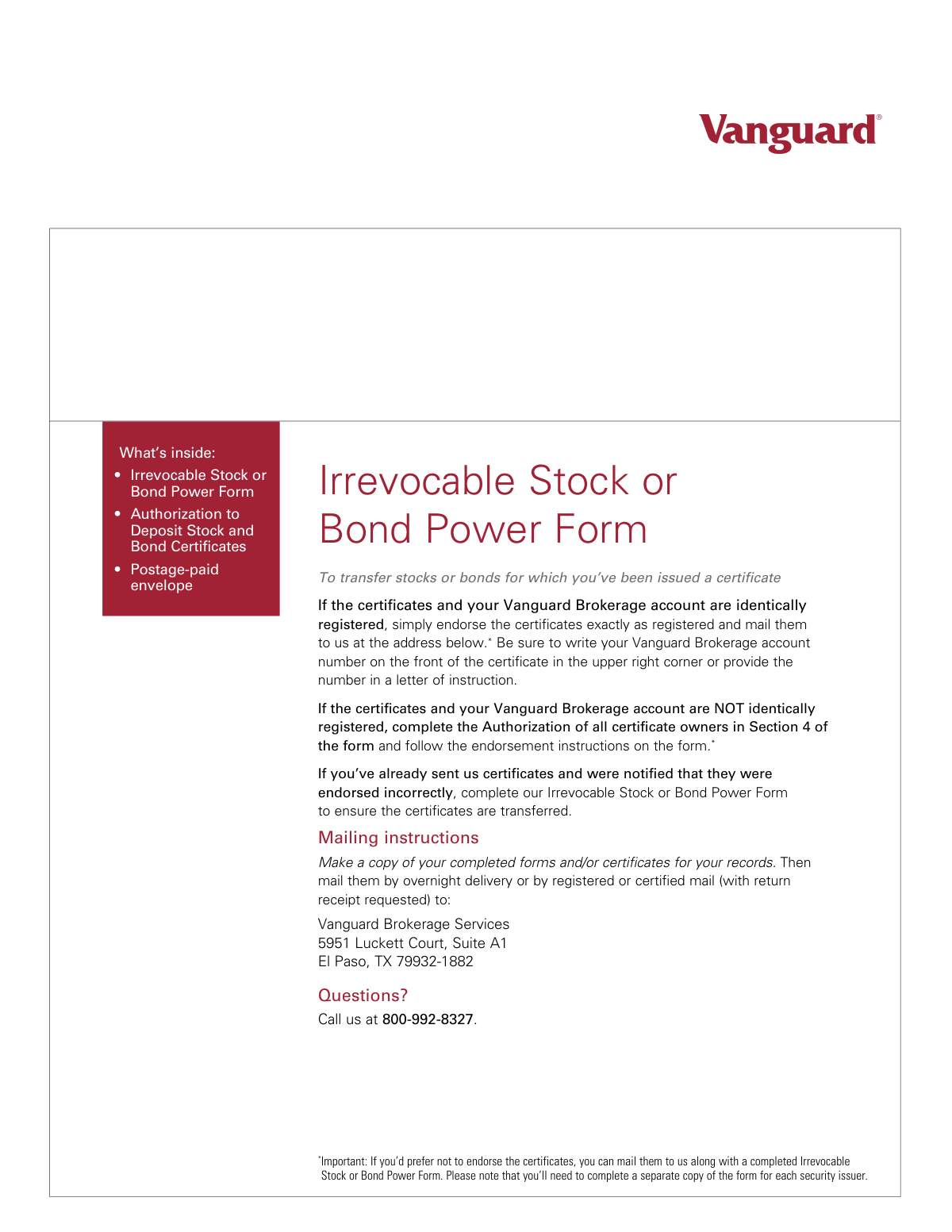
Yes! You can use AI to fill out Irrevocable Stock or Bond Power Form
The Irrevocable Stock or Bond Power Form is a legal document that grants authority to Vanguard Brokerage Services to act as an attorney for the purpose of transferring ownership of securities. It is used when physical stock or bond certificates have been issued but are not correctly endorsed, or as an alternative to endorsing the certificates directly for security purposes. Today, this form can be filled out quickly and accurately using AI-powered services like Instafill.ai, which can also convert non-fillable PDF versions into interactive fillable forms.
Our AI automatically handles information lookup, data retrieval, formatting, and form filling.
It takes less than a minute to fill out IRVSCKBD using our AI form filling.
Securely upload your data. Information is encrypted in transit and deleted immediately after the form is filled out.
Form specifications
| Form name: | Irrevocable Stock or Bond Power Form |
| Number of pages: | 1 |
| Language: | English |
Instafill Demo: How to fill out PDF forms in seconds with AI
How to Fill Out IRVSCKBD Online for Free in 2026
Are you looking to fill out a IRVSCKBD form online quickly and accurately? Instafill.ai offers the #1 AI-powered PDF filling software of 2026, allowing you to complete your IRVSCKBD form in just 37 seconds or less.
Follow these steps to fill out your IRVSCKBD form online using Instafill.ai:
- 1 Navigate to Instafill.ai and upload or select the Vanguard Irrevocable Stock or Bond Power Form.
- 2 Use the AI assistant to accurately fill in your Vanguard Brokerage Account information in Section 1.
- 3 Provide the specific details for each stock and/or bond in Section 2, including company name, CUSIP, and number of shares.
- 4 Enter the certificate registration information in Section 3, ensuring it exactly matches the name(s) on the physical certificate.
- 5 Complete Section 4, the Authorization of all certificate owners, and obtain a Medallion signature guarantee if the account and certificate registrations do not match.
- 6 Sign and date Section 5 to authorize the transfer of registration, appointing Vanguard Brokerage Services as your attorney for the transfer.
- 7 Review the entire form for accuracy, then download the completed document to print and mail with your physical certificates via registered or certified mail.
Our AI-powered system ensures each field is filled out correctly, reducing errors and saving you time.
Why Choose Instafill.ai for Your Fillable IRVSCKBD Form?
Speed
Complete your IRVSCKBD in as little as 37 seconds.
Up-to-Date
Always use the latest 2026 IRVSCKBD form version.
Cost-effective
No need to hire expensive lawyers.
Accuracy
Our AI performs 10 compliance checks to ensure your form is error-free.
Security
Your personal information is protected with bank-level encryption.
Frequently Asked Questions About Form IRVSCKBD
This form authorizes Vanguard to deposit, transfer, or sell physical stock or bond certificates on your behalf. It is mainly used when certificates are unsigned, incorrectly signed, or if the registration names do not match your Vanguard account.
You need this form if you are depositing physical stock or bond certificates and the registration on the certificate is different from your Vanguard Brokerage account. It is also used to correct endorsement errors on certificates you have already submitted.
A CUSIP is a unique identification number for a security, which you can find printed on the front of your physical stock or bond certificate. You must complete a separate form for each unique CUSIP number.
Yes, you must complete a separate Irrevocable Stock or Bond Power Form for each different security issuer. Each issuer will have a unique CUSIP number.
A Medallion signature guarantee is required in Section 4 if any name on the certificate is not identical to a name on the Vanguard Brokerage account the assets are being deposited into. This is a security measure to verify your identity and authorization.
You can obtain one from an authorized officer of a bank, broker, or other eligible financial institution. Please note that a notary public cannot provide a Medallion signature guarantee.
You must sign your name exactly as it is listed on the face of the stock or bond certificate. If the security is registered to more than one owner, all owners are required to sign.
You must mail the original completed form and your physical certificates via overnight delivery, registered mail, or certified mail to the Vanguard address in El Paso, TX. Vanguard cannot accept this form by fax.
Certificates with incorrect endorsements or missing documentation cannot be held for more than 30 business days. If the issues are not corrected within that time, the certificates will be returned to you.
Yes, if the certificates are for the same company and CUSIP, you can use one form. If you run out of space in Section 2, simply list the additional certificate information on a separate sheet of paper and include it with your submission.
Yes, services like Instafill.ai use AI to accurately auto-fill form fields, which can save you time and help prevent common errors.
To fill the form online, upload the PDF to the Instafill.ai platform. The service will make the document interactive, allowing you to type your information directly into the fields before printing for your signature and mailing.
If your PDF is not fillable, you can use a service like Instafill.ai to convert it into an interactive form. Simply upload the flat PDF, and their tool will allow you to fill it out on your computer.
Compliance IRVSCKBD
Validation Checks by Instafill.ai
1
Vanguard Account Number Presence and Format
This check verifies that the 'Vanguard Brokerage account number' field in Section 1 is not empty and conforms to the expected format, such as a specific length and character type. This is critical for ensuring the assets are deposited into the correct destination account. Failure to provide a valid account number will prevent the processing of the form and lead to its rejection.
2
CUSIP Number Validity
This validation ensures the CUSIP field in Section 2 contains a value that matches the standard 9-character alphanumeric format of a CUSIP number. The CUSIP is the unique identifier for the security, and an incorrect or missing CUSIP would make it impossible to identify the stock or bond being transferred. The form would be considered incomplete and returned.
3
Stock/Bond Quantity is a Positive Number
This check validates that the 'Number of stock shares or bonds' field in Section 2 contains a positive, non-zero integer. Transferring zero or a negative number of shares is not a valid transaction. This prevents data entry errors and ensures the transaction is logical, and failure would require the user to correct the quantity before submission.
4
Certificate Information Completeness
This validation ensures that all required fields in Section 2, including 'Company name', 'CUSIP', 'Number of stock shares or bonds', and 'Certificate number', are filled out. This information is required to accurately identify and process the specific certificates being transferred. An incomplete description will result in processing delays and the potential return of the form and certificates.
5
Certificate Registration Name Presence
This check verifies that at least one name field in Section 3, 'Certificate registration', is completed. These names must match the registration on the physical certificate and are the basis for all ownership verification and signature matching. Without this information, Vanguard cannot confirm the legal owner of the asset, and the form will be rejected.
6
Conditional Requirement of Section 4 Authorization
This is a logical check that compares the account registration names in Section 1 with the certificate registration names in Section 3. If the names are not identical, the system validates that Section 4, 'Authorization of all certificate owners', has been fully completed. This is crucial because a name mismatch indicates a change of ownership that requires explicit, guaranteed authorization to be legally sound.
7
Medallion Guarantee Requirement Check
This validation is triggered if the names in Section 1 and Section 3 do not match. It checks for the presence of a Medallion Signature Guarantee in Section 4. A Medallion guarantee is a special stamp that certifies the identity and signature of the owner, protecting against fraudulent transfers, and its absence when required will cause the transfer to be rejected.
8
Date Format and Plausibility
This check ensures that all date fields on the form (Sections 4 and 5) are filled in the required MM/DD/YYYY format and represent a valid, plausible date. The date should not be in the future or unreasonably far in the past. This ensures the legal documents are dated correctly for record-keeping and auditing purposes, and an invalid date would halt processing.
9
Required Signatures in Section 5
This validation confirms that the signature block in Section 5, 'Authorization to transfer registration', has been signed by all required owners. The form explicitly states 'You must sign below,' making this a mandatory step to grant Vanguard the power to transfer the assets. A missing signature invalidates the entire instruction and will result in the form being returned.
10
Signature Name Consistency
This check verifies that the signatures provided in Section 5 correspond to the owner names listed in Section 3 ('Certificate registration'). The instructions require signing exactly as the name appears on the certificate to prove the signer is the rightful owner. A mismatch between the name on the certificate and the signature would indicate a potential error or fraud, causing the form to be rejected.
11
Single CUSIP per Form Submission
This validation enforces the rule that a separate form must be completed for each unique CUSIP number. The system should check that only one CUSIP is listed in Section 2. This is important for clear, unambiguous processing and record-keeping, as each CUSIP represents a distinct security, and submitting a form with multiple CUSIPs would lead to rejection.
12
Fiduciary Title with Signature
This check ensures that if a person signs as a fiduciary (e.g., trustee, executor, agent), they also include their title or capacity next to their signature as instructed in Sections 4 and 5. This is a legal requirement to clarify that the individual is signing on behalf of an entity or another person, not in their personal capacity. Omitting the title can create legal ambiguity and will cause the form to be flagged for correction.
Common Mistakes in Completing IRVSCKBD
The form explicitly states that a separate form must be completed for each unique CUSIP number. Applicants often try to list all their different stock or bond certificates on a single form to save time, but this will lead to rejection. Each CUSIP represents a distinct security issuer and must be processed individually, so failing to separate them requires the applicant to resubmit everything correctly, causing significant delays. To avoid this, carefully check the CUSIP on each certificate and use a new form for each one.
Section 3 requires the owner's name exactly as it is printed on the physical stock or bond certificate, which may differ from their current legal name or the name on their Vanguard account. People often enter their current name by habit, omitting a middle initial or using a married name when the certificate lists a maiden name. This discrepancy will cause a registration mismatch and halt the transfer process until corrected. It is crucial to copy the name precisely from the certificate to ensure a smooth transaction.
The signatures in Section 5 must legally match the names printed on the face of the certificate. A common error is for an owner named 'Robert John Smith' to sign as 'Bob Smith' or use a stylized, illegible signature. This invalidates the authorization to transfer the security. To prevent this, sign with your full, formal name exactly as it appears on the certificate, ensuring the signature is clear and legible.
When registrations do not match and Section 4 is required, the form demands a Medallion signature guarantee, not a notary stamp. Many people are unfamiliar with this and obtain a notarization, which is not legally sufficient for transferring securities and will be rejected. A Medallion guarantee is a special stamp from a financial institution that guarantees the signature is genuine and accepts liability for any forgery. You must visit an authorized bank or broker to obtain this specific guarantee.
Section 4 is conditional and should only be completed if the name on the certificate (Section 3) is different from the name on the target Vanguard account (Section 1). A frequent mistake is either filling it out unnecessarily, which can cause confusion, or failing to complete it and obtain the required Medallion guarantee when it is actually needed. This misunderstanding is a primary reason for processing delays, as the form will be returned with instructions to correct the section.
The CUSIP and certificate numbers are long, unique identifiers crucial for locating the exact security to be transferred. Data entry errors, such as transposing digits or misreading a character (e.g., 'O' for '0'), are very common. An incorrect number will result in a failure to match the security, causing the entire request to be rejected. Double-checking these numbers against the physical certificate before submission is essential. AI-powered form fillers like Instafill.ai can help by using OCR to extract this data accurately, reducing the risk of manual typos.
If signing on behalf of a trust, estate, or corporation, the signature must include the person's official title (e.g., 'Trustee,' 'Executor,' 'President'). People acting in a fiduciary role often forget to add their title, signing only their name. This makes the signature legally insufficient, as it doesn't bind the entity that actually owns the certificate. Always include your full title next to your signature to validate your authority to act.
This form deals with the legal transfer of valuable assets and requires original signatures and potentially a physical Medallion stamp. The instructions explicitly state it must be mailed; however, in a digital world, people often attempt to submit it via fax or email for speed. These submissions will be rejected, as Vanguard cannot accept copies for this type of transaction. The original, completed form must be sent via secure mail to the address provided.
This form is a 'power' that authorizes the transfer of certificates, but it must accompany the physical certificates themselves if Vanguard does not already have them. A common misunderstanding is that submitting the form alone is enough to initiate the transfer of certificates held by the owner. The instructions require mailing the form and certificates together, and failing to include the certificates will render the form useless and result in a notification of an incomplete submission.
Applicants sometimes overlook fields, particularly the 'Number of stock shares or bonds' in Section 2 or the date next to a signature. Every field marked 'required' is necessary for processing, and any omission will cause the form to be flagged as incomplete and returned. It is important to review the entire form one last time before mailing to ensure all information has been provided. Since this form is a non-fillable PDF, tools like Instafill.ai can convert it into an interactive, fillable version that can highlight required fields to help prevent such omissions.
Saved over 80 hours a year
“I was never sure if my IRS forms like W-9 were filled correctly. Now, I can complete the forms accurately without any external help.”
Kevin Martin Green
Your data stays secure with advanced protection from Instafill and our subprocessors
Robust compliance program
Transparent business model
You’re not the product. You always know where your data is and what it is processed for.
ISO 27001, HIPAA, and GDPR
Our subprocesses adhere to multiple compliance standards, including but not limited to ISO 27001, HIPAA, and GDPR.
Security & privacy by design
We consider security and privacy from the initial design phase of any new service or functionality. It’s not an afterthought, it’s built-in, including support for two-factor authentication (2FA) to further protect your account.
Fill out IRVSCKBD with Instafill.ai
Worried about filling PDFs wrong? Instafill securely fills irrevocable-stock-or-bond-power-form forms, ensuring each field is accurate.