Fill out Professional Provider Questionnaire with Instafill.ai
Worried about filling PDFs wrong? Instafill securely fills PROFESSIONAL-PROVIDER-QUESTIONNAIRE forms, ensuring each field is accurate.
#1 AI PDF Filling Software of 2026
3 out of 4 customers say they prepare their MSN Provider Questionnaire forms in 37 seconds or less
Secure platform for your PDF forms and personal information
| Form name: | Professional Provider Questionnaire |
| Number of fields: | 150 |
| Number of pages: | 5 |
| FCI: | Complex (65/100) |
Form Complexity Index
Complex
65 / 100
| Fillable fields | 150 |
| Pages | 5 |
| Fields per page | 30 |
| Sections | 47 |
| Conditional rules | 5 |
| Tables & lists | 1 |
| Instruction pages | 1 |
| Instafill Form ID | IF-PROFESSIONAL-PROVIDER-QUESTIONNAIRE |
MSN Provider Questionnaire has a complex Form Complexity Index of 65/100. Instafill’s AI completes it accurately in under a minute.
Instafill Demo: How to fill out PDF forms in seconds with AI
Compliance MSN Provider Questionnaire
Validation Checks by Instafill.ai
1
Validates Social Security Number Format
This check ensures the Social Security Number (SSN) is exactly 9 digits and entered in a valid format (e.g., ###-##-#### or #########). This is critical for identity verification, background checks, and tax reporting for W-2 or 1099 employees. A failed validation would prevent submission and prompt the user to correct the number, as an incorrect SSN would halt the entire credentialing and billing enrollment process.
2
Validates National Provider Identifier (NPI) Format
This check verifies that the NPI number is exactly 10 digits and contains no letters or special characters. The NPI is a standard, unique identifier for healthcare providers required for billing and administrative functions with Medicare and other payers. An invalid NPI would cause claim rejections and prevent enrollment, so the form should not be submitted until a valid format is entered.
3
Ensures Chronological Progression of Education and Training Dates
This validation compares the start and end dates across all education and training sections (Undergraduate, Medical School, Internship, Residency, Fellowship). It ensures that each end date is after its corresponding start date and that the sequence of training is logical (e.g., Medical School End Date is before Internship Start Date). This check prevents data entry errors and confirms a valid, uninterrupted timeline of training, which is a core requirement for credentialing.
4
Requires Explanation for Adverse Professional History
This check verifies that for any 'Yes' answer in the 'Professional History' section (e.g., license revocation, malpractice claims), the user has acknowledged that a separate sheet with a detailed explanation is required. This is a critical risk management step for the credentialing body. If a 'Yes' is selected, the system should flag it as an incomplete response until the user confirms the required documentation is provided, preventing submission of an application with unexplained red flags.
5
Validates Completeness of Three Peer References
This validation ensures that all required fields for three distinct peer references are completed, including Name, Specialty, and at least one method of contact (Phone or Email). Peer references are essential for verifying a provider's competency and character. Incomplete reference information makes it impossible to conduct this verification, delaying or halting the credentialing process.
6
Enforces Completion of Military Details if Service is Indicated
This validation checks that if the user selects 'Yes' for having served in the military, then the fields for Military Branch, Service Dates, and Type of Discharge must be filled out. This ensures that affirmative answers are properly substantiated with required details as requested on the form. A failure to provide these details would result in an incomplete record and prompt the user to either complete the section or change their initial answer.
7
Requires Citizenship Status for Non-U.S. Born Applicants
This validation rule is triggered if the 'Country of Birth' field is anything other than 'United States'. It then checks that one of the two citizenship options ('Yes' or 'No') has been selected. This information is necessary for verifying work eligibility and for compliance with federal regulations. The form should prevent submission if a non-U.S. born applicant fails to specify their citizenship status.
8
Validates DEA Number Format and Conditional Presence
This validation verifies that the DEA number, if provided, follows the standard format of two letters followed by seven numbers. It also cross-references if the 'Current DEA (if applicable)' attachment box is checked, making the DEA number field required. This is crucial for providers who prescribe controlled substances; an invalid or missing number when required would be a major compliance failure.
9
Ensures Mutually Exclusive Selections for Gender and Employment Type
This check confirms that the user has selected only one option for mutually exclusive choices. Specifically, it verifies that only one of 'Male' or 'Female' is selected, and only one of 'W-2' or '1099' is selected. This prevents contradictory data and ensures data integrity for HR, payroll, and demographic records. If both options in a pair are selected, the form should display an error and require the user to choose only one.
10
Validates Format of Required Email Address
This check ensures the email address provided for Medicare contact is in a valid format (e.g., [email protected]). Since the field is marked as required and is a primary communication channel, its accuracy is paramount. An invalid email format would lead to communication failures, so the validation prevents submission until a structurally valid email is entered.
11
Verifies Plausibility of Date of Birth
This check ensures the 'Date of Birth' indicates the provider is of a reasonable age to be a practicing physician (e.g., over 25 years old). This acts as a sanity check to catch significant data entry errors or typos that could impact eligibility and records. An illogical date would trigger a warning, asking the user to confirm or correct the entry before submission.
12
Cross-references CV for Work History Gap Explanation
This validation checks if the user answered 'Yes' to having a work history gap of 3 months or more. If so, it should remind the user to ensure this gap is clearly explained in their submitted Curriculum Vitae, as required by the instructions. While it cannot read the CV file, the system can flag this for the user and the reviewer, ensuring this critical credentialing point is addressed and reducing follow-up requests.
13
Requires ECFMG Certificate Number for Foreign Medical Graduates
This validation should trigger if the 'Medical School' is identified as being outside the U.S. If so, the 'ECFMG Certificate Number' field becomes required, and it should also cross-reference that the 'ECFMG (if applicable)' attachment box is checked. The ECFMG certificate is mandatory for foreign medical graduates to practice in the U.S., so its absence would be a critical failure in the credentialing process.
14
Confirms All Mandatory Attachments are Acknowledged
This validation ensures that every item in the 'Credentialing Required Items' list has been checked, except for those explicitly marked '(if applicable)'. It serves as a final checklist for the applicant to confirm they have gathered and are submitting all necessary documents like their CV, Medical Diploma, and Driver's License. An unchecked mandatory item would prevent submission and highlight the missing document confirmation, reducing the number of incomplete applications received.
Common Mistakes in Completing MSN Provider Questionnaire
Applicants often check 'Yes' to sensitive questions in the professional history section but fail to attach the required separate sheet with details. This happens due to oversight or underestimating the importance of the explanation. Answering 'Yes' without a detailed, dated, and signed explanation will immediately halt the credentialing process and require follow-up, causing significant delays.
The form explicitly requests 'Month/Year' for all schooling and work history on the Curriculum Vitae, but applicants frequently provide only the year. This ambiguity makes it difficult for reviewers to verify continuous employment and identify potential gaps of three months or more, which is a specific question on the form. To avoid this, meticulously review your CV to ensure every entry includes both the month and year for start and end dates.
Providers often submit their current malpractice insurance certificate but forget to include the separate 10-year claims history document. This is a common mistake as the two items are often obtained from the insurance carrier separately. Failing to provide the full 10-year history, even if there are no claims, results in an incomplete packet and prevents the assessment of risk, delaying the credentialing decision.
Entering an outdated or incorrect CAQH username and password is a frequent error that completely blocks the verification process. This often happens if credentials have been recently changed or are managed by a third party. This mistake prevents the credentialing body from accessing the provider's comprehensive profile, leading to major delays until the correct information is provided and verified.
The form asks directly about work history gaps of 3 months or more, yet applicants may answer 'No' incorrectly, either by miscalculation or by hoping a gap goes unnoticed. This contradicts a CV with incomplete dates and can be seen as a red flag for dishonesty. Always cross-reference your CV dates carefully, answer 'Yes' if any gap exists, and provide a clear explanation on a separate sheet to maintain transparency.
The instructions require copies of medical licenses for 'all States' where one is held, but providers sometimes only submit the license for the primary state of practice. This oversight leads to an incomplete application, as all active and inactive licenses must be verified. To prevent this, gather digital copies of every medical license you hold before starting the form.
Applicants may list a reference's name and specialty but omit a direct phone number or email address, making them difficult to contact. This happens when the applicant doesn't have the full contact details on hand and forgets to obtain them later. Without complete and accurate contact information, the credentialing team cannot perform reference checks, which is a mandatory step that will stall the entire process.
A subtle but important detail is the requirement that if the provided Medicare contact number goes to an answering machine, the message must contain the provider's name. Many applicants miss this note entirely. If Medicare attempts to contact the provider and cannot verify their identity from the voicemail, it can lead to communication failures and delays in enrollment and billing setup.
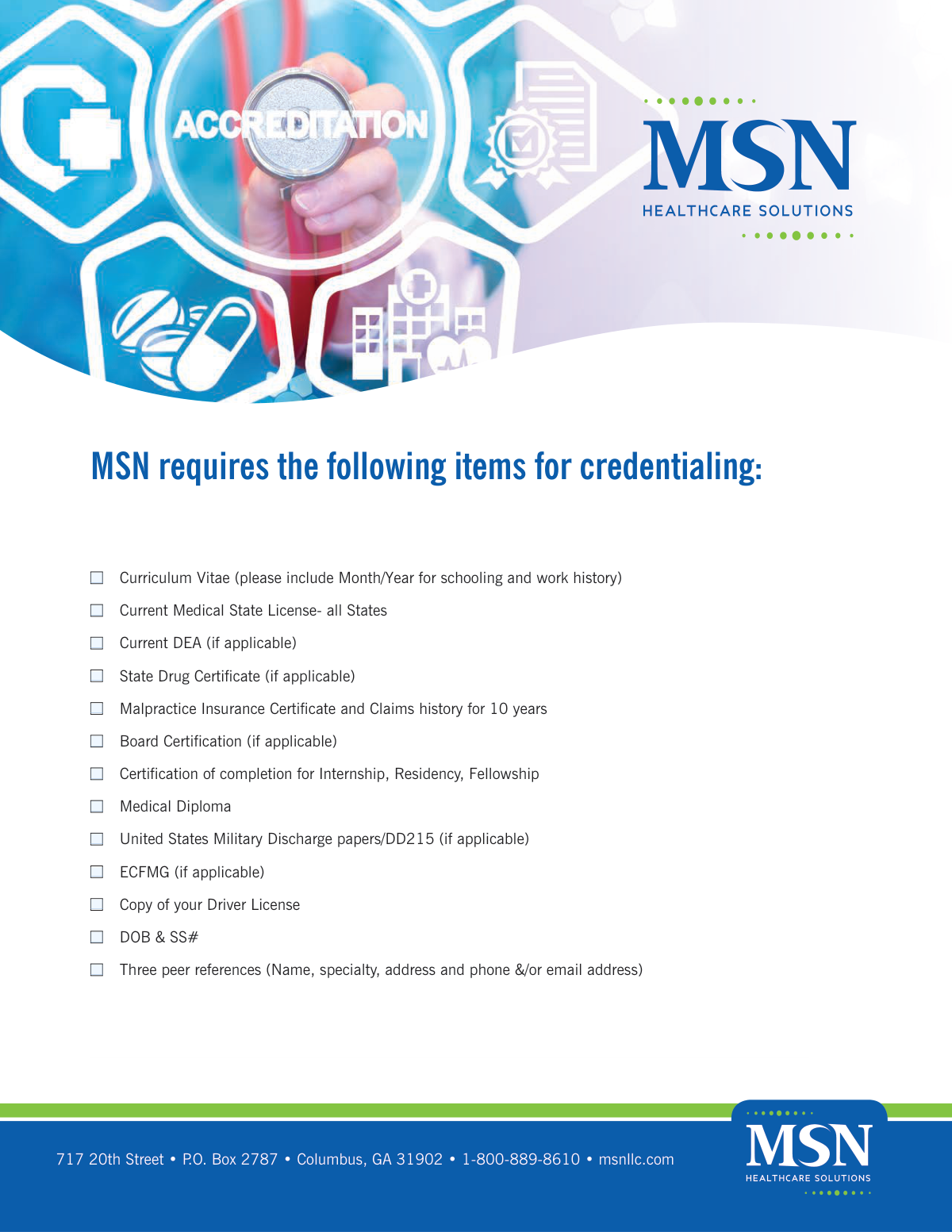
The form begins with a long checklist of required documents, from the CV and licenses to diplomas and malpractice history. A very common error is simply forgetting to attach one or more of these documents to the final submission packet. This results in an immediate rejection of the packet as incomplete. To avoid this, use the list as a final checklist to physically or digitally collate all required files before sending.
Providers may use different date formats (e.g., MM/DD/YY, Month DD, YYYY, MM/YYYY) across the education, work history, and personal information sections. This inconsistency creates confusion and requires extra time for the reviewer to standardize and verify timelines. Using a consistent format like MM/YYYY for all date ranges helps ensure clarity and speeds up processing. AI-powered tools like Instafill.ai can help automatically format dates correctly and consistently across the entire form.
Saved over 80 hours a year
“I was never sure if my IRS forms like W-9 were filled correctly. Now, I can complete the forms accurately without any external help.”
Kevin Martin Green
Your data stays secure with advanced protection from Instafill and our subprocessors




Robust compliance program
Transparent business model
You’re not the product. You always know where your data is and what it is processed for.
ISO 27001, HIPAA, and GDPR
Our subprocesses adhere to multiple compliance standards, including but not limited to ISO 27001, HIPAA, and GDPR.
Security & privacy by design
We consider security and privacy from the initial design phase of any new service or functionality. It’s not an afterthought, it’s built-in, including support for two-factor authentication (2FA) to further protect your account.
Fill out MSN Provider Questionnaire with Instafill.ai
Worried about filling PDFs wrong? Instafill securely fills professional-provider-questionnaire forms, ensuring each field is accurate.
