Yes! You can use AI to fill out The E-Verify Memorandum of Understanding for Employers
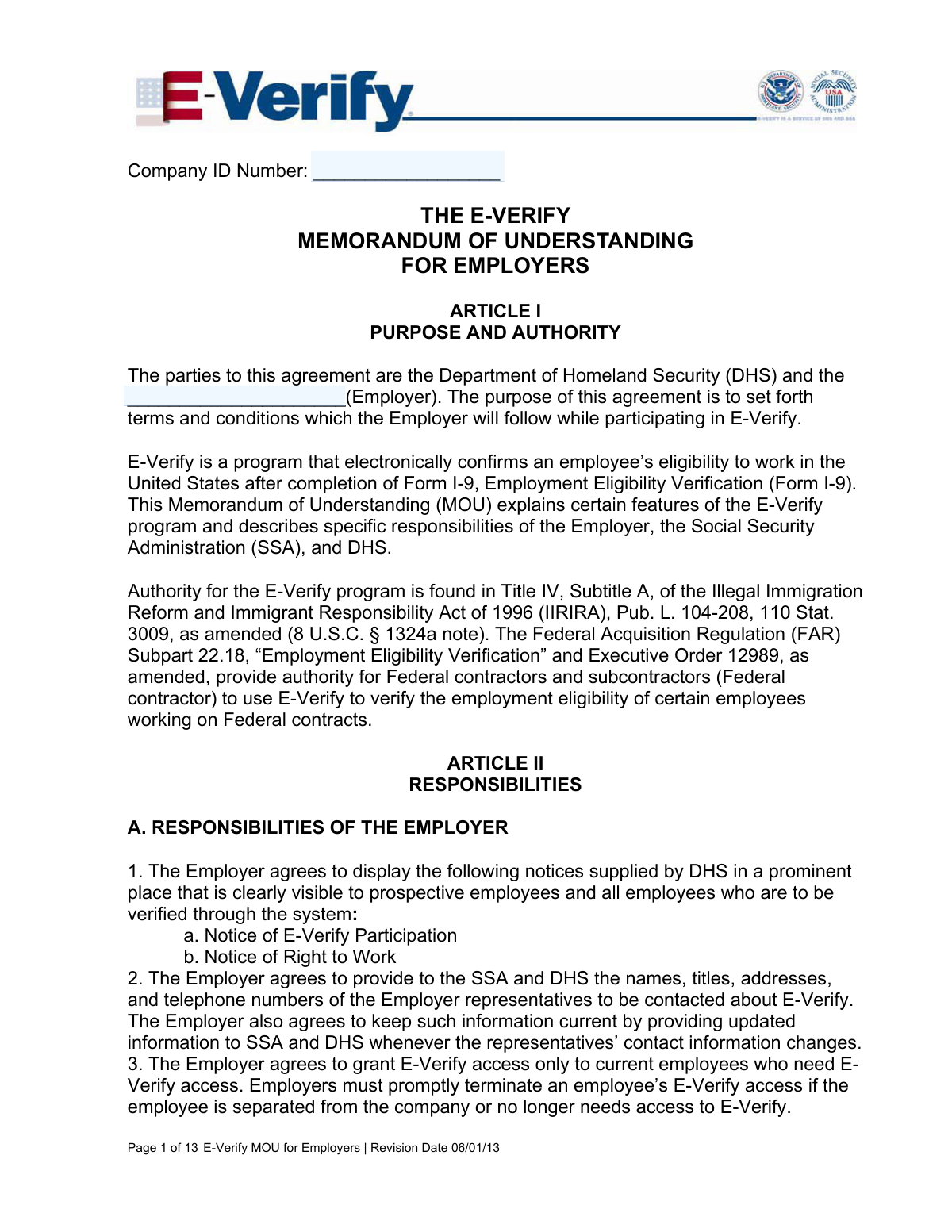
The E-Verify Memorandum of Understanding (MOU) for Employers is a binding agreement between an employer and the Department of Homeland Security (DHS) that sets the terms for participation in the E-Verify program. This program allows employers to electronically verify the employment eligibility of their new hires, a crucial step for compliance and a requirement for many federal contractors. Today, this form can be filled out quickly and accurately using AI-powered services like Instafill.ai, which can also convert non-fillable PDF versions into interactive fillable forms.
Our AI automatically handles information lookup, data retrieval, formatting, and form filling.
It takes less than a minute to fill out E-Verify MOU using our AI form filling.
Securely upload your data. Information is encrypted in transit and deleted immediately after the form is filled out.
Form specifications
| Form name: | The E-Verify Memorandum of Understanding for Employers |
| Number of pages: | 13 |
| Language: | English |
| Categories: | employer forms |
Instafill Demo: How to fill out PDF forms in seconds with AI
How to Fill Out E-Verify MOU Online for Free in 2026
Are you looking to fill out a E-VERIFY MOU form online quickly and accurately? Instafill.ai offers the #1 AI-powered PDF filling software of 2026, allowing you to complete your E-VERIFY MOU form in just 37 seconds or less.
Follow these steps to fill out your E-VERIFY MOU form online using Instafill.ai:
- 1 Navigate to Instafill.ai and upload or select the E-Verify Memorandum of Understanding for Employers form.
- 2 Use the AI assistant to automatically fill in your company's details, such as legal name, Employer Identification Number (EIN), and physical address.
- 3 Enter the contact information for your company's designated Program Administrator(s) who will manage E-Verify operations.
- 4 If applicable, provide details about the number and location of company sites where E-Verify will be used.
- 5 Carefully review all articles of the MOU, including employer responsibilities, data privacy, and termination clauses, ensuring you understand the agreement.
- 6 Electronically sign the document in the designated signature block, providing your name, title, and the date of signing.
- 7 Download, print, or securely share the completed and signed MOU for your records and for submission to the E-Verify program.
Our AI-powered system ensures each field is filled out correctly, reducing errors and saving you time.
Why Choose Instafill.ai for Your Fillable E-Verify MOU Form?
Speed
Complete your E-Verify MOU in as little as 37 seconds.
Up-to-Date
Always use the latest 2026 E-Verify MOU form version.
Cost-effective
No need to hire expensive lawyers.
Accuracy
Our AI performs 10 compliance checks to ensure your form is error-free.
Security
Your personal information is protected with bank-level encryption.
Frequently Asked Questions About Form E-Verify MOU
This MOU is a formal agreement between an employer and the Department of Homeland Security (DHS) that establishes the terms and conditions for participating in the E-Verify program. E-Verify is the system used to electronically confirm an employee's eligibility to work in the United States after they complete Form I-9.
An authorized representative of the employer must sign this agreement to enroll the company in the E-Verify program. By signing, the employer agrees to comply with all the responsibilities and procedures outlined in the document.
You must create an E-Verify case within three business days after the employee has been hired and both sections 1 and 2 of the Form I-9 are complete. You are strictly prohibited from using E-Verify for pre-employment screening of job applicants.
You must promptly notify the employee in private, provide them with the official notice from E-Verify, and give them the opportunity to contest the finding. You cannot take any adverse action, such as termination or reduced hours, against an employee while their case is pending.
Yes, if an employee presents a 'List B' identity document, it must contain a photograph. You must also make and keep a photocopy of any U.S. Passport, Passport Card, Permanent Resident Card (Form I-551), or Employment Authorization Document (Form I-766) presented by an employee.
You must provide your company's legal name, address, Employer Identification Number (EIN), NAICS code, and number of employees. You also need to list the contact information for your company's E-Verify Program Administrator(s).
No, you must use E-Verify for all new employees at the hiring sites enrolled in the program. Selective verification is considered a discriminatory practice and is prohibited, although some specific exceptions may apply to federal contractors.
No, DHS and the Social Security Administration (SSA) provide verification services at no charge to the employer. However, the employer is responsible for providing the necessary equipment, such as a computer with internet access, to use the system.
This is a 'photo mismatch' that results in a Tentative Nonconfirmation (TNC), and you must allow the employee to contest it. If they choose to contest, you are required to send a copy of their photo document to DHS for review to resolve the case.
You can terminate the MOU and your participation at any time by providing 30 days prior written notice to DHS. Be aware that if E-Verify is mandatory for your business due to state law or a federal contract, termination could have negative legal or contractual consequences.
Yes, services like Instafill.ai use AI to accurately auto-fill form fields, which can save you time and help reduce errors. This is particularly helpful for completing the detailed company and program administrator information required on the form.
To fill this form online, you can upload the document to a platform like Instafill.ai. The service will make the form interactive, allowing you to easily type your company details, representative information, and signature directly into the appropriate fields.
If you have a non-fillable or 'flat' PDF, you can use a tool like Instafill.ai to instantly convert it into an interactive, fillable form. This enables you to complete the document on your computer without needing to print and fill it out by hand.
The Program Administrator is the person or people within your company designated to manage E-Verify operations. They serve as the primary contact for policy questions or operational problems and their contact information must be kept current.
Yes, if you are a federal contractor with the FAR E-Verify clause, you have additional responsibilities and timelines for verifying new hires and existing employees assigned to the federal contract. You must follow the E-Verify User Manual for Federal Contractors.
Compliance E-Verify MOU
Validation Checks by Instafill.ai
1
Validates Employer Identification Number (EIN) Format
This check ensures the Employer Identification Number is entered in the standard IRS format of XX-XXXXXXX. The EIN is a unique identifier for a business entity, and an incorrect format can lead to failed lookups and improper record-keeping. If the format is invalid, the user should be prompted to correct the entry before submission.
2
Ensures Core Company Information is Complete
This validation verifies that the 'Company Name', 'Company Facility Address', and 'County or Parish' fields are not left empty. This information is fundamental for identifying the employer, establishing their physical location for compliance purposes, and correctly processing the MOU. A failure to provide this information would render the agreement incomplete and prevent processing.
3
Verifies NAICS Code is a Valid Number
This check confirms that the North American Industry Classification Systems (NAICS) code is a numeric value, typically between 2 and 6 digits. This code is used to classify the employer's business establishment by type of economic activity. An invalid or missing code can hinder statistical analysis and proper categorization by government agencies.
4
Confirms Program Administrator Contact Information is Provided
This validation ensures that at least the first Program Administrator's 'Name', 'Telephone Number', and 'E-mail Address' are filled out. This person is the primary point of contact for policy questions or operational problems related to E-Verify. Missing contact information would prevent DHS and SSA from communicating critical updates or resolving issues with the employer.
5
Validates Email Address Format
This check verifies that the email address fields for the Program Administrators follow the standard '[email protected]' format. This is crucial for ensuring that electronic communications from DHS or SSA regarding E-Verify are successfully delivered. An invalid email format would lead to communication failures and could cause the employer to miss important notices.
6
Validates Telephone Number Format
This check ensures that the 'Telephone Number' and 'Fax Number' fields are entered in a recognizable US phone number format (e.g., 10 digits, possibly with parentheses, spaces, or hyphens). Valid phone numbers are essential for direct communication with the program administrator to resolve urgent issues. If the format is invalid, the system cannot reliably use the number for contact.
7
Ensures Signature Block is Fully Completed
This validation confirms that the 'E-Verify Employer Name', 'Title', 'Signature', and 'Date' fields in the signature block are all completed. An agreement is not legally binding without the signature, name, and title of an authorized representative and the date of signing. The form cannot be accepted if any of these components are missing.
8
Validates Signature Date is a Plausible Date
This check ensures the 'E-Verify Employer Date' is a valid calendar date and is not set in the future. The date establishes when the agreement was executed. An invalid or future date would call the legitimacy and timing of the agreement into question, potentially invalidating it.
9
Ensures Numeric Fields are Positive Integers
This validation verifies that the 'Number of Employees' and 'Number of Sites Verified for' fields contain positive integer values. These fields represent counts and cannot be zero, negative, or fractional. This data is important for understanding the scope of the employer's participation, and incorrect values would lead to inaccurate records.
10
Cross-Validates Employer Name Consistency
This check compares the 'Employer' name entered on Page 1 with the 'Company Name' entered on Page 12 to ensure they are identical. Consistency in the legal name of the entity across the document is critical for the agreement's legal validity. A mismatch could create ambiguity about which entity is bound by the MOU.
11
Validates Conditional Site Verification Data
This check ensures that if the 'Number of Sites Verified for' is greater than 1, the subsequent table for listing sites by state contains at least one entry. This logic is important for ensuring that multi-site employers provide the required breakdown of their operations. If the count is greater than one but the table is empty, the submission is incomplete.
12
Cross-Validates Total Site Count with State Breakdown
This validation calculates the sum of the 'Number of sites' column in the state-by-state breakdown table and ensures it equals the value in the 'Number of Sites Verified for' field. This cross-reference check guarantees internal data consistency and accuracy. A mismatch indicates a data entry error that must be corrected before the form can be processed.
Common Mistakes in Completing E-Verify MOU
Employers often enter a trade name or 'Doing Business As' (DBA) name instead of the full legal company name registered with the IRS. This discrepancy can cause validation failures and significant delays in the E-Verify enrollment process because the name must match the one associated with the Employer Identification Number (EIN). To avoid this, use the exact legal name found on tax documents and official business registration filings. AI-powered tools like Instafill.ai can help prevent this by auto-filling the correct legal name from verified company data.
Mistakes in entering the nine-digit federal EIN are frequent, including transposing numbers or mistakenly providing a state tax ID. The EIN is the primary identifier for the business, and an incorrect number will result in an immediate rejection of the Memorandum of Understanding (MOU). Always double-check the EIN against official IRS documentation, such as Form SS-4. Using a form-filling tool can help by validating the format of the number as it is entered.
Many applicants are unfamiliar with the North American Industry Classification System (NAICS) and either leave the field blank or enter an incorrect code. This code is used for statistical purposes and helps categorize the business. An incorrect code can lead to improper classification. To avoid this, use the official U.S. Census Bureau website to look up the correct code for your company's primary business activity before filling out the form.
The signature block is often filled out incorrectly. Common errors include printing a name on the signature line, forgetting to enter the date, or having an individual without legal authority to bind the company sign the document. An improper signature invalidates the agreement. Ensure the person signing is an authorized representative and that they physically or digitally sign (not type) their name and fill in their title and the date.
The signature page contains blocks for both the 'E-Verify Employer' and the 'Department of Homeland Security'. A common mistake is for the employer representative to accidentally sign in the DHS section. The form explicitly warns against this, as it will lead to processing errors and rejection. Carefully read the headings on page 11 and sign only in the designated employer block.
The form requires contact information for at least one Program Administrator, but filers sometimes provide incomplete details, such as a name without a direct email or phone number. This contact is crucial for DHS to communicate about policy questions or operational problems. Failing to provide complete and direct contact information for a specific person can delay problem resolution. Ensure all fields (Name, Telephone, Fax, E-mail) are filled out for the designated contact.
When an employer is verifying for multiple locations, they often correctly enter the total 'Number of Sites Verified for' on page 12 but then fail to complete the state-by-state breakdown table on page 13. This table is mandatory if verifying for more than one site. Leaving it blank results in an incomplete application. If you have multiple sites, you must list the number of sites for each state in the provided table.
If the company is a subsidiary of a larger corporation, applicants sometimes forget to fill in the 'Parent Company' field. This information is important for DHS to understand the complete corporate structure and hierarchy. Leaving this field blank when it applies can lead to an inaccurate company profile in the E-Verify system. If your company is owned by another entity, be sure to provide its legal name.
Users may enter slightly different company names or addresses between Page 1, where the 'Employer' is first named, and Page 12, in the 'Information Required for E-Verify' section. This inconsistency creates ambiguity and can cause processing delays while the discrepancy is investigated. To prevent this, review the entire form before submission to ensure all repeated information is identical. AI tools like Instafill.ai excel at preventing this by populating consistent data across all relevant fields.
Applicants sometimes provide an incomplete 'Company Facility Address' or neglect to fill in the 'County or Parish' field. A complete physical address is necessary for identification and potential site visits as mentioned in the MOU. This oversight can lead to the form being returned for completion. Ensure every part of the address, including the county or parish, is accurately entered. If the form is a non-fillable PDF, a tool like Instafill.ai can convert it into an interactive version, making it easier to see and complete all required fields.
Saved over 80 hours a year
“I was never sure if my IRS forms like W-9 were filled correctly. Now, I can complete the forms accurately without any external help.”
Kevin Martin Green
Your data stays secure with advanced protection from Instafill and our subprocessors

Robust compliance program
Transparent business model
You’re not the product. You always know where your data is and what it is processed for.
ISO 27001, HIPAA, and GDPR
Our subprocesses adhere to multiple compliance standards, including but not limited to ISO 27001, HIPAA, and GDPR.
Security & privacy by design
We consider security and privacy from the initial design phase of any new service or functionality. It’s not an afterthought, it’s built-in, including support for two-factor authentication (2FA) to further protect your account.
Fill out E-Verify MOU with Instafill.ai
Worried about filling PDFs wrong? Instafill securely fills the-e-verify-memorandum-of-understanding-for-employers forms, ensuring each field is accurate.