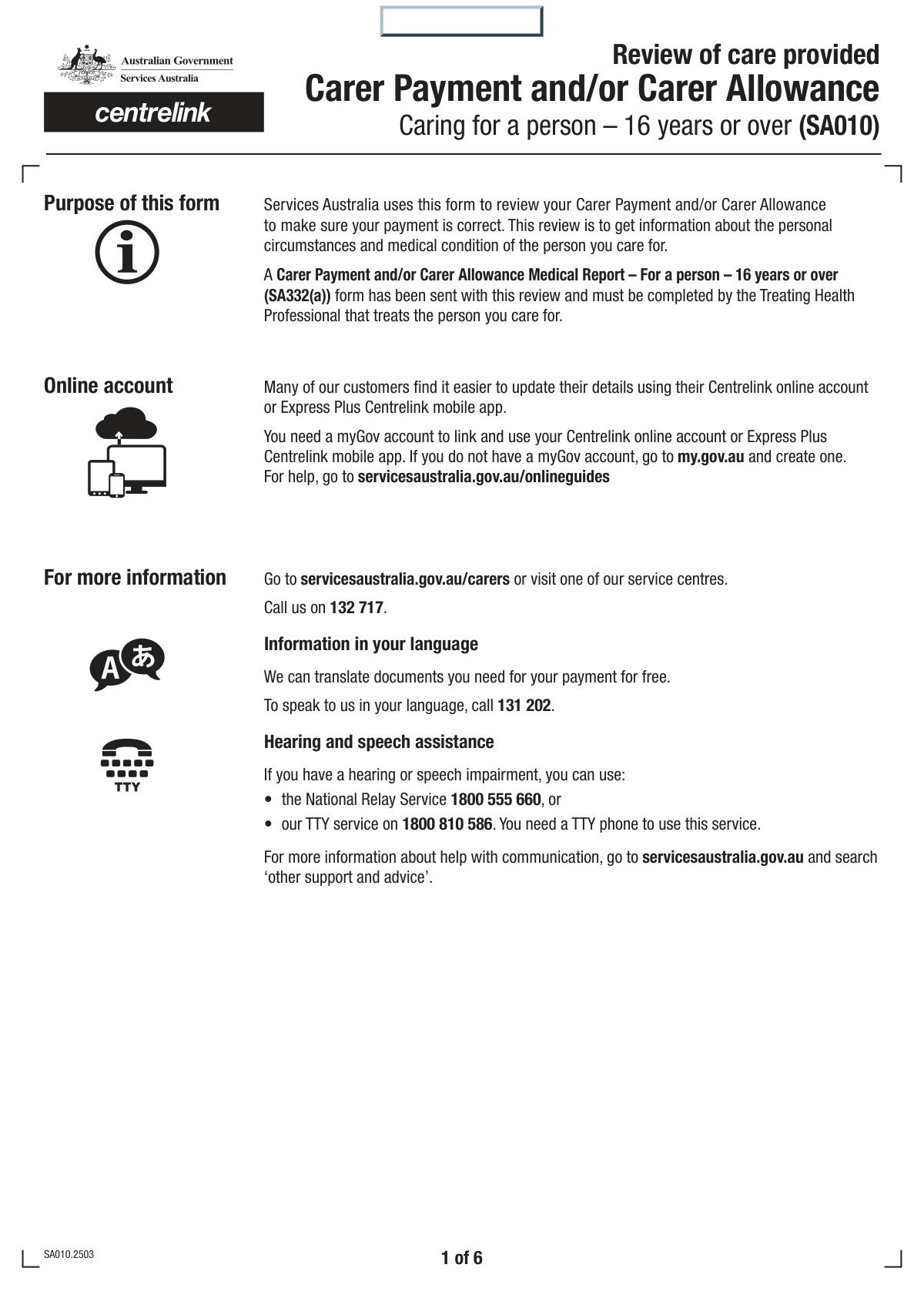
Yes! You can use AI to fill out Form SA333, Claim for Carer Payment and Carer Allowance

Form SA333, Claim for Carer Payment and Carer Allowance, is an official document from Services Australia for individuals applying for financial support as a carer. This comprehensive form is crucial for determining eligibility by assessing the care recipient's needs and the carer's personal circumstances, including work and living arrangements. Filling out this detailed form is now simpler than ever with AI-powered services like Instafill.ai, which can help you complete it accurately and even convert non-fillable PDFs into interactive, easy-to-use digital forms.
SA333 is part of the CAR forms, carer forms, payment forms, L.A. Care forms and VA claim forms categories on Instafill.
Our AI automatically handles information lookup, data retrieval, formatting, and form filling.
It takes less than a minute to fill out SA333 using our AI form filling.
Securely upload your data. Information is encrypted in transit and deleted immediately after the form is filled out.

Form specifications

Form name: Form SA333, Claim for Carer Payment and Carer Allowance
Number of fields: 241
Number of pages: 6
Filled form examples: Form SA333 Examples
Language: English
main-image

Instafill Demo: How to fill out PDF forms in seconds with AI

How to Fill Out SA333 Online for Free in 2026

Are you looking to fill out a SA333 form online quickly and accurately? Instafill.ai offers the #1 AI-powered PDF filling software of 2026, allowing you to complete your SA333 form in just 37 seconds or less.
Follow these steps to fill out your SA333 form online using Instafill.ai:
  1. 1 Navigate to Instafill.ai and upload or select the Form SA333, Claim for Carer Payment and Carer Allowance.
  2. 2 Use the AI assistant to automatically fill in your personal details and the details of the person you care for, such as names, customer reference numbers, and dates of birth.
  3. 3 Complete the extensive questionnaire regarding the care recipient's daily needs, abilities, and behaviors, covering mobility, personal care, communication, and cognitive function.
  4. 4 Provide information about your personal circumstances, including living arrangements, any temporary absences from care, and your employment or study status.
  5. 5 Indicate which supporting documents you will be providing, such as the Medical Report (SA332a) or an Income and Assets form (SA369), as prompted by the form.
  6. 6 Carefully read the declaration, sign and date the form, and review all entered information for accuracy before submitting it to Services Australia.

Our AI-powered system ensures each field is filled out correctly, reducing errors and saving you time.

Why Choose Instafill.ai for Your Fillable SA333 Form?

Speed

Complete your SA333 in as little as 37 seconds.

Up-to-Date

Always use the latest 2026 SA333 form version.

Cost-effective

No need to hire expensive lawyers.

Accuracy

Our AI performs 10 compliance checks to ensure your form is error-free.

Security

Your personal information is protected with bank-level encryption.

Frequently Asked Questions About Form SA333

This form is used to collect detailed information about a carer and the person they care for. It helps assess the level of care needed and the carer's circumstances to determine eligibility for carer payments or allowances.

This form should be completed by the primary carer of a person who has a disability, a severe medical condition, or is frail aged. You will need to provide information about yourself and the person receiving care.

The Customer Reference Number (CRN) is a unique identifier assigned by the government agency handling your case, such as Services Australia. You can find it on previous correspondence, cards, or by logging into your online account with the agency.

The detailed questions about daily activities, mobility, and behavior are essential for the agency to accurately understand the level of care required. This ensures a fair and correct assessment of your eligibility for support.

Choose the option that best represents the care recipient's typical situation. Think about their condition over the last few weeks or months and select the frequency that is most accurate on average.

You must report any periods the care recipient was in the hospital, as this is considered a temporary absence from your care. Use the designated sections to provide the start and end dates of each hospitalization.

You need to declare any paid employment or self-employment. The form asks for the total number of hours you are away from your caring duties for work over a 4-week period.

This is a mandatory supporting document that must be completed by the care recipient's doctor or health professional. It provides a medical assessment of their condition and care needs to support your claim.

After submission, the agency will review your form and any supporting documents to assess your eligibility. They may contact you for more information, and you will receive a written notification of their decision.

Yes, services like Instafill.ai use AI to auto-fill form fields accurately and save time. This can be particularly helpful for lengthy forms by populating your personal details and reducing manual entry.

You can upload the PDF of the form to the Instafill.ai website. The platform will make the document fillable online and assist you in completing the fields, after which you can download the completed form for submission.

If you have a non-fillable or 'flat' PDF, you can use a service like Instafill.ai to convert it into an interactive, fillable form. This allows you to type your answers directly into the fields on your computer.

Constant care means you provide substantial care on a daily basis to meet the person's needs. This typically includes providing personal care, supervision, or support in their home for a significant portion of the day.

The 'Second Given Name' field is optional. If you or the care recipient do not have a middle name, you can simply leave this field blank.

Compliance SA333
Validation Checks by Instafill.ai

1
Customer Reference Number Uniqueness
This check ensures that the Customer Reference Number (CRN) entered for the user is different from the CRN entered for the care recipient. This is important to verify that the form is not being filled out by a person for themselves, which would be an invalid application context. If the numbers are identical, the form should display an error message prompting the user to check the entered values.
2
Exclusive Title Selection
Validates that for both the user and the care recipient, only one title checkbox (Mr, Mrs, Miss, Ms, Mx) is selected, or the 'Other Title' text field is used. If the 'Other Title' checkbox/option is chosen, this check also ensures the corresponding text field is not empty. This prevents data ambiguity and ensures proper address for correspondence.
3
Valid and Reasonable Date of Birth
This check confirms that the Day, Month, and Year entered for both the user's and the care recipient's date of birth form a valid calendar date that is in the past. It also verifies the date is reasonable, for example, the person is not older than 120 years and the carer is over a minimum legal age (e.g., 18). This prevents data entry errors and flags potentially fraudulent or incorrect information.
4
Phone Number Format
Ensures the 'Your Phone Number' field contains exactly 10 numeric digits with no spaces, hyphens, or other characters, as per the field instructions. This is crucial for maintaining a standardized data format and ensuring the phone number is valid and usable for contact purposes. If the format is incorrect, the user should be prompted to correct it before proceeding.
5
Single-Choice Selection for Care Questions
This validation applies to all groups of multiple-choice questions regarding the care recipient's abilities (e.g., 'Move Around The House', 'Fall Over Indoors Or Outdoors'). It ensures that for each question group, exactly one option has been selected. This is critical for accurately assessing the care recipient's needs and level of dependency, and failure to answer or selecting multiple options would render the assessment incomplete.
6
Conditional Requirement for 'Date Person Left'
This check enforces conditional logic based on the 'Current Living Situation' question. If the user selects 'No' (the person is not currently living at home with you), then the 'Day of departure', 'Month of departure', and 'Year of departure' fields become mandatory. This ensures that critical information about the change in living arrangements is captured when relevant.
7
Chronological Order of Absence Dates
Verifies that for any reported absence period (e.g., 'First Hospitalisation Absence Period'), the specified end date is on or after the specified start date. This prevents logical impossibilities in the data, which could corrupt reporting and eligibility calculations. An error message should be displayed if a user enters an end date that is earlier than the start date.
8
Conditional Requirement for Employment Details
This validation ensures that if a user answers 'Yes' to the 'Paid Work Status' question, the subsequent fields for employer details and hours worked become mandatory. Conversely, if the user answers 'No', these fields should be disabled or hidden. This logic prevents incomplete records and avoids confusing users with irrelevant fields.
9
Mandatory Declaration Agreement
This check confirms that the 'I have read, understood and agree to the above' checkbox in the Declaration section is ticked before the form can be submitted. This is a critical legal requirement to ensure the user acknowledges the accuracy of their provided information and understands the consequences of providing false data. Submission should be blocked until this box is checked.
10
Logical Consistency for Mobility Status
This validation cross-references answers to different mobility questions to check for contradictions. For example, if a user selects 'Is confined to bed' for the 'Move Around The House' question, the form should flag an error if they also select 'Without help' for the 'Move To and From Bed/Chair/Wheelchair' question. This ensures the overall picture of the care recipient's mobility is coherent and logical.
11
Logical Consistency for Continence Management
This check verifies the consistency between the 'Loss of Bladder/Bowel Control' question and the 'Use Continence Aids or Equipment' question. If a user selects 'Never' for loss of control, it would be illogical to also state that the person needs 'a lot of help' to use continence aids. The system should flag this inconsistency to prompt the user for clarification or correction.
12
Completeness of Care Recipient Address
Ensures that essential parts of the care recipient's permanent address are provided. This check makes 'Address Line 1', 'Address Line 3' (Suburb/City), and 'Postcode' mandatory fields. A complete and accurate address is vital for correspondence, verification, and service planning.
13
Validity of Absence Dates within Current Year
This check validates that any dates entered for 'Temporary Absence due to Hospitalisation' or 'Temporary Absence for Other Reasons' fall on or after January 1st of the current year, as specified in the question prompts. This ensures the data collected is relevant to the current assessment period. Any dates entered prior to this threshold should be rejected with an informative error message.
14
Conditional Requirement for 'Reason for Absence'
Ensures that if the user selects 'Yes' for 'Temporary Absence for Other Reasons', the 'Reason for Absence' text field becomes a mandatory field. This is important because simply knowing an absence occurred is not useful without understanding the context. This validation guarantees that the necessary explanatory details are captured.

Common Mistakes in Completing SA333

Confusing Carer and Care Recipient Information

This error occurs when an applicant accidentally enters their own information into the fields designated for the care recipient, or vice versa. It often happens due to the repetitive nature of the sections asking for names, dates of birth, and reference numbers. This mix-up can lead to a complete failure in processing, as the system cannot link the application to the correct individuals, resulting in rejection and the need to start over.

Incorrect or Incomplete Customer Reference Number

Applicants often mistype, transpose digits, or leave parts of the multi-field Customer Reference Number blank for either themselves or the care recipient. Since this number is the primary identifier for linking the form to existing records, any error will cause an immediate processing halt. To avoid this, double-check the number against official correspondence before entry; AI-powered tools like Instafill.ai can store and accurately populate such critical numbers to prevent transcription errors.

Ignoring Conditional Field Requirements

The form contains numerous questions where a 'Yes' answer requires filling out subsequent detailed fields (e.g., dates of absence, employer details). A common mistake is to answer 'Yes' but neglect to provide the required details, or to answer 'No' and fill them in anyway. This renders the submission incomplete, forcing the processing agency to return the form and causing significant delays in the assessment of benefits.

Inconsistent Assessment of Care Needs

The checklist sections use subjective terms like 'Sometimes', 'Often', 'With some help', which can be interpreted differently. Applicants may unintentionally provide contradictory answers, such as stating the person needs 'a lot of help' to move but 'without help' to use the toilet, which may seem illogical to a reviewer. Such inconsistencies can trigger a request for more medical evidence or a manual review, delaying the application's approval.

Providing Illogical or Overlapping Absence Dates

When detailing periods of absence, such as for hospitalization, users may accidentally enter an end date that is before the start date or create overlapping date ranges. This logical error makes the provided information invalid and impossible for a system to process. It requires careful review of all dates before submission to ensure they are sequential and accurate, preventing the form from being flagged and returned for correction.

Miscalculating Paid Work Hours

The form specifically asks for the total hours spent away from care for paid work over a '4-week period', but people often mistakenly provide a weekly figure. This leads to a significant under-reporting of hours (e.g., entering 20 instead of 80), which directly impacts eligibility calculations for payments. This error can lead to an incorrect assessment or require clarification, delaying the outcome.

Improperly Formatted Phone Number

The instruction to enter a 10-digit number with 'no spaces' is frequently missed, with applicants including spaces, hyphens, or parentheses out of habit. This can cause the data to be rejected by automated systems or make it difficult for the agency to make contact if questions arise. Using a form-filling tool like Instafill.ai can help by automatically formatting data to meet specific field requirements, ensuring contact information is valid.

Incomplete or Missing Declaration

Forgetting to check the declaration box, sign, or date the form is a critical and surprisingly common mistake, often made in the rush to finish. An unsigned or undated declaration renders the entire document legally invalid and it cannot be processed under any circumstances. The application will be returned immediately, forcing the applicant to re-submit and causing a complete restart of the processing timeline.

Under-reporting Behavioral or Cognitive Issues

When answering sensitive questions about behavior (e.g., wandering, shouting) or cognition (e.g., memory), carers may be inclined to select 'Never' or 'Sometimes' to minimize the issue, either due to emotional difficulty or misinterpretation. This can lead to an inaccurate profile of the care recipient's needs, potentially resulting in the denial of benefits or an insufficient level of support being approved. It is crucial to provide an honest and accurate reflection of all behaviors, even if they are infrequent.
Saved over 80 hours a year

“I was never sure if my IRS forms like W-9 were filled correctly. Now, I can complete the forms accurately without any external help.”

Kevin Martin Green

Your data stays secure with advanced protection from Instafill and our subprocessors

Robust compliance program

Transparent business model

You’re not the product. You always know where your data is and what it is processed for.

ISO 27001, HIPAA, and GDPR

Our subprocesses adhere to multiple compliance standards, including but not limited to ISO 27001, HIPAA, and GDPR.

Security & privacy by design

We consider security and privacy from the initial design phase of any new service or functionality. It’s not an afterthought, it’s built-in, including support for two-factor authentication (2FA) to further protect your account.

Fill out SA333 with Instafill.ai

Worried about filling PDFs wrong? Instafill securely fills form-sa333-claim-for-carer-payment-and-carer-allowance forms, ensuring each field is accurate.