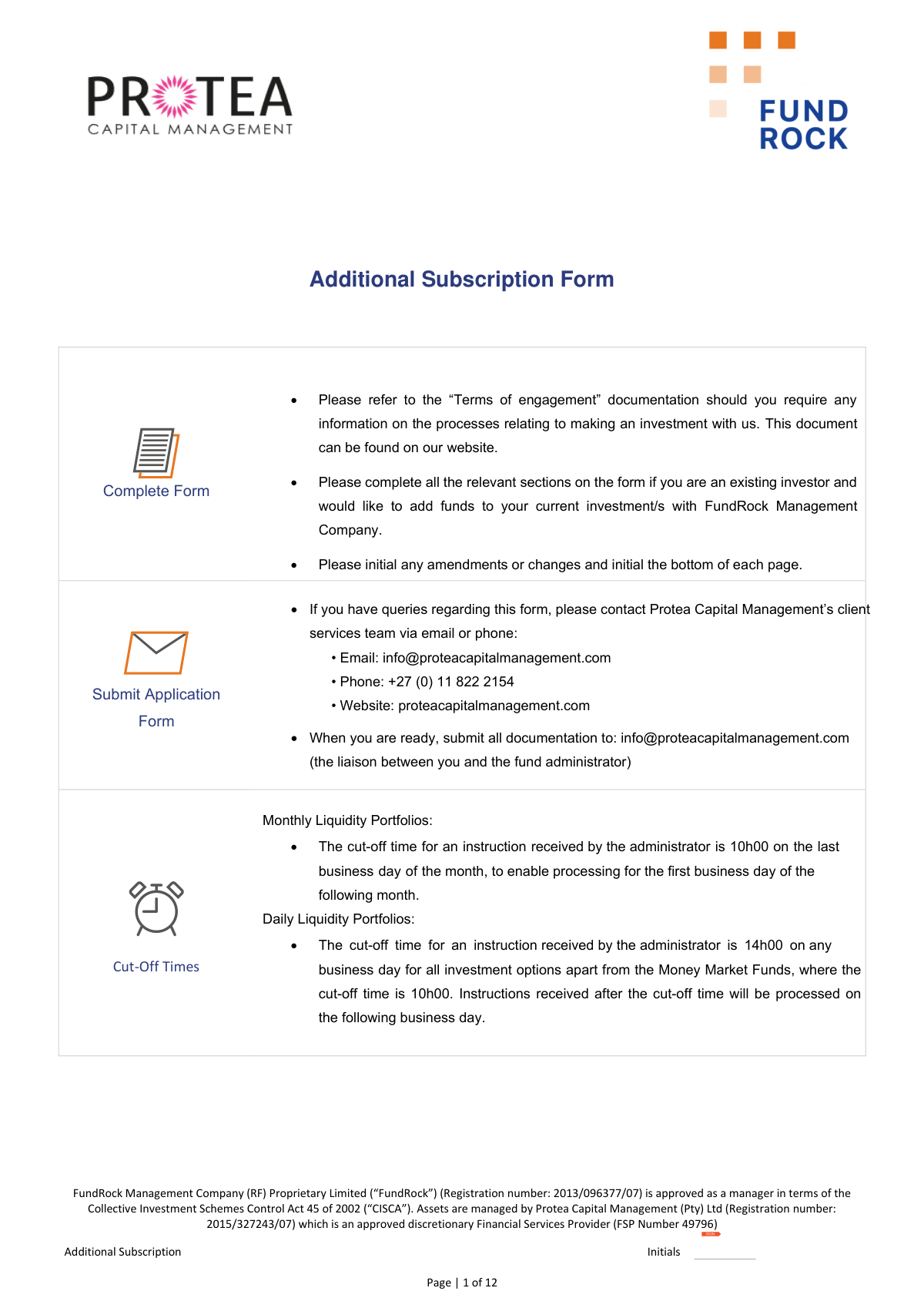
Yes! You can use AI to fill out Additional Subscription Form - Protea Capital Management

The Additional Subscription Form is a document provided by Protea Capital Management for existing investors to increase their investment in portfolios managed by FundRock Management Company. It allows investors to specify the investment method (lump sum or monthly debit), select funds, and declare the source of the funds for the transaction. Completing this form accurately is essential for the timely and correct processing of additional investments. Today, this form can be filled out quickly and accurately using AI-powered services like Instafill.ai, which can also convert non-fillable PDF versions into interactive fillable forms.
Our AI automatically handles information lookup, data retrieval, formatting, and form filling.
It takes less than a minute to fill out Protea Capital Additional Subscription Form using our AI form filling.
Securely upload your data. Information is encrypted in transit and deleted immediately after the form is filled out.

Form specifications

Form name: Additional Subscription Form - Protea Capital Management
Number of pages: 1
Language: English
Categories: investment forms
main-image

Instafill Demo: How to fill out PDF forms in seconds with AI

How to Fill Out Protea Capital Additional Subscription Form Online for Free in 2026

Are you looking to fill out a PROTEA CAPITAL ADDITIONAL SUBSCRIPTION FORM form online quickly and accurately? Instafill.ai offers the #1 AI-powered PDF filling software of 2026, allowing you to complete your PROTEA CAPITAL ADDITIONAL SUBSCRIPTION FORM form in just 37 seconds or less.
Follow these steps to fill out your PROTEA CAPITAL ADDITIONAL SUBSCRIPTION FORM form online using Instafill.ai:
  1. 1 Navigate to Instafill.ai, upload the Additional Subscription Form, or select it from the available templates.
  2. 2 Provide your existing investor details in Section A, including your investor number and contact information. Let the AI assist with pre-filling information from your profile.
  3. 3 Complete Section B by choosing your investment method (lump sum/monthly), indicating the source of funds, and selecting the specific investment funds and amounts.
  4. 4 If a financial advisor is involved, fill out their details and the agreed-upon fee structure in Section C.
  5. 5 Carefully review the Terms and Conditions, then complete the Investor Declaration in Section F, confirming your tax residency status and agreement to the terms.
  6. 6 Electronically sign the form in all required fields, such as the debit order authorization and the final investor declaration.
  7. 7 Download the completed and signed form to submit it, along with proof of payment and any other necessary documents, to the specified email address.

Our AI-powered system ensures each field is filled out correctly, reducing errors and saving you time.

Why Choose Instafill.ai for Your Fillable Protea Capital Additional Subscription Form Form?

Speed

Complete your Protea Capital Additional Subscription Form in as little as 37 seconds.

Up-to-Date

Always use the latest 2026 Protea Capital Additional Subscription Form form version.

Cost-effective

No need to hire expensive lawyers.

Accuracy

Our AI performs 10 compliance checks to ensure your form is error-free.

Security

Your personal information is protected with bank-level encryption.

Frequently Asked Questions About Form Protea Capital Additional Subscription Form

This form is for existing investors of FundRock Management Company to add more funds to their current investments managed by Protea Capital Management.

Only current investors who already have an account and wish to make an additional contribution should use this form. New investors must complete a different application.

You can add funds via a once-off lump sum investment using an Electronic/Internet Transfer (EFT), a recurring monthly investment via debit order, or both.

For Monthly Liquidity Portfolios, the cut-off is 10h00 on the last business day of the month. For most Daily Liquidity Portfolios, it is 14h00 on any business day.

Yes, monthly debit orders have a minimum of R2,000 and a maximum of R1,000,000. Your bank may also charge a fee for this service.

You must submit the fully completed form with your initials on each page, along with a proof of payment for any EFTs. FundRock may also request additional verification documents.

You should email the completed form and all supporting documents to Protea Capital Management at [email protected].

No, the form explicitly states that cash deposits are not allowed. All investments must be made via electronic transfer or a debit order.

If the fee section for your appointed financial advisor is left blank, the fees will default to zero. This means your advisor will not be paid from your investment for their services.

Declaring the origin of your investment funds is a mandatory legal requirement to comply with financial regulations like FICA and prevent money laundering.

For any queries regarding the form, you can contact the Protea Capital Management client services team via email at [email protected] or by phone.

Yes, services like Instafill.ai use AI to auto-fill form fields accurately and save time. This can help reduce errors and speed up the application process.

You can use a service like Instafill.ai to fill the form online. Simply upload the PDF to their platform, type your information into the fields, and then download the completed document for submission.

If you have a non-fillable or 'flat' PDF, tools like Instafill.ai can convert it into an interactive, fillable form. This allows you to easily complete it on your computer without needing to print it.

Compliance Protea Capital Additional Subscription Form
Validation Checks by Instafill.ai

1
Investor Number Presence
This check ensures that the 'Investor number' field in Section A is filled out. As this is an 'Additional Subscription Form' for existing investors, the investor number is a critical key for identifying the correct account in the system. Failure to provide this number would prevent the system from locating the investor's profile and processing the subscription.
2
Investment Method Selection
Validates that the investor has selected at least one investment method in Section B, either 'Lump Sum investment' or 'Monthly investment'. This choice is fundamental to the entire application, as it dictates which subsequent sections and fields are relevant. If no method is selected, the form is incomplete and the nature of the investment transaction is unknown.
3
Source of Funds Specification for 'Other'
This check verifies that if the 'Other' checkbox is selected under 'Source of Funds' in Section B, the corresponding text field specifying the source is not empty. This is a regulatory requirement for anti-money laundering (AML) and know-your-customer (KYC) compliance to understand the origin of investment funds. An empty specification field for 'Other' would result in a compliance failure and rejection of the form.
4
Debit Order Amount Range
Ensures that if a 'Monthly debit order' is selected, the specified ZAR amount is within the allowed range of R 2,000 (minimum) and R 1,000,000 (maximum). This rule is explicitly stated on the form to manage administrative overhead and risk. An amount outside this range would be rejected, and the investor would need to correct the value to proceed.
5
Debit Order Commencement Date Validity
This validation confirms that the 'commencing from' date for a monthly debit order is a valid date in 'dd mm yyyy' format and is not a date in the past. This is crucial for scheduling the first payment collection correctly and preventing processing errors. An invalid or past date would cause the debit order instruction to fail.
6
Debit Order Signature Requirement
Verifies that the 'Signature of Account Holder' on page 3 is provided if the investor has opted for a 'Monthly debit order'. This signature constitutes legal authorization for FundRock to debit the investor's bank account. Without this signature, the debit order instruction is not legally binding and cannot be processed by the bank.
7
Fund Selection and Allocation
Checks that the investor has selected at least one fund in the table on page 4 and has entered a corresponding investment amount in either the 'Once-off Lump Sum' or 'Monthly Debit Order' column. The primary purpose of the form is to add funds, so without a selected fund and amount, the instruction is incomplete. The form would be returned for completion.
8
Fund Class Mandatory Selection
This check ensures that for every fund selected for investment, a 'Class' is also selected, as the form explicitly marks this field as 'Mandatory'. Different fund classes have different fee structures and terms, making this information essential for correct processing and fee calculation. An instruction missing the fund class cannot be processed accurately.
9
Debit Order Amount Consistency
This is a logical cross-check to ensure the total of all amounts in the 'Monthly Debit Order' column in the fund table (Page 4) exactly matches the single 'Monthly debit order of ZAR' amount specified on Page 3. This validation prevents discrepancies and ensures the investor's instructions for fund allocation are clear and unambiguous. A mismatch would require clarification and correction from the investor.
10
Debit Order Fund Eligibility
Validates that no 'Monthly Debit Order' amount is specified for funds that do not support this investment method, such as 'Qualified Investor Hedge Funds'. The form states this restriction, and this check enforces the business rule to prevent attempts to set up invalid transactions. An attempt to create a debit order for an ineligible fund would be flagged as an error.
11
Income Distribution Choice
For each fund that an investor allocates money to, this check ensures that a choice is made for 'Income Distribution' (either 'Re-invest' or 'Pay-out'). This instruction is critical for managing the proceeds generated by the investment over time. Failing to specify this preference leaves a key aspect of the investment mandate undefined and would halt processing.
12
FSP License Number Presence
If the 'Financial Advisory' section (Section C) is completed, this check validates that the 'FSP Licence Number' field is filled. This number is essential for verifying the advisor's credentials and ensuring they are licensed to provide financial advice, a key regulatory requirement. Missing this number would render the advisor's declaration incomplete.
13
Politically Exposed Person (PEP) Declaration
This check confirms that the mandatory PEP question in Section F has been answered with either 'Yes' or 'No', and if 'Yes', that the details field is populated. This is a critical AML/CFT (Anti-Money Laundering/Combating the Financing of Terrorism) screening requirement for financial institutions. An incomplete PEP declaration will prevent the application from being processed.
14
Final Declaration and Signature
Verifies that the investor has ticked the mandatory declaration box and provided an 'Authorised Signature', 'Name of Signatory', 'Capacity', and 'Date' in Section F. These elements collectively represent the investor's legal agreement to the terms and conditions of the investment. The absence of any of these components invalidates the entire application.
15
Contact Information Format
This validation checks that the 'Email' field in Section A contains a structurally valid email address (e.g., [email protected]) and that the 'Cell' and 'Landline' fields contain valid phone number formats. Correctly formatted contact information is vital for all communications, including transaction confirmations, statements, and regulatory notices. An invalid format could lead to a communication breakdown with the investor.

Common Mistakes in Completing Protea Capital Additional Subscription Form

Forgetting to Initial Each Page

The form requires the applicant to initial the bottom of every page to confirm they have read and understood its contents. Investors often rush and only sign the final signature blocks, overlooking the initial fields on pages 1 through 11. This omission can lead to the form being rejected and returned for completion, significantly delaying the investment process. To prevent this, carefully review each page before submission. AI-powered form-filling tools like Instafill.ai can highlight all required signature and initial fields, ensuring none are missed.

Incomplete or Ambiguous Fund Selection

In the fund selection table on page 4, investors often fail to complete all required columns for their chosen fund(s). Common errors include not specifying the mandatory 'Class', failing to choose between 'Re-invest' or 'Pay-out' for income distribution, or having a mismatch between the amounts listed and the total investment specified in Section B. These ambiguities prevent the administrator from processing the investment correctly, causing delays while they seek clarification. Double-check that every column for each selected fund is filled out completely and accurately.

Invalid Debit Order Configuration

When selecting a monthly debit order, investors may enter an amount below the R 2,000 minimum or above the R 1,000,000 maximum. They also frequently forget to sign the specific debit order authorization on page 3. These errors will cause the debit order instruction to be rejected by the administrator or the bank, leading to a missed investment cycle. Always ensure the amount is within the specified limits and that the authorization block is signed and dated correctly.

Missing Source of Funds Specification

In Section B, if an investor's source of funds is not one of the standard options, they must select 'Other' and provide a specific description. Many applicants tick 'Other' but leave the specification field blank due to oversight. This is a critical anti-money laundering (AML) compliance requirement, and its omission will halt the application until the information is provided, as the firm cannot legally process funds from an unknown source.

Forgetting the Final Declaration Checkbox

On page 10, just before the final signature, there is a mandatory checkbox to confirm the investor has read and agrees to the Investor Declaration. This is a final legal confirmation that is easily overlooked in the rush to sign and submit the form. Failing to tick this box can invalidate the declaration and cause the form to be returned, delaying the entire subscription process until a fully completed form is received.

Ambiguous Financial Advisor Fee Authorization

If a financial advisor is involved, the investor must specify the initial and ongoing advice fee percentages in Section C and sign to authorize them. Investors sometimes leave these fields blank, which defaults the fees to zero as per the form's instructions. This can lead to payment disputes with their advisor and requires clarification before the investment can proceed. Always confirm the agreed-upon fees with your advisor and ensure they are correctly entered and signed for on the form.

Attempting Debit Order on Non-Eligible Funds

The form notes that certain funds, such as Qualified Investor Hedge Funds, do not have a debit order capability. However, investors may mistakenly tick the 'Monthly Debit Order' column for these funds in the selection table on page 4. This creates a conflicting instruction that cannot be processed, requiring the administrator to contact the investor for clarification and delaying the investment.

Failure to Submit Proof of Payment

For lump sum investments or monthly EFTs, the form repeatedly states that a proof of payment must be sent with the application. Investors often submit the form but forget to attach the proof of transfer, assuming the funds will be matched automatically. The administrator will not purchase units until both the form and the proof of payment are received, which can cause the investor to miss their intended investment date and price.

Incomplete Politically Exposed Person (PEP) Declaration

The declaration on page 10 requires investors to state if they are a Politically Exposed Person (PEP) and, if 'Yes', to provide details. Answering 'Yes' without providing the specific details of the position held is an incomplete declaration. This is a major compliance red flag for financial institutions and will immediately stop the application process until the required information is fully disclosed for regulatory review.

Submitting a Poorly Scanned or Handwritten Form

This form is a PDF, which may not be directly fillable for all users, leading them to print, handwrite, and scan it. This often results in illegible entries, especially in critical fields like investment amounts or ID numbers, causing data entry errors and processing delays. To avoid this, use a tool like Instafill.ai which can convert flat, non-fillable PDFs into interactive forms, ensuring all entries are clear, legible, and correctly formatted.

Misunderstanding Investment Cut-Off Times

The form specifies strict cut-off times, such as 14h00 for daily liquidity portfolios. Investors often submit their forms or transfer funds after these deadlines, assuming the investment will be processed for the current day. Instructions received late are automatically pushed to the next processing cycle, meaning the investment is delayed by at least one business day and the purchase price may differ from what the investor expected.
Saved over 80 hours a year

“I was never sure if my IRS forms like W-9 were filled correctly. Now, I can complete the forms accurately without any external help.”

Kevin Martin Green

Your data stays secure with advanced protection from Instafill and our subprocessors

Robust compliance program

Transparent business model

You’re not the product. You always know where your data is and what it is processed for.

ISO 27001, HIPAA, and GDPR

Our subprocesses adhere to multiple compliance standards, including but not limited to ISO 27001, HIPAA, and GDPR.

Security & privacy by design

We consider security and privacy from the initial design phase of any new service or functionality. It’s not an afterthought, it’s built-in, including support for two-factor authentication (2FA) to further protect your account.

Fill out Protea Capital Additional Subscription Form with Instafill.ai

Worried about filling PDFs wrong? Instafill securely fills additional-subscription-form-protea-capital-management forms, ensuring each field is accurate.