Yes! You can use AI to fill out Details of income stream product

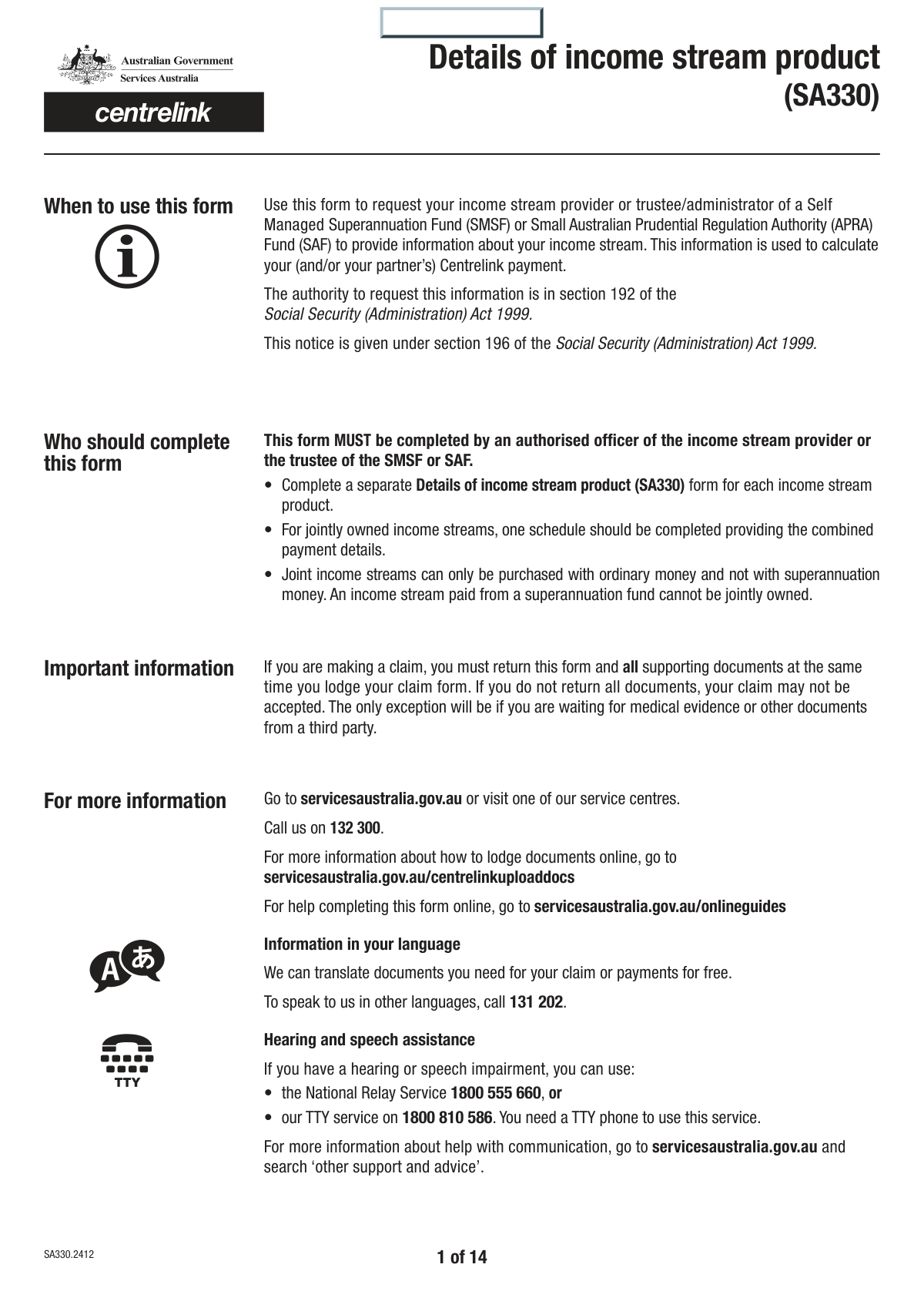
Form SA330, Details of income stream product, is a comprehensive document used by Australian government agencies like Centrelink to assess how a person's income stream (such as a pension or annuity) affects their social security entitlements. It requires detailed information from the product provider about the type of income stream, purchase price, payment details, and compliance with superannuation and social security laws. Today, this form can be filled out quickly and accurately using AI-powered services like Instafill.ai, which can also convert non-fillable PDF versions into interactive fillable forms.
SA330 is part of the ETA forms and income forms categories on Instafill.
Our AI automatically handles information lookup, data retrieval, formatting, and form filling.
It takes less than a minute to fill out SA330 using our AI form filling.
Securely upload your data. Information is encrypted in transit and deleted immediately after the form is filled out.

Form specifications

Form name: Details of income stream product
Number of fields: 355
Number of pages: 14
Filled form examples: Form SA330 Examples
Language: English
main-image

Instafill Demo: How to fill out PDF forms in seconds with AI

How to Fill Out SA330 Online for Free in 2026

Are you looking to fill out a SA330 form online quickly and accurately? Instafill.ai offers the #1 AI-powered PDF filling software of 2026, allowing you to complete your SA330 form in just 37 seconds or less.
Follow these steps to fill out your SA330 form online using Instafill.ai:
  1. 1 Navigate to Instafill.ai and upload or select the SA330 Details of income stream product form.
  2. 2 Use the AI assistant to populate customer and provider details, such as names, addresses, and Australian Business Numbers (ABN).
  3. 3 Answer the guided questions to specify the type of income stream (e.g., Account-based, Defined Benefit, Market-Linked) and its source.
  4. 4 Enter financial information including purchase price, account balances, payment amounts, and details of any commutations, letting the AI handle correct field placement.
  5. 5 Complete the detailed compliance checklist sections, with the AI helping to navigate the complex legal and regulatory questions.
  6. 6 Review all the information populated by the AI for accuracy, making any necessary corrections before finalizing.
  7. 7 Provide the authorised officer's details, sign the form digitally, and download the completed SA330 for submission.

Our AI-powered system ensures each field is filled out correctly, reducing errors and saving you time.

Why Choose Instafill.ai for Your Fillable SA330 Form?

Speed

Complete your SA330 in as little as 37 seconds.

Up-to-Date

Always use the latest 2026 SA330 form version.

Cost-effective

No need to hire expensive lawyers.

Accuracy

Our AI performs 10 compliance checks to ensure your form is error-free.

Security

Your personal information is protected with bank-level encryption.

Frequently Asked Questions About Form SA330

This form is used by income stream providers to supply detailed information about a customer's pension or annuity product. The information helps government agencies assess the income stream for social security and taxation purposes.

An authorised officer from the income stream provider, such as a superannuation fund or life insurance company, is responsible for completing and signing this form on behalf of the customer.

A reversionary pension beneficiary is a person nominated to automatically receive the income stream payments after the primary beneficiary passes away. You must indicate if the customer is a reversionary beneficiary and provide the date the income stream reverted to them.

In the 'Joint Owner Status' section, check 'Yes' if there is a joint owner. You will then be prompted to provide the joint owner's name and the percentage share for both the primary customer and the joint owner.

Commutation refers to withdrawing a lump sum from your income stream, which reduces the capital supporting your future payments. You must report if any commutations have occurred and provide the date and amount for each one.

The purchase price is the original amount paid for the income stream. This figure should include any associated fees but be listed after any tax has been deducted.

The 'Relevant Number' or RN generally refers to a life expectancy factor used in calculations for certain income streams. It is typically determined at the start of the income stream based on the beneficiary's age.

You must select the income stream type that matches the product's legal structure, such as Account-based, Market-Linked, or Defined Benefit. Each selection will guide you to a different set of questions specific to that product type.

You will need the provider's full legal name, their Australian Business Number (ABN), and their postal address. You must also indicate if the provider is a Self Managed Superannuation Fund (SMSF) or a Small APRA Fund (SAF).

An Account-based pension's value is linked to an underlying investment account balance, while a Defined Benefit income stream provides payments calculated by a pre-set formula, often based on salary and years of service.

This section confirms that the income stream product complies with various rules under Australian law, such as the Social Security Act. The provider must check the boxes that apply to the specific product's features and legal standing.

Yes, services like Instafill.ai use AI to help you accurately auto-fill form fields, which can save significant time and reduce errors. This is especially helpful for complex forms with many fields.

You can use a platform like Instafill.ai to complete this form online. Simply upload the form, and the tool will make it fillable, allowing you to type in your answers, save your progress, and download the completed document.

If your PDF is a flat, non-interactive file, you can use a service like Instafill.ai to convert it into a fillable form. This allows you to easily type your information directly into the fields before printing or submitting.

Compliance SA330
Validation Checks by Instafill.ai

Common Mistakes in Completing SA330

Misinterpreting Conditional Logic and Skip Instructions

The form contains numerous instructions like 'Go to question 8' based on Yes/No answers. People often fail to follow this manual logic, either filling out sections they should skip or skipping sections they need to complete. This leads to an incomplete or contradictory submission, causing significant processing delays. To avoid this, carefully trace the path your answers create. If the form is a non-fillable PDF, an AI tool like Instafill.ai can convert it into a smart, fillable version that automatically handles this logic.

Incorrectly Segmenting Reference and ABN Numbers

Fields like 'Customer Reference Number' and the 'Australian Business Number (ABN)' are split into four separate parts. A common error is to enter the numbers incorrectly across these boxes, transpose digits, or misunderstand the required grouping. An incorrect ABN, for example, can prevent the provider from being identified correctly, halting the process. Always double-check the number against your source document and enter it exactly as it appears, respecting the specified segmentation.

Confusing Different Income Stream Types

The form requires selecting a specific income stream type (e.g., Account-based, Market-Linked, Defined Benefit), which dictates which subsequent sections to complete. These terms are highly technical, and applicants often choose the wrong one based on a misunderstanding of their product. This fundamental error invalidates large portions of the form and leads to an incorrect assessment. It is crucial to confirm the exact product type with the provider before filling out the form.

Incomplete 'Yes' Responses

Many questions, such as those about commutations or joint owners, require providing detailed information like amounts, dates, and names if 'Yes' is selected. Applicants frequently check 'Yes' but then fail to fill in the mandatory follow-up fields. This missing information makes it impossible to process the section, often requiring the form to be returned for completion. To prevent this, treat any 'Yes' answer as a trigger to carefully look for and complete all associated detail fields.

Miscalculating Purchase Price or Account Balances

The form asks for specific financial figures like 'Purchase price' with instructions like 'including fees but after tax has been deducted.' People often enter the gross amount or miscalculate the net figure, leading to incorrect asset valuation. Similarly, providing the wrong 'Account balance at 1 July' can affect financial assessments. Always refer to official statements from your provider for these exact figures to ensure accuracy.

Incorrectly Answering Complex Compliance Questions

Questions regarding compliance with the 'Social Security Act 1991' or 'SIS Regulations' require specialized knowledge that most applicants do not possess. Guessing or making an assumption on these Yes/No questions can have serious legal and financial consequences. If you are unsure, you must seek clarification from the product provider or a financial advisor rather than providing an incorrect answer.

Inconsistent Date Formatting

The form uses separate fields for Day, Month, and Year for various dates (e.g., Date of Birth, Purchase Date). People often transpose the day and month, especially if they are used to a different regional format (MM/DD/YYYY vs. DD/MM/YYYY). This can lead to failed identity verification or incorrect eligibility calculations. Carefully enter each component into its designated field to avoid ambiguity; AI form-filling tools like Instafill.ai can help by validating date entries automatically.

Incorrect Joint Owner Share Percentages

When declaring a joint owner, the form asks for the share percentage for both Customer 1 and the Joint Owner. A frequent mistake is entering percentages that do not add up to exactly 100%. This mathematical error signals a misunderstanding of the ownership structure and will require correction, delaying the application. Always ensure the sum of all declared ownership percentages equals 100%.

Misunderstanding 'Reversionary' and 'Commutation'

The terms 'Reversionary Beneficiary' and 'Commutation' are central to the form but are often misunderstood. Applicants may confuse a standard beneficiary with a reversionary one, or not understand that a commutation is a lump-sum withdrawal that alters the income stream's value. These misunderstandings lead to incorrect answers about the product's structure and history, impacting its assessment. It's vital to understand these definitions, which are usually available in the product's disclosure statement.

Forgetting the Final Authorisation Section

The final section requires the authorised officer's name, position, signature, and date. It is surprisingly common for this entire section to be left incomplete or for the signature to be missing. An unsigned form is legally invalid and will be rejected immediately, forcing the entire submission process to restart. Always perform a final check to ensure the authorisation section is fully and correctly completed before submission.
Saved over 80 hours a year

“I was never sure if my IRS forms like W-9 were filled correctly. Now, I can complete the forms accurately without any external help.”

Kevin Martin Green

Your data stays secure with advanced protection from Instafill and our subprocessors

Robust compliance program

Transparent business model

You’re not the product. You always know where your data is and what it is processed for.

ISO 27001, HIPAA, and GDPR

Our subprocesses adhere to multiple compliance standards, including but not limited to ISO 27001, HIPAA, and GDPR.

Security & privacy by design

We consider security and privacy from the initial design phase of any new service or functionality. It’s not an afterthought, it’s built-in, including support for two-factor authentication (2FA) to further protect your account.

Fill out SA330 with Instafill.ai

Worried about filling PDFs wrong? Instafill securely fills details-of-income-stream-product forms, ensuring each field is accurate.