Yes! You can use AI to fill out Instructions for Forms 1099-R and 5498
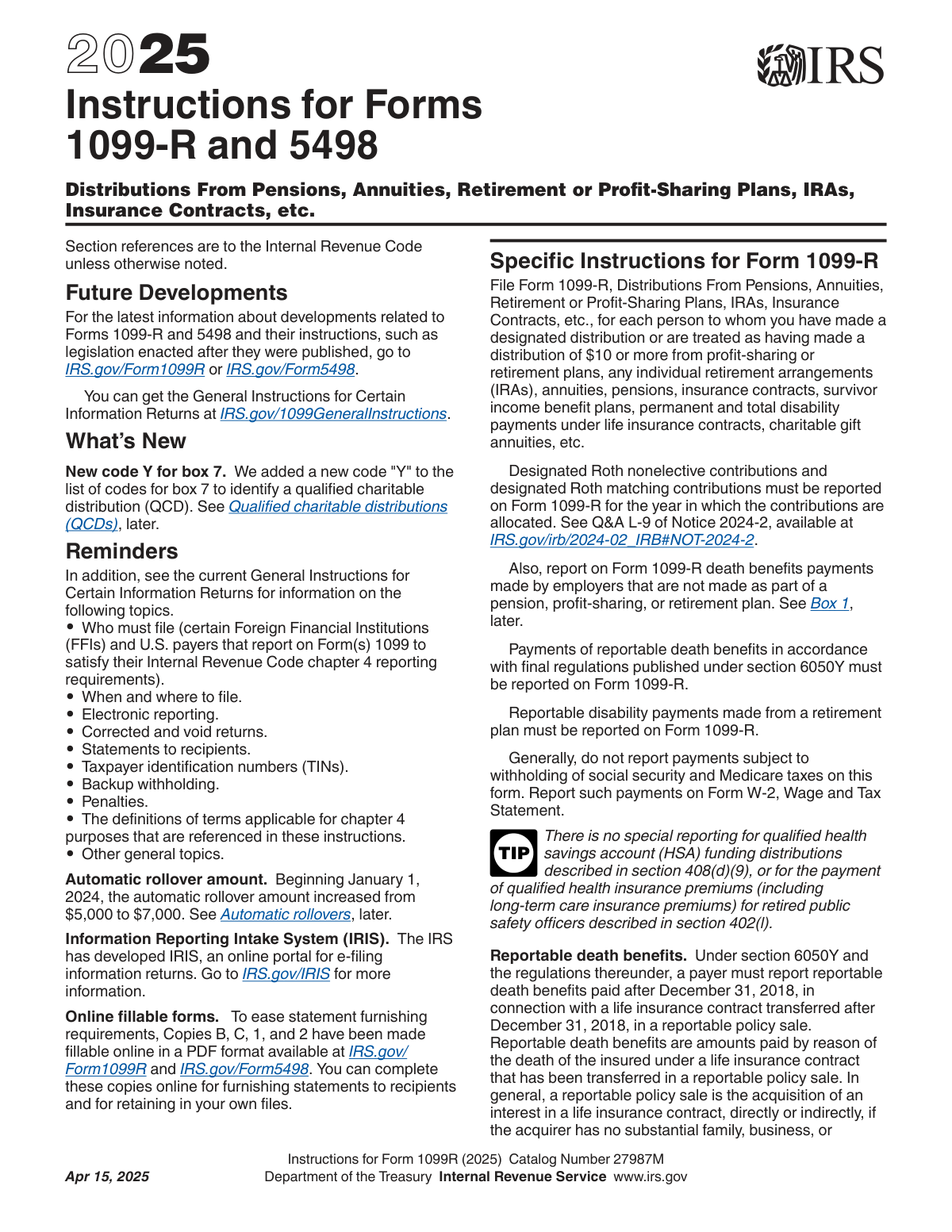
The Instructions for Forms 1099-R and 5498 is a comprehensive guide from the IRS for financial institutions, plan administrators, and payers. It details how to correctly report distributions from pensions, annuities, retirement plans, and IRAs on Form 1099-R, and how to report contributions, rollovers, and fair market value for IRAs on Form 5498. Proper completion of these forms is essential for tax compliance for both the payer and the recipient. Today, these forms can be filled out quickly and accurately using AI-powered services like Instafill.ai, which can also convert non-fillable PDF versions into interactive fillable forms.
Rather not fill this in by hand? Instafill is an online form filler that completes PDF forms automatically — upload the blank form, answer a few questions, and the AI fills every field.
Form specifications
| Form name: | Instructions for Forms 1099-R and 5498 |
| Number of pages: | 1 |
| Language: | English |
Our AI automatically handles information lookup, data retrieval, formatting, and form filling.
It takes less than a minute to fill out Forms 1099-R and 5498 using our AI form filling.
Securely upload your data. Information is encrypted in transit and deleted immediately after the form is filled out.
Instafill Demo: How to fill out PDF forms in seconds with AI
How to Fill Out Forms 1099-R and 5498 Online for Free in 2026
Are you looking to fill out a FORMS 1099-R AND 5498 form online quickly and accurately? Instafill.ai offers the #1 AI-powered PDF filling software of 2026, allowing you to complete your FORMS 1099-R AND 5498 form in just 37 seconds or less.
Follow these steps to fill out your FORMS 1099-R AND 5498 form online using Instafill.ai:
- 1 Navigate to Instafill.ai and upload or select the appropriate form, either Form 1099-R or Form 5498.
- 2 Provide the payer's and recipient's information, including names, addresses, and Taxpayer Identification Numbers (TINs).
- 3 For Form 1099-R, enter the gross distribution amount and any other financial details like employee contributions or net unrealized appreciation.
- 4 For Form 5498, input the relevant contribution amounts for the year, such as IRA contributions, rollovers, or SEP/SIMPLE contributions.
- 5 Use the AI assistant to select the correct distribution codes for Form 1099-R or check applicable boxes for Form 5498 based on the transaction type.
- 6 Enter any federal or state income tax withheld on the distribution for Form 1099-R.
- 7 Review all the information populated by the AI for accuracy, make any necessary corrections, and then download, print, or e-file the completed form.
Our AI-powered system ensures each field is filled out correctly, reducing errors and saving you time.
Why Choose Instafill.ai for Your Fillable Forms 1099-R and 5498 Form?
Speed
Complete your Forms 1099-R and 5498 in as little as 37 seconds.
Up-to-Date
Always use the latest 2026 Forms 1099-R and 5498 form version.
Cost-effective
No need to hire expensive lawyers.
Accuracy
Our AI performs 10 compliance checks to ensure your form is error-free.
Security
Your personal information is protected with bank-level encryption.
Frequently Asked Questions About Forms 1099-R and 5498
Form 1099-R is used to report distributions of $10 or more from pensions, annuities, retirement plans, and IRAs. Form 5498 is used to report all contributions made to an Individual Retirement Arrangement (IRA) for the year.
The payer, trustee, or plan administrator of the retirement account or plan is responsible for filing these forms with the IRS. They must also send copies to the recipient or plan participant.
A direct rollover is a payment from your retirement plan made directly to another retirement plan or IRA, which is generally not taxable. It is reported on Form 1099-R with the gross amount in box 1, a zero in box 2a (taxable amount), and code 'G' in box 7.
For traditional IRA distributions, the payer often doesn't have information about your nondeductible contributions, so they cannot calculate the taxable portion. You are responsible for determining the taxable amount when you file your tax return, often using Form 8606.
The codes in Box 7 explain the type of distribution you received, such as an early distribution (Code 1), a normal distribution (Code 7), or a direct rollover (Code G). These codes help the IRS determine if the distribution may be subject to additional taxes or penalties.
You should receive Form 1099-R from your plan administrator by January 31 following the year of the distribution. You will receive Form 5498, which reports IRA contributions for the previous year, by June 1.
A corrective distribution of excess contributions is reported on Form 1099-R. The form will show the gross distribution, the taxable earnings on the excess amount, and typically use code '8' or 'P' in box 7 to indicate it's a return of excess contributions.
You will receive a Form 1099-R for any distributions you take from the inherited IRA. You will also receive an annual Form 5498, which reports the Fair Market Value and shows your name as the beneficiary of the original owner.
Starting with the 2025 form, code 'Y' is used to identify a Qualified Charitable Distribution (QCD). A QCD is a direct transfer of funds from your IRA to a qualified charity, which is generally not taxable.
A Form 5498 must be filed for every IRA that has a balance, even if no contributions were made. The form reports the Fair Market Value (FMV) of your account as of December 31 and indicates if a Required Minimum Distribution (RMD) is due for the next year.
Yes, services like Instafill.ai use AI to accurately auto-fill form fields from your records, which can save significant time and reduce errors. This is especially helpful when preparing multiple forms for employees.
You can use a service like Instafill.ai to easily complete these forms online. Simply upload the form, and the AI-powered platform will help you fill in the required information accurately and efficiently.
If you have a non-fillable PDF, you can use a tool like Instafill.ai to convert it into an interactive, fillable form. This allows you to type your information directly onto the form before printing or saving it.
Compliance Forms 1099-R and 5498
Validation Checks by Instafill.ai
1
Ensures Taxable Amount Does Not Exceed Gross Distribution on Form 1099-R
This check validates that the value in Box 2a (Taxable amount) is less than or equal to the value in Box 1 (Gross distribution). The taxable portion of a distribution cannot be greater than the total amount distributed. A failure indicates a fundamental data entry or calculation error that would lead to incorrect tax assessment for the recipient.
2
Validates Federal Income Tax Withholding Amount on Form 1099-R
This validation ensures that the amount in Box 4 (Federal income tax withheld) does not exceed the amount in Box 1 (Gross distribution). It is impossible to withhold more tax than the total value of the distribution. This check prevents illogical data and potential processing failures with tax authorities.
3
Verifies Zero Taxable Amount for Direct Rollovers on Form 1099-R
This check confirms that if Box 7 contains Distribution Code 'G' (Direct rollover) or 'H' (Direct rollover to Roth IRA), then Box 2a (Taxable amount) must be '0'. Direct rollovers between similar tax-deferred accounts are generally not taxable events, so reporting a taxable amount is incorrect. An exception exists for rollovers from traditional plans to Roth plans, where the taxable amount would be reported.
4
Validates Distribution Code Combinations in Box 7 of Form 1099-R
This check verifies that if two codes are entered in Box 7, they represent a valid combination as specified by the IRS instructions (e.g., Code 4 and G, Code 1 and B). The IRS uses these codes to determine the tax treatment of the distribution, and invalid combinations can lead to incorrect tax notices and penalties. This ensures the submitted data is compliant and interpretable.
5
Confirms Mandatory 20% Withholding for Eligible Rollover Distributions
For an eligible rollover distribution that is not a direct rollover, withholding is mandatory at 20%. This check verifies that if a distribution is an eligible rollover (e.g., not an IRA distribution, not a hardship distribution) and not coded as a direct rollover (Code G or H), then the value in Box 4 (Withholding) is approximately 20% of the taxable amount in Box 2a. This is critical for ensuring compliance with mandatory withholding rules.
6
Ensures Required Fields for Designated Roth Account Distributions are Complete
This validation confirms that if Box 7 contains Code 'B' (Designated Roth account distribution) or 'H' (Direct rollover of a designated Roth account), then Box 11 (First Year of Desig. Roth Contrib.) is populated with a valid four-digit year. This information is essential for the recipient to determine if the distribution is a 'qualified distribution' based on the 5-year holding period. Missing this data makes it difficult for the recipient to file their taxes correctly.
7
Verifies Correct Reporting of Net Unrealized Appreciation (NUA)
This check ensures that if Box 6 (Net Unrealized Appreciation in Employer’s Securities) contains a value, it is properly excluded from the taxable amount. The validation confirms that the value in Box 1 (Gross Distribution) is greater than or equal to the sum of Box 2a (Taxable Amount) and Box 6. This is important because NUA has special tax treatment and should not be included in the current year's taxable income.
8
Prohibits Negative Monetary Values on Form 1099-R
This is a system-wide check to ensure that no monetary field on the Form 1099-R contains a negative value, as explicitly forbidden by the instructions. Fields like Gross Distribution, Taxable Amount, and Withholding must represent positive cash flows or zero. Allowing negative values would indicate a severe data error and would be rejected by the IRS.
9
Validates Qualified Charitable Distribution (QCD) Code Usage
This check enforces the rule for the new Code 'Y' (Qualified charitable distribution), ensuring it is always used in combination with either Code '4' (Death), '7' (Normal distribution), or 'K' (Distribution of assets without a readily available FMV). A QCD has specific tax implications, and using Code Y incorrectly or by itself would result in processing errors. This validation ensures compliance with the latest form instructions.
10
Ensures Consistency Between Total FMV and Hard-to-Value Assets on Form 5498
This validation checks that the value in Box 15a (FMV of certain specified assets) is less than or equal to the total account value in Box 5 (FMV of account). The value of a specific subset of assets cannot exceed the value of the entire account. This check prevents logical inconsistencies in asset valuation reporting.
11
Requires a Code for Repayments on Form 5498
This check ensures that if an amount is entered in Box 14a (Repayments), then a corresponding valid code ('QR', 'DD', 'BA', 'EP', 'TI', or 'DA') must be entered in Box 14b. The code is necessary to identify the type of repayment, which affects its tax treatment. A missing code makes the repayment amount ambiguous and the form incomplete.
12
Validates Postponed Contribution Details on Form 5498
This check verifies that if an amount is entered in Box 13a (Postponed/late contrib.), then either Box 13b (Year) or Box 13c (Code) must also be filled out. This information is required to explain why the contribution is late, such as for military service in a combat zone or a federally declared disaster. Without this context, the contribution may be misclassified as an excess contribution for the current year.
13
Matches Contribution Type to Account Type on Form 5498
This validation ensures that the type of contribution reported corresponds with the IRA type checked in Box 7. For example, if an amount is entered in Box 8 (SEP Contributions), the 'SEP' checkbox in Box 7 must be checked. This logical cross-check prevents misclassification of funds, which is critical for applying the correct contribution limits and rules.
14
Links Percentage of Distribution to Total Distribution Flag on Form 1099-R
This check validates that if a percentage is entered in Box 9a (Your percentage of total distribution), the 'Total Distribution' checkbox in Box 2b must be checked. The percentage field is only applicable when a total distribution is split among multiple recipients. This ensures data is entered consistently and only when appropriate.
Common Mistakes in Completing Forms 1099-R and 5498
The distribution codes in Box 7 are critical as they inform the IRS about the nature of the distribution and whether early withdrawal penalties apply. Filers often select an incorrect code due to the complexity of the rules, such as using Code 7 (Normal Distribution) for a participant under age 59 ½ instead of Code 1 (Early distribution, no known exception). An incorrect code can trigger an automatic IRS notice assessing penalties and interest, forcing the recipient to dispute the tax. If the form is only available as a non-fillable PDF, tools like Instafill.ai can convert it into an interactive, fillable version to streamline data entry and validation.
Filers frequently enter the same value in Box 1 (Gross Distribution) and Box 2a (Taxable Amount) out of habit, which is often incorrect. For example, a direct rollover has a taxable amount of $0, and distributions involving after-tax contributions have a non-taxable portion. This error can cause the recipient to overpay taxes on funds that should be tax-free. To avoid this, always calculate the taxable portion separately and verify the rules for specific distributions like rollovers.
A direct rollover should be a non-taxable event, but reporting errors can make it appear taxable to the IRS. Common mistakes include entering the rolled-over amount in Box 2a (Taxable Amount) instead of $0, or failing to use the correct distribution code (Code G) in Box 7. These errors can trigger an incorrect tax bill and require lengthy correspondence with the IRS to prove the transaction was a tax-free rollover. Intelligent form-filling tools like Instafill.ai can help prevent these errors by automatically applying the correct reporting rules for rollovers.
Returning excess contributions or deferrals from a retirement plan requires special reporting on Form 1099-R that is often handled incorrectly. Filers may use a generic distribution code instead of the specific codes for corrective distributions (e.g., Code 8 or P) or mistakenly report the entire returned amount as taxable instead of just the earnings. This leads to incorrect tax assessments for the recipient. It is crucial to follow the specific instructions for corrective distributions to ensure only the correct amount is reported as taxable for the correct year.
When a distribution is made to a beneficiary from a deceased participant's account, filers sometimes mistakenly issue the Form 1099-R under the decedent's name and Taxpayer Identification Number (TIN). The form must be issued in the name and TIN of the beneficiary who received the funds, and Box 7 must include Code 4 (Death). This error creates a mismatch in IRS records, leading to processing delays, compliance notices, and tax issues for both the estate and the beneficiary.
When a participant defaults on a retirement plan loan, it is often treated as a 'deemed distribution' that must be reported with Code L in Box 7. Filers frequently confuse this with a 'plan loan offset,' which is an actual distribution, or fail to report the deemed distribution entirely. This error can affect the participant's tax basis in the plan and lead to incorrect tax calculations on future distributions. Carefully distinguishing between these events is essential for accurate reporting.
IRA contributions for a given tax year can be made until April 15 of the following year, but trustees sometimes report these contributions for the year they are received, not the year designated by the participant. For example, a contribution made in February 2026 for the 2025 tax year might be wrongly reported as a 2026 contribution. This error can cause the participant to lose their intended tax deduction or be flagged for exceeding annual contribution limits. Trustees must accurately record and report the designated contribution year.
Form 5498 has separate boxes for different funding sources, such as regular contributions (Box 1), rollovers (Box 2), and Roth conversions (Box 3). A common data entry mistake is to lump different types of contributions into a single box, such as reporting a rollover as a regular contribution. This misrepresentation can cause the IRS to incorrectly flag the participant for making excess contributions, leading to penalties. Automated systems and smart form-fillers like Instafill.ai can help ensure data integrity by guiding users to enter different transaction types into the correct fields.
Trustees are required to check Box 11 on Form 5498 if the IRA participant has an RMD due for the following year. This serves as a critical notification for the account owner. Forgetting to check this box is a common oversight that can cause the participant to miss their RMD, resulting in a steep penalty for the participant. Diligent tracking of participant ages and RMD eligibility is necessary to avoid this simple but costly mistake.
For IRAs holding assets without a readily available market value (e.g., private equity, real estate), Form 5498 requires reporting the FMV in Box 15a and an asset code in Box 15b. Trustees may omit this information or use an outdated valuation because obtaining an accurate annual appraisal is difficult. This compliance failure can lead to IRS scrutiny and penalties, as an accurate FMV is essential for calculating RMDs and properly valuing the account.
Saved over 80 hours a year
“I was never sure if my IRS forms like W-9 were filled correctly. Now, I can complete the forms accurately without any external help.”
Kevin Martin Green
Your data stays secure with advanced protection from Instafill and our subprocessors




Robust compliance program
Transparent business model
You’re not the product. You always know where your data is and what it is processed for.
ISO 27001, HIPAA, and GDPR
Our subprocesses adhere to multiple compliance standards, including but not limited to ISO 27001, HIPAA, and GDPR.
Security & privacy by design
We consider security and privacy from the initial design phase of any new service or functionality. It’s not an afterthought, it’s built-in, including support for two-factor authentication (2FA) to further protect your account.
Fill out Forms 1099-R and 5498 with Instafill.ai
Worried about filling PDFs wrong? Instafill securely fills instructions-for-forms-1099-r-and-5498 forms, ensuring each field is accurate.
