Yes! You can use AI to fill out Drug Medi-Cal Substance Use Disorder Medical Director/ Licensed Substance Use Disorder Treatment Professional/ Substance Use Disorder Non-Physician Medical Practitioner Application/Agreement/Disclosure Statement
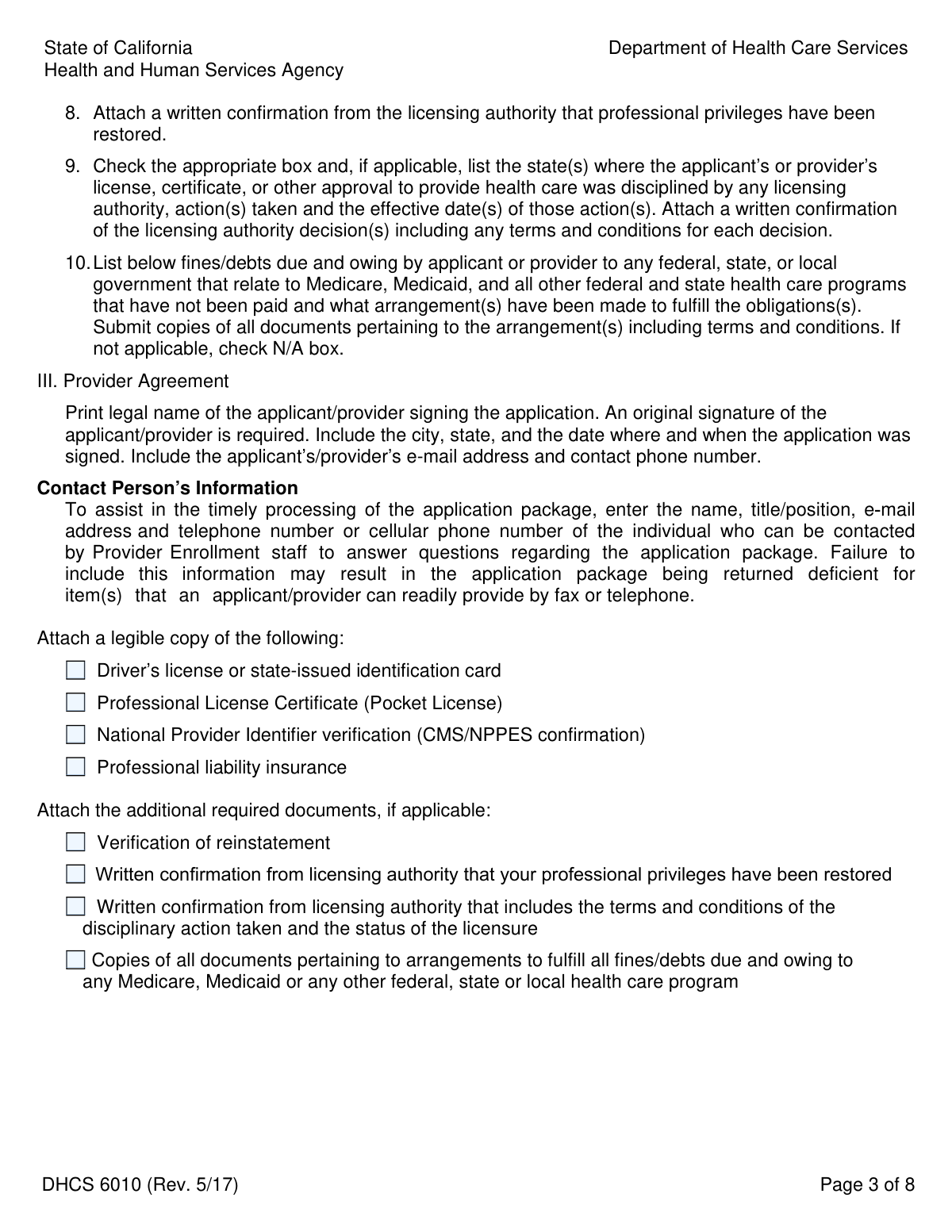
Form DHCS 6010 is an application, agreement, and disclosure statement required by the California Department of Health Care Services. It is used for the sole purpose of enrolling substance use disorder medical directors, licensed treatment professionals, and non-physician medical practitioners with the Drug Medi-Cal program, linking them to a specific clinic site. This enrollment does not allow for direct reimbursement to the individual provider. Today, this form can be filled out quickly and accurately using AI-powered services like Instafill.ai, which can also convert non-fillable PDF versions into interactive fillable forms.
DHCS 6010 is part of the
disclosure forms, Medi-Cal forms, medical forms, NJ state forms, PA state forms, physician agreement forms, physician application forms, physician forms, practitioner application forms, practitioner forms, state ID forms and VA medical forms categories on Instafill.
Our AI automatically handles information lookup, data retrieval, formatting, and form filling.
It takes less than a minute to fill out DHCS 6010 using our AI form filling.
Securely upload your data. Information is encrypted in transit and deleted immediately after the form is filled out.
Form specifications
| Form name: | Drug Medi-Cal Substance Use Disorder Medical Director/ Licensed Substance Use Disorder Treatment Professional/ Substance Use Disorder Non-Physician Medical Practitioner Application/Agreement/Disclosure Statement |
| Number of pages: | 1 |
| Language: | English |
More forms in Disclosure forms
Instafill Demo: How to fill out PDF forms in seconds with AI
How to Fill Out DHCS 6010 Online for Free in 2026
Are you looking to fill out a DHCS 6010 form online quickly and accurately? Instafill.ai offers the #1 AI-powered PDF filling software of 2026, allowing you to complete your DHCS 6010 form in just 37 seconds or less.
Follow these steps to fill out your DHCS 6010 form online using Instafill.ai:
- 1 Navigate to Instafill.ai and upload or select the DHCS 6010 form.
- 2 Use the AI assistant to automatically fill in your personal identifying information, including your legal name, date of birth, address, and social security number.
- 3 Enter your professional details, such as license number, NPI, business address, and information about the clinic where you provide services.
- 4 Complete the 'Disclosure Information' section by answering the yes/no questions regarding your professional and legal history.
- 5 Securely upload required supporting documents, such as a copy of your driver's license, professional license, NPI confirmation, and proof of liability insurance.
- 6 Carefully review all the information populated by the AI for accuracy, then read and electronically sign the Provider Agreement.
- 7 Download the completed DHCS 6010 and all attachments as a single package, ready for submission to the California Department of Health Care Services.
Our AI-powered system ensures each field is filled out correctly, reducing errors and saving you time.
Why Choose Instafill.ai for Your Fillable DHCS 6010 Form?
Speed
Complete your DHCS 6010 in as little as 37 seconds.
Up-to-Date
Always use the latest 2026 DHCS 6010 form version.
Cost-effective
No need to hire expensive lawyers.
Accuracy
Our AI performs 10 compliance checks to ensure your form is error-free.
Security
Your personal information is protected with bank-level encryption.
Frequently Asked Questions About Form DHCS 6010
This form is used to enroll as a substance use disorder medical director, licensed treatment professional, or non-physician medical practitioner in California's Drug Medi-Cal program. This enrollment is for association with a clinic and does not allow for direct reimbursement for services.
This application must be completed by substance use disorder medical directors, licensed substance use disorder treatment professionals, and substance use disorder non-physician medical practitioners who need to be enrolled in the Drug Medi-Cal program.
No, this application is solely for the purpose of enrollment in the Drug Medi-Cal program. The form explicitly states that this type of enrollment does not allow the Medi-Cal program to reimburse you directly for services provided.
You must attach a legible copy of your driver's license or state ID, professional license, NPI confirmation from CMS/NPPES, and your certificate of professional liability insurance. Additional documents may be required depending on your answers in the disclosure section.
A Type 1 NPI is a National Provider Identifier for individual healthcare providers. Yes, you are required to have a Type 1 NPI and provide the CMS/NPPES confirmation letter with your application.
Do not use correction tape or white-out. Instead, you should draw a single line through the error, then date and initial the correction in ink.
No, you should not leave any fields blank. If a question or field is not applicable to you, you must enter 'N/A'.
Mail the completed form and all required attachments to the Department of Health Care Services, Provider Enrollment Division, MS 4704, P.O. Box 997412, Sacramento, CA 95899-7412. Remember not to use staples on any documents.
This section requires you to disclose any history of criminal convictions, civil judgments related to fraud, program suspensions, or disciplinary actions against your professional license. You must answer every question and provide details and documentation if you answer 'Yes'.
You should only check the 'Continued Enrollment' box if you have been specifically requested by the Department of Health Care Services (DHCS) to apply for continued enrollment. Otherwise, you should select one of the 'New' enrollment options.
Yes, services like Instafill.ai can help you fill out this form accurately and efficiently. These tools use AI to auto-fill your information, reducing the time it takes to complete the application and minimizing errors.
Simply upload the DHCS 6010 PDF to the Instafill.ai platform. The AI will identify the form fields, allowing you to fill them out interactively online, save your progress, and download the completed document.
If you have a non-fillable or 'flat' PDF, you can use a service like Instafill.ai. It can convert the static PDF into an interactive, fillable form that you can complete on your computer before printing.
Compliance DHCS 6010
Validation Checks by Instafill.ai
1
Provider NPI Must Be Type 1
This check verifies that the National Provider Identifier (NPI) entered in the main 'Provider Number (NPI)' field is a Type 1 (Individual) NPI. The form instructions explicitly state a Type 1 NPI is required for the applicant. This is critical for correctly identifying the individual practitioner in the Medi-Cal system. If a Type 2 (Organization) NPI is entered, the application will be rejected as it does not meet the enrollment criteria for an individual.
2
Social Security Number Format and Presence
Validates that the Social Security Number (SSN) field is not empty and follows the standard 9-digit format (XXX-XX-XXXX or XXXXXXXXX). The form marks this field as 'required' for identity verification and reporting purposes. Failure to provide a valid SSN will result in an incomplete application and denial of enrollment.
3
Professional License Is Current and Valid
This validation checks that the 'License expiration date' is a date in the future, ensuring the applicant's professional license is active and has not expired. It also confirms the expiration date is after the effective date. This is crucial to ensure the provider is legally permitted to practice in their field. An application with an expired license will be denied until a current, valid license is provided.
4
Business Address Physical Location Verification
Ensures the 'Business address' provided in Section I, Item 9 is a physical street address and not a Post Office (P.O.) box or commercial mail receiving agency. The instructions explicitly state a P.O. box is not acceptable, as DHCS may conduct unannounced onsite inspections. If a non-physical address is detected, the form submission will be flagged as invalid, requiring the applicant to provide a valid location where services are rendered.
5
Disclosure Section Conditional Logic
For each question in the 'Disclosure Information' section (Part II), this check verifies that if the 'Yes' box is checked, the corresponding detail fields (e.g., date of conviction, state where action was taken) are filled out. These details are mandatory for assessing the applicant's background and eligibility. Answering 'Yes' without providing the required explanation will render the application incomplete and lead to its return or denial.
6
Single Enrollment Action Selection
Validates that exactly one checkbox under 'Enrollment Action Requested' has been selected. An applicant must clearly indicate whether they are a new director, practitioner, professional, or applying for continued enrollment. Submitting the form with no selection or multiple selections creates ambiguity and will cause the application to be rejected for clarification.
7
Date of Birth Sanity Check
This check validates that the 'Date of birth' is a valid date in the past and indicates the applicant is of a reasonable age to be a licensed medical professional (e.g., over 21 years old). This prevents obvious data entry errors, such as future dates or dates that would make the applicant a minor. An illogical date of birth would cause the application to be flagged for manual review or rejected.
8
Professional Liability Insurance Is Current
Verifies that the 'Expiration date of policy' for the professional liability insurance is a date in the future. This ensures the applicant has active malpractice coverage, which is a requirement for enrollment. An application with an expired insurance policy will be considered deficient and will be denied pending submission of proof of current coverage.
9
ZIP Code 9-Digit Format
This validation confirms that all ZIP code fields ('Residence address', 'Mailing address', 'Business address') are entered in the requested 9-digit format (e.g., 95899-7412). The form explicitly requests the 9-digit ZIP code for precise mail delivery and location identification. While a 5-digit ZIP might be accepted with a warning, an invalid format will cause a validation error, prompting the user to correct it.
10
Mandatory Field and Section Completion
Performs a global check to ensure that no required fields, lines, or boxes have been left blank, as explicitly forbidden by the form's instructions. Fields that are not applicable must contain 'N/A'. This check is fundamental to ensuring a complete data package is submitted for processing. Any blank mandatory field will halt the submission process and require the user to complete the missing information.
11
Driver's License Issuing State Validation
This check ensures that the 'state of issuance' for the driver's license or state-issued ID is one of the 50 United States or the District of Columbia, as specified in the instructions. This is a security and identity verification measure. An ID from a U.S. territory or a foreign country would fail this validation and require the applicant to obtain a qualifying ID.
12
Signature Section Completeness
Verifies that upon signing the application, the applicant has also filled in their printed legal name, the city and state where the document was executed, and the date of signature. These fields are part of the legal declaration and are required to make the agreement binding. An incomplete signature block can invalidate the entire application.
13
Attachment Requirement Validation
This check cross-references answers on the form with the list of required attachments. For example, if the applicant answers 'Yes' to having a prior license suspension (Question II.6), the system verifies that a 'written confirmation from the licensing authority' is included in the submission package. Missing a required attachment based on the form's data will result in the application being returned as deficient.
14
Clinic NPI Format Validation
Validates that the 'Provider number (NPI) of the clinic' in Section I, Item 11 is a valid 10-digit number. This NPI identifies the facility where the applicant provides services and is essential for linking the individual provider to an enrolled organization. An incorrectly formatted NPI would prevent proper association in the Medi-Cal system and cause a processing error.
Common Mistakes in Completing DHCS 6010
Applicants often leave fields that don't apply to them empty, but the instructions explicitly state to enter 'N/A'. This happens due to oversight or assuming a blank field means 'not applicable'. This will cause the application to be considered incomplete and returned, delaying the enrollment process. To avoid this, carefully review every field and enter 'N/A' where appropriate; AI-powered tools like Instafill.ai can flag empty required fields before submission.
The form strictly forbids using correction tape, white-out, or highlighters, requiring corrections to be made by lining through, dating, and initialing in ink. People use these common office supplies to make the form look neater, not realizing it invalidates the document. Using prohibited methods will result in the application being rejected. Always follow the specified correction procedure to ensure your application is accepted.
The application requires multiple current and legible attachments, such as a driver's license, professional license, and proof of insurance. Applicants may forget to include a document, provide a blurry photocopy, or submit a document that has expired. Any of these errors will lead to the application being returned as deficient, causing significant delays. Create a checklist and double-check that all attached copies are clear and all documents are currently valid before mailing.
The form requires the applicant's individual Type 1 NPI at the top, but asks for the substance use disorder clinic's NPI in Section I, Item 11. Applicants frequently enter their own NPI in both fields out of confusion. This incorrect data can lead to processing errors and rejection. To prevent this, carefully read each field's description and ensure you are providing the correct NPI for the individual practitioner versus the facility where services are provided.
The legal name entered in Section I, Item 1 must exactly match the name on the applicant's professional license. Individuals may mistakenly use a common nickname, a new married name not yet updated on their license, or a slightly different name format. This discrepancy causes verification failures and can lead to denial. Always reference your professional license when filling out your name to ensure it is identical.
In Section II, if an applicant answers 'Yes' to any disclosure question, they must provide detailed information and attach supporting documentation as instructed. A common error is checking 'Yes' but failing to provide the required dates, explanations, or documents like reinstatement letters. This omission makes the disclosure incomplete and will result in the application being denied. If you answer 'Yes', immediately gather and attach all required supplementary information.
The provider agreement requires an original, wet ink signature; digital signatures, stamped signatures, or photocopies of the signed page are not accepted. In an increasingly digital world, applicants may not realize an original ink signature is a firm requirement for this government form. Submitting an invalid signature will cause the entire application to be rejected. To avoid this, print the completed form and physically sign it in ink in the designated space.
Section I, Item 9 specifies that the business address cannot be a P.O. box or commercial mail-receiving box. Applicants may attempt to use one for privacy or because they don't have a separate physical office, but this is explicitly forbidden. Using a P.O. Box will invalidate this section and likely cause the application to be returned. You must provide a physical street address where services are provided.
The signature block on Page 8 requires not only a signature but also the city, state, and date where the form was signed. It is very easy for applicants to sign their name and overlook these small but mandatory adjacent fields. Leaving the 'Executed at' line blank renders the provider agreement incomplete and can lead to rejection. Always fill in the city, state, and date when you sign the document.
The form requests a 9-digit ZIP code for the residence, mailing, and business addresses. Most people are only familiar with their 5-digit ZIP code and leave the last four digits blank. This can cause data entry issues and may lead to the application being flagged as incomplete. You can look up your full 9-digit ZIP code on the USPS website to ensure the address format is correct, or use a tool like Instafill.ai which can automatically find and format the full ZIP code.
Saved over 80 hours a year
“I was never sure if my IRS forms like W-9 were filled correctly. Now, I can complete the forms accurately without any external help.”
Kevin Martin Green
Your data stays secure with advanced protection from Instafill and our subprocessors




Robust compliance program
Transparent business model
You’re not the product. You always know where your data is and what it is processed for.
ISO 27001, HIPAA, and GDPR
Our subprocesses adhere to multiple compliance standards, including but not limited to ISO 27001, HIPAA, and GDPR.
Security & privacy by design
We consider security and privacy from the initial design phase of any new service or functionality. It’s not an afterthought, it’s built-in, including support for two-factor authentication (2FA) to further protect your account.
Fill out DHCS 6010 with Instafill.ai
Worried about filling PDFs wrong? Instafill securely fills drug-medi-cal-substance-use-disorder-medical-director-licensed-substance-use-disorder-treatment-professional-substance forms, ensuring each field is accurate.
