Fill out 403(b) forms
with AI.
403(b) plans are tax-advantaged retirement savings plans specifically designed for employees of public schools, certain non-profit organizations, and cooperative hospital service organizations. The forms in this category are essential for managing these accounts throughout your career and into retirement. They cover a wide range of administrative needs, from the initial setup of a custodial account to making critical updates to beneficiary designations. Because these accounts often represent a significant portion of an individual's long-term savings, maintaining accurate documentation is vital for financial security and ensuring that assets are distributed according to your wishes.
By continuing, you acknowledge Instafill's Privacy Policy and agree to get occasional product update and promotional emails.
About 403(b) forms
Typically, educators, healthcare professionals, and nonprofit staff will need these forms during major life transitions or when managing their investment strategy. For instance, you may need a distribution request form when retiring or changing employers, or an account reduction loan application if you need to access funds for a primary residence. Common documents like the Beneficiary Designation or the New Account Form are frequently used to ensure that estate plans are current and that new contributions are directed to the correct investment vehicles. Tools like Instafill.ai use AI to fill these forms in under 30 seconds, handling the data accurately and securely to save you time on complex paperwork.
Every form on this page can be completed without typing. Instafill is form filling software that reads a PDF and fills it for you — including flat and scanned documents that carry no fillable fields at all.
Forms in This Category
The forms in this category have a median Form Complexity Index of 59/100 (Moderate), measured across 19 forms by field count, input difficulty, length, conditional logic and structure. See how it is calculated.
- Enterprise-grade security & data encryption
- 99%+ accuracy powered by AI
- 1,000+ forms from all industries
- Complete forms in under 60 seconds
How to Choose the Right Form
Navigating 403(b) retirement paperwork depends largely on your specific financial institution and your current stage of employment. Whether you are opening a new account, managing your estate plan, or accessing your funds, selecting the form that matches your provider is the first step.
Opening a New Account or Enrolling
If you are just starting your retirement journey or joining a new employer, you need enrollment documents.
- General Enrollment: Use the Fidelity Investments 403(b) Custodial Account Application or the Vanguard 403(b)(7) New Account Form to establish your account.
- Employer-Specific: If you work for the University of Colorado, use the University of Colorado 403(b) Plan – DSW Scudder Enrollment and Beneficiary Designation Form.
Updating Beneficiaries
Keeping your beneficiaries current ensures your assets are distributed according to your wishes without going through probate.
- Provider-Specific: Choose the form that matches your custodian, such as the Fidelity Investments 403(b) Beneficiary Designation or the Beneficiary Designation Form For IRA and 403(b)(7) Accounts for Schwab accounts.
- Specialized Plans: Use the The Church of the Nazarene 403(b) Retirement Savings Plan Beneficiary Designation Form if you are a participant in that specific denominational plan.
Requesting Distributions and Withdrawals
When you need to move money out of your account due to retirement, separation from service, or financial hardship, distribution forms are required.
- Standard Withdrawals: Use the Fidelity Advisor 403(b) Distribution Request Form or the Vanguard 403(b)(7) ERISA Retirement Plan Distribution Request for their respective platforms.
- Specific Funds: If your assets are with Davis Funds, use the 403(b) Distribution Form - Davis Funds.
- Annuities: For those with tax-sheltered annuities, the Tax Sheltered Annuity (TSA) IRC Section 403(b) Distribution Request is the appropriate choice.
Loans and Inherited Accounts
- Borrowing Funds: If your plan allows for loans, use the Account Reduction Loan Application 403(b) Plan to borrow against your vested balance.
- Beneficiary Claims: If you are the heir to an account, use the Fidelity Advisor 403(b) Beneficiary Distribution Request to claim and move inherited assets.
Form Comparison
| Form | Primary Function | Key Action Required | Triggering Event |
|---|---|---|---|
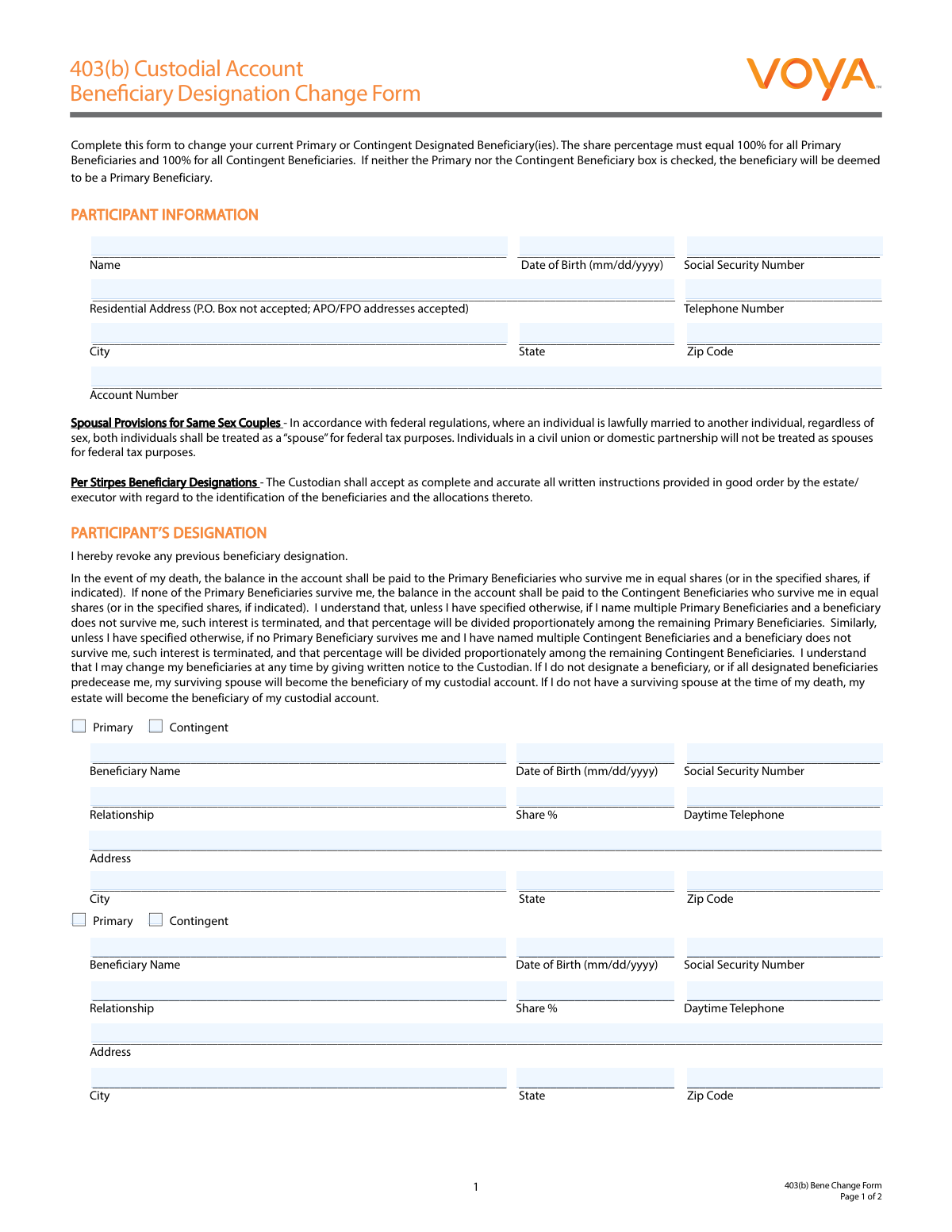
| 403(b) Custodial Account Beneficiary Designation Change Form | Estate Planning | Update or name primary and contingent beneficiaries | Marriage, birth, or updating inheritance plans |
| 403(b) Distribution Form - Davis Funds | Fund Withdrawal | Request payment or rollover from Davis Funds | Retirement, job change, or reaching age 59.5 |
| Account Reduction Loan Application 403(b) Plan | Personal Loan | Request to borrow from vested account balance | Need for cash or purchasing principal residence |
| Beneficiary Designation Form For IRA and 403(b)(7) Accounts | Estate Planning | Designate heirs for Schwab 403(b)(7) accounts | Account setup or updating life circumstances |
| Fidelity Advisor 403(b) Beneficiary Distribution Request | Inherited Asset Distribution | Request funds from a deceased owner's account | Death of the original account holder |
| Fidelity Advisor 403(b) Distribution Request Form | Fund Withdrawal | Request rollover, withdrawal, or installment payments | Separation from service or age 59.5 |
| Fidelity Investments 403(b) Custodial Account Application | Account Opening | Provide personal details and select investment options | Starting a new job with eligible employer |
| Form A - 403(b) Participant's Request For Distribution | Fund Withdrawal | Initiate withdrawal from custodial account | Retirement, disability, or financial hardship |
| Tax Sheltered Annuity (TSA) IRC Section 403(b) Distribution Request | Annuity Withdrawal | Request funds from Transamerica TSA account | Reaching retirement age or severance from employment |
| Vanguard 403(b)(7) New Account Form | Account Opening | Set up a new 403(b)(7) investment account | Initial enrollment in employer retirement plan |
| Vanguard 403(b)(7) ERISA Retirement Plan Distribution Request (Retirement / Severance from Employment / Disability) | Fund Withdrawal | Withdraw funds or request direct rollover | Retirement, severance, or disability |
| Qualified Retirement Plan and 403(b)(7) Custodial Account Distribution Request Form | Fund Withdrawal | Formal request for payout or rollover | Termination of employment or retirement |
Tips for 403(b) forms
Major life events like marriage, divorce, or the birth of a child should prompt an immediate review of your beneficiary forms. These designations usually override instructions in a will, so keeping them current ensures your retirement assets are distributed exactly as you intended.
AI-powered tools like Instafill.ai can complete complex 403(b) forms in under 30 seconds with high accuracy. Your sensitive financial data stays secure during the process, providing a practical and fast solution for managing multiple account changes or distribution requests.
Many 403(b) distribution and loan forms require official authorization from your employer or a Third Party Administrator (TPA) before they can be processed. Submitting these forms directly to the fund manager without the necessary plan sponsor signatures is a common mistake that leads to processing delays.
If you are requesting a direct rollover to an IRA or a new employer's plan, ensure you have the exact mailing address and account number of the receiving institution. Providing incomplete or vague transfer instructions can cause the fund manager to issue a check in your name, which may trigger unintended tax consequences.
Financial institutions use your Social Security Number and specific 403(b) account numbers as primary identifiers for tax reporting. Even a single-digit error can cause your application to be rejected or result in funds being pulled from the wrong sub-account.
Distribution forms typically feature a section for tax withholding where default rates apply if you do not make a specific election. Carefully review these options to ensure the amount withheld aligns with your actual tax bracket and helps you avoid underpayment penalties at year-end.
Frequently Asked Questions
403(b) forms are used by employees of public schools, certain non-profit organizations, and ministers or employees of churches. These forms allow participants to manage their tax-advantaged retirement savings, from opening an account and designating beneficiaries to requesting loans or distributions.
An enrollment or 'new account' form is used to establish your retirement account, select initial investments, and set contribution amounts. A distribution form is used later when you want to withdraw funds, roll them over to another plan, or take payments after leaving your employer.
This form legally identifies who will inherit your retirement assets if you pass away. It is a vital part of estate planning because the designations on this form typically override instructions in a will, ensuring your savings are distributed according to your current wishes without the need for probate.
Eligibility for a distribution generally occurs when you reach age 59 ½, separate from service with your employer, or become disabled. Some plans also allow for distributions in the event of financial hardship or for required minimum distributions (RMDs) once you reach a certain age.
Yes, many plans allow participants to take a loan against their vested account balance by submitting an Account Reduction Loan Application. These forms usually require you to specify the loan amount and the purpose, such as purchasing a primary residence or meeting other financial needs, subject to plan limits.
The (7) refers to Section 403(b)(7) of the Internal Revenue Code, which specifically covers custodial accounts that invest in mutual funds rather than annuity contracts. If your retirement plan is held with a brokerage like Vanguard or Fidelity, you will often see this designation on your account opening and distribution paperwork.
Submission instructions depend on your specific plan; however, most forms are sent either directly to the financial provider (like Schwab or Transamerica) or to your employer's Human Resources department. In many cases, a Third Party Administrator (TPA) must also sign off on the form before it can be processed.
Yes, most distribution and loan requests require an authorized signature from the employer, plan sponsor, or a designated Third Party Administrator. This authorization confirms that you are eligible for the transaction based on the rules of your specific retirement plan and IRS regulations.
Yes, you can use AI-driven tools to complete these forms more efficiently. AI platforms like Instafill.ai can fill out 403(b) forms in under 30 seconds by accurately extracting data from your existing documents and placing it into the correct fields on the PDF.
Filling out retirement paperwork manually can be tedious, but using an automated service like Instafill.ai can reduce the time to less than 30 seconds. This technology helps ensure that complex information, such as fund selections and beneficiary details, is transferred accurately to the form.
Glossary
- Form Complexity Index
- Instafill’s 0–100 measure of how much effort a form takes to complete, calculated deterministically from the form’s own structure rather than estimated. It combines the number of fillable fields (the largest factor), how difficult those fields are to complete based on their type, the number of pages that contain fields, the amount of conditional “fill-only-if” logic, and how many sections the form is divided into, then adds modifiers for tables and repeating lists, bundled instruction pages, and dense page layouts. A higher score means the form is harder to fill out by hand. The forms in this category have a median Form Complexity Index of 59/100 (Moderate). See exactly how it is calculated.
- 403(b) Plan
- A tax-advantaged retirement savings plan available to employees of public schools and certain 501(c)(3) tax-exempt organizations.
- Distribution
- The withdrawal of funds from a retirement account, which may be subject to taxes and penalties depending on the participant's age and the reason for the withdrawal.
- Direct Rollover
- The transfer of retirement assets directly from one plan to another eligible plan or IRA, avoiding tax withholding and the 10% early withdrawal penalty.
- 403(b)(7)
- A specific type of 403(b) account that is a custodial account invested in mutual funds rather than an annuity contract.
- Custodial Account
- An account where a financial institution holds and manages the investments on behalf of the plan participant.
- Tax Sheltered Annuity (TSA)
- A common industry term used interchangeably with 403(b), referring to retirement plans that were traditionally funded via insurance annuities.
- Third Party Administrator (TPA)
- An external company that manages the administrative aspects of a retirement plan, often required to sign off on distribution or loan requests.
- Severance from Employment
- The termination of the employment relationship, which is a qualifying event that allows a participant to request a distribution of their account balance.