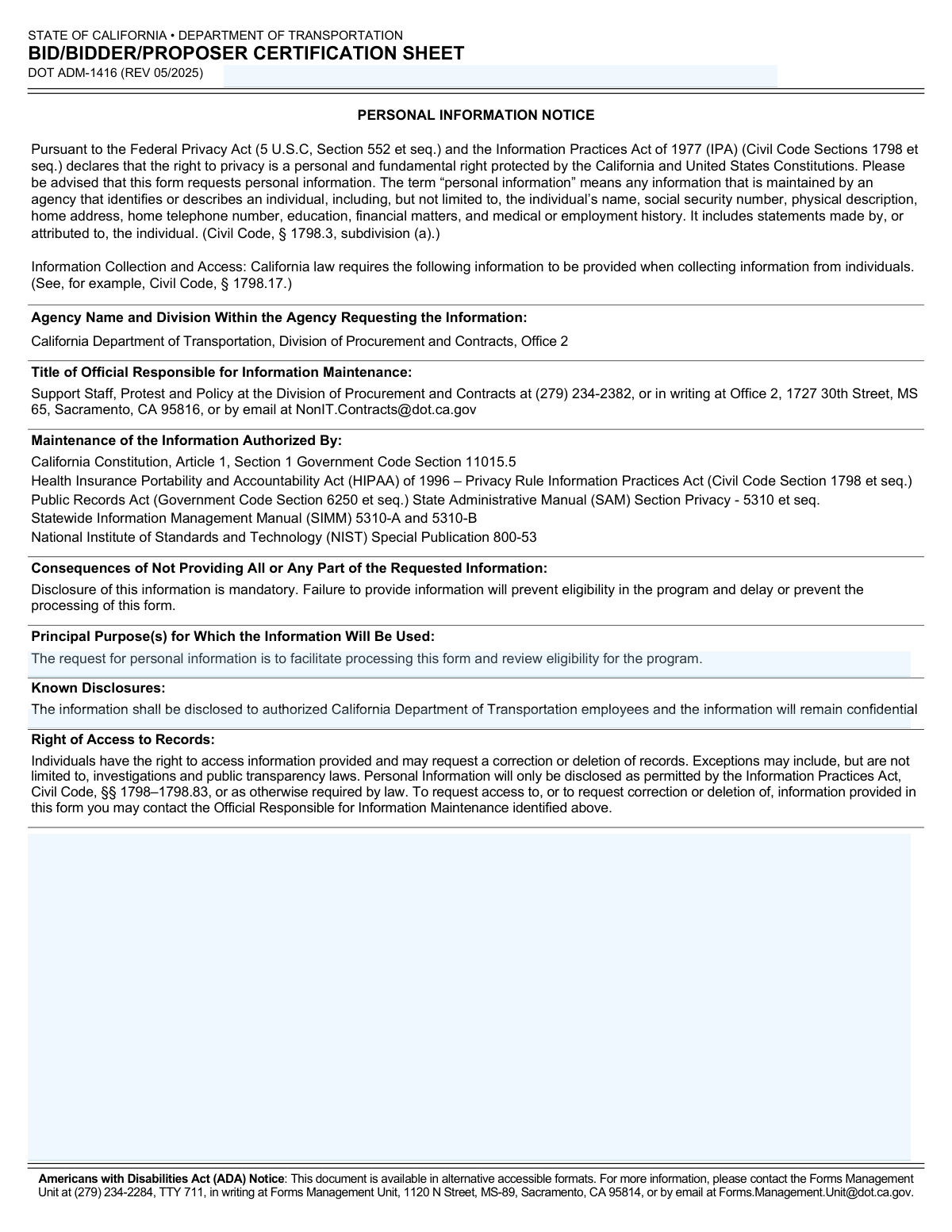
Yes! You can use AI to fill out Form DOT ADM-1416, Bid/Bidder/Proposer Certification Sheet

Form DOT ADM-1416, the Bid/Bidder/Proposer Certification Sheet, is a mandatory document for any entity submitting a bid or proposal to the California Department of Transportation (Caltrans). It is used to certify the bidder's compliance with all bid requirements, provide essential company details, and declare certifications such as Small Business or Disabled Veteran Business Enterprise status. Today, this form can be filled out quickly and accurately using AI-powered services like Instafill.ai, which can also convert non-fillable PDF versions into interactive fillable forms.
Our AI automatically handles information lookup, data retrieval, formatting, and form filling.
It takes less than a minute to fill out DOT ADM-1416 using our AI form filling.
Securely upload your data. Information is encrypted in transit and deleted immediately after the form is filled out.

Form specifications

Form name: Form DOT ADM-1416, Bid/Bidder/Proposer Certification Sheet
Number of pages: 3
Language: English
Categories: certification forms
main-image

Instafill Demo: How to fill out PDF forms in seconds with AI

How to Fill Out DOT ADM-1416 Online for Free in 2026

Are you looking to fill out a DOT ADM-1416 form online quickly and accurately? Instafill.ai offers the #1 AI-powered PDF filling software of 2026, allowing you to complete your DOT ADM-1416 form in just 37 seconds or less.
Follow these steps to fill out your DOT ADM-1416 form online using Instafill.ai:
  1. 1 Navigate to Instafill.ai and upload or select the DOT ADM-1416 form.
  2. 2 Use the AI assistant to automatically populate your company's name, address, phone number, and email.
  3. 3 Specify your organization type (Sole Proprietorship, Partnership, Corporation) and provide identification numbers like your FEIN and California Corporation Number.
  4. 4 Enter your Department of Industrial Relations (DIR) registration number and any applicable contractor or PUC license numbers.
  5. 5 Answer the questions regarding your certification status as a Small Business Enterprise (SBE) or Disabled Veteran Business Enterprise (DVBE), providing certification numbers where applicable.
  6. 6 Review all entered information for accuracy, then provide a secure e-signature and the current date in the designated fields to certify your bid.
  7. 7 Download the completed and signed certification sheet to include with your bid submission package.

Our AI-powered system ensures each field is filled out correctly, reducing errors and saving you time.

Why Choose Instafill.ai for Your Fillable DOT ADM-1416 Form?

Speed

Complete your DOT ADM-1416 in as little as 37 seconds.

Up-to-Date

Always use the latest 2026 DOT ADM-1416 form version.

Cost-effective

No need to hire expensive lawyers.

Accuracy

Our AI performs 10 compliance checks to ensure your form is error-free.

Security

Your personal information is protected with bank-level encryption.

Frequently Asked Questions About Form DOT ADM-1416

This form is used to certify that your bid complies with all requirements for a California Department of Transportation project. It also confirms your bid is a firm offer for 90 days and provides essential information about your company.

The form must be signed by an individual who has the legal authority to bind your company to a contract. The signer must also provide their printed name, title, and the date of signing.

An unsigned Bid/Bidder/Proposer Certification Sheet is a serious omission and may be cause for your entire bid to be rejected. Always double-check for a valid signature before submitting your bid package.

The form collects personal and business information to facilitate the processing of your bid and to review your firm's eligibility for the program. This information is handled in accordance with state and federal privacy laws.

The FEIN (Item 7) is your federal tax identification number issued by the IRS for your business. The California Corporation Number (Item 8) is a unique number assigned by the California Secretary of State to corporations qualified to do business in the state.

If your certification application is pending with the Department of General Services (OSDS), you should indicate this by entering the date you submitted your application in the space provided in Section 16.

If you are a non-small business, you must use Section 17 to declare whether you are committing to using certified Small Business subcontractors for at least 25% of the contract value. This is a key part of California's procurement requirements.

Your Contractor Registration Number is assigned by the California Department of Industrial Relations (DIR). You must be registered with the DIR to bid on and perform work on public works contracts in California.

By signing this form, you are certifying that your bid is a firm offer that remains valid for a period of 90 days from the date of submission.

The Agreement Number is the specific contract or solicitation number provided by Caltrans for the project you are bidding on. You must enter this number to ensure your certification sheet is correctly associated with your bid.

Yes, services like Instafill.ai use AI to accurately auto-fill form fields, which can save you time and help prevent errors. This is especially useful for repetitive information like your company name, address, and certification numbers.

You can use a service like Instafill.ai to complete this form online. Simply upload the PDF, and the platform will make it interactive, allowing you to type your information directly into the fields and add a secure electronic signature.

If you have a non-fillable or 'flat' PDF, you can use a tool like Instafill.ai to instantly convert it into an interactive, fillable form. This allows you to easily complete and sign the document electronically without needing to print and scan it.

Compliance DOT ADM-1416
Validation Checks by Instafill.ai

1
Ensures Agreement Number is Provided
Checks that the 'Agreement Number' field on page 2 is filled. This number is crucial for linking the certification sheet to the correct bid or contract document. Failure to provide it can lead to misfiling or rejection of the bid as it cannot be properly associated with a procurement event.
2
Verifies Mandatory Contact Information
This validation ensures that the Company Name (Item 1), Phone Number (Item 2), Email Address (Item 2b), and physical Address (Item 3) are all provided. This information is essential for communication regarding the bid. Missing contact details can delay processing or lead to disqualification if the procurement office cannot contact the bidder.
3
Validates Email Address Format
This check verifies that the value entered in the 'Email Address' field (Item 2b) conforms to the standard email format, such as '[email protected]'. An invalid email address prevents official communication, which is critical for bid notifications and clarifications. If the format is incorrect, the system should prompt the user to correct it before submission.
4
Exclusive Organization Type Selection
This validation confirms that the bidder has selected exactly one organization type from the options: Sole Proprietorship (Item 4), Partnership (Item 5), or Corporation (Item 6). Selecting none or more than one creates ambiguity about the legal structure of the bidding entity. The form submission should be blocked until one and only one option is chosen.
5
Requires Corporation Number for Corporations
This is a conditional logic check that verifies the 'California Corporation No.' (Item 8) is filled out if 'Corporation' (Item 6) is selected as the organization type. This number is used to verify the corporation is in good standing with the CA Secretary of State. Failure to provide it for a corporation will result in an incomplete and potentially non-compliant submission.
6
Validates Federal Employee ID Number (FEIN) Format
This check ensures the 'Federal Employee ID No.' (FEIN) in Item 7 is present and follows the correct 9-digit format, such as XX-XXXXXXX or XXXXXXXXX. The FEIN is a mandatory identifier for tax and legal purposes. An incorrect or missing FEIN will prevent the state from processing payments or verifying the business's legal status.
7
Confirms All Signatory Fields are Complete
This validation ensures the Bidder's Printed Name (Item 12), Title (Item 13), Signature (Item 14), and Date (Item 15) are all provided. The form explicitly states an unsigned sheet may be cause for rejection. All four fields are required to confirm the identity and authority of the person binding the company to the bid terms.
8
Validates Signature Date Format and Logic
This check verifies that the 'Date' in Item 15 is in the specified 'mm/dd/yyyy' format and is a valid, non-future date. An invalid or future date would call into question the authenticity and timing of the certification. The signature date legally establishes when the offer was certified and must be accurate.
9
Enforces SBE Certification Number Requirement
This validation checks the logic for Small Business Enterprise certification (Item 16a). If the bidder checks 'YES' for being an SBE, the 'certification number' field must be filled. Conversely, if 'NO' is checked, the certification number field should be empty to avoid confusion and ensure the claim is substantiated.
10
Enforces DVBE Service Code Requirement
This validation checks the logic for Disabled Veteran Business Enterprise certification (Item 16b). If the bidder checks 'YES' for being a DVBE, the 'service code' field must be provided. If 'NO' is checked, the service code field must be empty. This rule ensures that any claim of DVBE status is properly documented as required.
11
Validates Logic for Pending Certification Date
This check ensures the 'Date application was submitted to OSDS' field is only filled if the bidder has answered 'NO' to both SBE and DVBE certification questions. It prevents contradictory data entry where a firm claims to be certified while also having a pending application. The date itself should also be validated to ensure it is a reasonable date in the past.
12
Ensures Logical Consistency for Non-Small Business Commitment
This validation checks for logical consistency between SBE status (Item 16a) and the non-small business commitment (Item 17). If a firm indicates 'YES' to being a certified Small Business, they must select 'NO' for the non-small business commitment, as that option is intended for non-small businesses. This prevents contradictory declarations on the form.
13
Verifies Presence of DIR Contractor Registration Number
This check validates that the 'Contractor Registration Number' from the Department of Industrial Relations (DIR) is provided in Item 9. This registration is mandatory for any contractor bidding on public works projects in California. Failure to provide this number would render the bid non-responsive for such projects.

Common Mistakes in Completing DOT ADM-1416

Missing or Unauthorized Signature

Bidders often submit the form without a signature or have an individual who is not legally authorized to bind the company sign it. The form explicitly states that an unsigned sheet may cause bid rejection and that only an authorized individual can sign. To avoid this, always double-check that the form is signed by a corporate officer or other authorized person and that their title is clearly indicated, as this is a critical point of compliance.

Confusing FEIN and California Corporation Number

Applicants frequently mix up the Federal Employee ID No. (FEIN) in Item 7 and the California Corporation No. in Item 8, or they leave one blank when it's required. The FEIN is a federal tax ID, while the Corporation Number is issued by the California Secretary of State for incorporated entities. This error can delay verification of the company's good standing, potentially leading to rejection. Ensure you enter the correct number in each designated field based on your business structure.

Omitting Certification Details After Checking 'Yes'

A common error is checking 'Yes' for Small Business (SBE) or Disabled Veteran Business Enterprise (DVBE) certification in Item 16 but failing to provide the required certification number or service code. This omission makes the certification claim unverifiable and invalidates the preference. Always ensure that if you claim a certification, you provide the complete and accurate corresponding number in the space provided.

Using a DBA Instead of the Legal Company Name

Bidders sometimes enter their 'Doing Business As' (DBA) name in Item 1 instead of the full legal entity name. This creates a mismatch with official records tied to the FEIN, Corporation Number, and contractor licenses, causing significant verification problems. Always use the exact legal name of the company as registered with the state and federal government to ensure a smooth validation process.

Forgetting the Signer's Title

The person signing the form often provides their printed name and signature but forgets to include their official title in Item 13. The title is essential as it helps verify that the signatory has the authority to contractually bind the company. Leaving this field blank can raise questions about the bid's validity and may require follow-up or even lead to rejection.

Incorrectly Handling Pending Certifications

When a firm's SBE/DVBE certification is pending, applicants often write 'Pending' in Item 16 instead of providing the specific information requested. The instructions clearly state to enter the date the application was submitted to OSDS. This specific date is required for verification, and failing to provide it can result in the certification status being disregarded during bid evaluation.

Omitting the DIR Contractor Registration Number

Forgetting to enter the Department of Industrial Relations (DIR) Contractor Registration Number in Item 9 is a frequent and critical mistake, especially for public works contracts. This registration is often mandatory to bid on or be awarded a public works project in California. Bids lacking a valid and current DIR number are often deemed non-responsive and are disqualified.

Failing to Select an Organization Type

Applicants sometimes overlook checking one of the boxes for organization type (Sole Proprietorship, Partnership, Corporation) in Items 4-6. This information is fundamental as it dictates which other fields, such as the California Corporation Number, are required. This oversight creates ambiguity and can halt the processing of the bid until the information is clarified.

Incomplete Contact Information

Errors such as typos in the email address (Item 2b) or an incomplete mailing address (Item 3) are very common. These mistakes can have serious consequences, as all official communication, including requests for information or award notifications, will be sent to the contacts provided. An incorrect email or physical address can lead to missed deadlines and lost opportunities. AI-powered tools like Instafill.ai can help prevent these data entry errors by validating formats.

Failing to Attach Required Supporting Forms

If a non-small business checks 'Yes' for committing to 25% Small Business participation (Item 17), they often forget to include the required supporting documents mentioned in the instructions, such as the Bidder Declaration (GSPD-05-105). This commitment is legally binding and must be substantiated with the proper forms. Forgetting to attach them can render the commitment invalid and may make the entire bid non-responsive.
Saved over 80 hours a year

“I was never sure if my IRS forms like W-9 were filled correctly. Now, I can complete the forms accurately without any external help.”

Kevin Martin Green

Your data stays secure with advanced protection from Instafill and our subprocessors

Robust compliance program

Transparent business model

You’re not the product. You always know where your data is and what it is processed for.

ISO 27001, HIPAA, and GDPR

Our subprocesses adhere to multiple compliance standards, including but not limited to ISO 27001, HIPAA, and GDPR.

Security & privacy by design

We consider security and privacy from the initial design phase of any new service or functionality. It’s not an afterthought, it’s built-in, including support for two-factor authentication (2FA) to further protect your account.

Fill out DOT ADM-1416 with Instafill.ai

Worried about filling PDFs wrong? Instafill securely fills form-dot-adm-1416-bidbidderproposer-certification-sheet forms, ensuring each field is accurate.