Yes! You can use AI to fill out Request for Authorization for Applied Behavior Analysis (ABA) Services
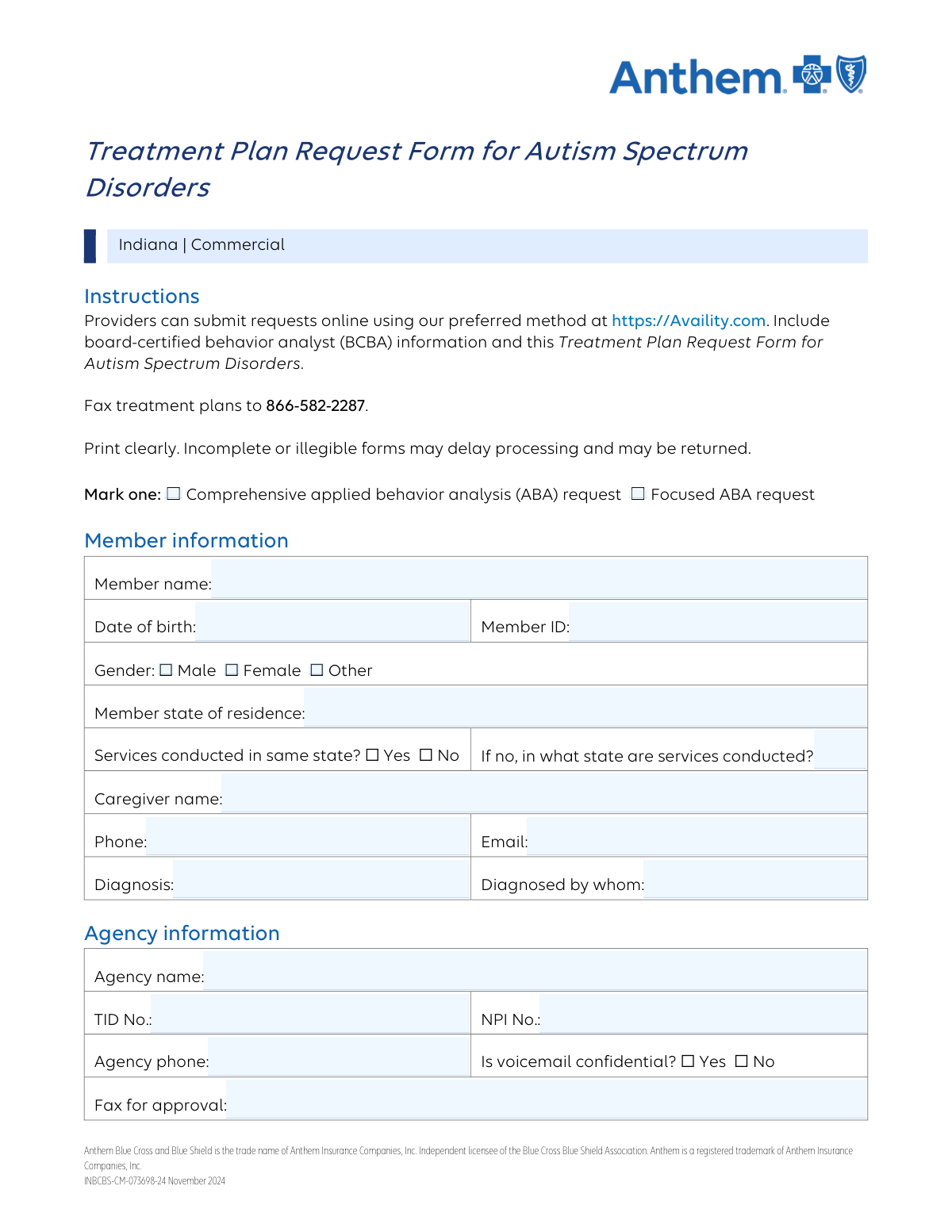
This form is a detailed application submitted by ABA providers to an insurance company to request coverage for comprehensive or focused ABA therapy for a patient. It outlines the patient's diagnosis, the provider's credentials, and the specific treatment plan, including CPT codes and service units, to establish medical necessity for the requested services. Today, this form can be filled out quickly and accurately using AI-powered services like Instafill.ai, which can also convert non-fillable PDF versions into interactive fillable forms.
Our AI automatically handles information lookup, data retrieval, formatting, and form filling.
It takes less than a minute to fill out ABA Service Request Form using our AI form filling.
Securely upload your data. Information is encrypted in transit and deleted immediately after the form is filled out.
Form specifications
| Form name: | Request for Authorization for Applied Behavior Analysis (ABA) Services |
| Number of pages: | 4 |
| Filled form examples: | Form ABA Service Request Form Examples |
| Language: | English |
| Categories: | ABA authorization forms, ABA forms, authorization forms, service authorization forms |
Instafill Demo: How to fill out PDF forms in seconds with AI
How to Fill Out ABA Service Request Form Online for Free in 2026
Are you looking to fill out a ABA SERVICE REQUEST FORM form online quickly and accurately? Instafill.ai offers the #1 AI-powered PDF filling software of 2026, allowing you to complete your ABA SERVICE REQUEST FORM form in just 37 seconds or less.
Follow these steps to fill out your ABA SERVICE REQUEST FORM form online using Instafill.ai:
- 1 Navigate to Instafill.ai and upload your ABA Service Request form or select it from a template library.
- 2 Use the AI assistant to automatically populate member details like name, date of birth, and insurance ID from existing patient records.
- 3 Enter or confirm the information for the providing agency and the rendering provider, including names, NPI/Tax ID numbers, and contact details.
- 4 Specify the patient's diagnosis codes and detail the requested services by entering the appropriate CPT codes, units, and timeframes for the authorization period.
- 5 Review all auto-filled and manually entered data for accuracy, ensuring all required fields and checkboxes are correctly completed.
- 6 Electronically sign the form in the designated provider signature fields and add the signature date before downloading the completed document for submission.
Our AI-powered system ensures each field is filled out correctly, reducing errors and saving you time.
Why Choose Instafill.ai for Your Fillable ABA Service Request Form Form?
Speed
Complete your ABA Service Request Form in as little as 37 seconds.
Up-to-Date
Always use the latest 2026 ABA Service Request Form form version.
Cost-effective
No need to hire expensive lawyers.
Accuracy
Our AI performs 10 compliance checks to ensure your form is error-free.
Security
Your personal information is protected with bank-level encryption.
Frequently Asked Questions About Form ABA Service Request Form
This form is used to request pre-authorization for Applied Behavior Analysis (ABA) services from an insurance provider. It details the member's information, diagnosis, the providing agency, and the specific treatment codes and units being requested.
The ABA service provider or agency completes this form on behalf of the member (client). A signature from both the rendering provider and a coordinating physician/psychologist is required for submission.
A comprehensive request is for treatment targeting a broad range of skills and behaviors, while a focused request is for treatment of a limited number of specific behavioral targets. Select the option that best describes the member's treatment plan.
The member's full name, date of birth, and Member ID can be found on their insurance card and in their treatment plan documents. It is critical to enter this information exactly as it appears on their records to avoid processing delays.
The 'Agency' is the organization providing the services, so you will enter its name, Tax ID, and NPI. The 'Rendering Provider' is the specific clinician (e.g., BCBA) delivering the care, and their individual name, NPI, and contact information must be entered separately.
For each CPT code, enter the total number of 15-minute units requested for the specified timeframe (e.g., per week). This information should be taken directly from the member's detailed treatment plan.
You must check 'No' for the question 'Services conducted in same state?' and then write in the name of the state where services will actually be rendered in the 'Service Conducted State' field.
The provider's signature certifies the accuracy of the request, while the physician or psychologist's signature confirms their involvement in the member's coordination of care. Both are necessary for the request to be considered complete.
Yes, services like Instafill.ai use AI to accurately auto-fill form fields from your existing documents, like a treatment plan. This can significantly reduce manual data entry and save you time.
To use Instafill.ai, you upload this form along with a source document like the patient's treatment plan. The AI will then automatically populate the form fields, which you can review and finalize before downloading or submitting.
If you have a non-fillable or 'flat' PDF, you can use a service like Instafill.ai. It can convert the static document into an interactive, fillable form that you can easily complete online.
The 'Servicing Address' is the physical location where the ABA services will be provided, such as the agency's clinic. Do not enter the member's home address here unless that is the designated place of service.
The National Provider Identifier (NPI) is a unique ID for healthcare providers, and the Tax ID (TID) is for federal tax purposes. Both are required for the agency and the rendering provider for proper identification and billing.
Compliance ABA Service Request Form
Validation Checks by Instafill.ai
1
Exclusive ABA Service Type Selection
This validation ensures that either the 'Comprehensive ABA request' or the 'Focused ABA request' checkbox is selected, but not both. This is critical for routing the request to the correct review pathway and applying the appropriate medical necessity criteria. If neither or both options are selected, the form is considered ambiguous and will be rejected pending clarification.
2
Valid Member Date of Birth Format and Plausibility
This check verifies that the 'Date of Birth' field is completed, adheres to the MM/DD/YYYY format, and represents a valid, past date. An accurate date of birth is essential for uniquely identifying the member and verifying their eligibility for benefits. An invalid format or an impossible date (e.g., a future date) will cause a hard failure in matching the member to their insurance records.
3
Conditional Service State Requirement
This validation enforces a logical rule: if 'Services conducted in same state? No' is checked, then the 'Service Conducted State' field must be populated. This information is crucial for determining provider network status, state-specific licensing requirements, and benefit levels. Failure to provide the service state when required will result in an incomplete submission that cannot be processed.
4
NPI Number Structure and Length Validation
This check confirms that the 'Agency NPI Number' and 'Rendering Provider NPI Number' fields each contain a 10-digit numeric value. The National Provider Identifier (NPI) is a standard, unique identifier required for all HIPAA-covered transactions, including claims processing. An invalid or incorrectly formatted NPI will lead to automatic rejection of claims and prevent payment.
5
Tax ID Number (TID) Format Validation
This validation ensures the 'Agency Tax ID Number' and 'Rendering Provider TID Number' fields contain a valid 9-digit numeric Tax Identification Number. The TID is essential for verifying the legal and financial identity of the provider or agency with the payor. An incorrect TID will cause failures in provider validation and payment processing systems.
6
Logical Date Sequence Validation
This check verifies that the 'Provider signature date' and 'Physician/Psychologist Signature Date' are on or before the 'First Start date of current request'. This sequence is logically necessary to prove that the treatment plan was approved by the professionals before services are scheduled to begin. A date inconsistency indicates a procedural error and will cause the request to be flagged for manual review or rejection.
7
Required Member Identification Fields
This validation ensures that the core member identification fields—'Member Name', 'Member ID', and 'Date of Birth'—are all completed. This information is the absolute minimum required to identify the correct patient and access their insurance plan details. If any of these fields are missing, the system cannot locate the member's record, and the submission will fail at the first step.
8
Rendering Provider Name Consistency
This validation cross-references the 'Rendering Provider Name' field with the 'Provider Name (Print)' field to ensure they are identical. This consistency check prevents ambiguity regarding the identity of the provider who is attesting to the treatment plan and delivering the services. A mismatch suggests a data entry error and will require correction before the form can be processed.
9
Numeric-Only CPT Code Units
This check verifies that all fields requesting CPT code units (e.g., 'CPT code 97151. Units', 'CPT code 97153: Units') contain only non-negative integer values. These units represent the quantity of service being requested and are a core component of the authorization. Any non-numeric or negative values are invalid and would make it impossible to calculate the total requested services, leading to automatic rejection.
10
Standard Phone Number Formatting
This validation ensures that all phone number fields (Caregiver, Agency, Servicing Contact, Rendering Provider) adhere to a standard 10-digit format. Consistent formatting is crucial for reliable communication and for automated systems to correctly parse and use the contact information. Incorrectly formatted numbers can lead to communication failures, delaying treatment authorization and coordination of care.
11
Valid Email Address Format
This check verifies that all email address fields contain a value that conforms to the standard email format (e.g., [email protected]). A valid email is essential for sending notifications, approvals, and other critical communications electronically. An invalid email address will result in failed communication, potentially delaying the entire authorization process.
12
Mandatory Provider and Physician Signatures
This check confirms that both the 'Provider signature' and 'Physician/psychologist signature' fields are completed. These signatures are legally required to attest to the accuracy of the information and the medical necessity of the treatment plan. A missing signature invalidates the entire request, as it lacks the necessary professional endorsement, and will be immediately rejected.
13
Exclusive Voicemail Confidentiality Selection
This check ensures that for both the agency and the rendering provider, exactly one of the 'Voicemail confidential' options ('Yes' or 'No') is selected. This choice dictates how sensitive information can be communicated and is important for HIPAA compliance. Selecting both or neither creates ambiguity and a potential compliance risk, requiring the form to be corrected before processing.
14
Single Gender Selection Requirement
This validation verifies that exactly one gender option ('Male', 'Female', or 'Other') is selected for the member. Capturing a single, specific gender is required for demographic records and can be relevant for certain clinical data analysis. Failure to select one, or selecting multiple, results in incomplete or conflicting data, requiring clarification before the request can proceed.
Common Mistakes in Completing ABA Service Request Form
This error occurs when filers enter the same information for both the agency and the individual rendering provider, especially regarding NPI and Tax ID numbers. This often happens when a provider is part of a larger group. This mistake can lead to claim denials and significant billing errors, as payers need to verify both the organization and the specific clinician. To avoid this, carefully differentiate between the agency's group identifiers and the rendering provider's individual identifiers, ensuring each is entered in its designated section.
Providers often mistakenly enter the number of hours instead of the required 15-minute units, or misread the requested timeframe (e.g., 'per week' vs. 'for the authorization period'). This leads to requests for incorrect service levels, causing automatic rejections or significant delays while the reviewer seeks clarification. Always convert service hours into 15-minute increments (e.g., 1 hour = 4 units) and double-check if the field asks for weekly units or a total for the authorization period.
Simple typographical errors, such as transposing digits or omitting characters in the Member ID, are extremely common due to manual data entry. This mistake results in an immediate failure to identify the member in the system, leading to the rejection of the entire request. To prevent this, meticulously copy the Member ID exactly as it appears on the insurance card and cross-reference it with the member's full legal name. AI-powered form filling tools like Instafill.ai can help prevent these errors by validating data from source documents.
Users often get confused by the 'Services conducted in same state?' question, sometimes checking 'Yes' but still filling out the 'Service Conducted State' field, or vice versa. This contradictory information creates ambiguity and requires follow-up, delaying the authorization process. Ensure you answer the 'Yes/No' question accurately and only provide a different service state if you have selected 'No'.
Instead of entering the required numerical DSM-V codes (e.g., F84.0), filers may write out the diagnosis descriptively (e.g., 'Autism Spectrum Disorder'). Insurance processing systems rely on standardized codes for automated checks, so using descriptive text will cause the request to be flagged for manual review or rejected outright. Always refer to the member's official diagnostic report for the correct DSM-V codes and list all that are relevant.
The form explicitly asks for the address where services are rendered, but filers frequently enter the member's home address by mistake. This is a critical error as it affects provider network status, credentialing, and rate calculations, potentially leading to denial if the location is not an approved service site. Always enter the address of the clinic or official service location, not the client's residence, unless services are officially rendered and credentialed there.
This form requires signatures from both the rendering provider and a physician/psychologist, and it's common for one to be missing or for the signature dates to be inconsistent. A missing signature makes the form legally invalid and will cause immediate rejection. To avoid this, establish a clear workflow to obtain both signatures and ensure the dates are logical. If the form is a non-fillable PDF, a tool like Instafill.ai can convert it to a fillable version to easily manage digital signatures.
Providers may be unsure whether to request 'Comprehensive' or 'Focused' ABA services, or they might neglect to check either box. This initial selection is fundamental as it determines the entire review criteria and scope of authorized services. An incorrect selection can lead to a mismatch between the treatment plan and the requested service type, resulting in denial. Carefully review the payer's definitions of Comprehensive vs. Focused ABA and select the one that aligns with the member's treatment plan.
Filers often mix up the Tax Identification Number (TID or EIN) and the National Provider Identifier (NPI), entering one in the field meant for the other. These are distinct identifiers used for different purposes—taxation and healthcare provider identification, respectively. This error causes failures in both billing and provider verification systems, halting the authorization process. Double-check that the TID is entered in the 'TID' field and the 10-digit NPI is entered in the 'NPI' field.
Leaving fields like 'Caregiver Phone Number', 'Caregiver Email Address', or 'Servicing Contact Email Address' blank is a frequent oversight. This happens when the information isn't immediately on hand. However, missing contact details can severely delay the review process, as the insurance company has no way to ask for clarification or communicate a decision. Always gather all necessary contact information before starting the form to ensure smooth communication.
Saved over 80 hours a year
“I was never sure if my IRS forms like W-9 were filled correctly. Now, I can complete the forms accurately without any external help.”
Kevin Martin Green
Your data stays secure with advanced protection from Instafill and our subprocessors

Robust compliance program
Transparent business model
You’re not the product. You always know where your data is and what it is processed for.
ISO 27001, HIPAA, and GDPR
Our subprocesses adhere to multiple compliance standards, including but not limited to ISO 27001, HIPAA, and GDPR.
Security & privacy by design
We consider security and privacy from the initial design phase of any new service or functionality. It’s not an afterthought, it’s built-in, including support for two-factor authentication (2FA) to further protect your account.
Fill out ABA Service Request Form with Instafill.ai
Worried about filling PDFs wrong? Instafill securely fills request-for-authorization-for-applied-behavior-analysis-aba-services forms, ensuring each field is accurate.



