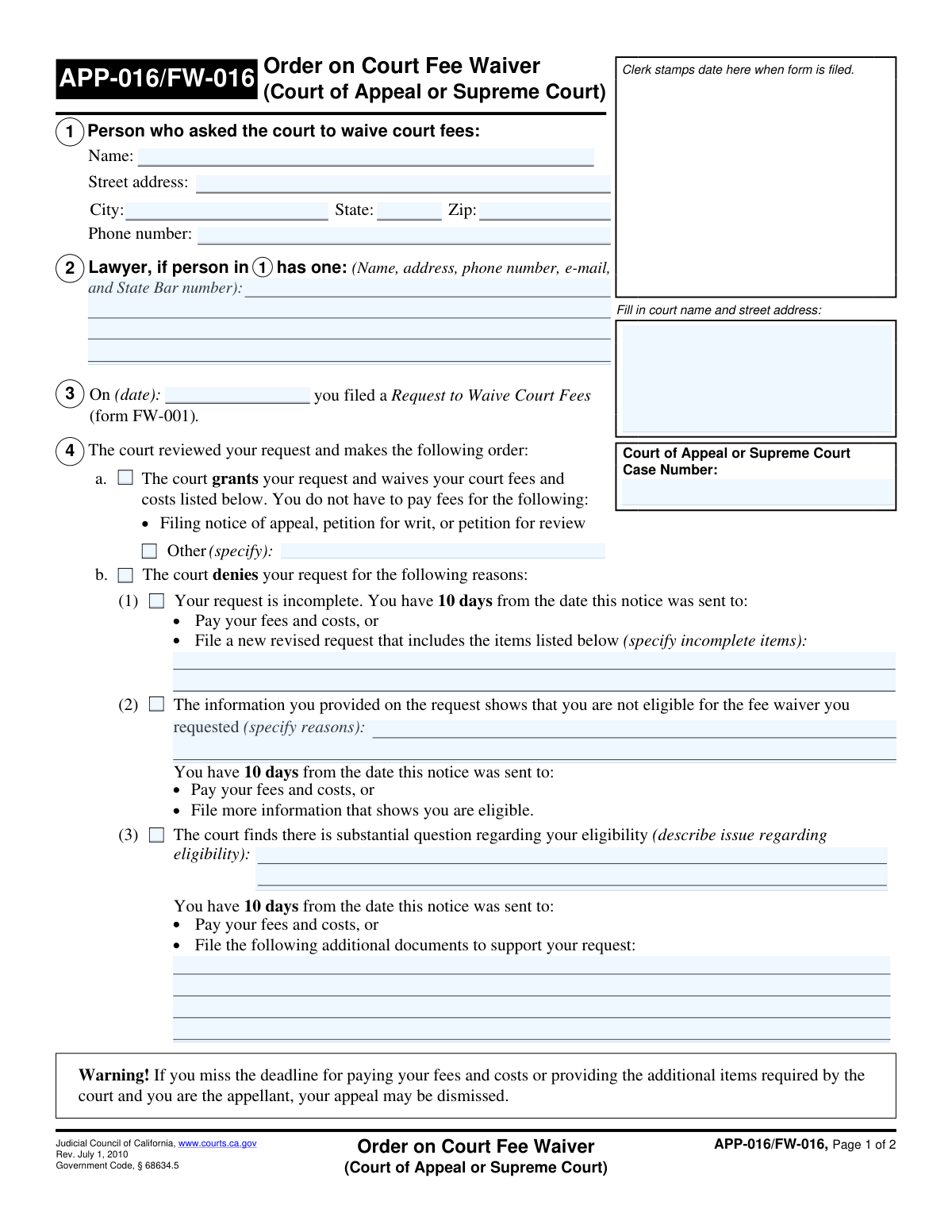
Yes! You can use AI to fill out Form FW-003, Order on Court Fee Waiver (Superior Court)

Form FW-003, Order on Court Fee Waiver, is a judicial form issued by a California Superior Court in response to an individual's request to waive court fees (filed using Form FW-001). This crucial document communicates the court's decision, indicating whether the fee waiver is granted, denied, or if further information or a court hearing is required, and outlines the reasons for the decision. Today, this form can be filled out quickly and accurately using AI-powered services like Instafill.ai, which can also convert non-fillable PDF versions into interactive fillable forms.
Our AI automatically handles information lookup, data retrieval, formatting, and form filling.
It takes less than a minute to fill out FW-003 using our AI form filling.
Securely upload your data. Information is encrypted in transit and deleted immediately after the form is filled out.

Form specifications

Form name: Form FW-003, Order on Court Fee Waiver (Superior Court)
Number of fields: 36
Number of pages: 2
Language: English
Categories: court forms, fee waiver forms, superior court forms, UK court forms
main-image

Instafill Demo: How to fill out PDF forms in seconds with AI

How to Fill Out FW-003 Online for Free in 2026

Are you looking to fill out a FW-003 form online quickly and accurately? Instafill.ai offers the #1 AI-powered PDF filling software of 2026, allowing you to complete your FW-003 form in just 37 seconds or less.
Follow these steps to fill out your FW-003 form online using Instafill.ai:
  1. 1 Navigate to Instafill.ai and upload or select Form FW-003.
  2. 2 Use the AI assistant to automatically populate case information, such as the court name, address, case number, and applicant details from the original FW-001 request.
  3. 3 Review the applicant's request and indicate the court's decision by checking the appropriate box: 'Court grants request' or 'Court denies request'.
  4. 4 If the request is denied or requires more information, specify the reason by filling in the relevant sections, such as 'Your request is incomplete' or 'Must Go To Court,' and provide necessary details like hearing dates or required documents.
  5. 5 Enter the date the order is being issued.
  6. 6 Select the appropriate authority (Judicial Officer or Clerk) and apply a digital signature to finalize the order.
  7. 7 Securely download, print, or share the completed Form FW-003 for court records and distribution to the applicant.

Our AI-powered system ensures each field is filled out correctly, reducing errors and saving you time.

Why Choose Instafill.ai for Your Fillable FW-003 Form?

Speed

Complete your FW-003 in as little as 37 seconds.

Up-to-Date

Always use the latest 2026 FW-003 form version.

Cost-effective

No need to hire expensive lawyers.

Accuracy

Our AI performs 10 compliance checks to ensure your form is error-free.

Security

Your personal information is protected with bank-level encryption.

Frequently Asked Questions About Form FW-003

This form is the court's official decision on your 'Request to Waive Court Fees.' It informs you whether your request was granted, denied, or if the court requires more information from you.

No, you do not fill out this form. It is completed by a judicial officer or court clerk to communicate the court's order regarding your fee waiver request.

If the 'Court grants request' box is checked, you do not have to pay the court fees and costs listed on the form. You can proceed with your case without paying those specific fees.

You must correct the issues listed under 'Incomplete Items' and submit a new, revised Request to Waive Court Fees (form FW-001) within the timeframe specified, which is typically 10 days.

This indicates the court has doubts about whether you qualify for a fee waiver based on the information you provided. You will likely need to provide the additional documents listed or attend a court hearing to clarify your situation.

You must attend the hearing on the date, time, and in the department specified on the form. Be prepared to answer questions and bring any supporting proof the court has requested.

Based on the information you provided, the court has determined you do not meet the financial requirements. If your financial situation changes significantly in the future, you may be able to submit a new request.

If the 'Bring Supporting Proof' box is checked, you must bring the items listed in the 'Required Proof Description.' This often includes pay stubs, bank statements, or proof of government benefits to support your request.

Yes, services like Instafill.ai use AI to help you accurately fill out forms like the Request to Waive Court Fees. This can help you avoid common mistakes and save time.

Simply upload the required form, such as a new FW-001, to the Instafill.ai platform. The AI will guide you through the fields, helping you enter your information correctly and efficiently.

You can use a service like Instafill.ai to solve this problem. It can convert flat, non-fillable PDFs into interactive forms that you can easily complete and save online.

This form is signed by a Judicial Officer or a Clerk of the Court. Their signature makes the order legally binding.

Compliance FW-003
Validation Checks by Instafill.ai

1
Mutually Exclusive Court Decision
This check ensures that either 'Court grants request' or 'Court denies request' is selected, but not both. These two outcomes are mutually exclusive and selecting both would create a logical contradiction in the court's order. If both are selected, the form submission should be rejected with an error asking the user to choose only one option.
2
Conditional Requirement for 'Other Waived Cost Description'
This validation verifies that if the 'Other (specify)' checkbox is checked, the corresponding 'Other Waived Cost Description' text field is not empty. This is important for clarity, as checking the box indicates additional costs are waived, and the description is necessary to specify what those costs are. A failure would prompt the user to either provide a description or uncheck the 'Other (specify)' box.
3
Conditional Requirement for 'Incomplete Items' List
This check ensures that if the 'Your request is incomplete' checkbox is selected as a reason for denial, the 'Incomplete Items' text area must be filled out. The applicant needs to know exactly which parts of their original request were incomplete to correct them. If this field is empty when the box is checked, the form cannot be submitted until the specific items are listed.
4
Conditional Requirement for Hearing Details
This validation confirms that if the 'Must Go To Court' box is checked, the 'Hearing Date', 'Hearing Time', and 'Hearing Department' fields are all populated. This information is critical for the applicant to appear at the correct location at the correct time. A failure to provide these details would result in an error, preventing submission until the required hearing information is entered.
5
Date Format and Chronological Order
This check validates that both 'Request Date' and 'Document Date' are in a valid date format (e.g., MM/DD/YYYY) and are not future dates. It also verifies that the 'Document Date' is on or after the 'Request Date', as the order cannot be completed before the request was filed. This maintains the logical timeline of events; an invalid format or sequence would trigger an error.
6
Applicant Information Completeness
This validation ensures that all core applicant fields, including 'Applicant Name', 'Applicant Street Address', 'Applicant City', 'Applicant State', and 'Applicant Zip Code', are filled out. This information is essential for identifying the applicant and for official correspondence. An incomplete address would prevent the court from being able to contact the applicant, so the form should be rejected until all fields are complete.
7
Applicant Phone Number Format
This check verifies that the 'Applicant Phone Number' field follows a standard North American phone number format (e.g., 10 digits, with or without parentheses, spaces, or dashes). A valid phone number is crucial for the court to contact the applicant quickly if needed. If the format is invalid, the system should prompt the user to correct it before submission.
8
Applicant Zip Code Format
This validation ensures the 'Applicant Zip Code' is a valid 5-digit or 9-digit (ZIP+4) numerical format. An accurate zip code is critical for mail delivery and ensuring legal notices reach the applicant. The system should reject any non-numeric or incorrectly formatted entries and ask the user for a valid zip code.
9
Mutually Exclusive Signatory Role
This check ensures that only one of the signatory role checkboxes, 'Judicial Officer' or 'Clerk, Deputy', is selected. A single document would be signed by one person in one official capacity. Selecting both would be a logical error, so the form should prompt the user to select only one role to represent the signer's authority.
10
Case Number Consistency
This validation compares the 'Case Number' field from the 'Court and Case Information' section with the 'Case Number' field from the 'Case Information' section to ensure they are identical. Inconsistent case numbers could lead to the order being filed under the wrong case, causing significant legal and administrative problems. If the numbers do not match, the user must correct the discrepancy before the form can be submitted.
11
Conditional Requirement for 'Ineligibility Details'
This check validates that if the 'Not Eligible for Fee Waiver' checkbox is selected, the 'Ineligibility Details' text area must contain an explanation. It is a matter of due process for the applicant to be informed of the specific reason for their ineligibility. The form submission will fail if the box is checked but no details are provided.
12
Conditional Requirement for 'Substantial Question' Details
This validation ensures that if the 'Substantial Question Regarding Eligibility' checkbox is checked, both the description of the issue and the list of 'Additional Documents to Support Request' are filled out. The applicant must understand the court's concern and know what is required to resolve it. The form should be rejected if this information is missing when the corresponding box is checked.
13
Core Case Information Completeness
This check verifies that the 'Court Name and Address', 'Case Name', and 'Case Number' fields are all filled out. This information is the absolute minimum required to identify the legal case to which this order applies. Without it, the document is legally meaningless, so submission must be blocked until this core information is provided.
14
Exclusive Denial Reason Selection
This validation ensures that if 'Court denies request' is checked, only one of the primary reasons for denial ('Your request is incomplete', 'Not Eligible for Fee Waiver', 'Substantial Question Regarding Eligibility') is selected. While multiple issues may exist, a court order typically specifies a single, actionable reason for denial. This prevents ambiguity and helps the applicant understand the primary issue to address.

Common Mistakes in Completing FW-003

Completing Court-Use-Only Sections

Applicants often mistakenly fill out sections reserved for the court, such as 'Court grants request' or the 'Court Hearing Information'. This happens because they misunderstand that this form is an order to be completed by a judicial officer, not a request being made by them. This error can invalidate the document or cause significant confusion, requiring a new form to be issued by the court. To avoid this, carefully read all section headings and leave any areas titled 'Court Order' or intended for a judicial signature completely blank.

Entering the Wrong 'Request Date'

A common error is entering the current date instead of the date the original 'Request to Waive Court Fees (form FW-001)' was filed. This mistake occurs when applicants don't refer back to their previous paperwork. An incorrect date can cause processing delays as the court clerk must manually search for the original request to link the documents. To prevent this, always locate your copy of form FW-001 and enter the exact filing date shown on it.

Inaccurate or Mismatched Case Numbers

Applicants may enter the case number with typos, transposed digits, or use an incorrect format. The form also confusingly asks for the case number in two different sections, which can lead to inconsistent entries. An incorrect case number is a critical error that can result in the order being filed in the wrong case file or being rejected entirely. Carefully double-check the number against official court documents and ensure it is entered identically in both fields.

Neglecting Required Conditional Fields

A frequent mistake is checking a box like 'Other (specify)' or 'Your request is incomplete' but then failing to provide the required explanation in the corresponding text box. This leaves the court without the necessary information to process the order, rendering the selection useless and often leading to rejection or delays. To avoid this, always review the form to ensure that any box you check has its associated descriptive field filled out completely and accurately.

Confusing 'Case Name' with 'Applicant Name'

Applicants sometimes enter their own name in the 'Case Name' field, not realizing it's different from the 'Applicant Name'. The 'Case Name' is the official title of the legal action (e.g., 'People of the State of California v. John Doe'), which is distinct from the individual applicant's name. This error can cause filing problems and make the document difficult to locate. Always refer to other official court documents to find the correct and complete 'Case Name'.

Providing an Incomplete Applicant Address

Users may provide an incomplete street address, often forgetting to include an apartment, suite, or unit number. This can also happen when a P.O. Box is entered where a physical street address is required. An incomplete or incorrect address can lead to important court notices being returned as undeliverable, causing the applicant to miss critical deadlines or hearings. Always provide your full, current mailing address, including any apartment or unit numbers.

Entering an Incomplete Court Name and Address

Applicants might only write the court's common name (e.g., 'County Superior Court') without the full street address, city, and zip code. This occurs when they assume the details are already known, but for official records, the complete address is mandatory, especially in counties with multiple courthouse locations. This ambiguity can lead to the document being misrouted or delayed. Always look up and enter the full, official address of the specific courthouse where your case is being heard.

Omitting Lawyer Information When Represented

If an applicant is represented by counsel, they sometimes forget to fill out the 'Lawyer Details' section completely, especially if they are filling out the form themselves. The court is typically required to communicate with the attorney of record, so omitting this information can disrupt official communication channels and cause delays. If you have a lawyer, ensure their full name, state bar number, address, and phone number are entered accurately as required.

Incorrectly Checking Signature Authority Boxes

An applicant might mistakenly check the 'Judicial Officer' or 'Clerk, Deputy' box near the signature line at the end of the form. This section is strictly for the court official who is signing and executing the order. An applicant checking these boxes can invalidate the form, as it implies they are signing with an authority they do not possess. Applicants should leave this entire signature section blank, as it is to be completed by the court.

Using an Improper Phone Number Format

People often enter phone numbers with inconsistent formatting, such as including parentheses, dots, or no separators at all. This can cause issues with automated data entry systems and make it harder for the court to contact the applicant if there are questions about the filing. The best practice is to use a standard format like 123-456-7890. AI-powered form filling tools like Instafill.ai can help prevent these errors by automatically validating and formatting data correctly.
Saved over 80 hours a year

“I was never sure if my IRS forms like W-9 were filled correctly. Now, I can complete the forms accurately without any external help.”

Kevin Martin Green

Your data stays secure with advanced protection from Instafill and our subprocessors

Robust compliance program

Transparent business model

You’re not the product. You always know where your data is and what it is processed for.

ISO 27001, HIPAA, and GDPR

Our subprocesses adhere to multiple compliance standards, including but not limited to ISO 27001, HIPAA, and GDPR.

Security & privacy by design

We consider security and privacy from the initial design phase of any new service or functionality. It’s not an afterthought, it’s built-in, including support for two-factor authentication (2FA) to further protect your account.

Fill out FW-003 with Instafill.ai

Worried about filling PDFs wrong? Instafill securely fills form-fw-003-order-on-court-fee-waiver-superior-court forms, ensuring each field is accurate.