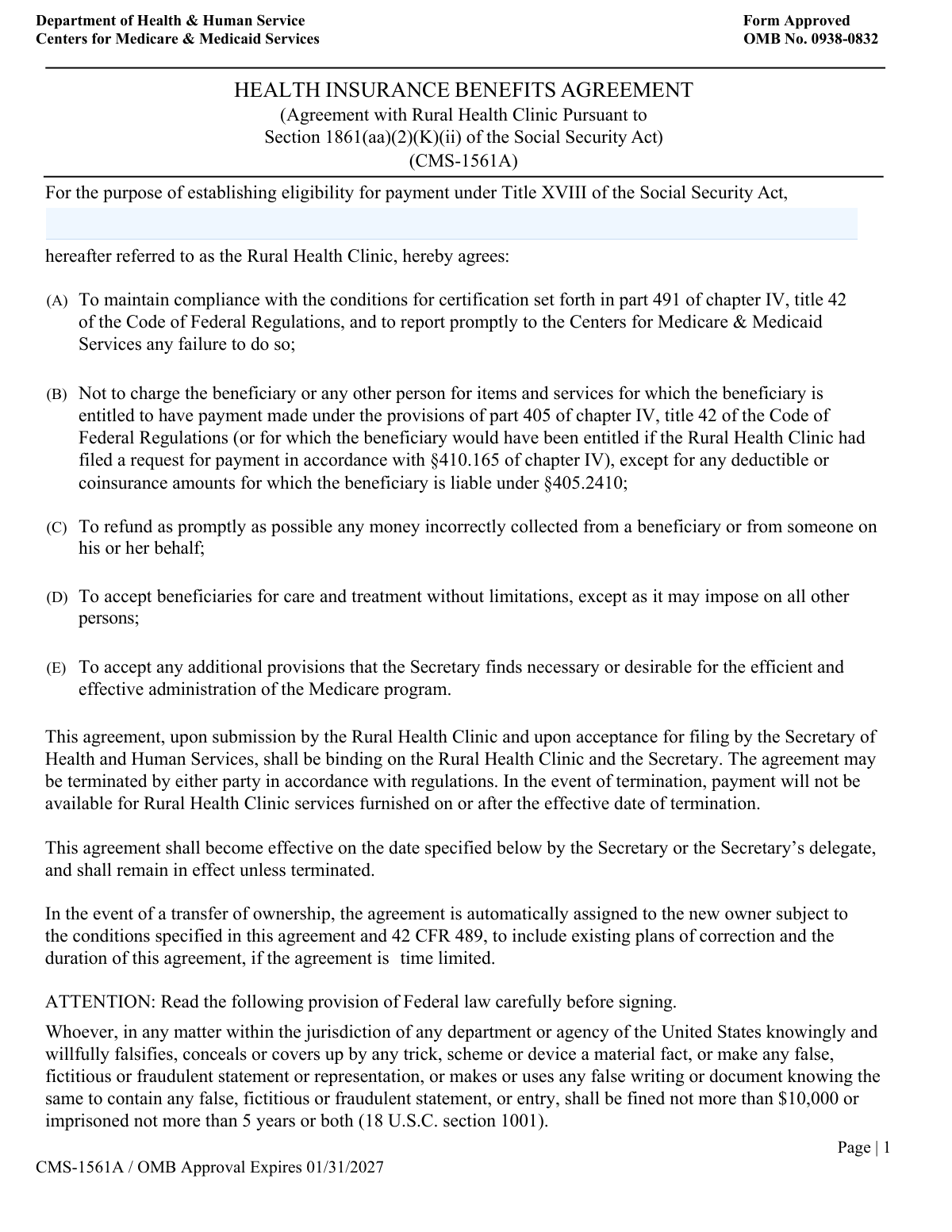
Yes! You can use AI to fill out Form CMS-30, Agreement to Participate, Rural Health Clinic
Form CMS-30 is a binding contract between a Rural Health Clinic (RHC) and the Secretary of Health and Human Services (HHS). By signing this agreement, the RHC agrees to comply with all Medicare regulations and becomes eligible to receive payments for services provided to Medicare beneficiaries. Today, this form can be filled out quickly and accurately using AI-powered services like Instafill.ai, which can also convert non-fillable PDF versions into interactive fillable forms.
Our AI automatically handles information lookup, data retrieval, formatting, and form filling.
It takes less than a minute to fill out CMS-30 using our AI form filling.
Securely upload your data. Information is encrypted in transit and deleted immediately after the form is filled out.
Form specifications
| Form name: | Form CMS-30, Agreement to Participate, Rural Health Clinic |
| Number of fields: | 9 |
| Number of pages: | 2 |
| Language: | English |
| Categories: | CMS forms, health forms |
Instafill Demo: How to fill out PDF forms in seconds with AI
How to Fill Out CMS-30 Online for Free in 2026
Are you looking to fill out a CMS-30 form online quickly and accurately? Instafill.ai offers the #1 AI-powered PDF filling software of 2026, allowing you to complete your CMS-30 form in just 37 seconds or less.
Follow these steps to fill out your CMS-30 form online using Instafill.ai:
- 1 Navigate to Instafill.ai and upload your Form CMS-30 or find it in the template library.
- 2 Enter the full legal name of the Rural Health Clinic as required.
- 3 Provide the printed name, professional title, and acceptance date for the authorized representative of the Rural Health Clinic.
- 4 Review all entered information for accuracy before proceeding to the signature section.
- 5 The RHC representative can then electronically sign the document in the designated field.
- 6 Securely share the partially completed form with the HHS representative for their details and signature.
- 7 Download, print, or save the fully executed agreement for your records and official submission.
Our AI-powered system ensures each field is filled out correctly, reducing errors and saving you time.
Why Choose Instafill.ai for Your Fillable CMS-30 Form?
Speed
Complete your CMS-30 in as little as 37 seconds.
Up-to-Date
Always use the latest 2026 CMS-30 form version.
Cost-effective
No need to hire expensive lawyers.
Accuracy
Our AI performs 10 compliance checks to ensure your form is error-free.
Security
Your personal information is protected with bank-level encryption.
Frequently Asked Questions About Form CMS-30
This form serves as a legal agreement between a Rural Health Clinic (RHC) and the U.S. Department of Health & Human Services (HHS), formalizing the clinic's participation in federal programs.
An authorized representative of the Rural Health Clinic must complete and sign the RHC portion of the form. The HHS section will be completed by a government official.
You must enter the full, legal name of the entity as it is officially registered. This is the name that will be used in the agreement with HHS.
The acceptor must be an individual with the legal authority to enter into binding agreements on behalf of the clinic, such as a CEO, director, or other designated officer.
No, the clinic representative should leave the 'Secretary of Health & Human Services Acceptance' section blank. It will be completed by the appropriate HHS official after you submit the form.
Submission instructions are typically included in the overall RHC certification or enrollment application package. Refer to the guidelines provided by the Centers for Medicare & Medicaid Services (CMS) or your state's surveying agency.
In the Rural Health Clinic section, you should enter the current date on which the authorized representative is signing the agreement.
Yes, this is a legal agreement that requires a wet signature from the RHC representative. After filling out your information, you must print the form to sign it.
Yes, services like Instafill.ai use AI to accurately auto-fill form fields, which can save time and help prevent common errors before you print the document for signature.
To fill this form online, upload the PDF to the Instafill.ai platform. The AI will make the fields interactive, allowing you to type your information and have it populated accurately.
If you have a non-fillable or 'flat' PDF, you can use a service like Instafill.ai. It can convert the document into an interactive, fillable form that you can complete on your computer.
After submission, an HHS representative will review, sign, and date the agreement. You will typically receive a fully executed copy for your clinic's official records.
To ensure the legal validity of the agreement, it is best to start over with a fresh copy of the form if you make a mistake. Avoid using correction fluid or making handwritten changes.
Compliance CMS-30
Validation Checks by Instafill.ai
1
Ensures Rural Health Clinic Name is Provided
This check verifies that the 'Rural Health Clinic Name' field is not empty. This field is critical as it identifies the primary legal entity entering into the agreement. A missing name would render the entire agreement invalid and unenforceable, so the form cannot be submitted without it.
2
Verifies RHC Acceptor's Printed Name is Complete
This validation ensures the 'Printed Name of Acceptor' for the Rural Health Clinic is filled out. This is essential for legally identifying the individual who has the authority to sign and accept the agreement on behalf of the clinic. Failure to provide this name can lead to questions about the signatory's identity and the validity of the signature.
3
Confirms RHC Acceptor's Title is Specified
This check confirms that the 'Acceptor Title' field for the RHC representative is not blank. The title establishes the signatory's official capacity and authority to bind the clinic to the terms of the agreement. Without a title, the legal standing of the acceptance could be challenged, so the form submission is blocked until it's provided.
4
Validates RHC Acceptance Date Format
This validation ensures the 'Acceptance Date' for the Rural Health Clinic is entered in a valid date format (e.g., MM/DD/YYYY). An incorrectly formatted date can cause data processing errors and ambiguity regarding when the agreement was accepted. The system should reject non-date entries and prompt the user for a correctly formatted date to ensure record-keeping accuracy.
5
Ensures HHS Secretary's Printed Name is Provided
This check verifies that the 'Secretary's Printed Name' field for the HHS representative is complete. This name is required to identify the official acting on behalf of the Secretary of Health & Human Services. A missing name would create an incomplete legal record, so the form is considered incomplete until this field is filled.
6
Validates HHS Acceptance Date Format
This validation confirms the 'Acceptance Date' for the Secretary of Health & Human Services is a properly formatted date. Consistent and valid date formatting is crucial for legal documents to establish a clear timeline of events. If the date is invalid, the form submission will fail to prevent data corruption and ensure the agreement's effective date is unambiguous.
7
Verifies RHC Representative Signature is Present
This check ensures that the 'Signature of RHC Representative' field has been digitally signed or marked as complete. A signature is the formal indication of consent and is the most critical element for making the agreement legally binding on the clinic. The form cannot be finalized without this signature, as it would be a non-binding draft.
8
Verifies HHS Representative Signature is Present
This validation confirms that the 'Signature of HHS Representative' field is signed. The signature from the HHS representative is required to show mutual consent and make the agreement binding on the Department of Health & Human Services. An unsigned form is incomplete and legally ineffective, so submission is prevented until the signature is applied.
9
Ensures Logical Order of Acceptance Dates
This check compares the two acceptance dates and validates that the HHS acceptance date is on or after the RHC acceptance date. It is logically impossible for the second party (HHS) to accept an agreement before the first party (RHC) has. This check prevents data entry errors and ensures the timeline of the agreement's execution is logical and legally sound.
10
Validates RHC Acceptance Date is a Plausible Date
This validation ensures the RHC 'Acceptance Date' is not a date in the future or an unreasonably distant past date. This prevents typographical errors that could invalidate the agreement's timeline or create compliance issues. If the date is outside a reasonable range, the user is prompted to correct it.
11
Ensures RHC Printed Name and Title are Both Provided
This check verifies that if the RHC's 'Printed Name of Acceptor' is filled, the 'Acceptor Title' is also filled, and vice versa. These two fields are a logical pair required to fully identify the signatory and their authority. Submitting one without the other creates an incomplete record, so the system should enforce the completion of both if either is entered.
12
Ensures HHS Printed Name and Title are Both Provided
This validation ensures that the 'Secretary's Printed Name' and 'Secretary's Title' for the HHS representative are provided as a pair. Both pieces of information are necessary to properly document who accepted the agreement and in what capacity. A failure indicates an incomplete entry, and the form should prompt the user to complete both fields for a valid submission.
Common Mistakes in Completing CMS-30
Applicants often mistakenly fill out the section reserved for the 'Secretary of Health & Human Services Acceptance'. This happens because they try to complete every field on the form without realizing some sections are for the other party. This error will cause the form to be immediately returned for correction, as it prevents the HHS representative from completing their part and invalidates the submission. To avoid this, carefully read each section header and only complete the fields under 'Rural Health Clinic Acceptance'.
Clinics frequently enter their 'doing business as' (DBA) name or a common abbreviation instead of the full, legal entity name. This creates a mismatch with official records, which can delay or invalidate the agreement. The legal name is required for the contract to be valid. Always reference your clinic's official formation or registration documents to ensure you are using the exact legal name.
A common and critical error is the RHC representative signing on the line designated for the 'Signature of HHS Representative'. This usually happens from not carefully reading the labels beneath the signature lines. This mistake invalidates the document, as the RHC's signature is missing and the government's signature block is incorrectly used, requiring the form to be re-issued and re-signed. Always double-check that you are signing on the line explicitly labeled for the 'RHC Representative'.
The printed name of the acceptor must exactly match the person who is signing the document. Sometimes, an administrator prints their own name but has an authorized officer sign, or the signature is completely illegible and bears no resemblance to the name. This raises questions about the authority and identity of the person binding the clinic to the agreement, potentially voiding it. Ensure the person whose name is printed is the one who signs, and their signature is consistent with their legal one.
People often enter a generic or informal title like 'Manager' or 'Owner' instead of their full, official corporate title. An incorrect title can cast doubt on the signatory's authority to legally bind the organization. This can lead to requests for additional documentation, such as corporate bylaws, causing significant delays. To prevent this, use your complete, official title, such as 'Chief Executive Officer' or 'President of the Board'.
Entering the date in a non-standard format (e.g., DD-MM-YYYY) or accidentally writing a future date are frequent mistakes. A future-dated signature is not legally valid until that date passes, and incorrect formatting can cause processing errors or require clarification. Always use the current date of signing in the specified MM/DD/YYYY format to ensure the agreement is effective immediately. AI-powered form fillers like Instafill.ai can automatically format dates correctly to prevent these issues.
In a rush to complete the form, it's easy to accidentally skip a field like the 'Acceptor Title' or 'Acceptance Date'. Any missing information will render the form incomplete and lead to its rejection, delaying the entire process until a corrected version is submitted. To avoid this, meticulously review the form one last time before submission, checking that every required field in your section is filled. Using a tool like Instafill.ai can help by flagging mandatory fields and preventing submission until they are complete.
When filling out a paper or non-fillable PDF form, the printed name is often written illegibly. This makes it difficult for the processing agency to verify the identity of the signatory, leading to delays or requests for clarification. To avoid this, always print the name clearly in capital letters. If the form is a flat PDF, a service like Instafill.ai can convert it into a digitally fillable version, ensuring all text is perfectly legible.
Saved over 80 hours a year
“I was never sure if my IRS forms like W-9 were filled correctly. Now, I can complete the forms accurately without any external help.”
Kevin Martin Green
Your data stays secure with advanced protection from Instafill and our subprocessors

Robust compliance program
Transparent business model
You’re not the product. You always know where your data is and what it is processed for.
ISO 27001, HIPAA, and GDPR
Our subprocesses adhere to multiple compliance standards, including but not limited to ISO 27001, HIPAA, and GDPR.
Security & privacy by design
We consider security and privacy from the initial design phase of any new service or functionality. It’s not an afterthought, it’s built-in, including support for two-factor authentication (2FA) to further protect your account.
Fill out CMS-30 with Instafill.ai
Worried about filling PDFs wrong? Instafill securely fills form-cms-30-agreement-to-participate-rural-health-clinic forms, ensuring each field is accurate.