Yes! You can use AI to fill out Claim for Assistance for Isolated Children (AIC)

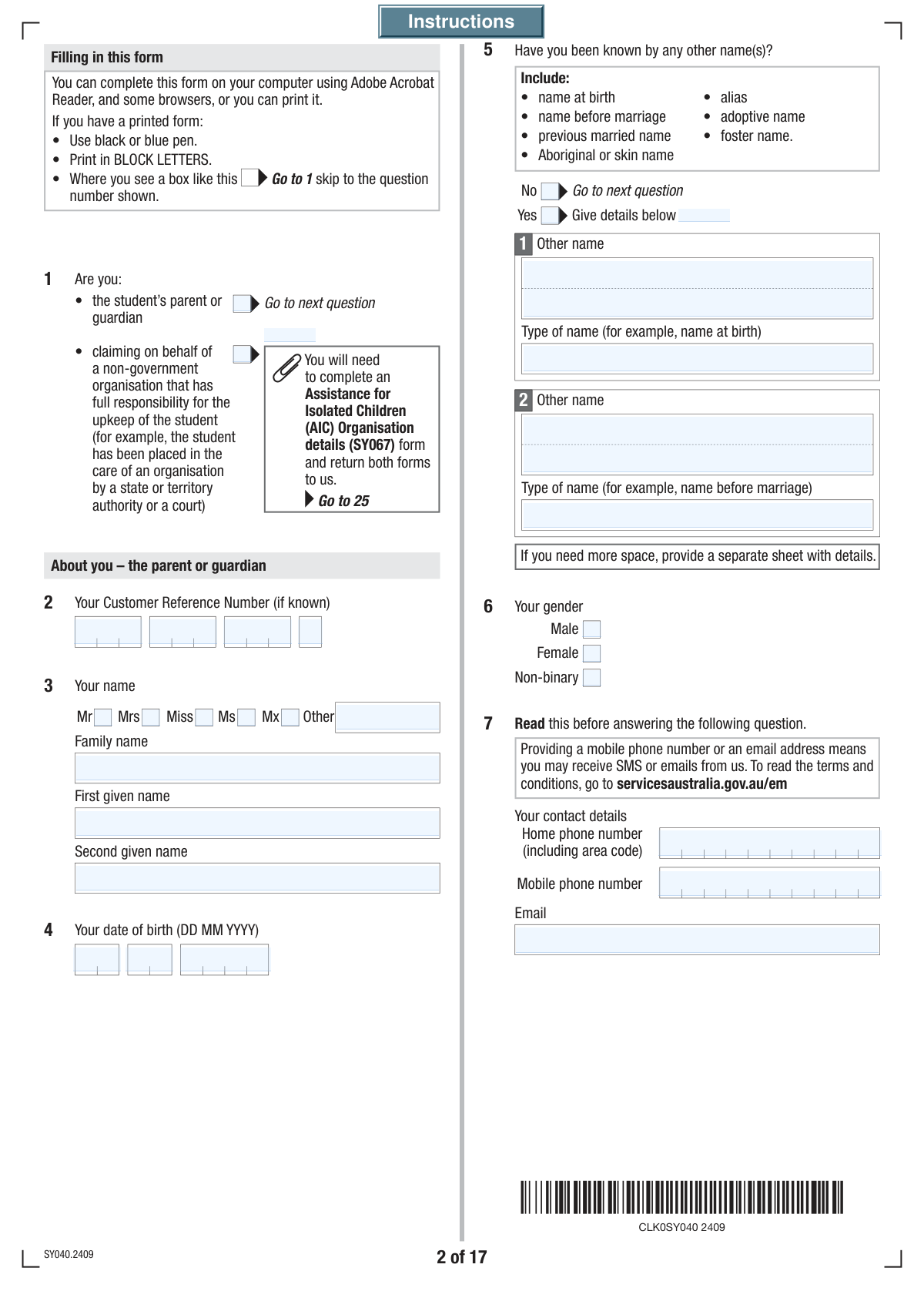
The Claim for Assistance for Isolated Children (AIC) is an application submitted to the Australian Government to receive financial support for students who must live away from home, study via distance education, or live in a second home to attend school. This form is crucial for families in remote areas or those with children requiring special education, as it helps offset the additional costs associated with their schooling by gathering detailed information about the parent, student, family income, and the specific reasons for isolation. Today, this form can be filled out quickly and accurately using AI-powered services like Instafill.ai, which can also convert non-fillable PDF versions into interactive fillable forms.
AIC Claim Form is part of the VA claim forms category on Instafill.
Our AI automatically handles information lookup, data retrieval, formatting, and form filling.
It takes less than a minute to fill out AIC Claim Form using our AI form filling.
Securely upload your data. Information is encrypted in transit and deleted immediately after the form is filled out.

Form specifications

Form name: Claim for Assistance for Isolated Children (AIC)
Number of fields: 583
Number of pages: 33
Language: English
main-image

Instafill Demo: How to fill out PDF forms in seconds with AI

How to Fill Out AIC Claim Form Online for Free in 2026

Are you looking to fill out a AIC CLAIM FORM form online quickly and accurately? Instafill.ai offers the #1 AI-powered PDF filling software of 2026, allowing you to complete your AIC CLAIM FORM form in just 37 seconds or less.
Follow these steps to fill out your AIC CLAIM FORM form online using Instafill.ai:
  1. 1 Navigate to Instafill.ai and upload or select the Claim for Assistance for Isolated Children (AIC) form.
  2. 2 Provide your personal details as the applicant, including your name, date of birth, contact information, and relationship status.
  3. 3 Enter the student's personal information, such as their full name, date of birth, Customer Reference Number, and citizenship details.
  4. 4 Specify the student's schooling and living arrangements, and select the primary reason for the claim (e.g., geographic isolation, special needs).
  5. 5 If applying for the income-tested Additional Boarding Allowance, provide detailed financial information for yourself and your partner, including taxable income and other assets.
  6. 6 Review all the information pre-filled by the AI for accuracy, and upload any required supporting documents as prompted by the form's checklist.
  7. 7 Complete the declaration, sign the form electronically, and submit it to the relevant authority.

Our AI-powered system ensures each field is filled out correctly, reducing errors and saving you time.

Why Choose Instafill.ai for Your Fillable AIC Claim Form Form?

Speed

Complete your AIC Claim Form in as little as 37 seconds.

Up-to-Date

Always use the latest 2026 AIC Claim Form form version.

Cost-effective

No need to hire expensive lawyers.

Accuracy

Our AI performs 10 compliance checks to ensure your form is error-free.

Security

Your personal information is protected with bank-level encryption.

Frequently Asked Questions About Form AIC Claim Form

This form is used to apply for financial assistance for students who cannot attend a local state school on a daily basis. This may be due to geographic isolation, a disability or special education need, or other specific circumstances.

This form should be completed by the student's parent or legal guardian. A non-government organisation with full responsibility for the student's upkeep can also apply on their behalf.

Required documents vary based on your situation but may include proof of visa, the student's proof of age, medical statements, or evidence of income. The checklist at the end of the form details exactly what you need to provide based on your answers.

Your Customer Reference Number (CRN) is a unique number found on letters or correspondence you have received from the agency. If you cannot find it, you may need to contact the agency directly.

You only need to provide detailed income information for yourself and your partner if the student is boarding away from home and you wish to apply for the income-tested Additional Boarding Allowance. Otherwise, you can skip this section.

Yes, you may be eligible if the reason for homeschooling is due to an approved isolation condition, such as geographic location or a student's special need. You will need to provide evidence of your home school registration from the relevant state or territory authority.

The form has dedicated sections to cover these situations. You will need to provide details about the second home's address, who lives there, or information about the boarding institution and associated fees.

No, if your relationship status is separated, divorced, or widowed, you do not need to provide your former partner's details. The form will guide you to skip the sections related to a current partner.

You can choose to have payments sent to your bank account, the student's account, or directly to the school or boarding institution. You must provide the correct bank account details for your chosen recipient.

Providing your Tax File Number is voluntary. However, if you do not provide it, your payments could be affected or taxed at a higher rate.

Yes, services like Instafill.ai use AI to auto-fill form fields accurately and save time. This is especially helpful for long and complex forms like this one, reducing the chance of errors.

Simply upload the form's PDF to the Instafill.ai platform. The AI will identify all the fields, allowing you to click and fill them instantly using your saved information, making the process fast and easy.

You can use a service like Instafill.ai, which can convert any flat, non-fillable PDF into an interactive, fillable form. Just upload your file, and the platform will make it easy to complete online.

Compliance AIC Claim Form
Validation Checks by Instafill.ai

1
Applicant Role Exclusivity
This check ensures that the applicant selects only one role, either 'Student's Parent or Guardian' or 'Non-Government Organisation'. These roles are mutually exclusive and determine which sections of the form are applicable. If both or neither are selected, the form submission should be blocked with an error message prompting the user to choose only one option.
2
Applicant Date of Birth Validity and Age Check
Validates that the applicant's date of birth is a complete and logically valid date (e.g., not 31 February). It also verifies that the date is in the past and that the applicant is at least 18 years of age, which is a reasonable minimum age for a legal guardian or parent applying for assistance. This prevents data entry errors and confirms the applicant's eligibility to act on behalf of a student.
3
Conditional Requirement for 'Other Names' Details
This validation checks if the applicant has answered 'Yes' to the 'Other Names Inquiry'. If they have, the system must ensure that the subsequent fields 'Other Name' and 'Type of Other Name' are not empty. This is crucial for identity verification and cross-referencing records. If 'Yes' is selected but no details are provided, the submission fails until the information is supplied.
4
Relationship Status and Date Consistency
Ensures that if a relationship status of 'Married', 'Registered relationship', or 'De facto' is selected, the corresponding date fields are filled out with a valid, complete date. The validation also checks that this date is not in the future and occurs after the applicant's 18th birthday. This maintains logical consistency and provides necessary data for assessing family circumstances.
5
Conditional Requirement for Partner Details
This check verifies that if the applicant's relationship status is 'Married', 'Registered relationship', or 'De facto', then the partner's details section is completed. This includes the partner's name, date of birth, and other required information. This data is essential for income testing and household assessment, so failure to provide it when required will block form submission.
6
Logical Date Order for Applicant and Student
This validation compares the 'Student's Date of Birth' with the applicant's 'Date of Birth'. It ensures the student's date of birth is after the applicant's date of birth, which is a fundamental logical requirement for a parent/guardian relationship. An error here could indicate a significant data entry mistake, and the form should not be processed until corrected.
7
Postcode Format Validation
This check ensures that all postcode fields ('Principal Family Home Address', 'Postal Address', 'Partner's Address', etc.) contain a valid Australian postcode format, which is typically a 4-digit number. This is critical for mail delivery, address verification, and determining geographic eligibility for certain benefits. An invalid format would trigger an error requiring the user to correct the entry.
8
Conditional Requirement for Address Change Date
If the applicant indicates their 'Principal Family Home Address' has changed since January 1st of the study year by selecting 'Yes', this validation ensures the 'Day/Month/Year Address Changed' fields are filled. It also confirms that the entered date is a valid date and falls within the expected timeframe. This is important for tracking residency and eligibility throughout the claim period.
9
Conditional Requirement for Income Details
This validation is triggered if the applicant checks 'Yes, apply for Additional Boarding Allowance'. It ensures that all subsequent financial fields for both the applicant and their partner (e.g., 'Australian Taxable Income', 'Reportable Superannuation Contributions') are filled out. Since the allowance is income-tested, this information is mandatory for assessment, and missing data will prevent the application from proceeding.
10
Dependent Children Section Completeness
If the applicant answers 'Yes' to having other dependent children, this check ensures that the details for at least one child are entered in the following section. It prevents a situation where the user indicates they have other dependents but fails to provide any information about them. The form should prompt the user to either provide the details or change their answer to 'No'.
11
Isolation Condition Single Selection
This validation ensures that the user selects only one option from the 'Isolation Conditions' section (e.g., 'Geographic location', 'Student has disability'). These reasons are mutually exclusive and determine which subsequent questions the user must answer. Selecting more than one would create a logical conflict, so the system must enforce a single choice.
12
Bank Account Details Completeness
When the payment recipient is selected as 'You' (the applicant) or 'The student', this validation confirms that all bank account fields are completed. This includes 'Bank Name', 'Branch Number (BSB)', 'Account Number', and 'Account Holder Name(s)'. Incomplete or missing information would prevent payment processing, so the form cannot be submitted until these details are fully provided.
13
Declaration Date Logic
This check validates that the 'Declaration Date' is a complete and valid date. It also ensures the date is not in the future, as a declaration cannot be signed for a future date. This is a standard integrity check to confirm the timeliness and validity of the applicant's signed declaration.
14
Checklist Document Consistency
This validation cross-references answers in the form with the final checklist. For example, if the user answered 'Yes' at question 18 (holding a visa), the system checks that the corresponding box 'Copy of evidence you have an Australian visa...' is ticked on the checklist. This ensures all required supporting documentation is acknowledged, reducing follow-up and processing delays.

Common Mistakes in Completing AIC Claim Form

Incorrectly Entering Segmented Numbers

Fields like the Customer Reference Number and Tax File Number are split into multiple boxes. Applicants often try to enter the entire number into the first box or make transcription errors when breaking it up. This leads to data validation failures and can prevent the agency from identifying the correct person or student, causing significant processing delays. To avoid this, carefully enter each segment of the number into its corresponding box, double-checking for accuracy.

Mishandling Conditional 'Yes/No' Sections

The form contains many questions that require providing details only if 'Yes' is selected (e.g., 'Other Names Inquiry', 'Principal Family Home Address Change'). A common error is checking 'Yes' but forgetting to fill in the required follow-up details, or checking 'No' and incorrectly filling them in anyway. This results in an incomplete or contradictory application that requires follow-up. Always read the instructions carefully to see which subsequent fields are tied to your 'Yes' or 'No' answer.

Forgetting to Attach Required Documents

The checklist near the end of the form lists numerous supporting documents that may be required based on answers throughout the application (e.g., proof of visa, medical statements, proof of income). Applicants frequently overlook this section or forget to attach the necessary evidence. Submitting a claim without the required documentation is a primary cause for rejection or long delays, as the agency cannot verify eligibility. Before submitting, use the checklist to gather and confirm that all required documents are included.

Incomplete or Inaccurate Financial Disclosures

When applying for the income-tested 'Additional Boarding Allowance', the form requires detailed financial information for both the applicant and their partner (Questions 76-77). People often provide estimates, confuse taxable income with gross salary, or omit complex items like 'Reportable Fringe Benefits' or 'Net Investment Losses'. Inaccurate financial data can lead to an incorrect assessment of eligibility or future payment recovery actions. It is crucial to refer to tax returns and other financial records to provide precise figures.

Incorrectly Navigating Student Living Arrangement Sections

Question 47, which details the student's living arrangement (e.g., boarding, second home, distance education), dictates which of the subsequent complex sections (Q48-Q82) must be completed. Applicants often select an option but then get lost in the branching logic, either skipping required sections or filling out irrelevant ones. This error leads to a fundamentally incomplete claim for the specific living situation. Pay close attention to the 'Go to Question...' instructions to ensure you are completing the correct path for your circumstances.

Inconsistent Relationship Status and Dates

The form asks for both the current relationship status (e.g., Married, De facto) and the specific date the relationship commenced or was registered. Applicants may select a status but leave the corresponding date fields blank, or provide an approximate date when an exact one is needed for eligibility calculations. This inconsistency can delay the assessment of the family unit. Ensure you provide the full, accurate date (Day, Month, Year) that corresponds to the relationship status you have selected.

Confusing Applicant, Partner, and Student Details

This lengthy form collects similar personal information (name, DOB, CRN) for three different individuals: the applicant, their partner, and the student. It is very common for filers to accidentally enter their own information into the student's section or vice versa, especially when working quickly. Such mix-ups cause identity verification to fail and can halt the entire application process. Carefully check the heading of each section to ensure you are entering the correct person's details in the appropriate fields.

Errors in Distance and Travel Time Fields

Questions related to geographic isolation (e.g., Q88, Q90) ask for distances in a specific, broken-down format, with separate fields for whole kilometers and tenths of kilometers. This is an unusual format that often leads to errors, such as entering '15.5' in the first box instead of '15' in the first and '5' in the second. Since these distances are critical for determining eligibility for isolation assistance, incorrect entries can lead to a wrongful denial. AI-powered tools like Instafill.ai can help by automatically formatting such data correctly based on field requirements.

Misunderstanding the 'Other Names' Section

When asked to provide 'Other Names' (Q5 for applicant, Q28 for student), people are often unsure what to include. They might list informal nicknames, which are not required, while omitting legally relevant names like a maiden name, a former name from before a legal name change, or a name at birth. Omitting a legal prior name can cause issues with identity verification against government records. You should only include official names you or the student have been known by.

Incomplete Address Information

The form requests multiple addresses, including 'Principal Family Home', 'Postal Address', and potentially a 'Second Home Address'. A frequent mistake is providing a P.O. Box for a physical street address or failing to complete the 'Postal Address' section when mail is not received at the principal home. This can result in important correspondence being lost or returned, delaying the application. Always provide a full physical address where required and ensure the postal address is accurate. If the form is a non-fillable PDF, a tool like Instafill.ai can convert it to a fillable version to make entering this repetitive information easier.
Saved over 80 hours a year

“I was never sure if my IRS forms like W-9 were filled correctly. Now, I can complete the forms accurately without any external help.”

Kevin Martin Green

Your data stays secure with advanced protection from Instafill and our subprocessors

Robust compliance program

Transparent business model

You’re not the product. You always know where your data is and what it is processed for.

ISO 27001, HIPAA, and GDPR

Our subprocesses adhere to multiple compliance standards, including but not limited to ISO 27001, HIPAA, and GDPR.

Security & privacy by design

We consider security and privacy from the initial design phase of any new service or functionality. It’s not an afterthought, it’s built-in, including support for two-factor authentication (2FA) to further protect your account.

Fill out AIC Claim Form with Instafill.ai

Worried about filling PDFs wrong? Instafill securely fills claim-for-assistance-for-isolated-children-aic forms, ensuring each field is accurate.