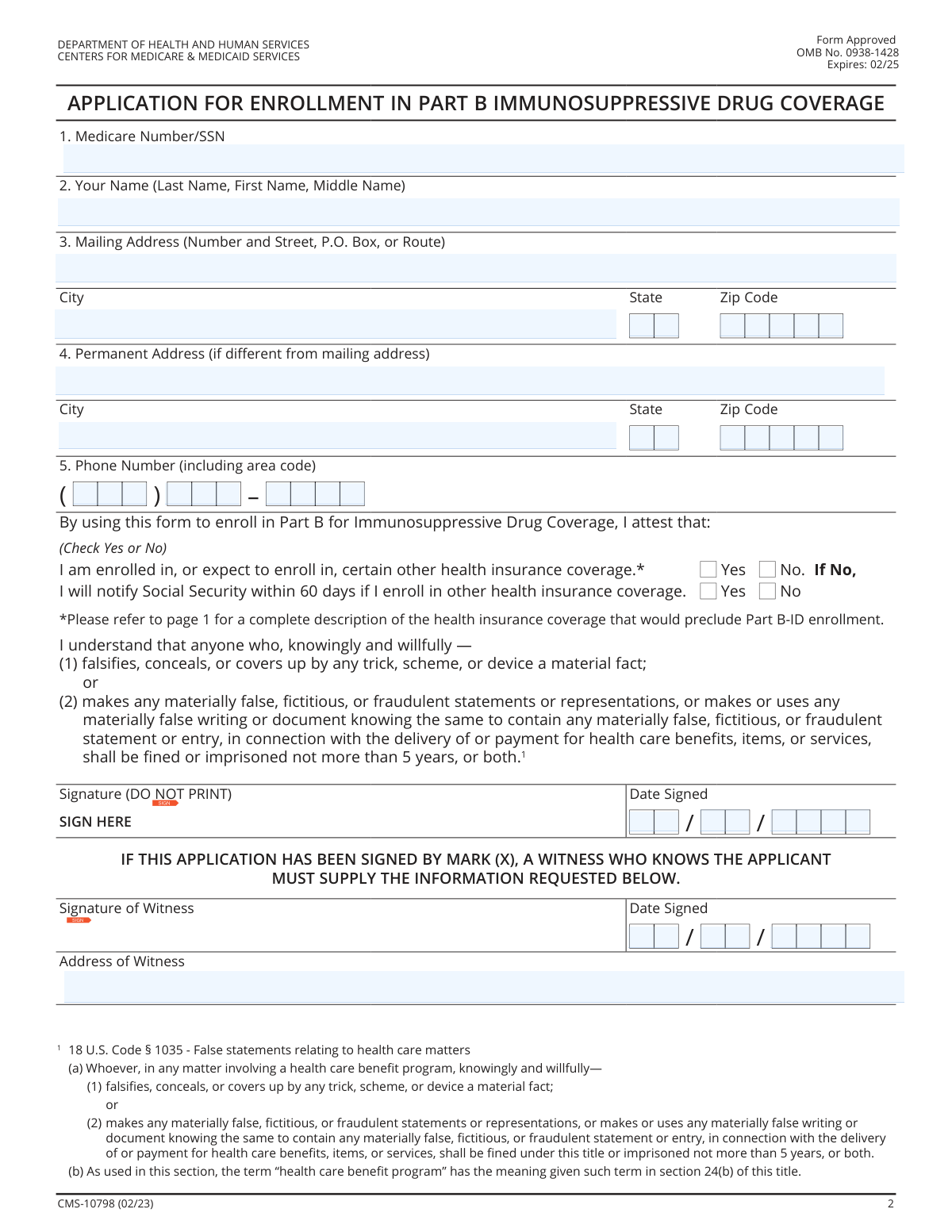
Yes! You can use AI to fill out Form CMS-L564, Request for Employment Information
Form CMS-L564 is a document from the Centers for Medicare & Medicaid Services (CMS) that an individual gives to their employer to complete. The employer provides information about the individual's employment and their group health plan coverage, which is necessary for the Social Security Administration to correctly process Medicare Part B enrollment. This ensures accurate coordination of benefits between the employer's plan and Medicare. Today, this form can be filled out quickly and accurately using AI-powered services like Instafill.ai, which can also convert non-fillable PDF versions into interactive fillable forms.
Our AI automatically handles information lookup, data retrieval, formatting, and form filling.
It takes less than a minute to fill out CMS-L564 using our AI form filling.
Securely upload your data. Information is encrypted in transit and deleted immediately after the form is filled out.
Form specifications
| Form name: | Form CMS-L564, Request for Employment Information |
| Number of fields: | 26 |
| Number of pages: | 3 |
| Language: | English |
| Categories: | CMS forms, employment forms |
Instafill Demo: How to fill out PDF forms in seconds with AI
How to Fill Out CMS-L564 Online for Free in 2026
Are you looking to fill out a CMS-L564 form online quickly and accurately? Instafill.ai offers the #1 AI-powered PDF filling software of 2026, allowing you to complete your CMS-L564 form in just 37 seconds or less.
Follow these steps to fill out your CMS-L564 form online using Instafill.ai:
- 1 Navigate to Instafill.ai and upload or select the CMS-L564 form.
- 2 Provide your personal details in Section A, including your full name, Medicare or Social Security Number, and contact information.
- 3 Enter your mailing and permanent addresses accurately in the designated fields.
- 4 Indicate your current or expected enrollment status in other health insurance plans and agree to notify Social Security of any changes.
- 5 Digitally sign and date the form. If a witness is required because you are signing with a mark, have them complete their section as well.
- 6 Use the AI assistant to review all entered information for accuracy and completeness before finalizing.
- 7 Download the completed form to provide to your employer, who will fill out Section B and submit it to the Social Security Administration.
Our AI-powered system ensures each field is filled out correctly, reducing errors and saving you time.
Why Choose Instafill.ai for Your Fillable CMS-L564 Form?
Speed
Complete your CMS-L564 in as little as 37 seconds.
Up-to-Date
Always use the latest 2026 CMS-L564 form version.
Cost-effective
No need to hire expensive lawyers.
Accuracy
Our AI performs 10 compliance checks to ensure your form is error-free.
Security
Your personal information is protected with bank-level encryption.
Frequently Asked Questions About Form CMS-L564
This form is used to provide or update your personal information, contact details, and other health insurance coverage status with Medicare and Social Security.
You can provide either your Medicare Number or your Social Security Number. Use whichever number is more accessible to you to ensure your record is identified correctly.
A mailing address is where you receive mail, which could be a P.O. Box, while a permanent address is your physical residence. If they are the same, simply fill out both sections with the same information.
This includes any health plan other than Medicare, such as coverage from an employer, a spouse's employer, a private plan, TRICARE, or VA benefits. You must report this to ensure proper coordination of benefits.
By checking 'Yes', you agree to notify the Social Security Administration within 60 days if you enroll in any other health insurance plan. This is crucial for keeping your benefits information up to date.
A witness signature is generally needed if the applicant cannot sign their name and instead makes a mark, such as an 'X'. The witness attests to the identity of the person making the mark.
A witness should be a person who can verify your identity and the act of you signing or making your mark. They will need to provide their own signature, date, and full address.
A common error is forgetting to sign and date the form, which will cause it to be rejected. Also, ensure you answer the questions about other health insurance coverage, as leaving them blank can cause delays.
Submission instructions are typically provided separately from the form itself. Generally, you would mail the completed and signed form to the Social Security Administration office indicated in the instructions.
Yes, services like Instafill.ai use AI to auto-fill form fields accurately and save time. This can help reduce errors and make the process faster.
You can upload a digital copy of the form to the Instafill.ai website. The service will make the form fillable online, and you can use its AI to automatically populate your information before downloading the completed document.
If you have a non-fillable PDF, you can use a tool like Instafill.ai. It can convert flat PDFs into interactive, fillable forms so you can easily type your answers directly into the fields.
Compliance CMS-L564
Validation Checks by Instafill.ai
1
Medicare/SSN Format Validation
This check verifies that the value entered in the 'Medicare Number/SSN' field conforms to the standard format of either a 9-digit Social Security Number (###-##-####) or an 11-character Medicare Beneficiary Identifier (MBI). It is crucial for correctly identifying the applicant in government systems. A failure in this validation would prevent form submission and prompt the user to correct the number.
2
Required Identifier Presence
Ensures that the 'Medicare Number/SSN' field is not left empty, as it is a primary identifier for the applicant. This information is mandatory for processing the application and linking it to the correct individual's records. If this field is blank, the form cannot be submitted, and an error message will indicate that the field is required.
3
Applicant Full Name Completeness
This validation confirms that the 'Applicant Full Name' field is not empty and contains at least two distinct words, representing a first and last name. A complete name is essential for legal and identification purposes. An incomplete name would trigger an error, asking the user to provide their full legal name.
4
Mailing Zip Code Format
Verifies that the 'Mailing Zip Code' field contains exactly five numeric digits. A valid zip code is critical for ensuring mail is delivered correctly and for address verification processes. If the entry contains non-numeric characters or an incorrect number of digits, the system will reject the input and request a valid 5-digit zip code.
5
Permanent State Abbreviation Format
This check ensures the 'Permanent State' field contains a valid, two-letter US state or territory abbreviation. Using a standardized abbreviation prevents ambiguity and is necessary for address validation and database consistency. An invalid entry would result in a validation error with a prompt to enter a correct two-letter code.
6
Phone Number Structure Validation
This validation combines the three phone number fields (Area Code, Prefix, Line Number) and checks that they are all numeric and have the correct length (3, 3, and 4 digits respectively). A valid phone number is vital for communication with the applicant. If any part is missing, non-numeric, or has the wrong length, an error will be displayed.
7
Exclusive Health Insurance Status Selection
Confirms that for the 'Health Insurance Enrollment Status' question, exactly one option ('Yes' or 'No') is selected. This is a mandatory binary choice that determines subsequent logic on the form. If zero or both options are selected, the form submission will be blocked until the user makes a single, valid choice.
8
Conditional Social Security Notification Agreement
This rule enforces the dependency noted on the form: the 'Social Security Notification Agreement' section should only be completed if the applicant selected 'No' for 'Health Insurance Enrollment Status'. This prevents irrelevant data from being collected and reduces user confusion. If the condition is not met, the system should either disable the section or show a validation error upon submission.
9
Valid and Non-Future Signature Date
This check validates that the 'Month Signed', 'Day Signed', and 'Year Signed' fields combine to form a valid calendar date (e.g., not February 30). It also ensures the date is not in the future. The signature date legally marks when the agreement was made, so it must be accurate and reflect the present or past. An invalid or future date will prevent submission.
10
Signature Presence
Verifies that the applicant's signature field has been filled, either through a digital signature capture or an uploaded image. A signature is a legal requirement to certify the information provided and agree to the form's terms. The form is considered incomplete and legally non-binding without a signature, so submission will be blocked if it is missing.
11
Conditional Witness Fields Requirement
This validation checks if a witness signature is required and present. Typically, if an applicant signs with a mark (e.g., an 'X') instead of a name, a witness is required to attest to the signature. If the applicant's signature is a mark, this check ensures the 'Signature of Witness', 'Witness Date Signed', and 'Address of Witness' fields are all completed.
12
Witness Date Consistency
Ensures the 'Witness Signature Date' is the same as or later than the applicant's 'Date Signed'. A witness cannot logically attest to a signature before it has been made. This check maintains the legal integrity and chronological sense of the document. A witness date that precedes the applicant's signature date would trigger a validation error.
13
Zip Code to State/City Correlation
This is an advanced validation that cross-references the 'Mailing Zip Code' with the 'Mailing City' and 'Mailing State' fields using an external database or service. It helps catch typos and ensures the address components are consistent with each other, improving data quality and mail deliverability. A mismatch would prompt the user to review and correct their address information.
Common Mistakes in Completing CMS-L564
Applicants often accidentally transpose digits or are hesitant to provide a full Social Security Number, leading to an incomplete or incorrect entry. This is a critical error as the number is the primary identifier, and any mistake will lead to an immediate processing failure or rejection. To avoid this, carefully double-check the number against your official Medicare or Social Security card. AI-powered form fillers like Instafill.ai can help by validating the number's format to catch typos before submission.
People frequently enter a nickname, an initial instead of a middle name, or omit a suffix out of habit. This causes a data mismatch with official records held by Social Security or Medicare, leading to verification failures and significant delays. Always enter your full, legal name exactly as it appears on your government-issued identification to ensure a smooth process.
A common error is to fill out only the mailing address and leave the permanent address section blank, assuming it's redundant if they are the same. This will cause the form to be returned as incomplete, as both are required. You must fill in both address sections completely, even if the information is identical; do not write 'same as above'.
The form requires the phone number to be split into three separate fields: Area Code, Prefix, and Line Number. Applicants often mistakenly enter the entire 10-digit number into the first field. This can cause the data to be captured incorrectly by automated systems, potentially leading to communication issues if the agency needs to contact you. Carefully enter each part of your phone number into its designated box.
The form contains conditional logic, where the 'Social Security Notification Agreement' should only be answered if you are NOT enrolled in other health insurance. Applicants often miss this instruction and check boxes in both sections, creating a contradictory and invalid submission. This error halts processing until the applicant's status is clarified. Read instructions next to checkboxes carefully to avoid this.
The signature line explicitly states '(Do Not Print)', yet many applicants print their name there instead of providing a cursive signature. A printed name is not a legally valid signature and will invalidate the entire form, requiring you to start over. Always provide a handwritten signature to make the document legally binding. If the form is a flat PDF, a tool like Instafill.ai can convert it to a fillable version that supports secure e-signatures.
If a witness is required (e.g., if the applicant signs with an 'X'), it is common for the witness to sign but forget to include their full address or the date. Any missing information in the witness section will render the attestation invalid and cause the form to be rejected. Ensure the witness completes all their required fields, including signature, full address, and the date of signing.
While the form field may allow it, entering a P.O. Box for a permanent address can cause issues. Most agencies require a physical street address to verify residency, and a P.O. Box does not fulfill this requirement. This can lead to processing delays or requests for additional documentation. It is always best to provide your physical street address for the 'Permanent Address' and use a P.O. Box only for the 'Mailing Address' if needed.
The form specifies a 'two-letter abbreviation' for the permanent address state, but not for the mailing address. This inconsistency can lead to applicants writing the full state name or using a non-standard abbreviation in one or both fields. Incorrect formatting can cause data entry errors or mail delivery failures. To prevent this, always use the official two-letter postal abbreviation for the state in all address fields.
The applicant's signature date and the witness's signature date must be the same, as the witness is attesting to the signing event itself. Applicants sometimes have a witness sign on a different day, resulting in mismatched dates on the form. This discrepancy can raise legal questions about the validity of the signature and cause the form to be rejected. Ensure both you and your witness sign and date the form on the same calendar day.
Saved over 80 hours a year
“I was never sure if my IRS forms like W-9 were filled correctly. Now, I can complete the forms accurately without any external help.”
Kevin Martin Green
Your data stays secure with advanced protection from Instafill and our subprocessors

Robust compliance program
Transparent business model
You’re not the product. You always know where your data is and what it is processed for.
ISO 27001, HIPAA, and GDPR
Our subprocesses adhere to multiple compliance standards, including but not limited to ISO 27001, HIPAA, and GDPR.
Security & privacy by design
We consider security and privacy from the initial design phase of any new service or functionality. It’s not an afterthought, it’s built-in, including support for two-factor authentication (2FA) to further protect your account.
Fill out CMS-L564 with Instafill.ai
Worried about filling PDFs wrong? Instafill securely fills form-cms-l564-request-for-employment-information forms, ensuring each field is accurate.