Fill out enrollment forms
with AI.
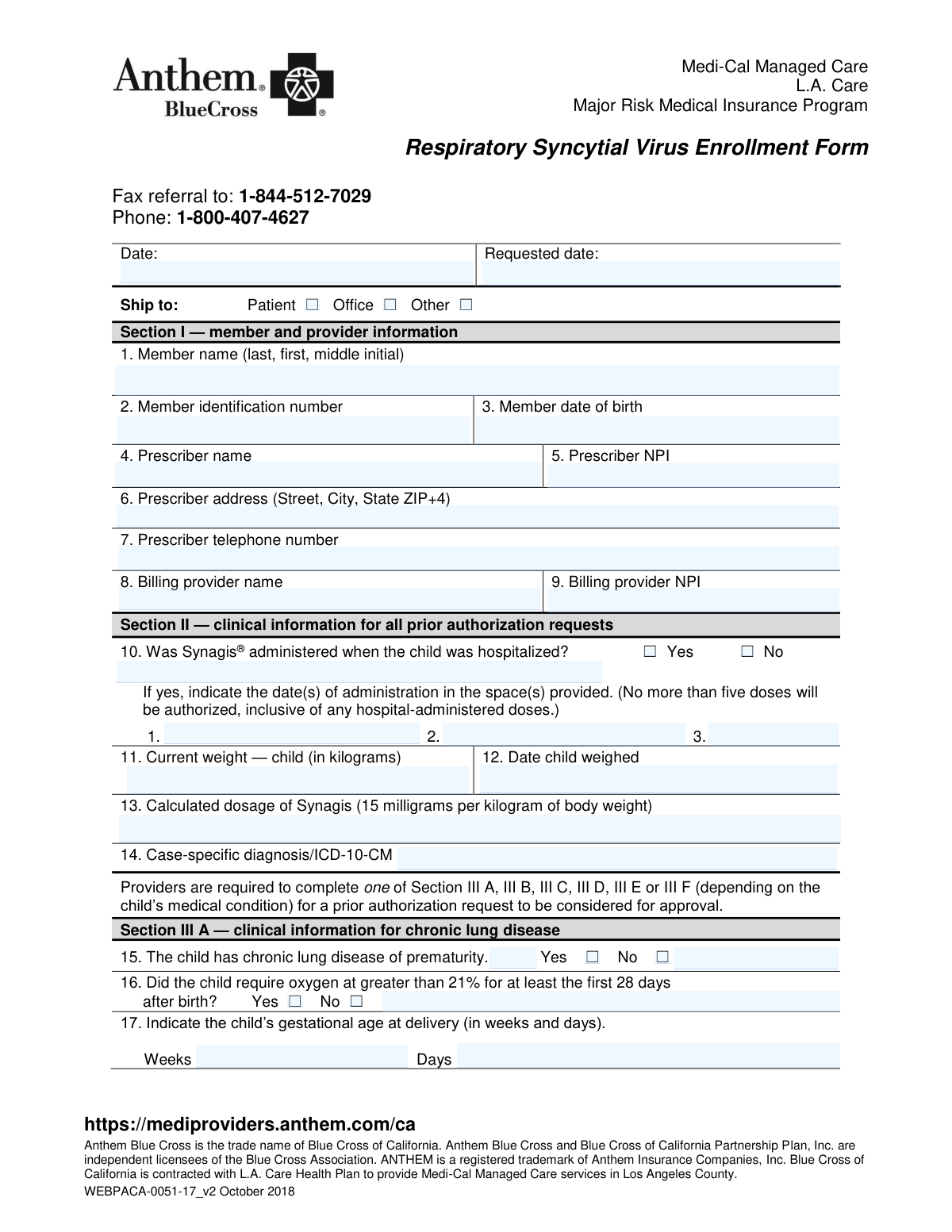
Enrollment forms serve as the essential gateway to accessing critical services, ranging from healthcare coverage to long-term financial planning. These documents are used to formally register for programs that significantly impact your future well-being, such as Medicare, employer-sponsored health insurance, or retirement savings plans. Completing these forms accurately is vital to ensuring that benefits are administered correctly, whether you are securing medical insurance through Medicare Part B or establishing a 401(k) account to build a retirement nest egg.
By continuing, you acknowledge Instafill's Privacy Policy and agree to get occasional product update and promotional emails.
About enrollment forms
Typically, these forms are required during major life transitions or specific annual registration windows. For instance, individuals approaching retirement age often need to submit documents like Form CMS-40B for Medicare enrollment, while new employees or those in an open enrollment period must complete benefit guides and investment selection forms to activate their coverage. These forms are used by HR departments, insurance providers, and government agencies to verify eligibility, capture beneficiary designations, and process payroll contributions. Tools like Instafill.ai use AI to fill these forms in under 30 seconds, handling your data accurately and securely to save you time during these busy periods.
Whether you are adding a dependent to a health plan or selecting investment funds for a 403(b) plan, having the right documentation is the first step toward securing your benefits. By providing clear personal information and specific selections, you ensure that your healthcare and financial goals are met without administrative delays.
Every form on this page can be completed without typing. Instafill is form filling software that reads a PDF and fills it for you — including flat and scanned documents that carry no fillable fields at all.
Forms in This Category
The forms in this category have a median Form Complexity Index of 55/100 (Moderate), measured across 40 forms by field count, input difficulty, length, conditional logic and structure. See how it is calculated.
- Enterprise-grade security & data encryption
- 99%+ accuracy powered by AI
- 1,000+ forms from all industries
- Complete forms in under 60 seconds
How to Choose the Right Form
Selecting the correct enrollment form depends entirely on the type of benefit or program you are joining. Most forms in this category fall into three main groups: federal medical insurance, employer-sponsored retirement plans, and specific health benefit adjustments.
Medicare and Healthcare Professionals
If you are dealing with federal health insurance, your choice depends on whether you are a patient or a provider:
- For Patients: Use Form CMS-40B if you already have Medicare Part A but need to add Part B. If you are a resident of Puerto Rico or certain other jurisdictions, Form CMS-4040 is the specific request for enrollment in Supplementary Medical Insurance.
- For Providers: Physicians and eligible professionals who need to order or certify services for Medicare beneficiaries must use Form CMS-855O to establish their eligibility in the system.
Retirement and Financial Savings
These forms are used to set up accounts, choose investment funds, and designate who inherits your assets.
- Private Sector Plans: The Empower Enrollment Form and the Enrollment Application (often used for Transamerica plans) are standard for corporate 401(k) setups. If you are part of a labor union, look specifically for the Principal Life Insurance Company UCTIE International Union 401(k) Savings Plan Enrollment Form.
- Educational Institutions: Employees of the University of Colorado should use the University of Colorado 403(b) Plan – DSW Scudder Enrollment and Beneficiary Designation Form to manage their specific academic retirement accounts.
Health Plan Adjustments and Guides
If you are managing existing employer benefits rather than a government program:
- Dependents: Use the Providence Health Plan Out-of-Area Dependent Enrollment Form if you need to ensure a family member living outside your primary service area is covered.
- Open Enrollment: The Northwell Residents Open Enrollment Benefits Guide 2026 serves as a reference for selecting medical, dental, and vision plans during the annual election period.
Form Comparison
| Form | Purpose | Who Files It | When to Use |
|---|---|---|---|
| Form CMS-4040, Request for Enrollment in Medicare Part B | Enroll in Medicare Part B supplementary medical insurance | Individuals seeking Medicare Part B coverage | During initial or special enrollment periods |
| Form CMS-855O, Medicare Enrollment Application | Register to order/certify items for Medicare beneficiaries | Physicians and eligible healthcare professionals | When seeking Medicare ordering/certifying privileges |
| Form CMS-40B, Application for Enrollment in Medicare Part B | Apply for Part B after missing initial enrollment period | Individuals with Part A needing Part B coverage | During special or late enrollment periods |
| Providence Health Plan Out-of-Area Dependent Enrollment Form | Add dependents living outside the plan's service area | Health plan subscribers with out-of-area dependents | When a dependent lives or receives care outside service area |
| Course Roster and Location Registration Form | Record course logistics, attendance, and student details | Instructors and training coordinators | When registering a course session for certification tracking |
Tips for enrollment forms
Accuracy is critical when entering identification numbers on Medicare and insurance enrollment forms. A single digit error can lead to significant delays in processing your application or a temporary loss of coverage benefits.
When filling out retirement or life insurance enrollment forms, ensure you name both primary and contingent beneficiaries. This provides a clear legal path for your assets and prevents administrative hurdles for your loved ones in the future.
AI-powered tools like Instafill.ai can complete these complex enrollment forms in under 30 seconds with high accuracy. Your data stays secure during the process, making it a highly efficient way to handle multiple registrations or benefit updates without manual data entry.
Pay close attention to whether you are selecting pre-tax or Roth contributions on your 401(k) or 403(b) forms. Selecting the wrong category can affect your take-home pay and long-term tax strategy, so confirm your choice before submitting the document.
For health plan forms involving dependents living away from home, double-check that the residential address is current. This ensures that reimbursement rates and provider networks are calculated correctly based on their specific geographic location.
Before choosing investment funds on an enrollment form, cross-reference the fund codes with your employer’s current benefits guide. This prevents errors where outdated fund names might lead to your contributions being placed in a default holding account.
Frequently Asked Questions
An enrollment form is a formal document used to register an individual for a specific program, service, or benefit, such as a healthcare plan or a retirement fund. These forms collect essential personal data, verify eligibility, and record the applicant's specific choices regarding coverage levels or financial contributions.
The correct Medicare form depends on your current status; for example, Form CMS-40B is specifically for those who already have Part A and wish to join Part B, while Form CMS-855O is for physicians who need to order or certify services. It is important to review the specific eligibility requirements listed on each form to ensure you are applying for the correct branch of coverage.
Yes, AI tools like Instafill.ai can be used to fill out enrollment forms in under 30 seconds. These systems accurately extract data from your existing source documents and place it into the appropriate fields on the PDF, reducing the risk of manual entry errors.
Most retirement enrollment forms, such as those for 401(k) or 403(b) plans, require your Social Security number, employment details, and a specified contribution rate. Additionally, you will usually need to select your investment funds and name primary and contingent beneficiaries.
Deadlines vary by program, but health insurance forms are generally submitted during an annual Open Enrollment period or within a short window following a qualifying life event like marriage or the birth of a child. Retirement enrollment is often available year-round, though processing times may depend on your employer's payroll cycle.
Using traditional manual entry, these forms can take 15 to 20 minutes to complete accurately, but AI-powered services can finish the task in less than 30 seconds. These tools automate the data mapping process, ensuring that complex sections like beneficiary details and address history are populated instantly.
This form is used when a dependent covered under your health plan, such as a student living away at college, resides outside the plan's standard geographic service area. Submitting this form ensures that the dependent can access benefits and that medical providers are reimbursed correctly according to out-of-area rules.
Submission instructions depend on the organization; government forms like those for Medicare are typically mailed to the Social Security Administration or submitted via their online portal. Employer-sponsored benefit forms are usually turned in to your company's Human Resources department or uploaded directly to the benefits provider's website.
An enrollment form establishes your participation in a plan, while a beneficiary designation specifically names the individuals who will receive your account balance or insurance payout upon your death. While many forms combine these two functions, it is vital to ensure the beneficiary section is completed to avoid legal complications for your heirs.
For retirement plans, you can typically update your contribution amounts or investment choices at any time through your provider's portal. However, for healthcare and insurance plans, you are usually locked into your choices until the next Open Enrollment period, unless you experience a significant life change that triggers a special enrollment window.
Glossary
- Form Complexity Index
- Instafill’s 0–100 measure of how much effort a form takes to complete, calculated deterministically from the form’s own structure rather than estimated. It combines the number of fillable fields (the largest factor), how difficult those fields are to complete based on their type, the number of pages that contain fields, the amount of conditional “fill-only-if” logic, and how many sections the form is divided into, then adds modifiers for tables and repeating lists, bundled instruction pages, and dense page layouts. A higher score means the form is harder to fill out by hand. The forms in this category have a median Form Complexity Index of 55/100 (Moderate). See exactly how it is calculated.
- Open Enrollment
- A designated period each year when individuals can sign up for, change, or cancel their health insurance and other employee benefits.
- Beneficiary
- The person or entity designated to receive the assets or benefits from an account, such as a retirement plan or life insurance policy, upon the account holder's death.
- Medicare Part B
- A portion of the federal Medicare program that covers outpatient medical services, including doctor visits, lab tests, and durable medical equipment.
- Dependent
- A person, typically a spouse or child, who is eligible to be covered under the primary subscriber's health or dental insurance policy.
- 403(b) Plan
- A tax-advantaged retirement savings plan available to employees of public schools, certain non-profits, and cooperative hospital service organizations.
- Roth Contribution
- A type of retirement plan contribution made with after-tax dollars, allowing for tax-free withdrawals of the money and its earnings during retirement.
- Contingent Beneficiary
- A secondary person or entity named to receive benefits if the primary beneficiary is no longer living or is unable to accept the assets.
- Ordering and Certifying Physician
- A healthcare provider who is eligible to order medical supplies or certify that a patient requires specific services for Medicare reimbursement purposes.