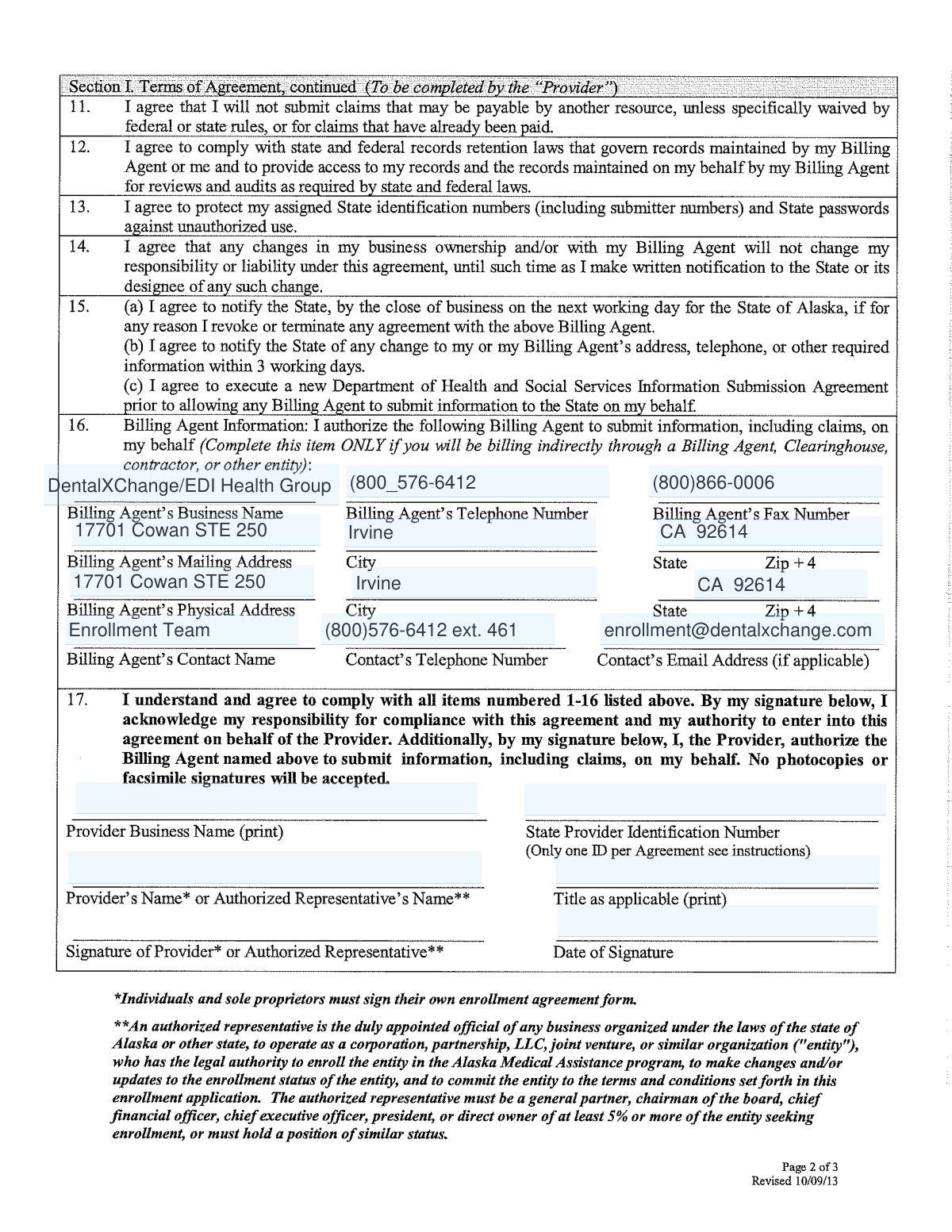
Yes! You can use AI to fill out Medicaid of Alaska Provider Electronic Remittance (835) Authorization and Claims Enrollment Form

The Medicaid of Alaska Provider Electronic Remittance (835) Authorization and Claims Enrollment Form is an official document required for healthcare providers who wish to submit claims electronically to Medicaid of Alaska through EDS (Electronic Data Systems). The form collects essential provider information including legal name, address, Federal Tax Identification Number (TIN)/EIN, and National Provider Identifier (NPI), and requires an authorized signature to initiate, modify, or cancel electronic enrollment. Proper completion of this form is critical for providers to receive timely electronic remittance advice and streamline their billing processes with Medicaid of Alaska. Today, this form can be filled out quickly and accurately using AI-powered services like Instafill.ai, which can also convert non-fillable PDF versions into interactive fillable forms.
Our AI automatically handles information lookup, data retrieval, formatting, and form filling.
It takes less than a minute to fill out Medicaid of Alaska Claims Enrollment using our AI form filling.
Securely upload your data. Information is encrypted in transit and deleted immediately after the form is filled out.

Form specifications

Form name: Medicaid of Alaska Provider Electronic Remittance (835) Authorization and Claims Enrollment Form
Number of pages: 1
Language: English
Categories: Medicaid forms, VA claim forms, authorization forms, Medicaid authorization forms, enrollment forms
main-image

Instafill Demo: How to fill out PDF forms in seconds with AI

How to Fill Out Medicaid of Alaska Claims Enrollment Online for Free in 2026

Are you looking to fill out a MEDICAID OF ALASKA CLAIMS ENROLLMENT form online quickly and accurately? Instafill.ai offers the #1 AI-powered PDF filling software of 2026, allowing you to complete your MEDICAID OF ALASKA CLAIMS ENROLLMENT form in just 37 seconds or less.
Follow these steps to fill out your MEDICAID OF ALASKA CLAIMS ENROLLMENT form online using Instafill.ai:
  1. 1 Navigate to Instafill.ai and upload the Medicaid of Alaska Claims Enrollment Form PDF or select it from the available form library to begin filling it out online.
  2. 2 Enter the Provider Information, including the complete legal name of the institution, corporate entity, practice, or individual provider in the Provider Name field.
  3. 3 Fill in the Provider Address details, including street address, city, state/province, zip code/postal code, and country code as required.
  4. 4 Provide the Provider Identifiers Information, including the Federal Tax Identification Number (TIN) or Employer Identification Number (EIN) and the 10-digit National Provider Identifier (NPI).
  5. 5 Indicate the reason for submission by selecting New Enrollment, Change Enrollment, or Cancel Enrollment, and specify any Electronic Remittance Advice preferences such as aggregation by TIN or NPI.
  6. 6 Complete the Authorized Signature section by providing the electronic or printed signature, printed name, and title of the person submitting the enrollment, along with the submission date.
  7. 7 Review all entered information for accuracy, then mail the original signed form to Conduent HIPAA Provider Support Team at P.O. Box 240808, Anchorage, AK 99524-0808, and email or fax a copy to [email protected] or fax (651) 389-9152, allowing 4-6 weeks for processing.

Our AI-powered system ensures each field is filled out correctly, reducing errors and saving you time.

Why Choose Instafill.ai for Your Fillable Medicaid of Alaska Claims Enrollment Form?

Speed

Complete your Medicaid of Alaska Claims Enrollment in as little as 37 seconds.

Up-to-Date

Always use the latest 2026 Medicaid of Alaska Claims Enrollment form version.

Cost-effective

No need to hire expensive lawyers.

Accuracy

Our AI performs 10 compliance checks to ensure your form is error-free.

Security

Your personal information is protected with bank-level encryption.

Frequently Asked Questions About Form Medicaid of Alaska Claims Enrollment

This form is used to enroll providers to send claims electronically to Medicaid of Alaska through EDS (Electronic Data Systems). It also authorizes the Provider Electronic Remittance (835), which allows providers to receive electronic remittance advice for their claims.

Any healthcare provider who wants to submit claims electronically to Medicaid of Alaska through EDS must complete this form. This includes individual providers, medical practices, institutions, and corporate healthcare entities.

The Payer ID for Medicaid of Alaska is CKAK1. You will need this ID when setting up your electronic claims submission through EDS.

You will need to provide your complete legal provider name, full provider address (street, city, state, zip code), Federal Tax Identification Number (TIN) or Employer Identification Number (EIN), and your National Provider Identifier (NPI). An authorized signature is also required.

An NPI (National Provider Identifier) is a unique 10-digit identification number assigned to covered healthcare providers under HIPAA. You can look up your NPI through the NPPES (National Plan and Provider Enumeration System) registry at nppes.cms.hhs.gov.

You must mail the original signed form to: Conduent HIPAA Provider Support Team, P.O. Box 240808, Anchorage, AK 99524-0808. You can also email or fax a copy of the application to [email protected] or fax it to (651) 389-9152.

Yes, an original signature is required. The signature must be from an individual authorized by the provider or its agent to initiate, modify, or terminate an enrollment. Both electronic and written (cursive) signatures are accepted.

The payer estimates a processing time of 4 to 6 weeks. Plan accordingly to ensure your electronic claims submission is set up before you need to start billing.

For enrollment questions, contact the EDS Enrollment Department at (800) 482-3518 or by email at [email protected]. Their office is located at 400 Vermillion St., Hastings, MN 55033.

Yes, this form can be used for new enrollment, changing an existing enrollment, or canceling an enrollment. Be sure to indicate the appropriate reason for submission when completing the form.

The 835 Electronic Remittance Advice (ERA) is an electronic document that provides details about claim payments. By completing this form, you are also authorizing Medicaid of Alaska to send your remittance advice electronically, which can be grouped (bulked) by either your TIN or NPI.

Yes, services like Instafill.ai use AI to auto-fill form fields accurately, saving you time and reducing errors. You can upload the form to Instafill.ai, and the AI will help you complete all required fields quickly and correctly.

If the PDF is a flat, non-fillable document, Instafill.ai can convert it into an interactive fillable form. This allows you to type directly into the fields digitally without needing to print and handwrite your information.

This indicates that Medicaid of Alaska uses the NPI at the billing or group level to identify providers when processing claims. Make sure your NPI is correctly entered on the form to ensure proper claim processing and payment.

Yes, you should mail the original signed form to the Conduent HIPAA Provider Support Team in Anchorage, AK, and also email or fax a copy to the EDS Enrollment Department. Submitting both ensures your enrollment is properly processed.

Compliance Medicaid of Alaska Claims Enrollment
Validation Checks by Instafill.ai

1
Provider Name is the Complete Legal Name
Validates that the Provider Name field (ERA_PROV_NAME) contains the full legal name of the institution, corporate entity, practice, or individual provider and is not abbreviated or truncated. Abbreviated names may not match records held by Medicaid of Alaska or EDS, causing enrollment rejection. If this field is left blank or contains an informal name, the enrollment application cannot be processed.
2
Provider Street Address is Present and Properly Formatted
Checks that the Street field contains a valid street number and street name where the provider or organization can be found. A complete street address is required for correspondence and verification purposes during the 4-6 week approval process. Submissions missing a street address or containing only a P.O. Box where a physical address is required will be flagged as incomplete.
3
City Field is Populated and Contains Only Valid Characters
Ensures the City field associated with the provider address is completed and does not contain numeric characters, special symbols, or placeholder text. The city must correspond to a real municipality consistent with the provided state and zip code. An invalid or missing city will cause a mismatch during address verification and may delay or reject the enrollment.
4
State/Province Code Conforms to ISO 3166-2 Two-Character Format
Validates that the State/Province field contains exactly a two-character ISO 3166-2 code (e.g., 'AK' for Alaska) and is not spelled out in full or left blank. The payer system requires standardized state codes for proper routing and record matching. Entries with full state names, invalid abbreviations, or numeric values will fail processing.
5
Zip Code/Postal Code is in Valid US Format
Checks that the Zip Code/Postal Code field contains either a standard 5-digit ZIP code or a ZIP+4 format (e.g., 99524 or 99524-0808), consistent with the U.S. postal zone improvement plan standard. The zip code must be logically consistent with the city and state provided in the address fields. An incorrectly formatted or mismatched zip code can result in undeliverable correspondence and enrollment failure.
6
Federal Tax Identification Number (TIN/EIN) is Present and Correctly Formatted
Validates that the Provider Federal Tax Identification Number or Employer Identification Number field is populated and follows the standard 9-digit format (XX-XXXXXXX), as issued by the IRS to identify business entities. This identifier is critical for linking the provider's enrollment to their financial and tax records. A missing, incorrectly formatted, or invalid TIN/EIN will prevent the payer from verifying the provider's identity and processing electronic claims.
7
National Provider Identifier (NPI) is a Valid 10-Digit Numeric Value
Ensures the NPI field contains exactly 10 numeric digits with no letters, spaces, or special characters, consistent with the HIPAA Administrative Simplification Standard for covered healthcare providers. The NPI is an intelligence-free identifier, meaning it should not encode specialty or state information, and must be verified against the NPPES registry format. An NPI that is fewer or more than 10 digits, or contains non-numeric characters, will cause the enrollment to be rejected by EDS.
8
NPI and TIN/EIN Are Not Identical or Transposed
Performs a logical consistency check to ensure that the NPI and TIN/EIN fields do not contain the same value or appear to have been entered in the wrong fields. Since the NPI is always 10 digits and the TIN/EIN is 9 digits (formatted as XX-XXXXXXX), swapped entries can be detected by format mismatch. Transposed identifiers would cause claim routing failures and misidentification of the provider in the Medicaid of Alaska system.
9
Authorized Signature Field is Not Left Blank
Checks that the authorized signature field is completed, as the form explicitly requires an original signature from an individual authorized by the provider or its agent to initiate, modify, or terminate an enrollment. An unsigned form cannot be legally processed per the payer's special instructions requiring an original signature. Submissions without a valid signature will be returned without processing.
10
Printed Name of Person Submitting Enrollment is Provided
Validates that the ERA_PROV_CONT_NAME field contains the printed name of the individual who signed the form, which must accompany both electronic and paper-based manual enrollments. The printed name serves as a readable confirmation of the signatory's identity and must not be left blank or contain only a signature rendering. Missing printed names make it impossible for EDS to verify the authorized submitter and may result in the application being returned.
11
Printed Title of Person Submitting Enrollment is Provided
Ensures the ERA_PROV_CONT_TITLE field contains the professional title of the person submitting the enrollment form, confirming their authority to act on behalf of the provider. The title is required for both electronic and paper-based submissions and helps EDS verify that the signatory has appropriate authorization. A blank or vague title entry (e.g., 'staff') may trigger a manual review or rejection of the enrollment application.
12
Submission Date is Present and in a Valid Date Format
Validates that the ERA_SUB_DATE field contains a properly formatted date (e.g., MM/DD/YYYY) and represents a real calendar date that is not in the future or unreasonably far in the past. The submission date is used by EDS to track the enrollment timeline within the estimated 4-6 week processing window. A missing, malformed, or illogical date (such as 00/00/0000 or a future date) will create discrepancies in the processing record.
13
Payer Name Field Matches Expected Value of 'Medicaid of Alaska'
Checks that the Payer Name field is populated with 'Medicaid of Alaska' and has not been altered, left blank, or replaced with an incorrect payer name. Since this form is specific to Medicaid of Alaska with Payer ID CKAK1, any deviation in the payer name could result in the form being routed to the wrong payer or rejected during intake. This validation ensures the form is being submitted to the correct destination.
14
Provider Medicaid ID Field Does Not Contain Invalid Characters
Validates that the ERA_PROV_ID_MEDICAID field, if populated, contains only alphanumeric characters consistent with Medicaid provider identifier formats and does not include spaces, special characters, or placeholder text. An incorrectly formatted Medicaid ID can prevent the payer from linking the enrollment to an existing provider record. If this field is required for change or cancellation submissions, its absence should also trigger a validation error.
15
All Required Fields Are Populated Before Submission
Performs a completeness check across all fields marked as required (indicated by an asterisk in the form instructions), including Provider Name, Provider Address (Street, City, State, Zip), TIN/EIN, NPI, Authorized Signature, Printed Name, and Printed Title. Any required field left blank will result in an incomplete application that EDS cannot process within the standard 4-6 week timeframe. The system should flag all missing required fields simultaneously so the submitter can correct the entire form before resubmission.
16
Contact Information Fields Do Not Contain Duplicate or Malformed Email/Fax Data
Checks that any contact information fields (such as email or fax) entered in the form do not contain duplicated domain suffixes (e.g., '.com.com'), invalid formats, or transposed values between email and fax fields. The form's own contact details show a known data quality issue with a duplicated domain ([email protected]), and similar errors in submitted provider contact data could prevent EDS from reaching the provider during the enrollment review. Entries failing email format validation (must contain '@' and a valid domain) or fax format validation (must be numeric with appropriate length) should be flagged for correction.

Common Mistakes in Completing Medicaid of Alaska Claims Enrollment

Entering an incomplete or incorrect provider legal name

Many providers enter a nickname, trade name, or abbreviated version of their practice name instead of the complete legal name of the institution, corporate entity, practice, or individual provider. This can cause enrollment rejection or mismatches with state records. Always use the exact legal name as it appears on your business registration or tax documents. AI-powered form filling tools like Instafill.ai can help by cross-referencing and auto-populating the correct legal entity name.

Submitting an incorrect or misformatted TIN/EIN

Providers frequently enter their Tax Identification Number (TIN) or Employer Identification Number (EIN) with incorrect formatting, missing digits, or confuse it with their Social Security Number (SSN). The TIN/EIN is a 9-digit number used to identify a business entity, and any error can cause enrollment failure or payment delays. Double-check the number against your IRS documentation before submitting. Tools like Instafill.ai can validate the format of TIN/EIN entries automatically to prevent such errors.

Entering an invalid or incomplete National Provider Identifier (NPI)

The NPI must be a 10-digit, intelligence-free numeric identifier, and providers often enter 9-digit legacy numbers, incorrect NPIs, or leave this field blank. Using an incorrect NPI can result in claim rejections and significant delays in enrollment processing. Verify your NPI through the NPPES NPI Registry before completing the form. Instafill.ai can validate that the NPI field contains exactly 10 numeric digits, reducing the risk of this common error.

Using an electronic or typed signature instead of an original signature

The form explicitly states that an original signature is required, yet many providers submit photocopied, digitally typed, or stamped signatures. This is one of the most common reasons for outright rejection of the enrollment application. The authorized individual must physically sign the original form before it is mailed to Conduent HIPAA Provider Support Team. Failing to provide an original signature will result in the application being returned and further delays the 4-6 week processing timeline.

Mailing a copy instead of the original form

Providers often confuse the mailing and fax/email instructions, sending a photocopy to the P.O. Box address instead of the original. The instructions clearly state that the original form must be mailed to Conduent HIPAA Provider Support Team at P.O. Box 240808, Anchorage, AK 99524-0808, while only a copy should be emailed or faxed. Sending a copy in place of the original will likely result in rejection. Carefully re-read the submission instructions before sending to ensure compliance.

Omitting the provider's title in the authorized signature section

Many submitters fill in their printed name but forget to include their title in the 'Printed Name & Title of Person Submitting Enrollment' field. The title is required to confirm that the signatory is authorized to initiate, modify, or terminate an enrollment on behalf of the provider. Leaving the title blank can raise questions about the submitter's authority and may delay processing. Always include both the full printed name and the official title of the authorized representative.

Providing an incomplete or incorrectly formatted provider address

Providers frequently omit required address components such as the suite or unit number, enter an incorrect ZIP code, or use non-standard abbreviations for the state. The form requires a full street address, city, state/province (using the ISO 3166-2 two-character code), and ZIP/postal code. An incomplete address can cause issues with correspondence and may delay or invalidate the enrollment. Instafill.ai can auto-populate and validate address fields to ensure all components are correctly formatted.

Entering the wrong Payer ID or leaving it blank

Some providers overlook or incorrectly enter the Payer ID, which for Medicaid of Alaska is specifically 'CKAK1.' Using an incorrect or generic Payer ID will result in claims being routed to the wrong payer or rejected entirely. This field is critical for electronic claims routing and must match exactly. Always confirm the Payer ID directly from the official enrollment documentation before submitting the form.

Failing to indicate the correct reason for submission

The form requires providers to specify whether the submission is for New Enrollment, Change Enrollment, or Cancel Enrollment, but this field is often left blank or incorrectly selected. Selecting the wrong reason can cause the application to be processed incorrectly, potentially canceling an active enrollment or creating a duplicate. Carefully review your current enrollment status before selecting the appropriate option to avoid administrative complications.

Sending the form to the wrong fax number or email address

The form lists both a fax number (651-389-9152) and an email address ([email protected]) for submitting copies, and providers sometimes use outdated contact information or send to the wrong destination. Sending to an incorrect fax or email means the copy may never be received, causing delays in processing. Always use the contact information printed on the most current version of the form and confirm receipt when possible.

Leaving the submission date blank or entering an incorrect date

The ERA_SUB_DATE field (submission date) is frequently left blank or filled in with an incorrect date, such as the date the form was printed rather than the date it is actually being submitted. An incorrect or missing date can complicate record-keeping and may affect the processing timeline. Always enter the actual date of submission and double-check the format required. Instafill.ai can automatically populate the current date in the correct format to prevent this oversight.

Confusing individual NPI with group/billing NPI

The form notes that the payer places value on Billing/Group NPI, yet providers often enter their individual NPI when a group or billing NPI is required, or vice versa. Submitting the wrong type of NPI can result in claims being rejected or payments being misrouted. Confirm with your billing department or practice administrator which NPI type is appropriate for your enrollment scenario before completing the form. Instafill.ai can help flag this distinction during the form-filling process.
Saved over 80 hours a year

“I was never sure if my IRS forms like W-9 were filled correctly. Now, I can complete the forms accurately without any external help.”

Kevin Martin Green

Your data stays secure with advanced protection from Instafill and our subprocessors

Robust compliance program

Transparent business model

You’re not the product. You always know where your data is and what it is processed for.

ISO 27001, HIPAA, and GDPR

Our subprocesses adhere to multiple compliance standards, including but not limited to ISO 27001, HIPAA, and GDPR.

Security & privacy by design

We consider security and privacy from the initial design phase of any new service or functionality. It’s not an afterthought, it’s built-in, including support for two-factor authentication (2FA) to further protect your account.

Fill out Medicaid of Alaska Claims Enrollment with Instafill.ai

Worried about filling PDFs wrong? Instafill securely fills medicaid-of-alaska-provider-electronic-remittance-835-authorization-and-claims-enrollment-form forms, ensuring each field is accurate.