Yes! You can use AI to fill out Aetna Form GC-7 (4-22) R, Medical Benefits Request

Aetna Form GC-7 (4-22) R is a medical claim form that allows members to request reimbursement for healthcare services and supplies. It requires detailed information from both the patient and the healthcare provider, including patient demographics, insurance details, diagnosis, and a breakdown of services rendered. Today, this form can be filled out quickly and accurately using AI-powered services like Instafill.ai, which can also convert non-fillable PDF versions into interactive fillable forms.
GC-7 (4-22) R is part of the Medi-Cal forms and medical request forms categories on Instafill.
Our AI automatically handles information lookup, data retrieval, formatting, and form filling.
It takes less than a minute to fill out GC-7 (4-22) R using our AI form filling.
Securely upload your data. Information is encrypted in transit and deleted immediately after the form is filled out.

Form specifications

Form name: Aetna Form GC-7 (4-22) R, Medical Benefits Request
Number of fields: 107
Number of pages: 6
Language: English
main-image

Instafill Demo: How to fill out PDF forms in seconds with AI

How to Fill Out GC-7 (4-22) R Online for Free in 2026

Are you looking to fill out a GC-7 (4-22) R form online quickly and accurately? Instafill.ai offers the #1 AI-powered PDF filling software of 2026, allowing you to complete your GC-7 (4-22) R form in just 37 seconds or less.
Follow these steps to fill out your GC-7 (4-22) R form online using Instafill.ai:
  1. 1 Navigate to Instafill.ai and upload or select the Aetna Medical Benefits Request form, GC-7 (4-22) R.
  2. 2 Use the AI assistant to complete the employee and patient information sections, including names, Aetna ID numbers, addresses, and relationship details.
  3. 3 Provide details about the claim, such as whether it is related to an accident or employment, and disclose any other existing health insurance coverage.
  4. 4 Ensure the physician or supplier section is completed with diagnosis codes, service details, and charges, or attach fully itemized bills as required.
  5. 5 Review all entered information across the form for accuracy and completeness, paying close attention to policy numbers and dates.
  6. 6 Electronically sign and date the patient authorization and payment authorization sections to release medical information and assign benefits.
  7. 7 Download the completed form, attach any necessary documentation like itemized bills or receipts, and submit it to the claims mailing address found on your Aetna ID card.

Our AI-powered system ensures each field is filled out correctly, reducing errors and saving you time.

Why Choose Instafill.ai for Your Fillable GC-7 (4-22) R Form?

Speed

Complete your GC-7 (4-22) R in as little as 37 seconds.

Up-to-Date

Always use the latest 2026 GC-7 (4-22) R form version.

Cost-effective

No need to hire expensive lawyers.

Accuracy

Our AI performs 10 compliance checks to ensure your form is error-free.

Security

Your personal information is protected with bank-level encryption.

Frequently Asked Questions About Form GC-7 (4-22) R

This form is used to submit a claim to Aetna for medical services you have received. It allows you to request reimbursement for out-of-pocket expenses or authorize direct payment to your healthcare provider.

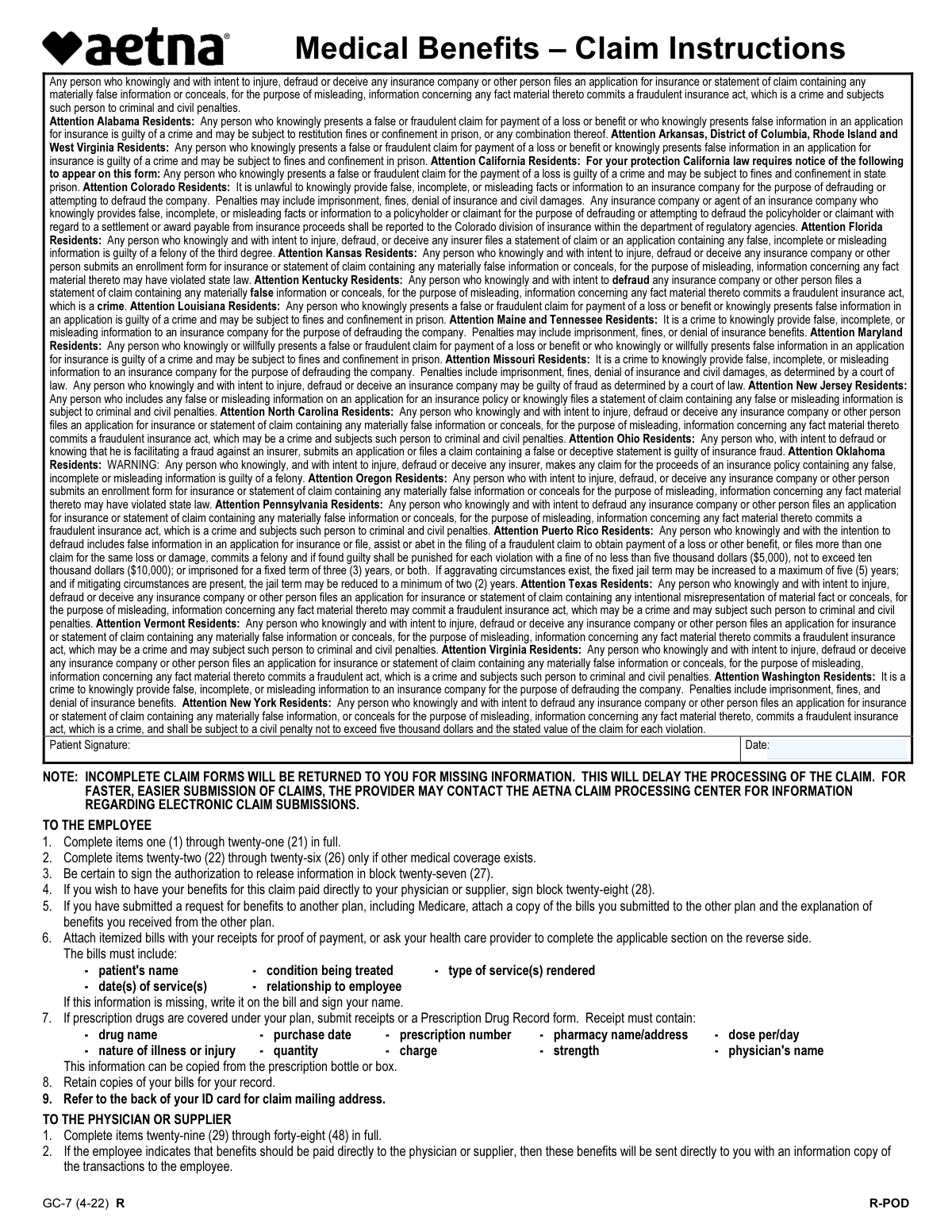
The form has two main parts. The employee or patient must complete items 1 through 28, and the physician or medical supplier must complete items 29 through 48.

You must attach itemized bills from your provider that include the patient's name, dates of service, condition being treated, and type of service. If you have other insurance, also attach the Explanation of Benefits (EOB) you received from that plan.

If your plan covers them, submit prescription receipts that clearly show the drug name, prescription number, purchase date, quantity, charge, and the pharmacy's name and address. This information can often be copied from the prescription bottle or box.

The correct mailing address for submitting your claim is located on the back of your Aetna ID card. Sending the form to the correct address is crucial for timely processing.

Incomplete claim forms will be returned to you to add the missing information. This will unfortunately delay the processing of your claim and any resulting payment.

Signing block 27 authorizes your provider to release medical information to Aetna for processing the claim. Signing block 28 is optional and authorizes Aetna to pay benefits directly to your doctor instead of to you.

You must complete items 22 through 26 if the patient's medical expenses are covered by another health plan, such as a spouse's insurance, Medicare, or no-fault auto insurance. This is necessary for coordinating benefits between the plans.

To have your benefits for this claim paid directly to your physician or supplier, you must sign and date the authorization in block 28. If you do not sign this box, any reimbursement will be sent to you.

For services received abroad, you must complete items 20 and 21, indicating the country and whether the care was for an emergency or was scheduled. Remember to attach all itemized bills and receipts from the foreign provider.

Yes, services like Instafill.ai use AI to help you accurately auto-fill form fields with your saved information. This can save time and reduce the chance of errors on complex forms.

You can upload the PDF of the form to the Instafill.ai platform, where its AI will make the fields interactive. You can then easily type in your information, sign electronically, and download the completed document for submission.

If you have a non-fillable PDF, you can use a service like Instafill.ai to convert it into an interactive, fillable form. This allows you to complete it on your computer without needing to print and fill it out by hand.

Compliance GC-7 (4-22) R
Validation Checks by Instafill.ai

1
Patient and Employee Identity Match for 'Self'
This check verifies that if 'Self' is selected in box 12 (Patient's Relationship to Employee), then the Patient's Name (box 9) and Birthdate (box 11) match the Employee's Name (box 4) and Birthdate (box 5). This is crucial to ensure the claim is processed for the correct individual and that policy data is consistent. A mismatch will cause the claim to be flagged for manual review or rejected for data correction.
2
Conditional Requirement for Retirement Date
This validation ensures that if the 'Retired' status is selected in box 6, the 'Date of Retirement' field is populated with a valid date that occurs before the claim submission date. This information is critical for determining primary insurance coverage, especially in relation to Medicare eligibility. Failure to provide a valid retirement date when required will delay processing until the information is supplied.
3
Conditional Requirement for Accident Details
This check confirms that if 'Yes' is selected for the question 'Is claim related to an accident?' (box 18), then the 'Accident Date' and 'Accident Time' fields are mandatory and must be filled. This information is essential for determining liability and for subrogation purposes, where another insurance policy (like auto or worker's compensation) may be the primary payer. Incomplete accident details will result in the claim being returned.
4
Conditional Requirement for Other Insurance Information
This validation ensures that if 'Yes' is selected in box 22, indicating other insurance coverage exists, then the corresponding details in boxes 23, 24, 25, and 26 are all completed. This is necessary for the Coordination of Benefits (COB) process to correctly determine the payment order between insurers. Missing this information will halt the claim, as the primary payer responsibility cannot be established.
5
Patient Authorization Signature and Date Presence
This check verifies that the 'Patient's or Authorized Person's Signature' in box 27 and the associated 'Date' are both present. This signature is a legal requirement authorizing the release of protected health information to the insurer for claim processing. A missing signature or date makes the claim legally unprocessable due to privacy laws and will lead to immediate rejection.
6
Chronological Validity of Service and Illness Dates
This validation compares the 'Date of Service' in each line of box 40 against the 'Date of Illness (first symptom) or injury' in box 29. The date of service must be on or after the date the condition began. This logical check helps identify data entry errors and ensures that the treatment claimed is for the specified condition, preventing fraudulent or mistaken claims.
7
Logical Chronology of Hospitalization Dates
This check ensures that if hospitalization dates are provided in box 37, the 'Discharged' date is on or after the 'Admitted' date. This is a basic sanity check to ensure the data is logical and the duration of the hospital stay is valid. An illogical date range would cause a processing error and require correction by the provider.
8
Financial Calculation Consistency
This validation verifies that in box 45, the sum of 'Amount paid' and 'Balance due' is exactly equal to the 'Total charge'. This ensures the financial data on the claim is arithmetically sound before payment is calculated. Any discrepancy indicates a billing error that must be corrected by the provider before the claim can be paid.
9
National Provider Identifier (NPI) Format Validation
This check ensures the 'National Provider Identifier' (NPI) in box 47 is a 10-digit number. The NPI is a standard unique identifier for healthcare providers, and a valid, correctly formatted number is required for automated claim processing and provider verification. An invalid NPI format will cause the claim to fail system edits and be rejected.
10
Diagnosis Code Linkage between Diagnosis and Services
This validation confirms that each 'Diagnosis Code' pointer used in the service lines of box 40 corresponds to one of the primary or secondary diagnosis codes listed in box 39. This is critical for establishing the medical necessity of each service provided. A service line linked to an unlisted diagnosis will be denied as not medically justified by the claim form.
11
Birthdate Validity Check
This check ensures that both the 'Employee's Birthdate' (box 5) and 'Patient's Birthdate' (box 11) are valid dates that are not in the future. This is a fundamental data quality check to prevent impossible data entries that would cause errors in eligibility and identity verification. An invalid birthdate will cause the form submission to fail.
12
Physician Signature and Date Presence
This validation confirms that the 'Physician's or Supplier's Signature' in box 46 and the signature 'Date' in box 48 are both present. The physician's signature legally certifies that the services and diagnoses listed are accurate. Without this attestation, the provider's portion of the claim is invalid and the entire claim will be rejected.

Common Mistakes in Completing GC-7 (4-22) R

Missing Required Signatures and Dates

Claimants often overlook one or both of the required signature blocks. Box 27 is mandatory to authorize the release of medical information, while Box 28 is needed to assign payment directly to the provider. Forgetting to sign and date these sections is one of the most common reasons for a claim to be immediately returned, causing significant processing delays. Always double-check that you have signed and dated both Box 27 and Box 28 (if applicable) before submission.

Incomplete Coordination of Benefits Information

When a patient is covered by more than one insurance plan, they often check 'Yes' in Box 22 but fail to completely fill out the details in Boxes 23-26. This missing information about the other policyholder, policy number, and insurance company is critical for determining primary and secondary payment responsibility. Leaving this section blank or incomplete forces the processor to return the claim for more information, delaying payment until all coverage details are clarified.

Failure to Attach Complete Documentation

The instructions clearly state that itemized bills, prescription receipts, and/or Explanation of Benefits (EOB) from other insurers must be attached. A frequent error is submitting the claim form without any of these documents, or attaching documents that are missing required information like diagnosis, date of service, or patient name. This forces a rejection and requires the claimant to resubmit everything, delaying reimbursement. Always gather all required itemized receipts and EOBs before sending the form.

Incorrect or Transposed ID and Policy Numbers

The form requires multiple unique identifiers, including the Policy/Group Number (Box 2), Employee Aetna ID (Box 3), and Patient Aetna ID (Box 10). People frequently transpose digits, enter the wrong number in a field, or confuse the patient's ID with the employee's ID. An incorrect ID can lead to the claim being rejected, misapplied to another account, or denied for 'no coverage found', requiring a lengthy correction process. AI-powered tools like Instafill.ai can help prevent this by saving and accurately auto-filling these complex numbers.

Ignoring Conditional Follow-Up Questions

The form contains several questions that require additional details if answered 'Yes', such as for accidents (Box 18) or patient employment (Box 16). A common mistake is to check 'Yes' but then leave the corresponding detail fields (e.g., accident date/time, employer name/address) blank. This incomplete information prevents the insurer from properly assessing the claim for potential third-party liability (like workers' compensation or auto insurance), leading to processing delays until the missing details are provided.

Confusing Employee and Patient Information

When the patient is a dependent (spouse or child) and not the primary employee, people sometimes mistakenly enter the employee's information in the patient fields (Boxes 9-15) or vice-versa. This creates a mismatch in the system, as the name, birthdate, and ID number will not align for the person who received the service. This error almost always results in an immediate rejection of the claim for a data mismatch, requiring a corrected form to be resubmitted.

Submitting with an Incomplete Provider Section

While the physician or supplier fills out Boxes 29-48, the employee is ultimately responsible for submitting a complete claim. Employees often fail to review the provider's section before mailing the form, not noticing missing diagnosis codes, procedure codes, charges, or the provider's signature and NPI number. An incomplete provider section makes it impossible to adjudicate the claim, which will be returned to the employee, who must then go back to the provider's office to get it completed.

Using the Wrong Mailing Address

The form instructions specify to 'Refer to the back of your ID card for claim mailing address,' but many people miss this and send the form to a generic corporate address found online. Insurance companies use specific P.O. boxes for different departments and plan types to streamline processing. Sending a claim to the wrong address can add weeks to the processing time as it gets manually rerouted internally, or it may even get lost entirely.

Illegible Handwriting on a Printed Form

This form is often provided as a non-fillable PDF, leading people to print it and fill it out by hand. Illegible handwriting for names, addresses, and especially long ID numbers can easily be misread by data entry personnel, causing claim denials due to incorrect information. To avoid this, it is best to fill out the form digitally. Tools like Instafill.ai can convert flat PDFs into fillable forms, allowing you to type information clearly and ensure accuracy.

Incorrect Date Formatting

The form specifies the MM/DD/YYYY format for all date fields, such as birthdates and dates of service. Claimants, particularly those accustomed to international date standards, may accidentally write the date in DD/MM/YYYY format, which can cause significant errors in eligibility checks and service date verification. Using an incorrect format can lead to the system misinterpreting a date, potentially causing an incorrect denial. AI form-fillers can automatically format dates correctly to prevent these errors.
Saved over 80 hours a year

“I was never sure if my IRS forms like W-9 were filled correctly. Now, I can complete the forms accurately without any external help.”

Kevin Martin Green

Your data stays secure with advanced protection from Instafill and our subprocessors

Robust compliance program

Transparent business model

You’re not the product. You always know where your data is and what it is processed for.

ISO 27001, HIPAA, and GDPR

Our subprocesses adhere to multiple compliance standards, including but not limited to ISO 27001, HIPAA, and GDPR.

Security & privacy by design

We consider security and privacy from the initial design phase of any new service or functionality. It’s not an afterthought, it’s built-in, including support for two-factor authentication (2FA) to further protect your account.

Fill out GC-7 (4-22) R with Instafill.ai

Worried about filling PDFs wrong? Instafill securely fills aetna-form-gc-7-4-22-r-medical-benefits-request forms, ensuring each field is accurate.

Related forms by category

Medi-Cal forms Form OWCP-915, Claim for Medical Reimbursement, Form 8994, Employer Credit for Paid Family and Medical Leave, Form OF-178, Certificate of Medical Examination, Form N-648, Medical Certification for Disability Exceptions, U.S. Coast Guard Form CG-719K, Application for Medical Certificate, Form WH-380-E, Certification of Health Care Provider for Employee’s Serious Health Condition under the Family and Medical Leave Act, The Department of Medical Assistance Services Applied Behavior Analysis Preservice Service Authorization Request Form (Effective Dates of Service 09/01/2025 and after), State of Illinois Department of Children and Family Services Medical Report on an Adult in a Child Care Facility (CFS 602), SC ISP-2519, Medical Report for Canada Pension Plan Disability Benefits, Carer Payment and Carer Allowance – Medical Report (SA431) for a child under 16 years, SC ISP-2519, Medical Report for Canada Pension Plan Disability Benefits, Medically Prescribed Treatment (Non-Medication) Form — Provider Treatment Order Form | Office of School Health | School Year 2025–2026, VA Form 10-7959f-2, Foreign Medical Program (FMP) Claim Cover Sheet, ABA Authorization Request (Medi-Cal) – Initial and Concurrent Requests, Department of Medical Assistance Services Applied Behavior Analysis (97155, Et al.) Initial Service Authorization Request Form, Applied Behavior Analysis Concurrent Service Authorization Request Form (CPT Codes 97153, 97154, 97155, 97156, 97157, 97158, 0373T) – Virginia Department of Medical Assistance Services, Department of Medical Assistance Services Enhanced Services Individual Service Plan (ISP) Template, Form DS-1843, Medical History and Examination for Individuals Age 12 and Older, Scheduled Medical Leave of Absence (MLOA) - BLET 13, Admissions Application, School of Diagnostic Imaging, Mills-Peninsula Medical Center · + 40 more →
medical request forms The Department of Medical Assistance Services Applied Behavior Analysis Preservice Service Authorization Request Form (Effective Dates of Service 09/01/2025 and after), Department of Medical Assistance Services Applied Behavior Analysis (97155, Et al.) Initial Service Authorization Request Form, Applied Behavior Analysis Concurrent Service Authorization Request Form (CPT Codes 97153, 97154, 97155, 97156, 97157, 97158, 0373T) – Virginia Department of Medical Assistance Services, Form BWC-1141, Request for Medical Information, Molina Healthcare Prior Authorization Request Form, Provider Pre-Service Organization Determination Request Form, Radiological Services Request (RSR), Radiology Prior Authorization Request Form, Texas Standard Prior Authorization Request Form for Health Care Services, Form CMS-40B, Request for Enrollment in Medicare Part B (Medical Insurance), Form CMS-1490S, Patient's Request for Medical Payment, Blue Shield Promise Durable Medical Equipment (DME) Treatment Authorization Request Form, State of California Form SOC 321, Request for Order and Consent - Paramedical Services, Form CMS-1763, Request for Termination of Premium Hospital and/or Supplementary Medical Insurance, Request to Resolve a Medical Fee Dispute, DD Form 2642, TRICARE DoD/CHAMPUS Medical Claim Patient's Request for Medical Payment, Physician Certification In Support of Medical Excuse Request (Jury), VA Form 0857e, Request for Medical Documentation