Yes! You can use AI to fill out Radiology Prior Authorization Request Form
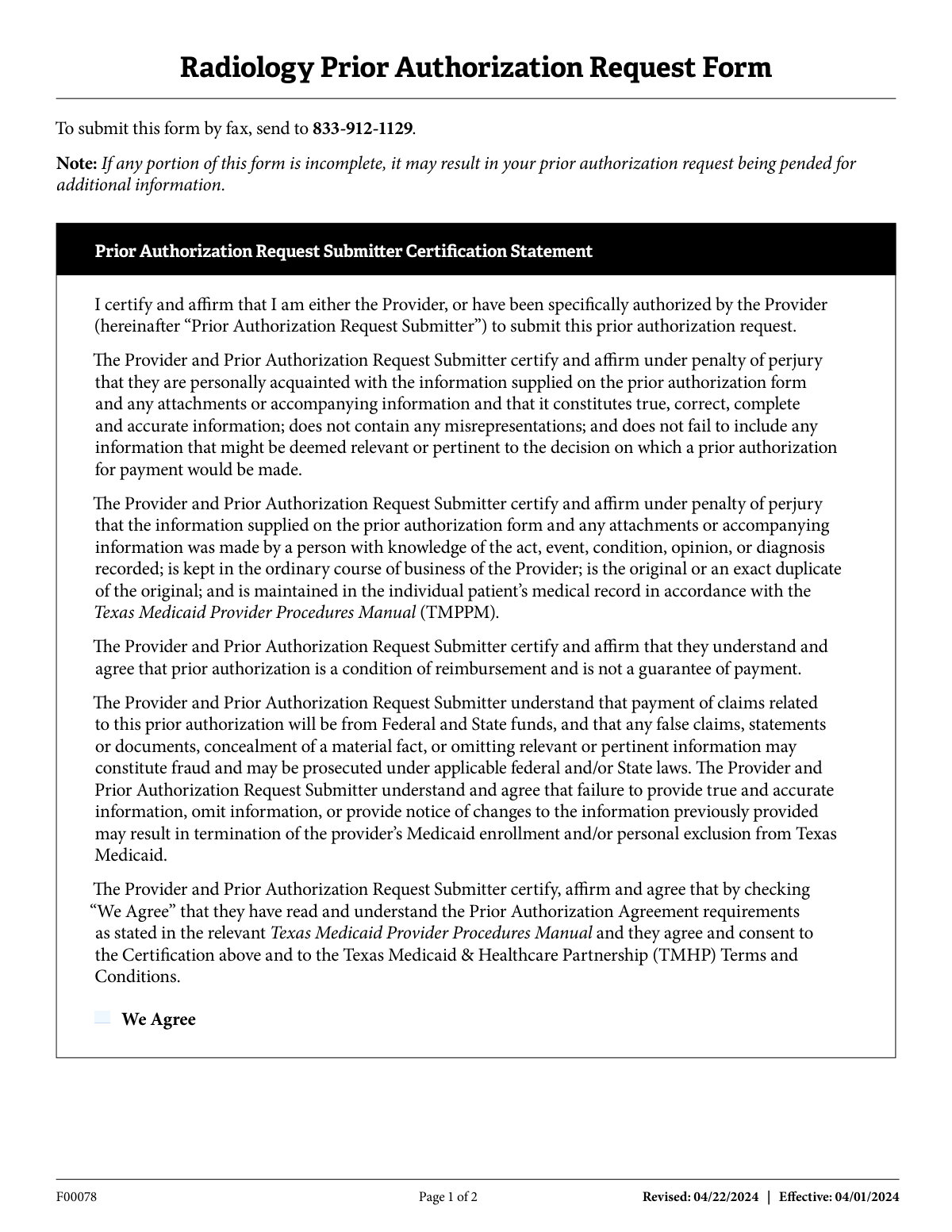
Form F00078, the Radiology Prior Authorization Request Form, is a document required by the Texas Medicaid & Healthcare Partnership (TMHP) for healthcare providers to obtain pre-approval for various imaging services like CT, MRI, and PET scans. Submitting this form is a critical step to ensure that the requested procedures are deemed medically necessary and are eligible for reimbursement under Texas Medicaid. Today, this form can be filled out quickly and accurately using AI-powered services like Instafill.ai, which can also convert non-fillable PDF versions into interactive fillable forms.
Our AI automatically handles information lookup, data retrieval, formatting, and form filling.
It takes less than a minute to fill out F00078 using our AI form filling.
Securely upload your data. Information is encrypted in transit and deleted immediately after the form is filled out.
Form specifications
| Form name: | Radiology Prior Authorization Request Form |
| Number of pages: | 2 |
| Language: | English |
| Categories: | prior authorization forms, authorization forms |
Instafill Demo: How to fill out PDF forms in seconds with AI
How to Fill Out F00078 Online for Free in 2026
Are you looking to fill out a F00078 form online quickly and accurately? Instafill.ai offers the #1 AI-powered PDF filling software of 2026, allowing you to complete your F00078 form in just 37 seconds or less.
Follow these steps to fill out your F00078 form online using Instafill.ai:
- 1 Navigate to Instafill.ai and upload or select the Radiology Prior Authorization Request Form (F00078).
- 2 Use the AI assistant to automatically populate client information, including their name, Medicaid number, and date of birth.
- 3 Enter the details for the rendering facility and the requesting/referring physician, such as names, addresses, NPIs, and taxonomy codes.
- 4 Specify the requested action by checking the appropriate scan type (e.g., CT, MRI) and list the procedure and diagnosis codes.
- 5 Attach or input the clinical documentation that supports the medical necessity for the requested radiology procedure.
- 6 Carefully review all entered information, check the 'We Agree' certification box, and have the authorized physician sign and date the form.
- 7 Securely submit the completed form electronically or download the final document to fax to the number provided.
Our AI-powered system ensures each field is filled out correctly, reducing errors and saving you time.
Why Choose Instafill.ai for Your Fillable F00078 Form?
Speed
Complete your F00078 in as little as 37 seconds.
Up-to-Date
Always use the latest 2026 F00078 form version.
Cost-effective
No need to hire expensive lawyers.
Accuracy
Our AI performs 10 compliance checks to ensure your form is error-free.
Security
Your personal information is protected with bank-level encryption.
Frequently Asked Questions About Form F00078
This form is used by healthcare providers to request pre-approval from Texas Medicaid for specific radiology services, such as CT, MRI, and PET scans, before they are performed on a patient.
The patient's healthcare provider or a person specifically authorized by the provider must complete and submit this form. The submitter must certify that all information provided is true and accurate.
Fields marked with an asterisk (*) are essential, including the client's name and Medicaid number, rendering facility NPI, and requesting physician NPI. If these critical fields are left blank, your request will be returned.
You must include clinical documentation that supports the medical necessity of the procedure. This includes the patient's treatment history, treatment plan, current medications, and the results of any previous imaging.
The completed and signed form should be submitted by fax to 833-912-1129. Ensure all required fields are filled out to avoid delays.
If you leave non-critical fields blank, your request may be pended for additional information, delaying the decision. If you miss any essential fields marked with an asterisk, the entire request will be returned to you.
By checking 'We Agree,' you are legally certifying under penalty of perjury that the information is true, you understand authorization is not a guarantee of payment, and you agree to the terms of the Texas Medicaid & Healthcare Partnership (TMHP).
No, the form explicitly states that prior authorization is a condition for reimbursement but not a guarantee of payment. Payment is still subject to all other Texas Medicaid rules and regulations.
In Section A, check the box for 'Update/change codes from original PA request' and provide the necessary updated information in the relevant fields of the form.
The 'Rendering Facility' is the clinic or hospital where the radiology scan will actually be performed. The 'Requesting/Referring Physician' is the doctor who ordered the scan for the patient.
Providing false information may be considered fraud and can be prosecuted under federal and state laws. It can also result in the termination of the provider's Medicaid enrollment and personal exclusion from the program.
Yes, services like Instafill.ai use AI to accurately auto-fill form fields from your records, which can save significant time and reduce errors.
You can use a service like Instafill.ai to fill out the form online. Simply upload the PDF, and the platform will allow you to type directly into the fields, save your progress, and print for faxing.
If you have a non-fillable or 'flat' PDF, you can upload it to a service like Instafill.ai. It will automatically convert the document into an interactive, fillable form for you to complete online.
Compliance F00078
Validation Checks by Instafill.ai
1
Ensures All Critical Fields Are Completed
This validation checks that all fields marked with an asterisk (*) are filled out. The form explicitly states that if these essential/critical fields are not completed, the prior authorization request will be returned. This check is the first line of defense against incomplete submissions, preventing processing delays and automatic rejections.
2
Validates Certification Agreement Checkbox
This check ensures the 'We Agree' checkbox under the Submitter Certification Statement is marked. This is a legal and compliance requirement, affirming that the submitter understands the terms, conditions, and penalties for submitting false information. Failure to agree makes the entire submission invalid.
3
Verifies At Least One Action is Requested
This validation confirms that at least one checkbox under 'Please check the appropriate action requested' (e.g., CT Scan, MRI Scan) has been selected. Without a selected action, the purpose of the request is unknown, making it impossible to process. An error would prompt the user to specify the type of radiology service being requested.
4
Validates National Provider Identifier (NPI) Format
This check verifies that both the Rendering Facility's NPI and the Requesting Physician's NPI are exactly 10 digits long and are valid numbers. A proper NPI is crucial for correctly identifying providers for billing and regulatory purposes. The validation might also include a checksum test (like the Luhn algorithm) to catch typographical errors, preventing claim rejections due to invalid provider identification.
5
Ensures Date of Service Logical Consistency
This validation ensures the 'To' date of service is on or after the 'From' date of service. A 'To' date that precedes the 'From' date is a logical impossibility and indicates a data entry error. This check prevents nonsensical date ranges from being submitted, which would require manual correction and delay authorization.
6
Validates Client Date of Birth Format and Plausibility
This check ensures the client's 'Date of Birth' is a valid, real date in the past and follows the expected format (e.g., MM/DD/YYYY). It confirms the patient is not recorded with a future birthdate, which is a clear error. This is critical for correctly identifying the patient and determining age-related medical necessity criteria.
7
Validates Medicaid Number Presence and Format
This check confirms that the 'Medicaid Number' field is not empty and conforms to the specific format required by Texas Medicaid. The Medicaid number is the primary identifier for the client within the system, and an incorrect or missing number will result in an immediate failure to find the patient's records. This validation is essential for linking the request to the correct client.
8
Ensures Clinical Justification is Provided
This validation verifies that the 'Clinical documentation' text area is not empty. This section provides the medical necessity justification for the requested procedure, including history, treatment plans, and previous results. An empty justification field means the reviewer has no information on which to base an approval, leading to a pend or denial for more information.
9
Validates Rendering Facility ZIP+4 Format
This check ensures the 'ZIP+4' for the rendering facility is in a valid format, such as '#####' or '#####-####'. A correct ZIP code is essential for accurately identifying the facility's location and for mail correspondence. This simple format check reduces errors that could lead to misidentification of the service location.
10
Verifies Presence of Requested Procedures
This validation ensures the 'Procedures Requested' field is not left blank. This field should contain the specific CPT or service codes for the requested imaging. Without this information, the authorization body does not know what specific services to approve, making the request incomplete and un-processable.
11
Validates Taxonomy Code Format
This check verifies that the required 'Taxonomy' code for the rendering facility follows the standard 10-character alphanumeric format. Taxonomy codes are used to classify the type, classification, and specialization of health care providers. An invalid or missing code can lead to processing or payment issues, so ensuring its correct format is crucial for system integration.
12
Ensures Signature Date is Present and Valid
This validation confirms that the 'Date' field next to the physician's signature is filled with a valid date. This date establishes when the physician attested to the medical necessity of the request. The check ensures the date is not in the future and is logically consistent with the service dates, providing a clear timeline for the request.
Common Mistakes in Completing F00078
Submitters often overlook the certification checkbox on the first page, focusing only on the data fields on page two. Failure to check this box means you have not legally attested to the accuracy of the information, rendering the entire submission invalid. To avoid this, always review the form from the very beginning and ensure all required agreements and certifications are checked before proceeding to the data entry sections.
The form clearly marks essential fields with an asterisk (*), stating that incomplete forms will be returned. Rushing through the form can lead to accidentally skipping a critical field like the Rendering Facility NPI or the client's Date of Birth. This mistake guarantees the form will be sent back, delaying the prior authorization process. Using a tool like Instafill.ai can help prevent this by highlighting required fields and ensuring they are completed before submission.
In the 'Clinical documentation' section, staff may only enter the diagnosis without providing the required supporting details like treatment history, prior imaging results, and why the specific scan is medically necessary now. This lack of detail is a primary reason for denials, as it fails to build a case for the procedure. Always provide a comprehensive clinical narrative that clearly justifies the request, following the prompts in the form.
These specific identification codes are prone to data entry errors, such as transposing digits or using a personal NPI instead of a group NPI. An incorrect code for either the rendering facility or the requesting physician will cause a data mismatch in the payer's system, leading to the request being pended or rejected. It is crucial to verify these codes against a master record before entry; AI-powered tools like Instafill.ai can store and accurately populate this information to prevent such errors.
The form specifically requests the 'ZIP+4' format for both the rendering facility and the requesting physician. Many people are accustomed to only entering the standard 5-digit ZIP code, causing a data format error. This can lead to processing delays or issues with automated address validation. Always look up and include the full nine-digit ZIP code as requested to ensure compliance.
A handwritten signature is a legal requirement for this attestation, but forms are often submitted without the physician's signature, printed name, or the date of signature. This immediately invalidates the request. Ensure the requesting physician or practitioner signs, prints their name legibly, and dates the form before it is faxed. If the form is a non-fillable PDF, a tool like Instafill.ai can convert it to a fillable version where a digital signature can be applied more easily.
Simple typos in the client's name, a transposed digit in the Medicaid Number, or an incorrect Date of Birth are very common. Any mismatch between the information on the form and the data in the Texas Medicaid system will result in a failure to identify the patient, causing an immediate rejection. Carefully double-check all client information for accuracy before submission to prevent these easily avoidable delays.
Users may enter dates in an incorrect format (e.g., DD-MM-YYYY instead of MM/DD/YYYY), or mistakenly put a 'To' date that is earlier than the 'From' date. This can also occur when requesting a single day of service and incorrectly filling out the 'To' date field. These errors cause logical inconsistencies that will get the form flagged or returned. Always use the MM/DD/YYYY format and verify that the date range is logical for the requested procedure.
In the 'Procedures Requested' field, staff might write a general description like 'MRI of the brain' instead of the specific CPT code(s) for the procedure. This ambiguity forces the reviewer to guess or pend the request for clarification, slowing down the approval process. To avoid this, always use the precise, billable CPT codes for the requested radiology services.
The form has separate sections for the facility performing the scan and the doctor who ordered it, both of which require NPI and other details. It's a frequent mistake to accidentally copy information from one section to the other, such as putting the physician's NPI in the facility's NPI field. This data mix-up leads to validation failures and rejection. Carefully complete each section with the correct corresponding information to ensure a smooth process.
Saved over 80 hours a year
“I was never sure if my IRS forms like W-9 were filled correctly. Now, I can complete the forms accurately without any external help.”
Kevin Martin Green
Your data stays secure with advanced protection from Instafill and our subprocessors

Robust compliance program
Transparent business model
You’re not the product. You always know where your data is and what it is processed for.
ISO 27001, HIPAA, and GDPR
Our subprocesses adhere to multiple compliance standards, including but not limited to ISO 27001, HIPAA, and GDPR.
Security & privacy by design
We consider security and privacy from the initial design phase of any new service or functionality. It’s not an afterthought, it’s built-in, including support for two-factor authentication (2FA) to further protect your account.
Fill out F00078 with Instafill.ai
Worried about filling PDFs wrong? Instafill securely fills radiology-prior-authorization-request-form forms, ensuring each field is accurate.