
Yes! You can use AI to fill out JFS 01443, Request for Payment for Special Services for Children in Out-of-Home Care
Don't type 23 fields by hand. Tell our AI about yourself, or upload a document you already have, and it fills every field in seconds. You check it, then download, print or sign.
The AI does the filling. You just check it.
No typing into boxes, nothing to install.
What this form asks for
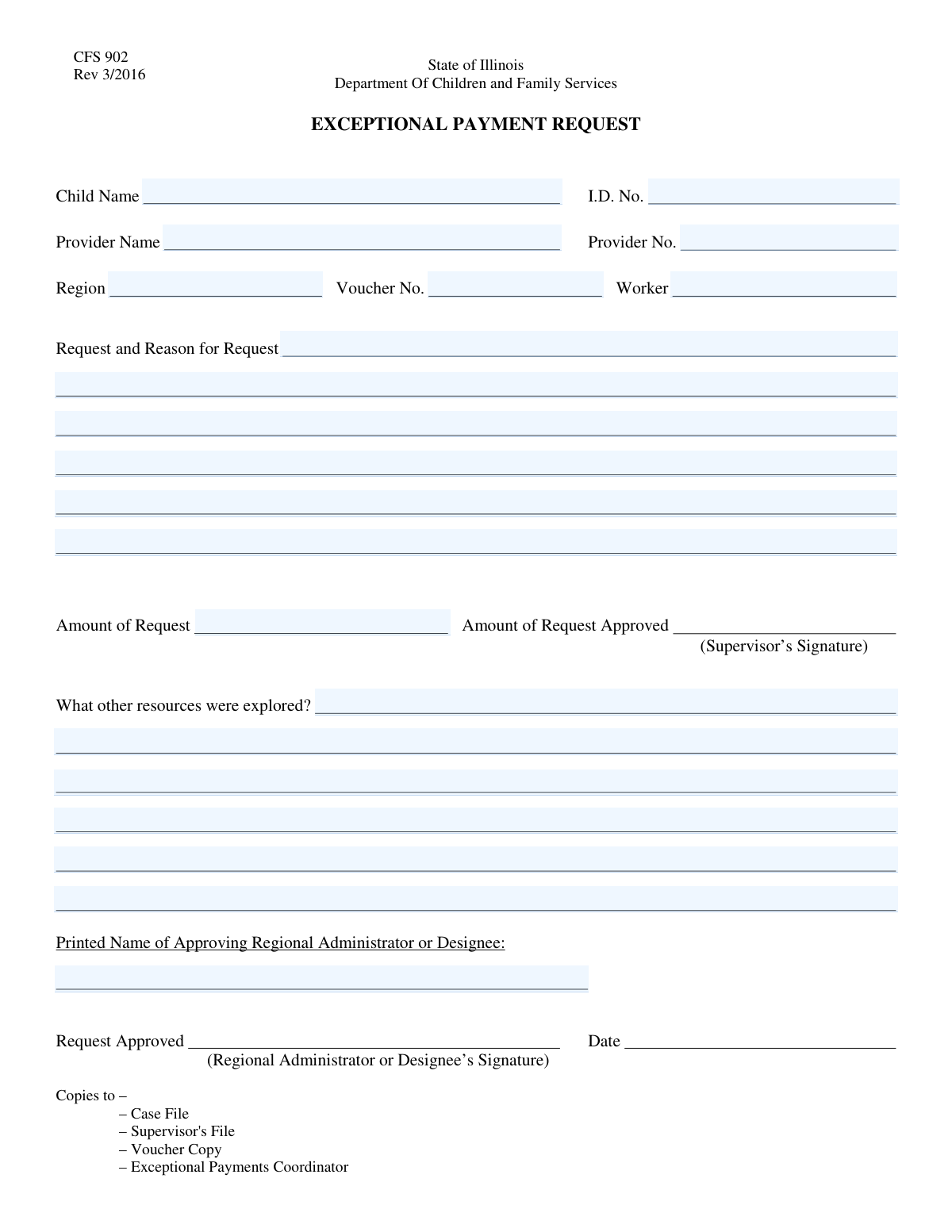
The AI fills all of it, from your answers or your documents.
The AI checks your answers before you download
14 checks built for this form, so a wrong date or a missing answer is caught before anyone else sees it.
This check ensures the 'Child Name' field is not left empty. It is a mandatory field required to identify the beneficiary of the service or payment. A failed validation will prevent form submission and prompt the user to enter the child's full name before proceeding.
Verifies that the 'Child ID Number' follows a specific, predefined format, such as being a 9-digit numeric value. This ensures data consistency and compatibility with backend systems for accurate record-keeping and lookups. If the format is incorrect, an error message will be displayed explaining the required structure.
Validates that the 'Provider Number' exists within the system's database of registered providers. This is crucial for ensuring payments are directed to legitimate and active service providers. A failure indicates the number is incorrect or the provider is not registered, and the user must correct it to continue.
Ensures the value entered in the 'Region' field matches an entry from a predefined list of valid administrative regions. This prevents data entry errors and ensures the request is routed to the correct administrative office for processing. An invalid entry will result in an error and may present the user with a list of valid options.
Checks that the 'Voucher Number' adheres to a specific alphanumeric pattern (e.g., 'VCH-' followed by 8 digits). Standardizing this format is essential for tracking, auditing, and preventing fraudulent entries. The system will reject submissions with incorrectly formatted voucher numbers and inform the user of the correct format.
This validation ensures that the 'Request and Reason for Request' field contains a detailed explanation by checking for a minimum character count. A brief or empty reason can delay processing as it lacks sufficient justification for the request. If the explanation is too short, the user will be prompted to provide more detail.
And 8 more checks
- Amount of Request Format and Range
- Resources Explored Completeness Check
- Approving Administrator Name Completeness
- Child ID and Name Consistency Check
- Provider Number and Name Consistency Check
- Worker and Region Association
- Voucher Number Uniqueness Validation
- Approving Administrator Authorization Check
Let AI fill out your JFS 01443
No typing. Every field filled in seconds, checked, ready to sign.
How to Fill Out JFS 01443 Online for Free in 2026
What the AI walks you through.
- Navigate to Instafill.ai and upload your JFS 01443 form or select it from our template library.
- Use the AI assistant to automatically fill in the Child and Provider Information sections, including names and ID numbers.
- Complete the Administrative Details, such as the region, voucher number, and worker's name, letting the AI guide you to the correct fields.
- Provide a detailed explanation for the request, the amount requested, and a summary of other resources that were explored.
- Review all entered information for accuracy and completeness before proceeding to the final step.
- Enter the printed name of the approving administrator or designee to authorize the request.
- Securely sign and submit the completed form directly from the platform or download it for your records.
Common Mistakes in Completing JFS 01443
The ones the AI is built to catch.
Using an Incomplete or Informal Child Name
Transposing Digits in ID or Voucher Numbers
Providing a Vague 'Reason for Request'
Leaving 'Resources Explored' Blank or Underdeveloped
Using Abbreviations for the Provider Name
Incorrectly Formatting the 'Amount of Request'
Guessing Administrative Details like 'Region' or 'Worker'
Misinterpreting the 'Approving Administrator' Field
Reusing an Old or Invalid Voucher Number
Manual Data Entry Errors on a Non-Fillable PDF
Frequently Asked Questions About JFS 01443
Is it really free for 7 days?
Can I fill other forms too?
How do I cancel?
How does the AI fill out JFS 01443?
What happens to my information?
How complex is JFS 01443 to fill out?
What is the purpose of this form?
Who is responsible for filling out this form?
Where can I find the Child ID Number and Provider Number?
What should I write in the 'Request and Reason for Request' section?
What kind of information is needed for the 'Resources Explored' section?
What if I don't have a Voucher Number when filling out the form?
What do the extra text fields like 'Text8' and 'Text9' mean?
Who is the 'Approving Administrator/Designee'?
How do I submit this form and what is the processing time?
Can I use an AI tool to help me fill out this form?
How can I fill out this form online using Instafill.ai?
The PDF I have is just a scanned image and isn't fillable. What can I do?
Get your JFS 01443 filled out by AI
$0 today. Cancel before Nov 10 and you pay nothing.
Other forms like this one
CAR forms: Form SSA-44, Medicare Income-Related Monthly Adjustment Amount - Life-Changing Event, Form I-90, Application to Replace Permanent Resident Card, Form 2441, Child and Dependent Care Expenses, Form WH-380-E, Certification of Health Care Provider, Form 4137, Social Security and Medicare Tax on Unreported Tip Income, Form 8959, Additional Medicare Tax, Form 8919, Uncollected Social Security and Medicare Tax, Form CMS-1763, Request for Termination of Medicare Coverage, Form CMS-855O, Medicare Enrollment Application, Form CMS-460, Medicare Participation Agreement, Form CMS-4040, Request for Enrollment in Medicare Part B, Form WH-380-F, Certification of Health Care Provider, Form W-10, Dependent Care Provider’s Identification, Form 1099-K, Payment Card and Third Party Network Transactions, Form CMS-40B, Application for Enrollment in Medicare Part B, Form SS-5-FS, Application for a Social Security Card, Form REG 195, Disabled Person Placard, Form AR-11, Alien's Change of Address Card, Form I-905, Application for Authorization to Issue Certification for Health Care Workers, Form I-131A, Application for Carrier Documentation
child care forms: Form 2441, Child and Dependent Care Expenses, California Department of Social Services (CDSS) Community Care Licensing Child Care Forms Packet (LIC 9150, LIC 282, LIC 627, LIC 700, LIC 995A, CDPH 286, LIC 9227), State of Illinois Department of Human Services (IDHS) – Bureau of Child Care and Development Child Care Application (Form IL444-3455), State of Illinois Department of Children and Family Services Medical Report on an Adult in a Child Care Facility (CFS 602), Carer Payment and Carer Allowance – Medical Report (SA431) for a child under 16 years, Pennsylvania Application for Subsidized Child Care (CY 868), Form OCFS-6001, Child Care Provider, Staff, Volunteer and Household Member Information, Form T-3, Children with Special Health Care Needs (CSHCN) Services Program Application, Physician's Report for Child Care, Relationship and Child Care Arrangement Details Form, Level of Care (LOC) Assessment for Children in Foster Care, Intact Family Services Child Care Referral Form, Department of Children and Family Services (DCFS) Day Care Service Eligibility Application, Authorization for Background Check for Child Care, Form AD 838, Statement of Monies Paid for 24-Hour Care of Children, Superior Court of New Jersey Certification in Support of Request for Excuse from Jury Service: Personal Obligation to Provide Care for Minor Child(ren)
L.A. Care forms: Form SSA-44, Medicare Income-Related Monthly Adjustment Amount - Life-Changing Event, Form 2441, Child and Dependent Care Expenses, Form WH-380-E, Certification of Health Care Provider, Form 4137, Social Security and Medicare Tax on Unreported Tip Income, Form 8959, Additional Medicare Tax, Form 8919, Uncollected Social Security and Medicare Tax, Form CMS-1763, Request for Termination of Medicare Coverage, Form CMS-855O, Medicare Enrollment Application, Form CMS-460, Medicare Participation Agreement, Form CMS-4040, Request for Enrollment in Medicare Part B, Form WH-380-F, Certification of Health Care Provider, Form W-10, Dependent Care Provider’s Identification, Form CMS-40B, Application for Enrollment in Medicare Part B, Form I-905, Application for Authorization to Issue Certification for Health Care Workers, DHS-6696-ENG, Minnesota Health Care Programs Application (MNsure/DHS), California Department of Social Services (CDSS) Community Care Licensing Child Care Forms Packet (LIC 9150, LIC 282, LIC 627, LIC 700, LIC 995A, CDPH 286, LIC 9227), State of Illinois Department of Human Services (IDHS) – Bureau of Child Care and Development Child Care Application (Form IL444-3455), Form CH-006: PA-BH-Res-PCS, Oregon Behavioral Health Support Program Plan of Care Authorization (Plan of Care Request for Behavioral Health Residential or Personal Care Services), State of Illinois Department of Children and Family Services Medical Report on an Adult in a Child Care Facility (CFS 602), Carer Payment and Carer Allowance – Medical Report (SA431) for a child under 16 years
payment forms: Form 5405, Repayment of First-Time Homebuyer Credit, Form 1127, Application for Extension of Time for Payment of Tax Due to Undue Hardship, Form 1099-G, Certain Government Payments, Form 1099-K, Payment Card and Third Party Network Transactions, Form 1099-Q, Payments From Qualified Education Programs, Form SSA-8, Application for Lump-Sum Death Payment, Form 1845-0163, Borrower Defense to Repayment Application, application-and-contract-for-electric-facilities-w, Carer Payment and Carer Allowance – Medical Report (SA431) for a child under 16 years, Income-Driven Repayment (IDR) Plan Request (PAYE, IBR, and ICR) — William D. Ford Federal Direct Loan (Direct Loan) Program and Federal Family Education Loan (FFEL) Programs (OMB No. 1845-0102), Fidelity NetBenefits Distribution - Recurring Payments, Electronic Dividend and Interest Payment Authorization Form, Vanguard Super Apply for a financial hardship payment, Special Tax Notice Regarding Plan Payments, Empower Loan Payment Change Request Form, Empower Retirement Payment Request Form, Empower 401(k) Loan Prepayment Request Form, Special Tax Notice Regarding Plan Payments, Transamerica Automatic Payment Authorization, Excess Withdrawal Request and Form W-4R, Withholding Certificate for Nonperiodic Payments and Eligible Rollover Distributions
Let AI fill out your JFS 01443
Your trial starts once a card is added. You pay nothing before Nov 10.
Our AI already knows this form, all 23 fields of it. Skip the typing: tell it about yourself, or upload what you have, and it fills the whole form in seconds.
- AI fills every field on the form, checkboxes included
- No typing into boxes: answer a few questions, or upload a document you already have, an old copy of this form, a photo of a document
- The AI checks the answers; you review and change anything before you download
- Download the finished PDF, print it, or sign it online
- Encrypted, and never used to train AI
Cancel before Nov 10 and you pay nothing.
A card is needed to start the trial. Cancel in two clicks from your account.
Terms · Privacy