Yes! You can use AI to fill out Charles Schwab PCRA Self-Directed Brokerage Account
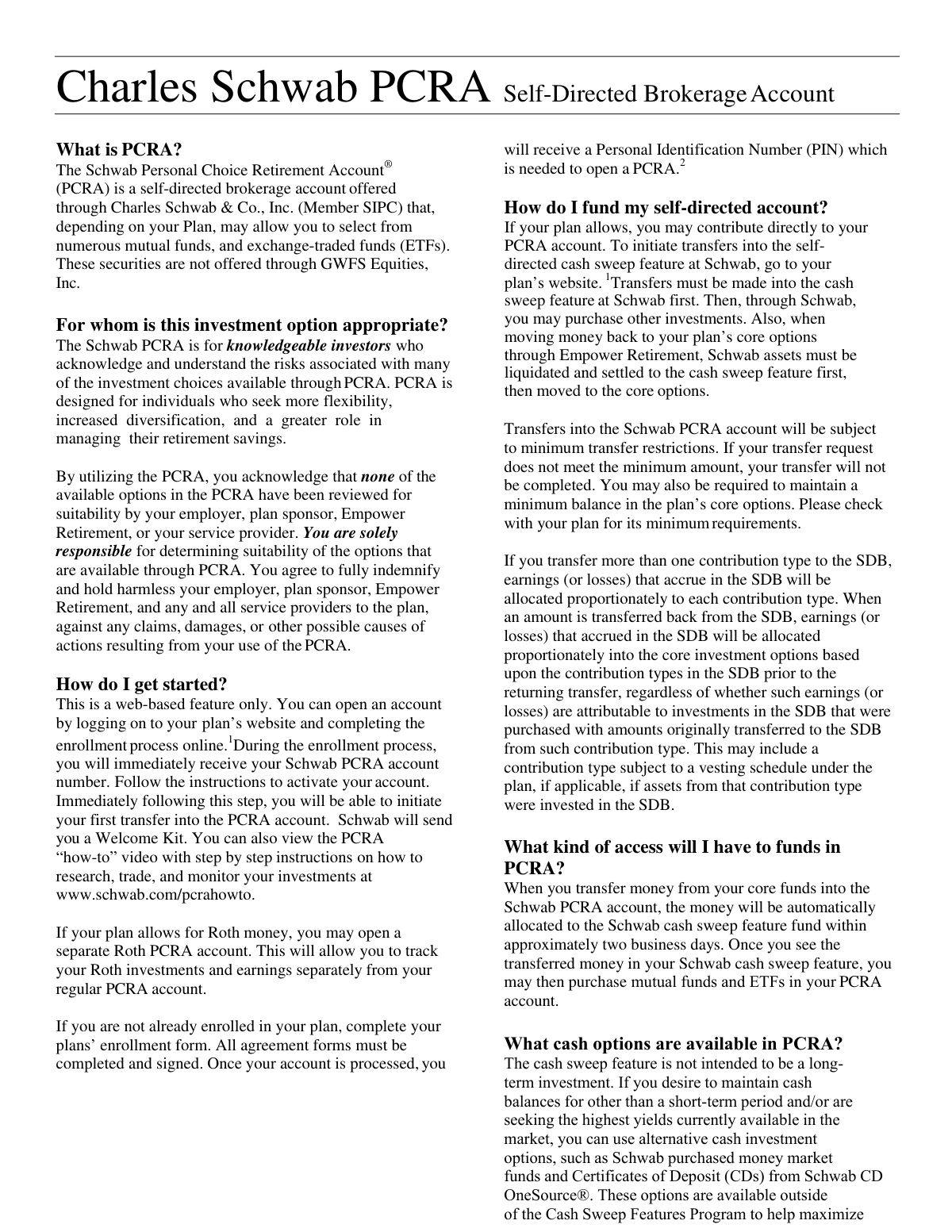
The Charles Schwab Personal Choice Retirement Account (PCRA) is a self-directed brokerage account designed for knowledgeable investors seeking greater flexibility and control over their retirement investments. It allows individuals to invest in a wide range of securities beyond their standard plan options, such as mutual funds and ETFs. Today, this form can be filled out quickly and accurately using AI-powered services like Instafill.ai, which can also convert non-fillable PDF versions into interactive fillable forms.
Charles Schwab PCRA is part of the
Schwab forms, brokerage forms, Charles Schwab forms, broker forms, CRA forms and brokerage account forms categories on Instafill.
Rather not fill this in by hand? Instafill is an online form filler that completes PDF forms automatically — upload the blank form, answer a few questions, and the AI fills every field.
Form specifications
| Form name: | Charles Schwab PCRA Self-Directed Brokerage Account |
| Number of pages: | 1 |
| Language: | English |
Our AI automatically handles information lookup, data retrieval, formatting, and form filling.
It takes less than a minute to fill out Charles Schwab PCRA using our AI form filling.
Securely upload your data. Information is encrypted in transit and deleted immediately after the form is filled out.
Instafill Demo: How to fill out PDF forms in seconds with AI
How to Fill Out Charles Schwab PCRA Online for Free in 2026
Are you looking to fill out a CHARLES SCHWAB PCRA form online quickly and accurately? Instafill.ai offers the #1 AI-powered PDF filling software of 2026, allowing you to complete your CHARLES SCHWAB PCRA form in just 37 seconds or less.
Follow these steps to fill out your CHARLES SCHWAB PCRA form online using Instafill.ai:
- 1 Navigate to Instafill.ai and upload or select the Charles Schwab PCRA application form.
- 2 Provide your personal information, such as your full name, address, date of birth, and Social Security Number.
- 3 Enter details about your existing retirement plan to link with the new PCRA.
- 4 Specify your initial funding instructions, including the amount and source of the transfer into the PCRA cash sweep feature.
- 5 Review all the information automatically populated by the AI to ensure accuracy and completeness.
- 6 Electronically sign the application and follow the final instructions to submit it to Charles Schwab and your plan administrator.
Our AI-powered system ensures each field is filled out correctly, reducing errors and saving you time.
Why Choose Instafill.ai for Your Fillable Charles Schwab PCRA Form?
Speed
Complete your Charles Schwab PCRA in as little as 37 seconds.
Up-to-Date
Always use the latest 2026 Charles Schwab PCRA form version.
Cost-effective
No need to hire expensive lawyers.
Accuracy
Our AI performs 10 compliance checks to ensure your form is error-free.
Security
Your personal information is protected with bank-level encryption.
Frequently Asked Questions About Charles Schwab PCRA
A PCRA is a self-directed brokerage account offered through your retirement plan that allows you to invest in a wider range of options, such as mutual funds and ETFs, beyond your plan's core funds.
A PCRA is designed for knowledgeable investors who understand the associated risks, seek more investment flexibility, and want to take a more active role in managing their retirement savings.
You can open an account online by logging into your retirement plan’s website and completing the enrollment process. You will receive your account number immediately and a Welcome Kit from Schwab will follow.
You must first initiate a transfer from your plan’s website into the Schwab cash sweep feature. Once the money is in the cash sweep feature, you can then use it to purchase other investments through Schwab.
First, you must liquidate your investments within the PCRA and wait for the proceeds to settle into your Schwab cash sweep feature. Then, use your plan’s website to transfer the cash from the sweep feature back to your core investment options.
No, direct distributions or loans from the PCRA are not permitted. You must first transfer the necessary cash amount from your PCRA back to your plan’s core investment options before requesting a payout.
You are solely responsible for determining the suitability of the investment options available through the PCRA. Neither your employer, plan sponsor, nor Empower Retirement reviews these options for suitability.
Yes, transfers into the PCRA are subject to minimum transfer restrictions, and your plan may also require you to maintain a minimum balance in your core options. Please check with your plan for its specific minimum requirements.
You will receive quarterly statements from Empower Retirement and separate monthly statements directly from Charles Schwab. Note that balances may differ slightly due to different reporting period end dates.
A beneficiary is not authorized to trade or directly access the PCRA account. Beneficiaries should contact the plan’s toll-free number for assistance with the account.
Yes, if your plan allows for Roth money, you can open a separate Roth PCRA account. This allows you to track your Roth investments and earnings separately from your regular PCRA account.
Yes, services like Instafill.ai use AI to accurately auto-fill form fields, which can save you time and help reduce errors on enrollment or other related plan forms.
You can use a service like Instafill.ai to easily fill out your forms online. Simply upload the form, and the AI will help you complete the necessary fields before you download the finished document.
If you have a non-fillable PDF, you can use Instafill.ai to convert it into an interactive, fillable form. This allows you to type your information directly into the fields instead of printing and filling it out by hand.
Compliance Charles Schwab PCRA
Validation Checks by Instafill.ai
1
Ensures Acknowledgement of PCRA Risks and Responsibilities
This validation confirms that the user has checked a box or otherwise affirmed their understanding that they are solely responsible for the suitability of investments and agree to indemnify the plan sponsor. This is a critical legal requirement to protect the employer and plan providers from liability. Failure to acknowledge will prevent the user from completing the enrollment process.
2
Verifies Transfer Amount Meets Plan's Minimum Requirement
This check validates that any transfer request from the core plan into the Schwab PCRA meets the minimum transfer amount specified by the retirement plan. This rule prevents numerous small, inefficient transactions. If the requested amount is below the minimum, the transfer will be rejected and the user will be notified of the required minimum.
3
Blocks Direct Distribution or Loan Requests from PCRA
This validation enforces the rule that distributions, payouts, or loans cannot be taken directly from the PCRA. The system must check that any withdrawal request originates from the plan's core options, not the PCRA. If a user attempts a direct withdrawal, the request will be blocked with a message explaining that funds must first be transferred back to the core account.
4
Verifies Sufficient Funds in Core Options for Payout Request
When a user requests a payout or withdrawal, this check confirms that the cash balance in their plan's core options is sufficient to cover the requested amount. This is crucial because direct payouts from the PCRA are not allowed. If the core balance is insufficient, the request will be canceled or processed for a smaller amount, and the user will be notified.
5
Validates Personal Identification Number (PIN) for Account Access
This check ensures the PIN entered by the user during enrollment matches the one issued by Empower Retirement for their plan. A valid PIN is required to access the plan's website and initiate the PCRA enrollment process. If the PIN is incorrect, the user will be denied access and cannot proceed with opening the account.
6
Ensures Inbound Transfers Target the PCRA Cash Sweep Feature
This validation confirms that any transfer of funds into the PCRA is directed specifically to the Schwab cash sweep feature, as required. Users cannot transfer money directly into a specific mutual fund or ETF from their core plan. The system should default or lock the destination to the cash sweep account to ensure compliance with the funding process.
7
Restricts Trading and Account Management for Beneficiaries
This check identifies if the logged-in user is a beneficiary rather than the primary account owner. Based on the rule that a beneficiary is not authorized to trade, the system must disable all trading and account management functions. This is a critical security and compliance measure to prevent unauthorized actions on the account.
8
Validates Plan Eligibility for Roth PCRA Account Creation
This check verifies that the user's retirement plan allows for Roth contributions before permitting the creation of a separate Roth PCRA account. This prevents the creation of accounts that cannot be funded or are non-compliant with the plan's rules. If the plan does not support Roth money, the option to open a Roth PCRA will be disabled or an error will be shown.
9
Confirms Sufficient Funds in Core Account for PCRA Transfer
This validation ensures that the amount a user wishes to transfer into their PCRA does not exceed the available balance in their plan's core investment options. This prevents overdraft situations and failed transactions. If funds are insufficient, the transfer request will be denied, and the user will be prompted to enter a lower amount.
10
Validates 'Transfer All' Command for Full PCRA Liquidation
This check is triggered when a user selects the 'Transfer All' option to move all funds from the PCRA back to the core account. The system must verify this action initiates a full liquidation of all PCRA holdings, including a process to handle residual dividends or interest. This ensures the account is fully cleared as intended by the user's single command.
11
Verifies Plan Allowance for In-Kind Rollovers
Before allowing a user to request an in-kind rollover of PCRA securities, this check confirms that their specific retirement plan permits this type of transaction. Not all plans support this feature, so verifying eligibility prevents users from initiating a process that is not allowed. If the plan does not allow it, the option should be hidden or disabled.
12
Validates Required Minimum Distribution (RMD) Fund Sufficiency
This check is specifically for processing RMDs. It verifies if there are sufficient funds in the plan's core options to satisfy the distribution amount. If funds are insufficient, it triggers a critical alert or automated process, as the form states the PCRA account may be liquidated to cover the RMD, preventing non-compliance with federal regulations.
Common Mistakes in Completing Charles Schwab PCRA
A frequent error is trying to take a distribution or loan directly from the Schwab PCRA. The form specifies this is not allowed; funds must first be liquidated, transferred back to the plan's core options, and only then can a payout be requested from the core plan. This mistake results in canceled requests and significant delays in accessing money.
Investors often try to transfer money from their main retirement plan directly into a specific mutual fund or ETF within the PCRA. However, the process requires all incoming transfers to first land in the Schwab cash sweep feature. Failing to follow this two-step process will cause the transfer to be rejected, delaying the investment.
Users often overlook their plan's specific rules regarding the minimum amount required for a transfer into the PCRA or the minimum balance that must be maintained in their core retirement account. Attempting a transfer below the minimum will cause it to fail, while drawing the core account balance too low can also block the transaction. This leads to failed transfers and requires the user to restart the process.
Moving money out of the PCRA is a multi-step process involving different platforms, and users often miss a step. For example, they might forget to liquidate securities on Schwab's site before trying to transfer cash on the plan's website, or they wait for an insufficient amount of time for trades to settle. This procedural confusion results in failed transactions and frustration.
When enrolling in the underlying retirement plan, applicants may forget to complete all fields or sign all required agreement forms before they can open a PCRA. This is a primary cause of processing delays, as the application is rejected and returned for correction. If any part of the process involves a PDF, tools like Instafill.ai can convert it into a fillable form and help ensure all required fields are completed.
A user correctly initiates a transfer from their PCRA back to their core account but then immediately requests a withdrawal from the core account. Because it takes several business days for funds to settle, the core account shows insufficient funds, causing the payout request to be canceled. It is crucial to wait for confirmation that the transfer is complete before requesting a distribution.
The PCRA involves both the plan administrator (e.g., Empower) and the broker (Schwab), each with distinct functions. Users frequently contact the wrong entity, such as calling Schwab about plan loan rules or calling Empower to execute a trade within the PCRA. This miscommunication leads to wasted time and being redirected, delaying the user's intended action.
Upon enrollment, a new Schwab PCRA account number is generated, which must be used for funding. A simple but common data entry error is mistyping this number when setting up transfers, which can cause them to fail or be misdirected. AI-powered form filling tools like Instafill.ai can help prevent such errors by securely storing and accurately populating this information for future use.
After an account holder's death, a beneficiary may try to log in to the PCRA to manage or liquidate assets. The rules explicitly state that beneficiaries are not authorized to trade and must contact the plan's main service number for assistance. Attempting direct access will result in being locked out and will delay the settlement of the estate.
The documentation notes that if a plan allows for Roth contributions, a separate Roth PCRA account is required. A common misunderstanding is attempting to transfer both Roth and pre-tax money into a single PCRA. This creates significant accounting and tax compliance issues that are difficult to correct later.
Saved over 80 hours a year
“I was never sure if my IRS forms like W-9 were filled correctly. Now, I can complete the forms accurately without any external help.”
Kevin Martin Green
Your data stays secure with advanced protection from Instafill and our subprocessors




Robust compliance program
Transparent business model
You’re not the product. You always know where your data is and what it is processed for.
ISO 27001, HIPAA, and GDPR
Our subprocesses adhere to multiple compliance standards, including but not limited to ISO 27001, HIPAA, and GDPR.
Security & privacy by design
We consider security and privacy from the initial design phase of any new service or functionality. It’s not an afterthought, it’s built-in, including support for two-factor authentication (2FA) to further protect your account.
Fill out Charles Schwab PCRA with Instafill.ai
Worried about filling PDFs wrong? Instafill securely fills charles-schwab-pcra-self-directed-brokerage-account forms, ensuring each field is accurate.
