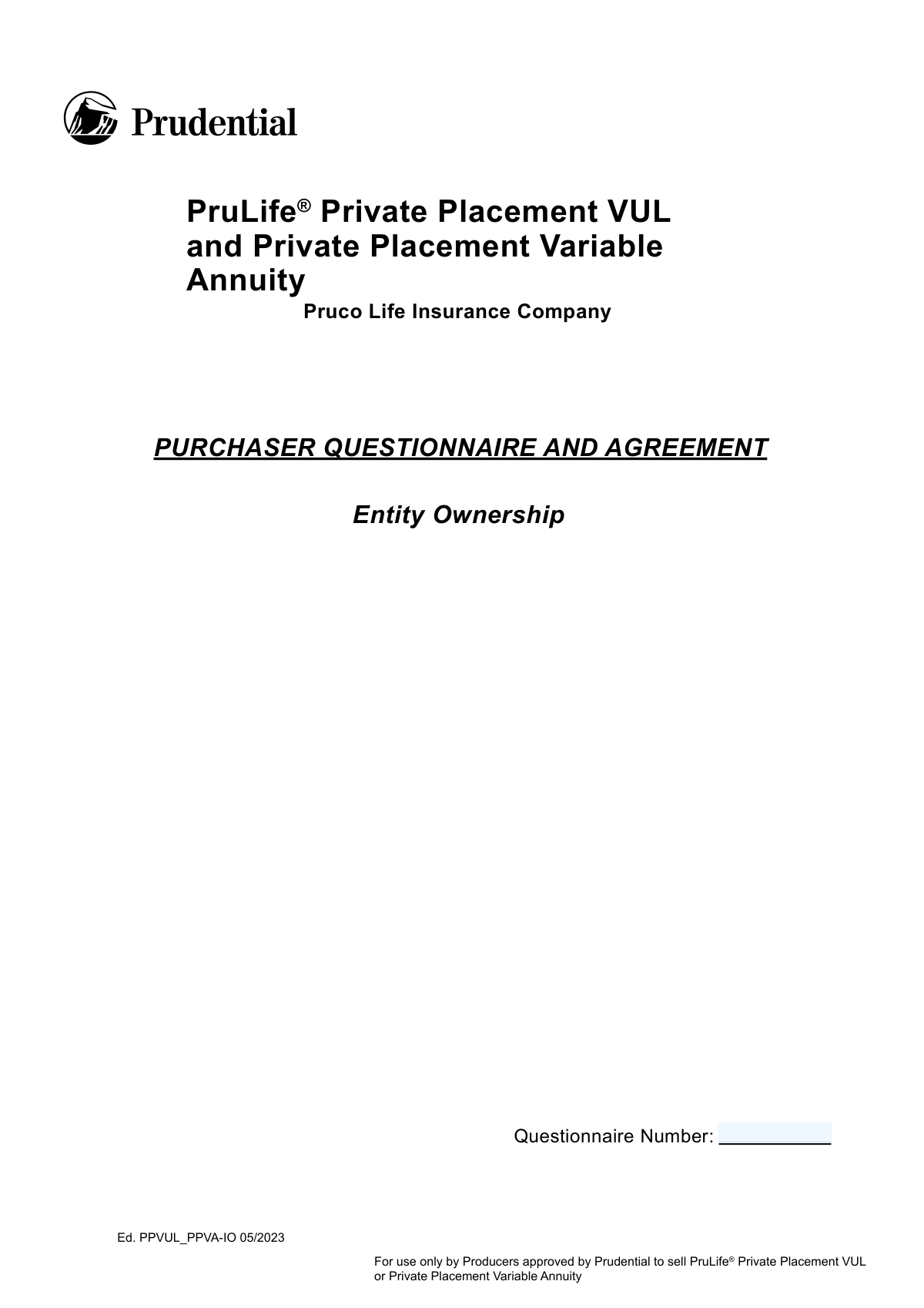
Yes! You can use AI to fill out PruLife Private Placement VUL and Private Placement Variable Annuity Purchaser Questionnaire and Agreement
This form, officially the PruLife Private Placement VUL and Private Placement Variable Annuity Purchaser Questionnaire and Agreement, is issued by Pruco Life Insurance Company. Its purpose is to gather detailed financial information to verify that a potential purchaser meets the strict definitions of an 'Accredited Investor' and a 'Qualified Purchaser' as required by securities law for private placement products. Today, this form can be filled out quickly and accurately using AI-powered services like Instafill.ai, which can also convert non-fillable PDF versions into interactive fillable forms.
Our AI automatically handles information lookup, data retrieval, formatting, and form filling.
It takes less than a minute to fill out PPVUL_PPVA-IO 05/2023 using our AI form filling.
Securely upload your data. Information is encrypted in transit and deleted immediately after the form is filled out.
Form specifications
| Form name: | PruLife Private Placement VUL and Private Placement Variable Annuity Purchaser Questionnaire and Agreement |
| Number of pages: | 1 |
| Language: | English |
| Categories: | insurance forms, life insurance forms, Prudential forms, annuity forms |
Instafill Demo: How to fill out PDF forms in seconds with AI
How to Fill Out PPVUL_PPVA-IO 05/2023 Online for Free in 2026
Are you looking to fill out a PPVUL_PPVA-IO 05/2023 form online quickly and accurately? Instafill.ai offers the #1 AI-powered PDF filling software of 2026, allowing you to complete your PPVUL_PPVA-IO 05/2023 form in just 37 seconds or less.
Follow these steps to fill out your PPVUL_PPVA-IO 05/2023 form online using Instafill.ai:
- 1 Navigate to Instafill.ai and upload or select the Purchaser Questionnaire and Agreement form.
- 2 Use the AI assistant to accurately complete Section A with the purchaser's general entity information, such as name, tax ID, and organization details.
- 3 Proceed to Section B and initial the appropriate descriptions to confirm the entity's status as an 'Accredited Investor'.
- 4 In Section C, initial the items that describe the entity's status as a 'Qualified Purchaser', providing details for family businesses, corporations, or trusts as applicable.
- 5 Complete the Balance Sheet in Exhibit A by providing detailed financial information on assets and liabilities to calculate the entity's net worth.
- 6 Carefully review all representations and warranties in Section D, then initial and sign the document to certify the accuracy of the information provided.
- 7 Download, print, or securely share the completed and signed questionnaire directly from the platform.
Our AI-powered system ensures each field is filled out correctly, reducing errors and saving you time.
Why Choose Instafill.ai for Your Fillable PPVUL_PPVA-IO 05/2023 Form?
Speed
Complete your PPVUL_PPVA-IO 05/2023 in as little as 37 seconds.
Up-to-Date
Always use the latest 2026 PPVUL_PPVA-IO 05/2023 form version.
Cost-effective
No need to hire expensive lawyers.
Accuracy
Our AI performs 10 compliance checks to ensure your form is error-free.
Security
Your personal information is protected with bank-level encryption.
Frequently Asked Questions About Form PPVUL_PPVA-IO 05/2023
This form is used by Pruco Life Insurance Company to determine if you meet the specific financial requirements to be considered an 'Accredited Investor' and a 'Qualified Purchaser.' This qualification is necessary to be eligible for their Private Placement VUL or Private Placement Variable Annuity products.
A separate questionnaire must be completed by all 'Purchasers.' This includes the proposed policy owner, any individuals or entities making premium payments, and anyone making investment decisions for the policy.
No, this questionnaire is not an application for insurance or an agreement to issue a policy. It is a preliminary step to determine your eligibility, and the company is not obligated to offer or sell you a policy even if you qualify.
You need to provide general information about the purchasing entity, initial all applicable categories to confirm your status as an Accredited Investor and Qualified Purchaser, and complete a detailed Balance Sheet (Exhibit A).
In Section B (Accredited Investor) and Section C (Qualified Purchaser), you must carefully read the descriptions and initial the space next to every item that applies to you or your entity. If you are unsure, you should consult your lawyer or accountant.
The Balance Sheet is required to document your assets and liabilities, helping the company verify that you meet the financial requirements to be an Accredited Investor and a Qualified Purchaser. You must list assets like cash, securities, and real estate, as well as corresponding liabilities.
'Total Assets' on the Balance Sheet are used to determine Accredited Investor status and include a broad range of assets. 'Qualified Investments,' as defined in Exhibit B, are a more specific list of investment-focused assets used to determine Qualified Purchaser status and exclude items like your primary residence or personal property.
You must notify the company immediately if you no longer qualify as an Accredited Investor and Qualified Purchaser. The company may then restrict payments, require you to exchange the policy for a different product, or force you to surrender the policy.
Yes, but there are specific conditions. The form states that if an entity was formed for this purpose, each of its beneficial owners must also be a Qualified Purchaser and complete their own separate questionnaire.
By signing Section D, you are confirming the accuracy of your information, acknowledging the investment risks, and agreeing to notify the company of any changes to your financial status. You also agree to the company's right to take action if you cease to qualify.
Yes, you can use AI-powered services like Instafill.ai to help you accurately auto-fill your information into the form fields. This can save you time and help reduce errors.
You can use a service like Instafill.ai to fill out this form online. Simply upload the PDF to their platform, and their AI will help you populate the fields with your information before you download the completed document.
If your PDF is a flat, non-fillable scan, you can use a tool like Instafill.ai. Their service can convert non-fillable PDFs into interactive, fillable forms that you can easily complete on your computer.
The form advises that if you have any questions about your qualifications or the information requested, you should consult with your own lawyer or accountant for assistance.
Compliance PPVUL_PPVA-IO 05/2023
Validation Checks by Instafill.ai
1
Validates Tax ID Format
This check ensures that the 'Tax I.D.' field in Section A is entered in a valid format for a US Employer Identification Number (EIN), which is typically XX-XXXXXXX. This is crucial for correct legal and tax identification of the purchasing entity. A failure in this validation would prevent form submission until the format is corrected, avoiding downstream processing errors and ensuring regulatory compliance.
2
Ensures Year of Organization is a Valid Past Year
This validation confirms that the 'Year of Organization' in Section A is a valid four-digit year and is not a future year. This check prevents data entry errors and ensures the entity legally existed prior to filling out the questionnaire. If the year is invalid or in the future, the form will display an error, as an entity cannot enter into an agreement before it is formed.
3
Conditional Requirement for Trust-Specific Questions
This check enforces a conditional logic rule based on the 'Legal Form of Entity' in Section A. If the entity is identified as a 'Trust', then questions 8, 9, 10, and 11 must be answered. This is important because these questions are critical for determining the trust's eligibility and purpose, which affects its qualification status. Failure to answer these questions for a trust will halt the submission process.
4
Accredited Investor Status Confirmation
This validation verifies that the purchaser has initialed at least one of the categories (A through M) in Section B to certify their status as an 'Accredited Investor'. This certification is a fundamental prerequisite for purchasing the policy, as stated in the form's instructions. If no category is initialed, the form is considered incomplete and cannot be processed, as the purchaser has not attested to meeting the minimum legal requirement.
5
Qualified Purchaser Status Confirmation
This check ensures that the purchaser has initialed at least one of the primary certification items in Section C (e.g., 1.A, 2.A, or 3.A) to confirm their status as a 'Qualified Purchaser'. Similar to the Accredited Investor status, this is a non-negotiable requirement for eligibility. The submission will be blocked if no relevant item is initialed, as it indicates a failure to meet the investment criteria defined by the Investment Company Act of 1940.
6
Conditional Requirement for Qualified Trust Information
This validation triggers if the purchaser certifies as a 'Qualified Trust' by initialing item 3.A in Section C. It then ensures that the names of the Trustee/Decision Maker(s) in field 3.C and the Grantor/Person(s) Contributing Assets in field 3.D are provided. This information is essential for verifying that all relevant parties to the trust are themselves Qualified Purchasers. An incomplete entry would render the certification invalid.
7
Presence of Private Offering Memorandum (POM) Details
This check confirms that the purchaser has filled in the 'number' and 'dated' fields for the Private Placement Offering Memorandum (POM) in Section D, item 6. This acknowledgment is critical as it serves as proof that the purchaser has received and reviewed the key offering documents. An omission here would imply the purchaser cannot legally attest to understanding the investment, its terms, and its risks, making the entire agreement invalid.
8
Completion of All Mandatory Initial Fields
This validation scans the document to ensure that all fields explicitly marked 'INITIAL HERE' have been completed by the purchaser, specifically in the Introduction and at the end of Section D. These initials signify understanding and agreement with critical sections of the questionnaire. Missing any of these initials invalidates the representations made and will prevent the form from being accepted.
9
Valid and Complete Signature Date
This check verifies that the execution date at the end of the document is fully completed ('Day of' and '20__') and represents a valid, non-future calendar date. An accurate execution date is legally required to establish when the agreement was signed. The validation prevents incomplete or nonsensical dates, ensuring the legal enforceability of the document.
10
Balance Sheet Date Presence and Validity
This validation ensures that the 'As of' date on the Exhibit A Balance Sheet is provided and is a valid date that is not in the future. The balance sheet is a snapshot of financial health at a specific point in time, and this date is essential for context and verification. A missing or future date would make the financial data meaningless and unacceptable for qualification purposes.
11
Balance Sheet Asset Summation Accuracy
This check performs a calculation to verify that the value entered in the 'Total Assets' field in Exhibit A is the correct sum of all the individual asset line items above it. This ensures the mathematical accuracy of the financial statement provided by the purchaser. If the sum is incorrect, it raises questions about the reliability of the financial data and will require correction before the form can be approved.
12
Balance Sheet Net Worth Calculation Accuracy
This validation confirms that the 'Net Worth' field in Exhibit A is correctly calculated by subtracting 'Total Liabilities' from 'Total Assets'. Net worth is a key metric for determining if an entity meets the 'Accredited Investor' financial thresholds. An incorrect calculation could lead to a wrongful qualification or disqualification, so accuracy is paramount for compliance.
Common Mistakes in Completing PPVUL_PPVA-IO 05/2023
This form requires initials in multiple locations, such as the introduction, Sections B, C, and D, to acknowledge understanding of key terms and agreements. Applicants often overlook these small checkboxes or initial fields, especially in dense legal text. A missing initial can render a section or the entire agreement invalid, causing processing delays or outright rejection until the omission is corrected.
Applicants frequently misinterpret the complex legal definitions of 'Accredited Investor' (Section B) and 'Qualified Purchaser' (Section C), initialing a category for which their entity does not qualify. This often happens when they fail to consult with a legal or financial advisor. An incorrect declaration is a serious misrepresentation that can lead to the application being denied and may have future legal consequences if discovered after the policy is issued.
The balance sheet in Exhibit A is a common source of errors, including mathematical mistakes in calculating total assets, liabilities, or net worth. Applicants may also use outdated asset valuations or forget to list all relevant liabilities, leading to an inflated net worth. These inaccuracies can jeopardize the entire application, as the financial statement is critical for verifying the entity's investor status.
This questionnaire is for an entity (e.g., a trust, corporation, partnership), not an individual. A frequent mistake is entering personal details like a Social Security Number instead of the entity's Tax ID, or the name of the person filling out the form instead of the legal name of the purchasing entity. This fundamental error causes confusion and requires correction, delaying the application process.
Applicants often fail to distinguish between general assets and 'Qualified Investments' as defined in Exhibit B. They may incorrectly include the value of personal residences, art, or jewelry when determining if they meet the $5 million or $25 million Qualified Purchaser thresholds. This miscalculation leads to a false declaration of status and will result in the application's failure upon review.
The form specifies that if the purchasing entity is a certain type of trust or partnership, each grantor, equity owner, or decision-maker must complete a separate questionnaire. Applicants often miss this requirement, noted with asterisks in Section B and in the notes of Section C. Submitting only the main entity's form without these required ancillary documents results in an incomplete application package that cannot be processed.
In Section D, item 6, the applicant must provide the number and date of the Private Placement Offering Memorandum (POM) they received. This field is often left blank because the applicant may not have the document handy or may not realize its importance. Omitting this information fails to confirm receipt of required disclosures and will halt the application until the details are provided.
The signature page must be executed by an individual with the legal authority to bind the entity, such as a designated trustee or corporate officer. A common mistake is having a beneficiary, an investment advisor without signing authority, or another unauthorized person sign the document. An improper signature invalidates the agreement and requires the form to be re-executed by the correct party.
Section A contains several critical yes/no questions (items 8-11) specifically for trusts regarding their formation purpose and beneficiary control. Applicants sometimes skip these or answer without understanding their implications for 'investor control' rules. Incorrect answers can raise red flags about the policy's structure and tax treatment, leading to further scrutiny or rejection. AI-powered tools like Instafill.ai can highlight these required conditional fields to ensure they are not missed.
An applicant might provide conflicting information, such as stating in Section A that a trust was formed for the specific purpose of acquiring the policy, but then certifying in Section C that it was not. Such contradictions create ambiguity and undermine the credibility of the submission. This often happens when different individuals contribute to filling out the form or due to a lack of careful review before submission. Since this form is a non-fillable PDF, using a tool like Instafill.ai can convert it into a smart, fillable version that can help cross-reference answers to prevent such inconsistencies.
Saved over 80 hours a year
“I was never sure if my IRS forms like W-9 were filled correctly. Now, I can complete the forms accurately without any external help.”
Kevin Martin Green
Your data stays secure with advanced protection from Instafill and our subprocessors

Robust compliance program
Transparent business model
You’re not the product. You always know where your data is and what it is processed for.
ISO 27001, HIPAA, and GDPR
Our subprocesses adhere to multiple compliance standards, including but not limited to ISO 27001, HIPAA, and GDPR.
Security & privacy by design
We consider security and privacy from the initial design phase of any new service or functionality. It’s not an afterthought, it’s built-in, including support for two-factor authentication (2FA) to further protect your account.
Fill out PPVUL_PPVA-IO 05/2023 with Instafill.ai
Worried about filling PDFs wrong? Instafill securely fills prulife-private-placement-vul-and-private-placement-variable-annuity-purchaser-questionnaire-and-agreement forms, ensuring each field is accurate.