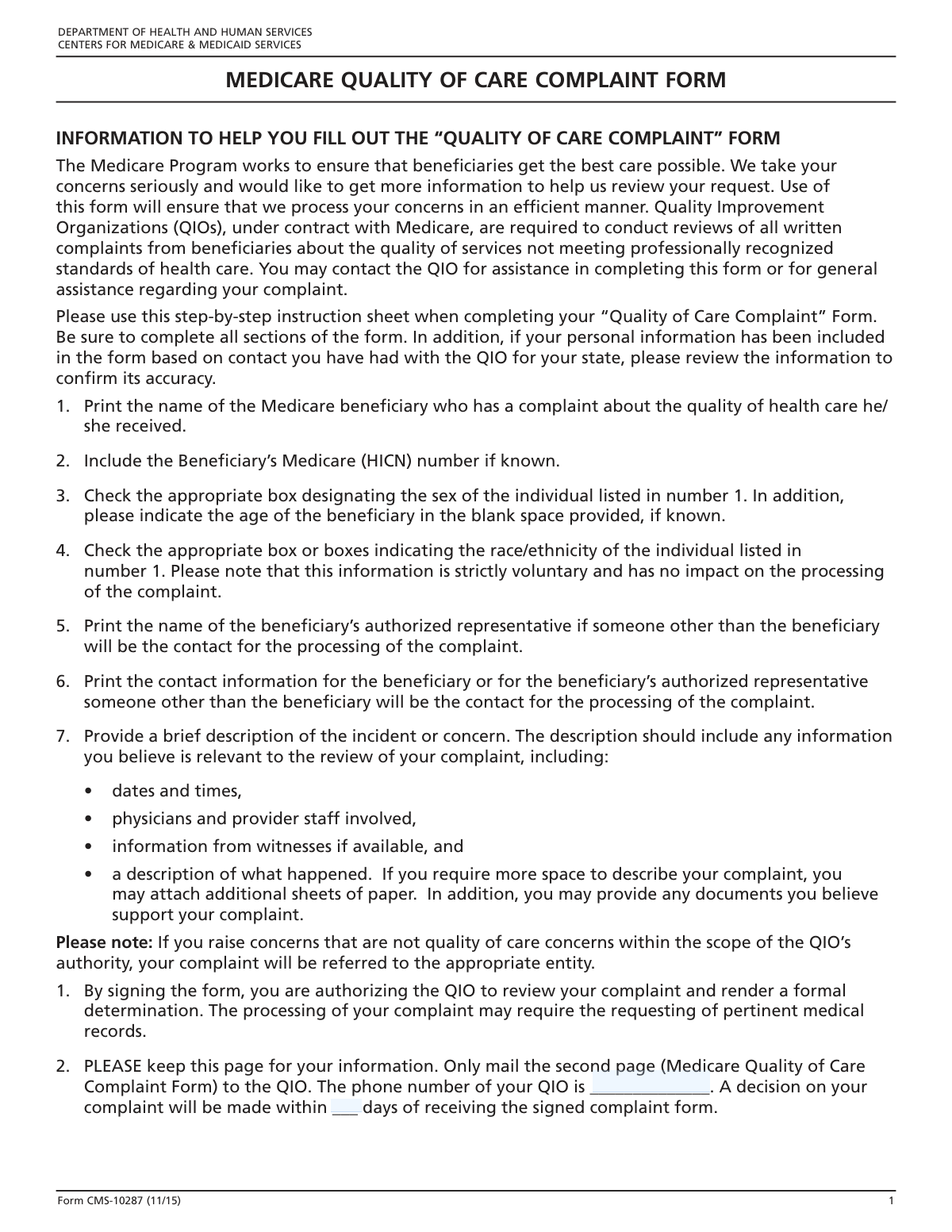
Yes! You can use AI to fill out Form CMS-10287, Medicare Beneficiary Complaint Form

Form CMS-10287, the Medicare Beneficiary Complaint Form, is a crucial document for Medicare beneficiaries who wish to report concerns about the quality of care they have received from a provider. By submitting this form to their state's Quality Improvement Organization (QIO), beneficiaries can initiate a formal review of their medical treatment, helping to ensure healthcare standards are upheld. Today, this form can be filled out quickly and accurately using AI-powered services like Instafill.ai, which can also convert non-fillable PDF versions into interactive fillable forms.
Our AI automatically handles information lookup, data retrieval, formatting, and form filling.
It takes less than a minute to fill out CMS-10287 using our AI form filling.
Securely upload your data. Information is encrypted in transit and deleted immediately after the form is filled out.

Form specifications

Form name: Form CMS-10287, Medicare Beneficiary Complaint Form
Number of fields: 29
Number of pages: 3
Language: English
Categories: beneficiary forms, CAR forms, CMS forms, Medicare forms, L.A. Care forms
main-image

Instafill Demo: How to fill out PDF forms in seconds with AI

How to Fill Out CMS-10287 Online for Free in 2026

Are you looking to fill out a CMS-10287 form online quickly and accurately? Instafill.ai offers the #1 AI-powered PDF filling software of 2026, allowing you to complete your CMS-10287 form in just 37 seconds or less.
Follow these steps to fill out your CMS-10287 form online using Instafill.ai:
  1. 1 Navigate to Instafill.ai and upload your Form CMS-10287, or select it from their library of templates.
  2. 2 Enter the beneficiary's personal details, including their full name, Medicare Number (HICN), date of birth, and race/ethnicity.
  3. 3 Provide the primary contact information for the beneficiary or their authorized representative, including address and phone numbers.
  4. 4 Write a detailed description of your complaint, including dates, times, persons involved, and a clear account of your concerns about the quality of care.
  5. 5 Indicate your consent for identity revelation during the review and for your contact information to be shared for satisfaction surveys.
  6. 6 Carefully review all the information you've entered for accuracy, then electronically sign and date the form to certify its contents.
  7. 7 Download the completed form and submit it to the appropriate Quality Improvement Organization (QIO) as instructed on the form.

Our AI-powered system ensures each field is filled out correctly, reducing errors and saving you time.

Why Choose Instafill.ai for Your Fillable CMS-10287 Form?

Speed

Complete your CMS-10287 in as little as 37 seconds.

Up-to-Date

Always use the latest 2026 CMS-10287 form version.

Cost-effective

No need to hire expensive lawyers.

Accuracy

Our AI performs 10 compliance checks to ensure your form is error-free.

Security

Your personal information is protected with bank-level encryption.

Frequently Asked Questions About Form CMS-10287

This form is used by Medicare beneficiaries to file a formal written complaint with their Quality Improvement Organization (QIO) about the quality of care they have received from a healthcare provider.

A Medicare beneficiary who has a concern about the quality of their medical care should fill out this form. An authorized representative can also complete it on the beneficiary's behalf.

A QIO, or Quality Improvement Organization, is a group of health experts that works to improve care for Medicare beneficiaries. You can find your state's QIO contact information on the official Medicare website or by calling 1-800-MEDICARE.

Your Medicare Number, also known as the Health Insurance Claim Number (HICN), is printed on your red, white, and blue Medicare card.

You should provide a detailed account of the incident, including specific dates, times, the names of any individuals involved, and a clear explanation of what happened and why you are concerned.

If you do not consent to revealing your identity, the QIO cannot review your issue as a formal written beneficiary complaint. However, they may still choose to conduct a general quality of care review based on the information you provide.

After the QIO receives your signed complaint form, they will contact you within a specified number of days to acknowledge receipt and begin the review process.

The form indicates that a decision will be made within a specific number of days after the QIO receives your signed complaint. Refer to the 'FOR YOUR INFORMATION' section on the form for the exact timeframe.

No, you can fill out the form yourself as the beneficiary. The authorized representative section is only necessary if someone else is legally designated to act on your behalf.

This gives the QIO permission to share your contact information with an independent organization that conducts surveys about your experience with the complaint process. Your choice does not affect the outcome of your complaint.

Yes, services like Instafill.ai use AI to accurately auto-fill form fields from your saved profile, which can save you time and help prevent errors.

You can use a service like Instafill.ai to upload the form, fill it out on your computer or phone, and then download or print the completed document for submission.

If you have a non-fillable PDF, you can upload it to a platform like Instafill.ai. It can convert the flat PDF into an interactive, fillable form that you can easily complete online.

Compliance CMS-10287
Validation Checks by Instafill.ai

1
Medicare Number Format Validation
This check ensures the Medicare Number (HICN) follows the specific format required by CMS, which is typically a 9-digit number followed by a letter or a letter and a number. Validating the format helps prevent data entry errors and ensures the beneficiary can be correctly identified in the system. A failure in this validation would prevent form submission and prompt the user to correct the number.
2
Beneficiary Name Completeness
This validation confirms that the 'Beneficiary Name' field is not empty and contains at least two words, representing a first and last name. This is a critical field for identifying the individual the complaint is about. If this field is left blank, the form cannot be processed, and the user will be required to enter the beneficiary's full name.
3
Exclusive Sex Selection
This check verifies that only one of the 'Male' or 'Female' checkboxes is selected. This is a logical validation to ensure data integrity for the beneficiary's demographic information. If both or neither are selected, the system should prompt the user to make a single, valid selection before proceeding.
4
Date of Birth Logical Validity
This validation ensures the 'Date of Birth' is a valid date in the past and is not a future date. It also checks that the age is plausible for a Medicare beneficiary (e.g., over a certain age and not excessively old). This prevents typographical errors and ensures the submitted data is logical and accurate. An invalid date would trigger an error message asking the user to enter a correct date.
5
Primary Contact Address Completeness
This check verifies that the 'Street/Apartment', 'City', 'State', and 'ZIP Code' fields are all filled out for the primary contact. A complete address is essential for sending physical correspondence regarding the complaint. If any part of the address is missing, the user will be prompted to complete the information to ensure the QIO can successfully contact them.
6
ZIP Code Format Validation
This validation ensures the 'ZIP Code' field contains a valid 5-digit or 9-digit (ZIP+4) numeric format. Correct ZIP code formatting is crucial for mail delivery and data standardization. An incorrectly formatted ZIP code would cause a validation failure, requiring the user to re-enter the value in the correct format.
7
State and ZIP Code Consistency
This check cross-references the entered 'State' and 'ZIP Code' to ensure they are a valid combination. For example, a ZIP code for California (e.g., 90210) should not be paired with the state of New York. This validation prevents misdirected mail due to data entry errors and improves the overall quality of address data. A mismatch would result in an error asking the user to review the city, state, and ZIP code fields.
8
Primary Phone Number Format
This check ensures the 'Phone Number' field under 'Primary Contact Information' is in a valid 10-digit US phone number format (e.g., XXX-XXX-XXXX or (XXX) XXX-XXXX). This is the primary method for verbal communication about the complaint, so its accuracy is vital. If the format is invalid, the system will reject the entry and ask the user to provide a valid phone number.
9
Complaint Description Presence
This validation verifies that the 'Complaint Description' text area is not empty. The description is the most critical part of the form, as it details the actual issue being reported. Without a description, the complaint has no substance and cannot be reviewed, so submission is blocked until this field is filled.
10
Identity Revelation Consent Selection
This check ensures that the user has selected either 'Yes' or 'No' for the question 'May we reveal your identity during the review of your complaint?'. A choice is mandatory to proceed, as it dictates how the QIO is permitted to handle the complaint. Failure to select an option will halt submission and require the user to make a choice.
11
Warning for 'No' on Identity Revelation
This is a specific logical check that triggers a warning if the user selects 'No' for identity revelation. The form states this choice prevents a review as a written beneficiary complaint, which is a significant consequence. This validation would present a confirmation dialog to the user, explaining the implication of their choice and asking them to confirm before proceeding, ensuring they understand the outcome.
12
Date Signed is Not in the Future
This validation confirms that the 'Date Signed' is not a future date. A signature date must be on or before the current date to be legally and logically valid. This prevents accidental errors and ensures the timeline of the complaint submission is accurate. If a future date is entered, the user will be prompted to enter a valid date.
13
Alternate Phone Number Uniqueness
This check ensures that if an 'Alternate Phone Number' is provided, it is not identical to the primary 'Phone Number'. The purpose of an alternate number is to provide a secondary contact method, so it must be different from the primary one. If the numbers are the same, a warning will appear prompting the user to either provide a different number or clear the alternate field.
14
Survey Consent Mandatory Choice
This validation ensures that the user has selected either 'YES' or 'NO' regarding forwarding contact information for beneficiary satisfaction surveys. This is a required field to confirm the beneficiary's preference on data sharing for quality improvement purposes. The form cannot be submitted until one of the options is explicitly chosen.

Common Mistakes in Completing CMS-10287

Entering an Invalid Medicare Number

Users often enter their Medicare Number with transposed digits or may confuse the older Health Insurance Claim Number (HICN) with the newer Medicare Beneficiary Identifier (MBI). Since this form specifically requests the HICN, entering the wrong format or number can lead to significant processing delays or an inability to locate the beneficiary's records. To avoid this, carefully double-check the number against the Medicare card and ensure you are providing the specific identifier requested by the form.

Providing a Vague Complaint Description

Many individuals write a complaint that is emotional but lacks specific, factual details, making it difficult for the QIO to investigate. A weak description omits crucial information like exact dates, times, names of staff involved, and a chronological account of events. To create a strong complaint, stick to the facts and provide as much verifiable detail as possible to support your case.

Misunderstanding the 'Identity Revelation Consent'

A critical error is checking 'No' for revealing one's identity without reading the consequence, which is clearly stated on the form. This choice prevents the QIO from reviewing the issue as a formal written beneficiary complaint, severely limiting the potential for resolution. It is vital to understand that consenting to reveal your identity is almost always necessary for a direct investigation and response.

Inconsistent Representative vs. Beneficiary Information

Confusion often arises about who should be listed where and who should sign. For example, a representative might fill out their own name in the 'Beneficiary Name' field, or the beneficiary might sign the form when the representative is listed as the primary contact. This creates ambiguity about who filed the complaint and who the QIO should contact, potentially invalidating the submission. The person signing the form should be clearly identified as either the beneficiary or the designated authorized representative.

Using an Incomplete or Informal Beneficiary Name

Applicants frequently use nicknames, initials, or an incomplete version of their name instead of their full legal name as it appears on their Medicare card and official documents. This mismatch can make it difficult for the organization to find the correct records, leading to processing delays. Always use the full, official name to ensure your records can be located promptly.

Omitting the Signature Date

Forgetting to enter the date next to the signature is a simple but very common mistake that can render the entire form invalid. The signature date legally attests to when the complaint was formalized and is a mandatory field for processing. To prevent rejection, always fill in the current date in the correct format (MM/DD/YYYY) at the time of signing.

Incomplete Primary Contact Address

People often forget to include their apartment, suite, or unit number in the street address field, especially when rushing. This omission is a leading cause of returned mail, meaning you may never receive important correspondence or the final decision regarding your complaint. Always double-check that your address is complete and includes all necessary secondary unit designators.

Confusing Informational Fields with Input Fields

The form contains several fields like 'QIO Phone Number' and 'Decision Period (Days)' that are meant to provide information to the user, not to be filled out. Users sometimes mistakenly write their own information in these boxes, causing confusion for the data entry personnel reviewing the form. It's important to only fill in the fields that explicitly ask for your information. AI-powered tools like Instafill.ai can help by converting flat PDFs into smart, fillable forms that clearly distinguish between instructional text and input fields.

Skipping the Beneficiary Satisfaction Survey Consent

Users often focus on the main complaint and overlook the separate consent question on Page 3 regarding participation in satisfaction surveys. They may either skip it or not realize it's a distinct choice from the identity revelation consent. While not critical to the complaint itself, failing to answer prevents the organization from gathering valuable feedback on the complaint process.
Saved over 80 hours a year

“I was never sure if my IRS forms like W-9 were filled correctly. Now, I can complete the forms accurately without any external help.”

Kevin Martin Green

Your data stays secure with advanced protection from Instafill and our subprocessors

Robust compliance program

Transparent business model

You’re not the product. You always know where your data is and what it is processed for.

ISO 27001, HIPAA, and GDPR

Our subprocesses adhere to multiple compliance standards, including but not limited to ISO 27001, HIPAA, and GDPR.

Security & privacy by design

We consider security and privacy from the initial design phase of any new service or functionality. It’s not an afterthought, it’s built-in, including support for two-factor authentication (2FA) to further protect your account.

Fill out CMS-10287 with Instafill.ai

Worried about filling PDFs wrong? Instafill securely fills form-cms-10287-medicare-beneficiary-complaint-form forms, ensuring each field is accurate.