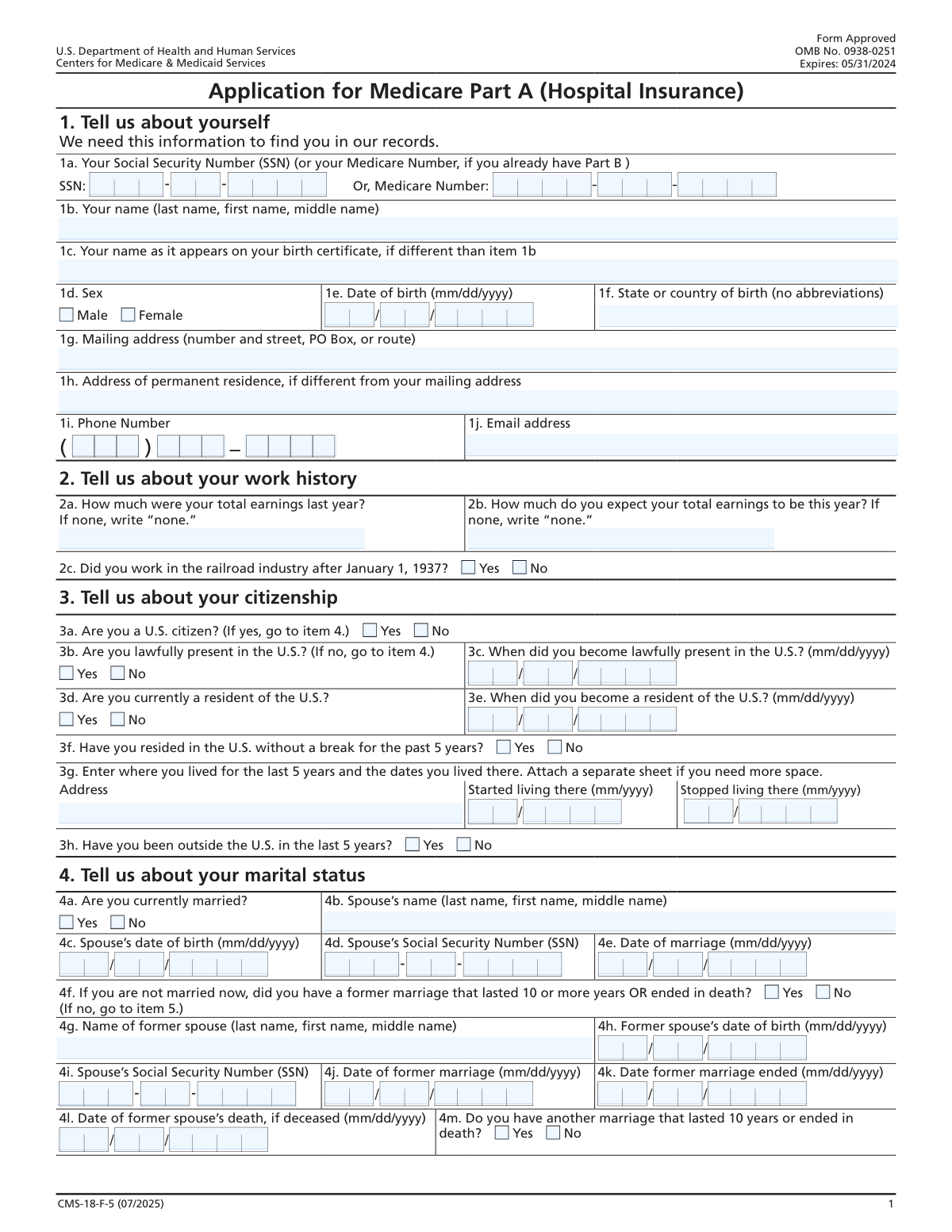
Yes! You can use AI to fill out Form CMS-40B, Application for Enrollment in Medicare Part B (Medical Insurance)
Form CMS-40B is the official application used by the Centers for Medicare & Medicaid Services (CMS) for individuals to enroll in Medicare Part B (Medical Insurance). It is crucial for those who did not automatically enroll in Part B when they first became eligible, such as those who were still working and had employer health coverage. Completing this form correctly ensures timely access to medical services, including doctor visits and outpatient care. Today, this form can be filled out quickly and accurately using AI-powered services like Instafill.ai, which can also convert non-fillable PDF versions into interactive fillable forms.
Our AI automatically handles information lookup, data retrieval, formatting, and form filling.
It takes less than a minute to fill out CMS-40B using our AI form filling.
Securely upload your data. Information is encrypted in transit and deleted immediately after the form is filled out.
Form specifications
| Form name: | Form CMS-40B, Application for Enrollment in Medicare Part B (Medical Insurance) |
| Number of fields: | 127 |
| Number of pages: | 7 |
| Language: | English |
| Categories: | CAR forms, CMS forms, enrollment application forms, enrollment forms, insurance application forms, insurance forms, Medi-Cal forms, medical forms, medical insurance forms, Medicare forms, L.A. Care forms, VA medical forms |
Instafill Demo: How to fill out PDF forms in seconds with AI
How to Fill Out CMS-40B Online for Free in 2026
Are you looking to fill out a CMS-40B form online quickly and accurately? Instafill.ai offers the #1 AI-powered PDF filling software of 2026, allowing you to complete your CMS-40B form in just 37 seconds or less.
Follow these steps to fill out your CMS-40B form online using Instafill.ai:
- 1 Navigate to Instafill.ai and upload the CMS-40B form or select it from the platform's template library.
- 2 Provide your personal details, such as your full name, Social Security Number, Medicare Number, and date of birth, letting the AI guide you to the correct fields.
- 3 Answer the questions regarding your citizenship, residency, and any history of work in the railroad industry.
- 4 Indicate your enrollment decision for Medicare Part B and provide details about any other health coverage you have, such as from an employer, union, or Medicaid.
- 5 If applicable, enter information about your current or former spouse to determine eligibility for spousal benefits.
- 6 Carefully review all the information pre-filled by the AI for accuracy and make any necessary corrections.
- 7 Electronically sign and date the application in the designated signature section to certify your information before downloading or submitting.
Our AI-powered system ensures each field is filled out correctly, reducing errors and saving you time.
Why Choose Instafill.ai for Your Fillable CMS-40B Form?
Speed
Complete your CMS-40B in as little as 37 seconds.
Up-to-Date
Always use the latest 2026 CMS-40B form version.
Cost-effective
No need to hire expensive lawyers.
Accuracy
Our AI performs 10 compliance checks to ensure your form is error-free.
Security
Your personal information is protected with bank-level encryption.
Frequently Asked Questions About Form CMS-40B
This form appears to be an application for Medicare benefits, specifically for enrolling in Part A (Hospital Insurance) and/or Part B (Medical Insurance). It collects personal, residency, employment, and health coverage information to determine your eligibility.
Individuals who are applying for Medicare and are not automatically enrolled should complete this form. This often includes people approaching age 65 or those eligible due to certain disabilities or conditions.
You will need your Social Security Number, date and place of birth, and current address. It is also helpful to have details about your citizenship status, recent earnings, marital history, and any other health coverage you have through an employer or other group.
You only need to provide your name as it appears on your birth certificate if it differs from your current legal name. This helps the agency verify your identity using various records.
If you are retired and do not expect to have any earnings for the current year, you should write 'none' in that field. This information helps determine your potential premium costs.
Yes, you can still apply. The form includes specific questions to determine if you are lawfully present in the U.S., which is a key factor in determining eligibility for non-citizens.
Your eligibility for premium-free Part A or other benefits can sometimes be based on a former spouse's work history, especially if the marriage lasted 10 years or more. This information ensures you receive all benefits you are entitled to.
Part A is hospital insurance, which is often premium-free, while Part B is medical insurance for doctor visits and outpatient care, which typically requires a monthly premium. You can choose to enroll in one or both, depending on your needs and eligibility.
If you cannot sign your name, you can make a mark (such as an 'X'). A witness must then sign and date the form to confirm they saw you make your mark.
No, the form specifies that you only need to provide your permanent residence address if it differs from the mailing address you've already entered. This saves you from entering redundant information.
Yes, services like Instafill.ai use AI to accurately auto-fill form fields from your saved profile, which can save you significant time and reduce errors on complex applications like this one.
Simply upload the form to the Instafill.ai platform. The AI will identify the fields, allowing you to fill them in with a single click using your digital profile, then review, sign, and download the completed document.
You can use a service like Instafill.ai, which is designed to convert flat, non-fillable PDFs into interactive, fillable forms. This lets you type your answers directly into the fields instead of printing and filling it out by hand.
Compliance CMS-40B
Validation Checks by Instafill.ai
1
SSN Completeness and Format Validation
This check ensures that all three parts of the Social Security Number (SSN) are filled out and correctly formatted. It verifies that the first part contains 3 digits, the second contains 2 digits, and the third contains 4 digits, and that all characters are numeric. This is critical for correctly identifying the applicant in government systems, and failure to provide a complete, valid SSN will result in application rejection.
2
Mutually Exclusive Sex Selection
This validation confirms that only one option, either 'Male' or 'Female', is selected for the 'Sex' field. It prevents ambiguous or invalid data entries where both or neither might be checked. If both options are selected, the form should prompt the user to choose only one to ensure data integrity for demographic records.
3
Date of Birth Logical Validity
This check validates that the entered Date of Birth is a real calendar date and is logically plausible. It ensures the date is in the past and that the applicant's calculated age is reasonable for a Medicare application (e.g., over 64 years old). This prevents typos and ensures the applicant meets the basic age eligibility requirements for the program.
4
Conditional Entry for 'Name on Birth Certificate'
This validation enforces the rule that the 'Name on Birth Certificate' field should only be completed if it is different from the 'Full Name' field. The system will check if the two name fields contain identical text and, if so, flag it as an error, prompting the user to clear the field. This prevents redundant data entry and ensures the field is used only as intended.
5
Citizenship and Lawful Presence Conditional Logic
This check enforces the dependency between citizenship status and lawful presence questions. If the applicant checks 'Yes' for 'U.S. Citizen Status', the subsequent 'Lawfully Present in the U.S. Status' section must be left blank. Conversely, if 'No' is checked for citizenship, the 'Lawfully Present' question becomes mandatory. This ensures a logical and accurate path through the application's legal status section.
6
Lawful Presence Date Chronology
This validation ensures that the 'Date Became Lawfully Present in the U.S.' is chronologically correct. The date provided must be after the applicant's 'Date of Birth' and on or before the current date. An invalid date sequence would represent a logical impossibility, and failing this check would require the user to correct the dates before submission.
7
Marital Status Conditional Requirement
This check verifies that if an applicant selects 'Yes' for 'Current Marital Status', all related spouse information fields become mandatory. This includes the spouse's full name, date of birth, and Social Security Number. This is essential for determining eligibility and potential benefits based on a spouse's work history, and missing data will halt the application process.
8
Marriage Date vs. Birth Dates Consistency
This validation ensures the 'Date of Marriage' is logically sound by comparing it to the birth dates of both the applicant and their spouse. The marriage date must occur after both individuals' dates of birth. This check prevents data entry errors and maintains the chronological integrity of the life events reported on the form.
9
Former Marriage Duration Validation
This check validates the condition for reporting a former marriage, which must have lasted 10 or more years or ended in death. The system calculates the duration between the 'Date of Former Marriage' and the 'Date Former Marriage Ended'. If the duration is less than 10 years and the marriage did not end in death, it will trigger an error, as the condition for this section is not met.
10
Expected Earnings Field Format
This validation checks the format of the 'Expected Total Earnings This Year' field. The input must be either a valid numerical value representing an earnings amount or the specific text string 'none'. Any other text or format will be rejected, ensuring the data is structured correctly for financial assessment and premium calculations.
11
Health Coverage End Date Logic
This check ensures that if an 'Employer Coverage End Date' is provided, it is not chronologically before the 'Employer Coverage Start Date'. It also validates that the end date fields are left empty if the 'Not ended' checkbox is selected. This prevents contradictory information about the applicant's health coverage history.
12
Applicant Signature Date Validity
This validation ensures the 'Applicant's Signature Date' is a valid calendar date that is not in the future. The date must be on or before the current system date at the time of submission. This is a critical legal requirement to certify that the information was true and correct as of the date of signing.
13
Email Address Format Validation
This check verifies that the value entered in the 'Email Address' field conforms to the standard email format (e.g., '[email protected]'). It looks for the presence of an '@' symbol and a domain part with a period. This ensures the agency can communicate with the applicant electronically and reduces bounced emails due to typos.
14
Permanent Residence Conditional Entry
This validation enforces the instruction that the 'Permanent Residence Address' field should only be filled out if it differs from the 'Mailing Address'. The system will compare the two address fields for identical content. If they match, an alert will prompt the user to clear the permanent residence field to avoid data duplication and confusion.
Common Mistakes in Completing CMS-40B
Fields for Social Security Numbers, Medicare Numbers, and phone numbers are often broken into multiple smaller boxes. Applicants frequently rush and enter the number segments in the wrong order, for example, placing the middle two digits of an SSN in the first box. This error guarantees a data mismatch, leading to identification failure and immediate rejection or significant processing delays. To avoid this, carefully match the number of digits on your card to the number of spaces in each box before writing.
This form is filled with conditional logic, such as 'Fill only if Yes is checked' or 'Fill only if different from mailing address'. Many people either miss these instructions and provide unnecessary information, or they misunderstand the logic and skip entire sections that are required for their situation. This results in an incomplete or confusing application that must be returned or corrected. AI-powered form-filling tools like Instafill.ai can prevent this by automatically showing or hiding the correct fields based on your answers.
The form asks for a full legal name and, if different, the name on a birth certificate. A common mistake is using a nickname, a shortened name, or omitting a middle name or initial. Any discrepancy between the name provided and the name on official records can halt the identity verification process. This can cause major delays in application approval. Always enter your full legal name exactly as it appears on your Social Security card or other government-issued ID.
Date fields are separated into Month (MM), Day (DD), and Year (YYYY). Applicants often make mistakes by entering a single digit for the month or day (e.g., '5' instead of '05') or using a two-digit year ('90' instead of '1990'). These formatting errors can be misread by optical character recognition (OCR) software or data entry clerks, leading to incorrect data in the system. Always use leading zeros for single-digit months and days and provide the full four-digit year to ensure accuracy.
The form distinguishes between a mailing address and a permanent residence, asking for the latter only if it differs. People often list their permanent address as their mailing address even if they use a P.O. Box, which can lead to important documents being returned as undeliverable. Conversely, forgetting to complete the permanent residence section when it is different can cause compliance and verification issues. Carefully provide the address where you reliably receive mail in the 'Mailing Address' field.
The section on former marriages contains complex qualifying conditions, such as a marriage that 'lasted 10 or more years OR ended in death.' Applicants can easily misinterpret this logic, for example, by focusing only on the 10-year duration and ignoring the 'ended in death' clause. Answering this incorrectly could lead to a wrongful denial of benefits that an applicant is entitled to through a former spouse. It is critical to read these questions slowly and consider all conditions presented.
A form is not legally binding without a valid signature. Common errors include printing a name on the signature line, using a digital signature where a 'wet' signature is required, or forgetting to date the signature. An invalid or missing signature is one of the most frequent reasons for immediate rejection, forcing the applicant to restart the entire process. Always provide a handwritten signature in the correct field and enter the current date. If the form is a non-fillable PDF, a tool like Instafill.ai can make it fillable and signable.
The instructions for the 'State or Country of Birth' field explicitly state 'Do not use abbreviations.' People often ignore this and use common postal codes ('CA' for California) or acronyms ('USA') out of habit. Automated systems may not recognize these abbreviations, causing the data to be flagged for manual review and delaying the application. To prevent this, always write out the full name of states, provinces, and countries as instructed.
The citizenship and residency section uses a cascade of conditional questions, where your answer to one question determines the next set of questions you must answer. A single incorrect 'Yes' or 'No' can lead you down the wrong path, causing you to skip entire required sections or fill out irrelevant ones. This makes the submission logically inconsistent and impossible to process. AI-powered tools like Instafill.ai manage this complexity by dynamically presenting only the relevant questions based on your previous input, ensuring a complete and accurate application.
When detailing employment or health coverage history, the form provides 'End Date' fields and a 'Not ended' checkbox. Applicants with current coverage or employment often leave the end date blank but also forget to check the 'Not ended' box. This ambiguity forces the processor to guess whether the information is current or if the applicant simply missed a field, leading to processing delays while they seek clarification. If a position or coverage is ongoing, always check the 'Not ended' box.
Saved over 80 hours a year
“I was never sure if my IRS forms like W-9 were filled correctly. Now, I can complete the forms accurately without any external help.”
Kevin Martin Green
Your data stays secure with advanced protection from Instafill and our subprocessors

Robust compliance program
Transparent business model
You’re not the product. You always know where your data is and what it is processed for.
ISO 27001, HIPAA, and GDPR
Our subprocesses adhere to multiple compliance standards, including but not limited to ISO 27001, HIPAA, and GDPR.
Security & privacy by design
We consider security and privacy from the initial design phase of any new service or functionality. It’s not an afterthought, it’s built-in, including support for two-factor authentication (2FA) to further protect your account.
Fill out CMS-40B with Instafill.ai
Worried about filling PDFs wrong? Instafill securely fills form-cms-40b-application-for-enrollment-in-medicare-part-b-medical-insurance forms, ensuring each field is accurate.